
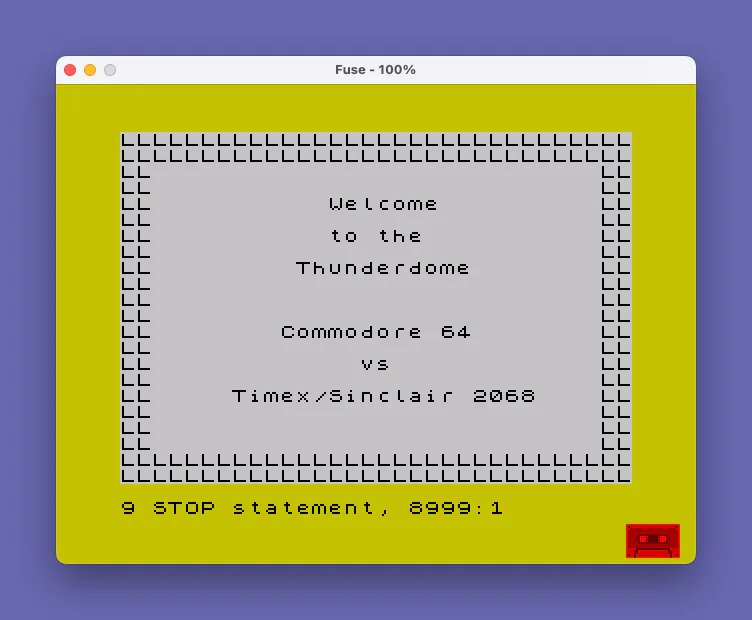
This program generates a decorative certificate on screen, prompting the user to enter between one and eight lines of text, which are then centered automatically using the expression `(32-LEN c$)/2` as the column argument to `PRINT AT`. Before displaying the certificate, a subroutine at line 9000 defines fourteen User Defined Graphics (UDGs “A” through “N”) by POKEing 8-byte bitmap data into their reserved memory locations via `POKE USR “\x”+a,b`. The user is then shown a menu of the available UDG symbols and chooses one to form the certificate’s border: two solid rows across the top and bottom, and a double-character column on each side using `OVER 1` for the vertical edges. Line 9999 provides a tape SAVE/VERIFY routine with visual feedback using `INVERSE` and `FLASH` attributes.
Program Analysis
Program Structure
The program is divided into three logical sections:
- Initialization (line 10): Sets border color, resets the DATA pointer, and calls the UDG setup subroutine.
- Certificate builder (lines 200–8999): Collects user text, centers and prints it, then prompts for a border symbol and draws the frame.
- UDG definition subroutine (lines 9000–9700): Loads 14 custom 8×8 pixel bitmaps into UDG memory.
- Save/Verify utility (line 9999): A standalone tape management line, executed only if directly run or GOTOed.
Text Centering
Lines 225–232 implement an if-ladder to compute a starting row y based on the number of requested lines l, ensuring the text block is vertically centered on the 22-row display. Each line of user input is horizontally centered with the idiom:
PRINT AT y,(32-LEN c$)/2;c$This works because the display is 32 characters wide; the expression yields the left margin needed to center the string. Lines are spaced two rows apart (y=y+2 at line 235), leaving a blank row between each entry for visual breathing room.
UDG Definition Subroutine
Lines 9000–9700 define 14 UDGs (labeled “A” through “N”) using a repetitive pattern: 8 DATA values are READ and POKEd into USR "\x"+a for a=0 TO 7. Each UDG occupies 8 bytes of bitmap data. The fourteen symbols defined are:
| UDG | Data (hex) | Visual description |
|---|---|---|
| \a | FF FF C3 C3 C3 C3 FF FF | Solid border rectangle |
| \b | 81 42 3C 3C 3C 3C 42 81 | Diamond / hourglass |
| \c | 00 FF FF 00 00 FF FF 00 | Horizontal double bar |
| \d | 00 18 18 7E 7E 18 18 00 | Plus / cross |
| \e | 00 3C 7E 66 66 7E 3C 00 | Open circle/oval |
| \f | 66 66 66 66 66 66 66 66 | Vertical double stripe |
| \g | 3C 7E C3 C3 C3 C3 7E 3C | Filled circle |
| \h | CC CC 33 33 CC CC 33 33 | Checkerboard 2×2 |
| \i | 18 18 00 DB DB 00 18 18 | Dotted cross |
| \j | C3 C3 3C 3C 3C 3C C3 C3 | Corners only |
| \k | 00 EE EE 00 00 EE EE 00 | Horizontal double bar (wide) |
| \l | E7 E7 E7 00 00 E7 E7 E7 | Top/bottom thick bands |
| \m | 00 7E 42 42 42 42 7E 00 | Hollow square |
| \n | FF 81 81 81 81 81 81 FF | Thin hollow square |
Border Drawing
After the user selects a graphic symbol a$, the border is drawn in three passes:
- Lines 8100–8110: Fill rows 0 and 1 completely with 32 copies of
a$for the top border. - Line 8120: A loop of 18 iterations prints
a$;a$at column 0 and column 30 withOVER 1for the left and right edges (rows 2–19). - Line 8130: Prints 64 copies of
a$to fill the bottom two rows (rows 20–21).
The use of OVER 1 (XOR pixel mode) at line 8120 means the border symbol is drawn over whatever text already exists in those columns without fully overwriting it — a deliberate technique to preserve any text that might fall near the edge, though in practice the text centering keeps content away from columns 0–1 and 30–31.
Notable Techniques and Idioms
- The
RESTOREat line 10 ensures the DATA pointer is reset before the UDG subroutine reads its values, making the program safely re-runnable. - The vertical centering if-ladder (lines 225–232) is a straightforward but verbose substitute for a single arithmetic formula; it could equivalently be written as
LET y = 12 - l. - The UDG selection menu at lines 8080–8090 displays letters A–N alongside their rendered symbols, giving the user a visual preview before choosing.
- Line 8999 is a
STOP, preventing accidental fall-through into the UDG subroutine or the save utility.
Bugs and Anomalies
- Line 200 only validates
l>8but does not guard againstl<1or non-integer inputs, so entering 0 or a negative number would proceed and produce an off-screen or incorrectyvalue since the if-ladder only coversl=1throughl=8. - The
PRINTat line 240 prints an empty line, but because a priorPRINT ATwas used, the cursor position is indeterminate — this may scroll the screen unexpectedly if the cursor is at the bottom. - The side-border loop at line 8120 uses
TAB 30for the right edge, placing the double symbol at columns 30–31, while the top/bottom fills all 32 columns (0–31). This is consistent and intentional but means the corners are only single-width on the left and right.
Image Gallery
Source Code
    5 REM certificat
   10 BORDER 6: RESTORE : GO SUB 9000
  200 INPUT "How many lines?(1-8) ";l: IF l>8 THEN GO TO 200
  225 IF l=8 THEN LET y=4
  226 IF l=7 THEN LET y=5
  227 IF l=6 THEN LET y=6
  228 IF l=5 THEN LET y=7
  229 IF l=4 THEN LET y=8
  230 IF l=3 THEN LET y=9
  231 IF l=2 THEN LET y=10
  232 IF l=1 THEN LET y=11
  233 FOR i=1 TO l
  234 INPUT "Print line (1-26 char.) ";c$: PRINT AT y,(32-LEN c$)/2;c$
  235 LET y=y+2
  240 PRINT
  250 NEXT i
 8080 PRINT AT 20,2;"A B C D E F G H I J K L M N"
 8085 PRINT AT 21,2;"\a \b \c \d \e \f \g \h \i \j \k \l \m \n "
 8090 INPUT "Which graphics symbol? ";a$
 8100 FOR i=0 TO 31: PRINT AT 0,i;a$;: NEXT i
 8110 FOR i=0 TO 31: PRINT AT 1,i;a$;: NEXT i
 8120 FOR i=1 TO 18: PRINT TAB 0; OVER 1;a$;a$;TAB 30; OVER 1;a$;a$: NEXT i
 8130 FOR i=1 TO 64: PRINT a$;: NEXT i
 8999 STOP
 9000 REM UDG
 9010 DATA 255,255,195,195,195,195,255,255
 9020 FOR a=0 TO 7
 9030 READ b: POKE USR "\a"+a,b
 9040 NEXT a
 9060 DATA 129,66,60,60,60,60,66,129
 9070 FOR a=0 TO 7
 9080 READ b: POKE USR "\b"+a,b
 9090 NEXT a
 9110 DATA 0,255,255,0,0,255,255,0
 9120 FOR a=0 TO 7
 9130 READ b: POKE USR "\c"+a,b
 9140 NEXT a
 9160 DATA 0,24,24,126,126,24,24,0
 9170 FOR a=0 TO 7
 9180 READ b: POKE USR "\d"+a,b
 9190 NEXT a
 9210 DATA 0,60,126,102,102,126,60,0
 9220 FOR a=0 TO 7
 9230 READ b: POKE USR "\e"+a,b
 9240 NEXT a
 9260 DATA 102,102,102,102,102,102,102,102
 9270 FOR a=0 TO 7
 9280 READ b: POKE USR "\f"+a,b
 9290 NEXT a
 9310 DATA 60,126,195,195,195,195,126,60
 9320 FOR a=0 TO 7
 9330 READ b: POKE USR "\g"+a,b
 9340 NEXT a
 9360 DATA 204,204,51,51,204,204,51,51
 9370 FOR a=0 TO 7
 9380 READ b: POKE USR "\h"+a,b
 9390 NEXT a
 9410 DATA 24,24,0,219,219,0,24,24
 9420 FOR a=0 TO 7
 9430 READ b: POKE USR "\i"+a,b
 9440 NEXT a
 9460 DATA 195,195,60,60,60,60,195,195
 9470 FOR a=0 TO 7
 9480 READ b: POKE USR "\j"+a,b
 9490 NEXT a
 9510 DATA 0,238,238,0,0,238,238,0
 9520 FOR a=0 TO 7
 9530 READ b: POKE USR "\k"+a,b
 9540 NEXT a
 9560 DATA 231,231,231,0,0,231,231,231
 9570 FOR a=0 TO 7
 9580 READ b: POKE USR "\l"+a,b
 9590 NEXT a
 9610 DATA 0,126,66,66,66,66,126,0
 9620 FOR a=0 TO 7
 9630 READ b: POKE USR "\m"+a,b
 9640 NEXT a
 9660 DATA 255,129,129,129,129,129,129,255
 9670 FOR a=0 TO 7
 9680 READ b: POKE USR "\n"+a,b
 9690 NEXT a
 9700 RETURN
 9999 CLEAR : CLS : SAVE "certificat" LINE 1: BEEP 1,32: PRINT AT 9,9; INVERSE 1;"Program Saved": PRINT AT 11,6;"  Rewind to verify. ": VERIFY "certificat": BEEP 1,0: PRINT AT 13,7; FLASH 1;"Program Verified."
Note: Type-in program listings on this website use ZMAKEBAS notation for graphics characters.