
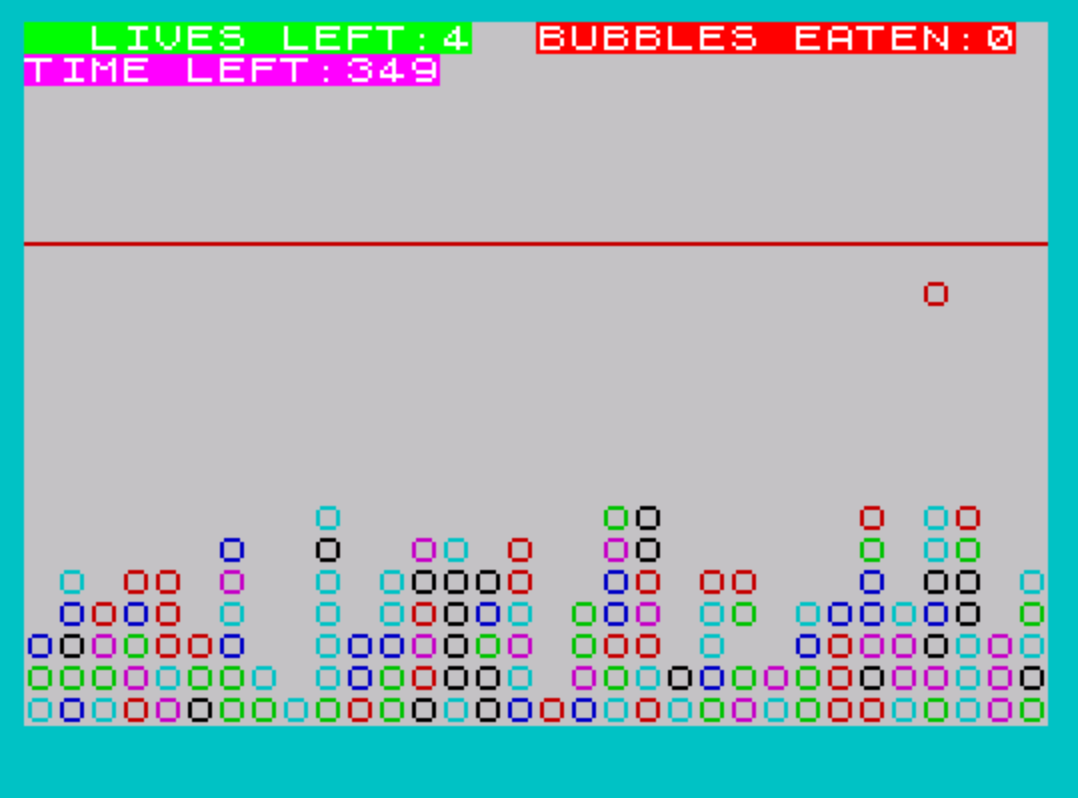
GHOTI is an arcade-style fish simulation game in which the player maneuvers a fish character around a swamp screen, eating rising bubble plankton while avoiding diving turtles. The player’s fish is moved using the arrow keys (5, 6, 7, 8), and three UDG characters—defined by POKEing 55 bytes of data into USR “a” through USR “f”—represent the fish and turtle sprites. A time-based life system ties difficulty to a skill level chosen at startup (1–9), where the multiplier of 40 produces time values from 40 to 360. Line 7011 contains a notable loop anomaly: a FOR loop with a STEP of 5 iterating from 0.01 to 0.100 executes only once due to the step size, effectively making it dead iteration code. Turtles appear at random intervals via line 360, momentarily freezing the swamp and potentially costing the player lives.
Program Analysis
Program Structure
The program is organized into several functional regions identified by their line number ranges:
- Lines 1–8: Initialization — REMs, border/paper/ink setup, jump to setup routine at 9100 (via 6), then subroutine at 1000, then main loop entry at 500.
- Lines 120–480: Main game loop — bubble movement, player input, collision detection, time management, and turtle triggering.
- Lines 500–600: Bubble respawn and bubble-eaten scoring.
- Lines 1000–1950: Initialization subroutine — draws the seabed, loads UDG data, and sets starting variables.
- Lines 6100–6300: Bubble-eat animation and sound.
- Lines 7000–7100: Turtle attack sequence.
- Lines 7501–7530: Starvation (time=0) death sequence.
- Lines 7910–8010: Eaten-alive death sequence and restart prompt.
- Lines 8995–9030: Win sequence (10 bubbles eaten).
- Lines 9132–9167: Title screen, instructions, skill level selection, and game launch.
- Line 9999: SAVE with auto-run.
The main loop does not use a structured WHILE or FOR construct; instead it relies on GO TO 120 at line 480 to cycle continuously, with exits triggered by conditional branches throughout.
UDG Sprite Definition
Lines 1080–1140 define the custom character graphics. The subroutine POKEs 55 bytes of data (read via READ t) into memory starting at USR "a", defining characters \a through \f (approximately 6 UDGs, each 8 bytes). These are used for the fish sprite (\a\b or \d\e for left/right facing) and turtle sprite (\g\f). A RESTORE is called after loading to reset the DATA pointer for any subsequent reads.
Player Input and Movement
Player movement uses a two-iteration FOR loop (lines 135–153) that samples INKEY$ twice per game cycle, reducing missed keypresses. The arrow key mapping is:
| Key | Action |
|---|---|
| 5 | Move left (decrease b) |
| 8 | Move right (increase b) |
| 6 | Move down (increase a) |
| 7 | Move up (decrease a) |
Boundary clamping is enforced at lines 150–152, restricting the fish to rows 7–15 and columns 1–29. The fish sprite direction (left/right) is chosen based on a re-check of INKEY$ at line 154: if “5” is still pressed, the left-facing UDG pair \d\e is printed; otherwise the right-facing pair \a\b is used.
Bubble Mechanics
Bubbles are represented by the character “O” printed with INK 2. Each bubble spawns at a random column (y=INT(RND*25)) near the bottom of the screen and rises one row per game cycle (line 350: LET x=x-1). A slight horizontal drift is added each cycle at line 121 (LET y=y+RND*2), with clamping at line 125 to keep bubbles on screen. Collision between fish and bubble is detected at line 157 using ATTR comparison — a color-attribute trick rather than coordinate comparison, meaning ink/paper attribute equality triggers the pickup.
Turtle Attack Sequence
Turtles are spawned probabilistically at line 360 (IF INT(RND*20)=1), roughly a 5% chance per cycle. The turtle routine (lines 7000–7100) loops for a random number of turtles (1 to 5), printing the \g\f UDG sprite pair. Collision with a turtle (again via ATTR comparison at line 7035 and 7075) deducts a life. If lives reach zero, the game ends. The variable t at line 7012 caches the life count so that line 7085 (IF t<>lives THEN GO TO 120) can exit the turtle loop early if a life was lost.
Skill Level and Timing
At line 9155, the skill level is captured: LET time=VAL INKEY$*40. This maps key presses “1”–”9″ to time values 40–360. The validation at line 9156 rejects values outside 30–360, effectively requiring a key of 1–9. The time counter decrements each game cycle at line 156 and triggers a starvation death at line 164 when it reaches zero. Lines 162 apply an INK 3 blank (\ ) to erase trailing digits when time drops below 100 or 9, compensating for fixed-width PRINT positioning.
Notable Techniques
- ATTR-based collision detection (lines 157, 7035, 7075): Uses
ATTR(row,col)equality rather than coordinate matching, leveraging the display file’s color attributes as a proxy for object identity. - Double INKEY$ sampling (lines 135–153): A FOR loop of 2 iterations reads the key twice per frame to improve responsiveness without delaying the game loop.
- Seabed rendering (lines 1000–1075): The initialization subroutine fills the bottom portion of the screen with randomly colored “O” characters column by column using nested FOR loops, creating the primordial slime backdrop.
- VAL INKEY$ idiom (line 9155): Converts the skill key press directly to a numeric value in a single expression.
Bugs and Anomalies
- Line 6 references line 9100 which does not exist:
GO TO 9100will fall through to line 9132 (the title screen), which is the intended behavior — a well-known technique for jumping to the nearest following line. - Line 7011 — degenerate FOR loop:
FOR r=.01 TO .100 STEP 5iterates only once because the STEP of 5 immediately exceeds the TO value of 0.1. The inner BEEP loop and thecrcounter logic never accumulate beyond 1, and theIF cr=5 THEN GO TO 7012branch is never taken. This renders the turtle sound effect loop effectively non-functional as a loop. - Line 7070 — negative AT coordinates:
PRINT AT -o,-20-h+ocan produce negative row and column values depending onoandh. On Spectrum/TS2068, this will typically produce an “Invalid Argument” error or wrap unpredictably; this appears to be a logic error in the turtle exit animation. - Line 7500 is missing: The starvation path at line 164 jumps to
GO TO 7500, but line 7500 does not exist. Execution falls through to line 7501, which is the correct starvation handler — again an intentional line-skip technique. - Line 8990 is referenced but absent:
GO TO 8990at line 160 (win condition) falls through to line 8995, which correctly suppresses key buffering before displaying the congratulations screen at line 9000.
Image Gallery
Source Code
    1 REM "GHOTI"by K Jefford of          Upminister,Essex            From Sinclair User March'85
    2 REM Use Arrow Keys Don't get        Eaten by turtles,Eat     bubbles for longer life
    3 RESTORE
    5 BORDER 1: PAPER 7: INK 2
    6 GO TO 9100
    8 GO SUB 1000
   20 GO TO 500
  121 LET y=y+RND*2
  122 PLOT 0,120: DRAW 255,0
  123 PRINT AT 0,0; BRIGHT 1; INK 4; INVERSE 1;"  LIVES LEFT:";lives
  125 IF y>=29 OR y<=2 THEN LET y=y-2
  126 PRINT AT a,b;"  "
  127 PRINT AT x,y; INK 2;"O"
  135 FOR d=1 TO 2
  140 LET a$=INKEY$
  147 LET a=a+(a$="6")-(a$="7")
  148 LET b=b+(a$="8")-(a$="5")
  150 IF a<=7 THEN LET a=7: IF b<=1 THEN LET b=1
  151 IF a>=15 THEN LET a=15
  152 IF b>=29 THEN LET b=29
  153 NEXT d
  154 IF INKEY$="5" THEN PRINT AT a,b; INK 1;"\d\e": BEEP .01,3: GO TO 156
  155 PRINT AT a,b; INK 1;"\a\b": BEEP .01,2
  156 LET time=time-1: PRINT AT 1,0; INK 3; BRIGHT 1; INVERSE 1;"TIME LEFT:";time
  157 IF ATTR (a,b)=ATTR (x,y) THEN GO TO 600
  158 IF x<=7 THEN GO TO 6000
  159 PRINT AT 0,16; INVERSE 1; BRIGHT 1;"BUBBLES EATEN:";bcount
  160 IF bcount=10 THEN GO TO 8990
  162 IF time<100 THEN PRINT AT 1,13; INK 3;"\  ": IF time<=9 THEN PRINT AT 1,12; INK 3;"\  "
  164 IF time=0 THEN GO TO 7500
  165 PRINT AT x,y;" "
  350 LET x=x-1: IF x=6 THEN GO TO 500
  360 IF INT (RND*20)=1 THEN GO TO 7000
  480 GO TO 120
  500 LET y=INT (RND*25): LET x=21-INT (RND*6): GO TO 24
  600 LET bcount=bcount+1: PRINT AT a,b;" ": PRINT AT x,y;" ": GO TO 20
 1000 FOR n=0 TO 31
 1060 FOR a=21-INT (RND*7) TO 21
 1070 PRINT AT a,n; INK INT (RND*6);"O"
 1075 NEXT a: NEXT n
 1080 FOR f=0 TO 54: READ t: POKE USR "a"+f,t: NEXT f: RESTORE
 1100 DATA 131,71,111,127,127,127,95,143,192,224,208,216,253,248,240,192
 1125 DATA 16,16,17,146,84,40,0,239
 1130 DATA 3,7,15,27,63,31,15,3,193,224,246,254,254,254,250,241
 1140 DATA 192,224,240,240,247,255,224,112,7,63,255,127,63,239,199
 1930 LET a=12: LET b=5
 1935 LET bcount=0
 1936 LET c=0
 1937 LET lives=4
 1950 RETURN
 6100 PRINT AT 7,y;" ": FOR z=1 TO 30 STEP 2: BEEP .001,z: PRINT AT 6,y;"\c": NEXT z: PRINT AT 6,y;" "
 6300 GO TO 159
 6999 REM TURTLES
 7000 FOR j=1 TO INT (RND*5)
 7009 LET h=INT (RND*17)
 7010 LET f=INT (RND*12)
 7011 LET cr=0: FOR r=.01 TO .100 STEP 5: FOR s=1 TO 20: BEEP r,s: NEXT s: NEXT r: LET cr=cr+1: IF cr=5 THEN GO TO 7012
 7012 LET t=lives
 7013 LET cr=0
 7020 FOR l=6 TO 0 STEP -1
 7030 PRINT AT 9+f-1,10+h-1; INK 3;"\g\f"
 7035 IF ATTR (a,b)=ATTR (9+f-1,10+h-1) THEN LET lives=lives-1: IF lives=0 THEN GO TO 8000
 7040 PAUSE 4: PRINT AT 9+f-1,10+h-1;"  "
 7050 NEXT l
 7060 FOR o=9 TO 7 STEP -1
 7070 PRINT AT -o,-20-h+o; INK 3;"\g\f"
 7075 IF ATTR (a,b)=ATTR (-o,-20-h+o) THEN LET lives=lives-1: IF lives=0 THEN GO TO 7910
 7080 PAUSE 10: PRINT AT -o,-20-h+o;"  "
 7085 IF t<>lives THEN GO TO 120
 7090 NEXT o
 7091 NEXT j
 7100 GO TO 120
 7501 IF INKEY$<>"" THEN GO TO 7501
 7510 CLS : PRINT AT 10,6;"YOU STARVED TO DEATH"
 7520 FOR n=0 TO 10: BEEP .1,12-n: BORDER INT (RND*6)+1: INK 9: NEXT n
 7530 GO TO 8000
 7910 PRINT AT 10,8;"EATEN ALIVE!": PAUSE 50
 8000 CLS : PRINT AT 10,8;"ANOTHER GAME?": PAUSE 0: IF INKEY$="y" OR INKEY$="Y" THEN CLS : GO TO 9150
 8010 STOP
 8995 IF INKEY$<>"" THEN GO TO 8995
 9000 CLS : PRINT AT 8,2;"CONGRATULATIONS! YOU SURVIVED"''"  A DAY IN THE SWAMP."'''" FEELING MORE SKILLFUL, PERHAPS?"
 9015 PAUSE 150: GO TO 9150
 9030 RETURN
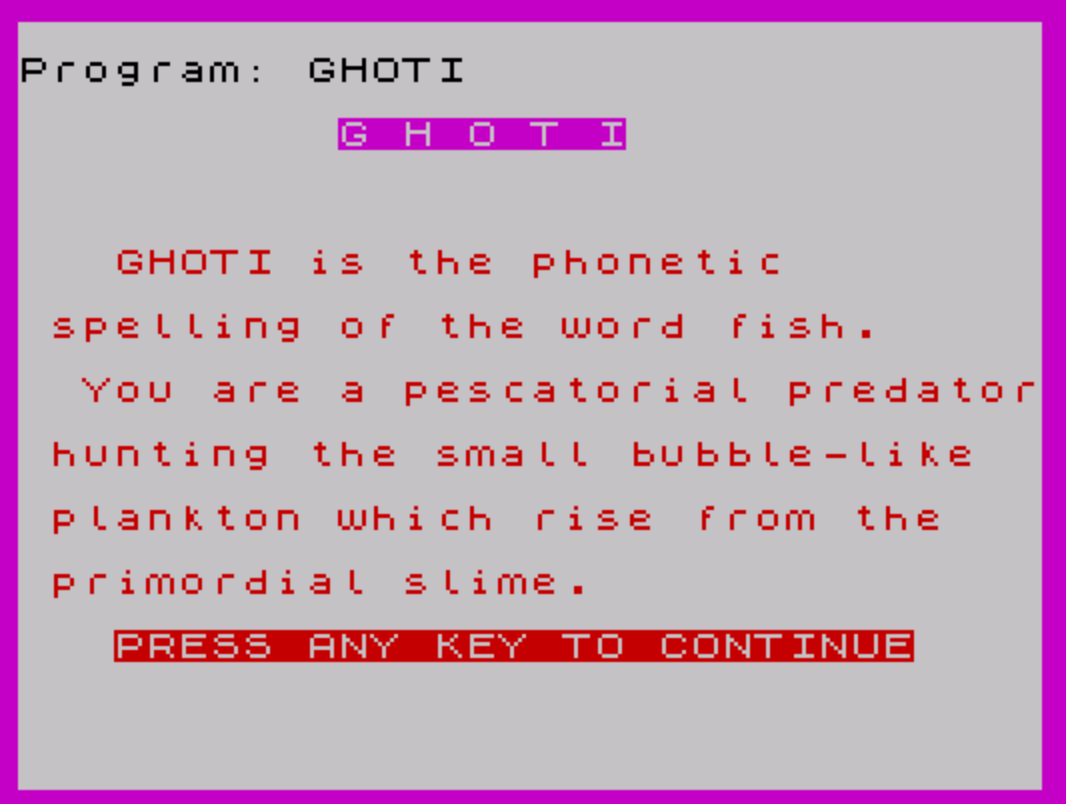
 9132 BORDER 3: PRINT AT 3,10; INK 3; INVERSE 1;"G H O T I"
 9135 PRINT AT 7,3;"GHOTI is the phonetic"''" spelling of the word fish."''"  You are a pescatorial predator"''" hunting the small bubble-like"''" plankton which rise from the"''" primordial slime."''TAB 3; INVERSE 1;"PRESS ANY KEY TO CONTINUE"
 9136 PAUSE 0
 9140 CLS : PRINT AT 5,2;"Choose your level of skill"''"then spend your first day in"''" your new home.But beware! When"''" the diving turtles are around"''" everything in the swamp goes"''"still! how many days will YOU"''" survive?"
 9145 PRINT AT 20,3; INVERSE 1;"PRESS ANY KEY TO CONTINUE"
 9146 PAUSE 0: IF INKEY$="" THEN GO TO 9146
 9150 CLS : BORDER 6: PRINT AT 8,6; INVERSE 1; INK 3;"WHAT SKILL LEVEL?"''"     (9=easy,1=expert!)"
 9151 FOR n=0 TO 10: BORDER INT (RND*6)+1: BEEP .1,n*2+INT (RND*10): NEXT n
 9152 PAUSE 0
 9155 LET time=VAL INKEY$*40
 9156 IF time<30 OR time>360 THEN GO TO 9151
 9160 CLS
 9167 GO TO 8
 9999 SAVE "GHOTI" LINE 1
Note: Type-in program listings on this website use ZMAKEBAS notation for graphics characters.