
Laurie is an interactive frame-by-frame animation drawing tool that uses the joystick (STICK function) to move a cursor around the screen and plot pixels or filled squares. The user can toggle drawing on or off, adjust the brush block size with ‘+’/’-‘ keys, and save completed frames as raw CODE at address 16384 with a length of 2048 bytes. A small machine code routine is poked into RAM at address 65000 and called via RANDOMIZE USR to copy display memory between two frame buffers located at 32000 and 65005/65002 address parameters. Line 410 bootstraps the machine code by parsing a packed decimal string into 12 bytes starting at address 65000, then re-runs the program.
Program Analysis
Program Structure
The program is organized into several distinct phases:
- Initialization / intro (lines 10–80): Clears memory above address 32000, displays a two-screen instruction sequence with
BEEP/PAUSE 0keypresses between pages. - Drawing loop setup (lines 90–130): Draws a reference line, seeds cursor position at
x=125, y=165, sets draw flaga=1and block sizeb=0. - Machine code call (lines 140–140): Calls the routine at 65000 via
RANDOMIZE USR 65000to perform a frame-buffer operation using parameters POKEd at 65002 and 65005. - Main drawing loop (lines 150–330): Reads joystick and keyboard, moves cursor, and plots pixels or inverse-video squares.
- Frame save (lines 340–400): Copies the frame buffer back via the machine code, saves the display as
CODE 16384,2048, then loops back to drawing. - Bootstrap (line 410): Installs the machine code routine from a packed decimal string, then re-runs the program.
Machine Code Bootstrap
Line 410 is the entry point when the program is first loaded. It clears memory to 65000, then decodes a 12-byte machine code routine from the string literal "033000125017000064001000008237176201". The string is consumed three characters at a time using VAL a$( TO PI) — since PI truncates to 3 in integer contexts here — extracting each byte value and POKEing it sequentially from address 65000. After installation the program re-runs from line 10 with RUN.
The 12 bytes decode as follows:
| Address | Byte (decimal) | Z80 Mnemonic (approximate) |
|---|---|---|
| 65000 | 033 | LD HL, nn (low byte follows) |
| 65001 | 000 | (low byte of address) |
| 65002 | 125 | (high byte — POKEd to 125=32000 high) |
| 65003 | 017 | LD DE, nn |
| 65004 | 000 | (low byte) |
| 65005 | 064 | (high byte — POKEd to 64=16384 high) |
| 65006 | 001 | LD BC, nn |
| 65007 | 000 | (low byte = 0) |
| 65008 | 008 | (high byte = 8, so BC=2048) |
| 65009 | 237 | ED prefix |
| 65010 | 176 | LDIR — block copy HL→DE, BC bytes |
| 65011 | 201 | RET |
This is a simple Z80 LDIR block copy. By changing the high bytes at 65002 and 65005 before calling the routine, the program can copy either from the display (16384) to the frame buffer (32000) or vice versa, effectively implementing a double-buffer flip for animation.
STICK-Based Joystick Input
Lines 210–280 use the TS2068 STICK function (rendered as |) to read joystick port 1. The return values follow the standard numeric encoding: 1=up, 2=down, 4=left, 8=right, with diagonals as sums (9=up-right, 10=down-right, 5=up-left, 6=down-left). Line 210 uses |(1,1)=0 to detect the neutral (no movement) state and loop back to line 150 without moving or drawing.
Line 220 checks |(2,1)=1 (fire button) and inverts the draw flag a, toggling between draw and erase mode.
Drawing Logic and Block Size
The cursor is represented by a single pixel plotted with PLOT OVER 1 (XOR mode) twice in succession at line 150, which acts as a visible cursor that does not permanently alter the canvas. The block size variable b is adjusted by pressing ‘k’ (increase) or ‘j’ (decrease). When drawing (a=1), lines 300–310 plot the anchor pixel and then draw a square of side b using four DRAW calls. When erasing (a<>1), lines 290 and 320 use INVERSE 1 to erase the same square.
Key BASIC Idioms
LET x=x+(|(1,1)=8)-(|(1,1)=4)— Boolean expression used as ±1 delta, a compact idiom replacing IF/THEN chains for cardinal movement.VAL a$( TO PI)— Using the constantPI(≈3.14159) as a slice index; BASIC truncates it to 3, extracting three-digit substrings for byte decoding.RANDOMIZE USR 65000— Standard idiom for calling a machine code subroutine; the return value from Z80RETis discarded byRANDOMIZE.PAUSE 0at lines 50 and 80 — Waits indefinitely until any key is pressed, gating the instruction screens.
Bugs and Anomalies
- Line 320 executes unconditionally when
a<>1, but line 290 already branches withGO TO 320, meaning line 320’sIF a<>1guard is redundant — though harmless. - Cursor boundary checking is absent; moving beyond
x=0,x=255,y=0, ory=175will cause an “Out of screen” error fromPLOT/DRAW. - The ‘+’/’-‘ keys mentioned in the instructions (line 60) are not actually tested in the main loop; instead lines 190–200 use ‘k’ and ‘j’. This is a discrepancy between the documentation and the code.
- Line 340 uses
PRINT AT 10,0; FLASH 1; BRIGHT 1;" "with a single space — it prints only one flashing space, likely intended as a visual indicator but has minimal visible effect. - The
SAVE "p"CODE 16384,2048at line 380 saves only the first third of the display file (2048 bytes covers the pixel area but not the attribute area, which starts at 22528).
Image Gallery
Source Code
   10 CLEAR 125*256: REM 32000
   20 REM 32000 TO 34048=oldfram
   30 REM 65000=prog
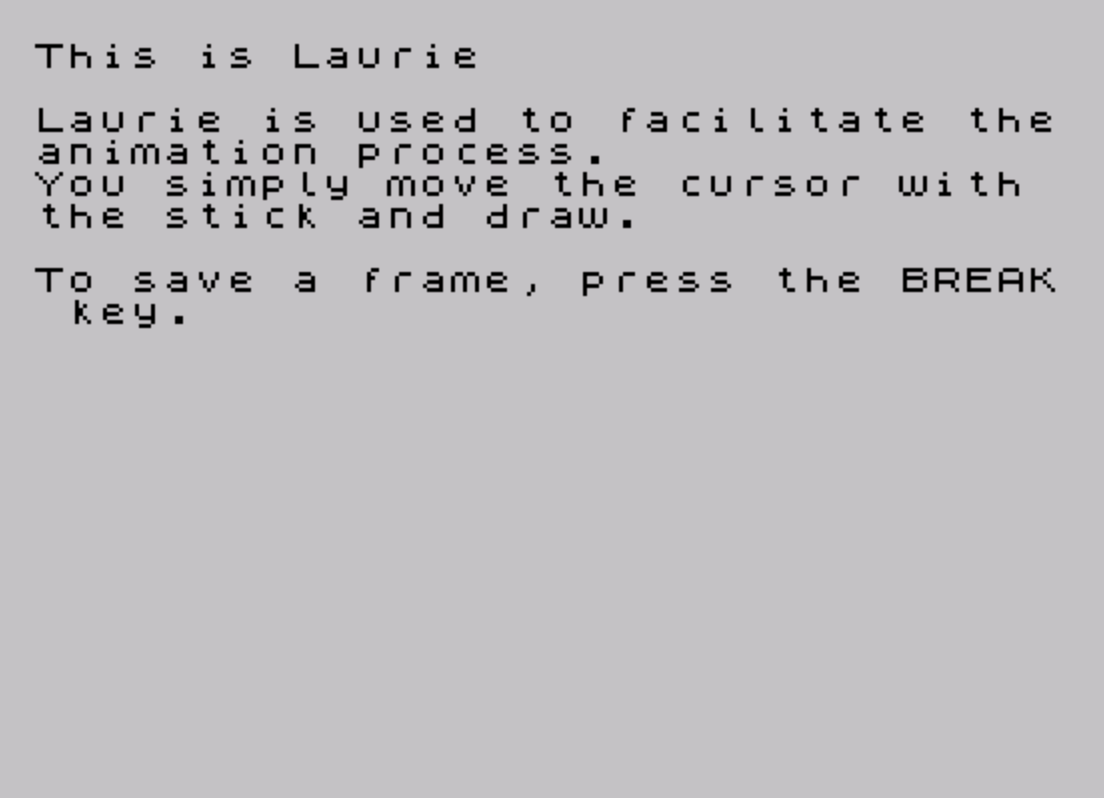
   40 CLS : PRINT "This is Laurie"''"Laurie is used to facilitate theanimation process."'"You simply move the cursor with the stick and draw."''"To save a frame, press the BREAK key."
   50 BEEP .01,15: PAUSE 0
   60 PRINT '"To erase, press '0'"'"To continue drawing, press '9'"''"To increase/decrease block size,press '+' or '-'."
   70 PRINT "Once a frame is completed, and anew one is begun, the previous  frame will appear."'"You are left to erase this."
   80 BEEP .05,15: PAUSE 0
   90 CLS : REM draw
  100 PLOT 0,175-64: DRAW 255,0: LET x=125: LET y=165
  110 LET a=1
  120 LET b=0
  130 POKE 65002,125: POKE 65005,64
  140 RANDOMIZE USR 65000
  150 PLOT OVER 1,x,y: PLOT OVER 1,x,y
  160 IF INKEY$=" " THEN GO TO 340
  170 IF INKEY$="0" THEN LET a=0
  180 IF INKEY$="9" THEN LET a=1
  190 IF INKEY$="k" THEN LET b=b+1
  200 IF INKEY$="j" THEN LET b=b-1: IF b<0 THEN LET b=0
  210 IF |(1,1)=0 THEN GO TO 150
  220 IF |(2,1)=1 THEN LET a=-a
  230 LET x=x+(|(1,1)=8)-(|(1,1)=4)
  240 LET y=y+(|(1,1)=1)-(|(1,1)=2)
  250 IF |(1,1)=9 THEN LET x=x+1: LET y=y+1
  260 IF |(1,1)=10 THEN LET x=x+1: LET y=y-1
  270 IF |(1,1)=5 THEN LET x=x-1: LET y=y+1
  280 IF |(1,1)=6 THEN LET x=x-1: LET y=y-1
  290 IF a<>1 THEN PLOT INVERSE 1,x,y: GO TO 320
  300 PLOT x,y
  310 IF a=1 THEN DRAW 0,b: DRAW b,0: DRAW 0,-b: DRAW -b,0
  320 IF a<>1 THEN INVERSE 1: DRAW 0,b: DRAW b,0: DRAW 0,-b: DRAW -b,0: INVERSE 0
  330 GO TO 150
  340 PRINT AT 10,0; FLASH 1; BRIGHT 1;" "
  350 POKE 65002,64: POKE 65005,125
  360 RANDOMIZE USR 65000
  370 PRINT AT 10,1;"The drawing is copied."'"Now it will be saved under ""p""."
  380 SAVE "p"CODE 16384,2048
  390 PRINT AT 20,0;"Remember CODE not SCREEN$ "
  400 BEEP .05,15: PAUSE 0: GO TO 90
  410 CLEAR 65000: LET a$="033000125017000064001000008237176201": FOR f=65000 TO 65011: POKE f,VAL a$( TO PI): LET a$=a$(4 TO ): NEXT f: RUN
  420 SAVE "Laurie" LINE 410
Note: Type-in program listings on this website use ZMAKEBAS notation for graphics characters.