
This program magnifies text characters to a large block-graphic display on both the screen and printer, rendering each pixel of a character as a 2×2 cell of selectable graphics characters. It reads two lines of text from the user and processes them one character at a time, using the POINT function to test each pixel of a character printed at the screen edge (rows 20–21). Two UDGs are defined at startup using DATA statements: UDG “A” is loaded with a checkerboard pattern (alternating 170/85 bytes) and UDG “B” with a hollow rectangle (255/129 pattern). The program offers a choice of background and foreground fill characters from a palette that includes space, two UDGs, block graphic characters (full block, half-block variants), and custom-entered characters, with a “relief style” shortcut that pairs the checkerboard UDG against the full block. Output is sent simultaneously to the display and to a printer via LPRINT, using column coordinate calculation to position each magnified pixel block.
Program Analysis
Program Structure
The program is organized into three broad phases: initialization (lines 10–180), user interface for character selection (lines 190–510), and text input plus rendering (lines 520–990). The rendering subroutine at lines 830–990 is the computational core, called once per character of the user’s input text.
- Lines 10–170: Define UDG characters “A” (checkerboard) and “B” (hollow rectangle) via POKE.
- Lines 180–280: Offer a quick “relief style” selection (keys 7 or 9) or fall through to the detailed character picker.
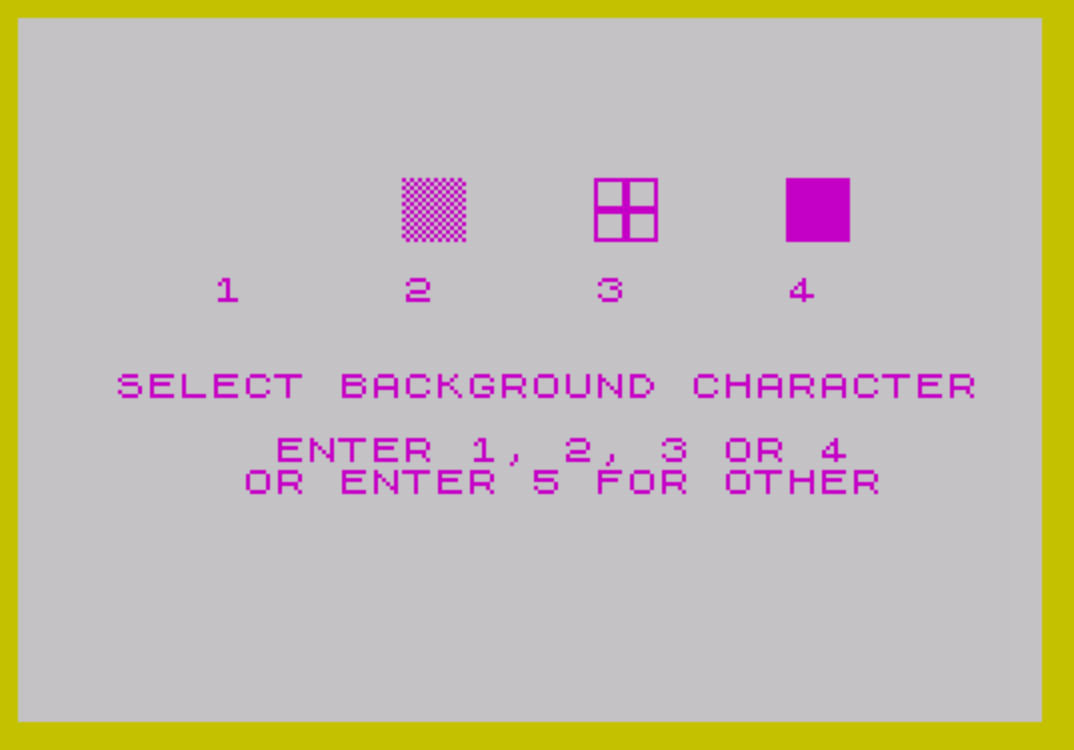
- Lines 290–510: Full character-selection UI: four preset choices plus free-entry options for background and text fill characters.
- Lines 520–680: Collect two lines of text, track maximum length, and populate the
L$lookup table. - Lines 690–820: Set rendering parameters and iterate over each character position, calling the subroutine.
- Lines 830–990: Subroutine — reads pixel data via
POINTand prints/lprints the magnified output.
UDG Initialization
Two UDGs are defined at lines 110–170. The DATA for each entry begins with a letter identifying the UDG (“A” or “B”), followed by eight byte values POKEd into USR L$(J,1)+H. UDG “A” alternates 170 (10101010₂) and 85 (01010101₂), producing a checkerboard pattern. UDG “B” uses 255 for the top and bottom rows and 129 (10000001₂) for the six interior rows, yielding a hollow rectangle border.
Pixel-Reading Technique
The magnification subroutine exploits POINT to sample each pixel of the source character. Before the subroutine is called, the current character from each line is printed at rows 20 and 21 (lines 760–770), which are at the very bottom of the display. The subroutine then iterates column C (0–7) and row R (0–7), with B (0 or 1) selecting line 1 or line 2. POINT (C, R+B*8) tests whether the pixel is set, setting SWITCH to 1 (background) or 2 (foreground). This approach avoids any need to inspect character ROM data directly.
Coordinate Calculation
The magnified output position is computed at lines 899 and 910. With M=2 (the magnification factor), each source pixel becomes a 2×2 block of print cells. The row coordinate is:
RCOOR = ROW - (M/2*8) + (C*M) + N
and the column coordinate is:
CCOOR = C(B+1) - (M/2*8) + (R*M) + L
Here C(1)=7 and C(2)=23 are the horizontal centers for the two input lines, and ROW=11 is the vertical center. The nested loops over N (1 to M) and L (1 to M) fill in the 2×2 block for each source pixel. Note that the outer loop variable C (column, 0–7) shadows the array C() holding horizontal centers — this works because array access uses C(B+1) while the loop variable is used as a plain scalar.
Fill Character Lookup Table
The array L$ (dimensioned 10×1) acts as a lookup table mapping selector numbers to display characters. The preset entries are:
| Index | Character | Description |
|---|---|---|
| 1 | space | Blank |
| 2 | a (UDG A) | Checkerboard |
| 3 | b (UDG B) | Hollow rectangle |
| 4 | :: (█) | Full block |
| 7 | ' (▝) | Top-right quarter block |
| 8 | . (▖) | Bottom-left quarter block |
| 9 | ': (▛) | Top-left three-quarter block |
| 10 | :. (▟) | Bottom-right three-quarter block |
Entries 5 and 6 are populated at runtime when the user enters a custom character (lines 460 and 500). The “relief style” shortcuts (lines 250–260) set D(2) to index 8 or 10, pairing a quarter-block foreground against a user-supplied background digit stored in D(1).
Dual Output
Line 920 sends each magnified pixel block to the screen with PRINT AT RCOOR,CCOOR, and line 930 simultaneously outputs it to the printer with LPRINT TAB CCOOR. Because the screen uses AT for absolute positioning while LPRINT uses TAB for column positioning, the printer output is column-aligned per cell but advances sequentially through rows in the natural print order driven by the loop structure.
Notable Anomalies
- Line 270 executes
LET D(1)=VAL D$for both the “7” and “9” relief cases as well as any other numeric digit entry, but the GO TO 520 at line 280 is always reached regardless of which branch was taken — lines 250 and 260 do not terminate execution, so all three assignments may occur sequentially if D$ is “7” or “9”. - The variable name
Cis used both as aFORloop counter (columns 0–7) and as the arrayC()holding horizontal center columns. BASIC treats these as distinct, so there is no collision, but the naming is potentially confusing. INK PIat line 180 sets the ink color toINT(PI)=3(magenta), an unusual way to specify a color constant.- Line 170 uses lowercase
jinNEXT j; BASIC on this platform is case-insensitive for variable names in most contexts, so this matches theFOR Jat line 110 without error.
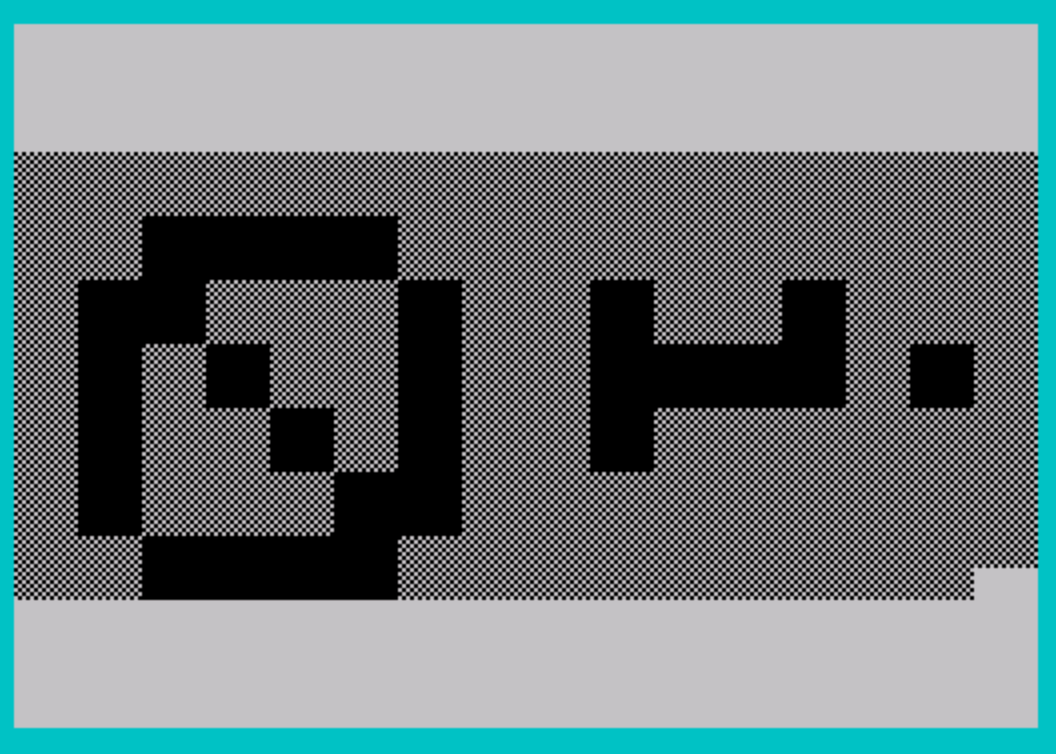
The download is MAGNIFY11 from a SNUG Oliger disk, the same program as the listing above. It needed no changes for tape. Tested in ZEsarUX, where it drew two magnified lines of text.
Image Gallery
Source Code
   10 REM *** PROGRAM "MAGNIFY11"
   20 REM *** UPDATED 1/14/84 AM
   30 DIM L$(10,1)
   40 DIM C(2)
   50 DIM A$(2,255)
   60 DIM D(2)
   70 DATA "A"
   80 DATA 170,85,170,85,170,85,170,85
   90 DATA "B"
  100 DATA 255,129,129,129,129,129,129,255
  110 FOR J=1 TO 2
  120 READ L$(J,1)
  130 FOR H=0 TO 7
  140 READ K
  150 POKE USR L$(J,1)+H,K
  160 NEXT H
  170 NEXT j
  180 INK PI
  190 PRINT AT 9,0;"FOR RELIEF STYLE (LIGHT) PRESS 7"
  200 PRINT "FOR RELIEF STYLE (DARK)  PRESS 9"
  210 PRINT AT 13,6;"OTHERWISE, PRESS ENTER"
  220 PRINT AT 14,11;"TO CONTINUE"
  230 INPUT D$
  240 IF D$<" " THEN GO TO 290
  250 IF D$="7" THEN LET D(2)=8
  260 IF D$="9" THEN LET D(2)=10
  270 LET D(1)=VAL D$
  280 GO TO 520
  290 CLS
  300 PRINT AT 5,12;"\a\a    \b\b    \::\::"
  310 PRINT AT 6,12;"\a\a    \b\b    \::\::"
  320 PRINT AT 8,6;"1     2     3     4 "
  330 BORDER 6
  340 PRINT AT 11,3;"SELECT BACKGROUND CHARACTER"
  350 PRINT AT 13,8;"ENTER 1, 2, 3 OR 4"
  360 PRINT AT 14,7;"OR ENTER 5 FOR OTHER"
  370 INPUT D(1)
  380 PRINT AT 11,0;"                               ": BORDER 5
  390 PRINT AT 11,6;"SELECT TEXT CHARACTER"
  400 INPUT D(2)
  410 IF D(1)=D(2) AND D(1)<>5 THEN GO TO 400
  420 CLS
  430 IF D(1)<5 AND D(2)<5 THEN GO TO 520
  440 IF D(1)<5 THEN GO TO 490
  450 PRINT AT 11,3;"ENTER BACKGROUND CHARACTER"
  460 INPUT L$(5,1)
  470 CLS
  480 IF D(2)<5 THEN GO TO 520
  490 PRINT AT 11,6;"ENTER TEXT CHARACTER"
  500 INPUT L$(6,1)
  510 LET D(2)=6
  520 CLS
  530 LET LENGTH=0
  540 FOR G=1 TO 2
  550 PRINT AT 11,7;"ENTER TEXT - LINE ";G
  560 INPUT Y$
  570 IF LEN Y$>LENGTH THEN LET LENGTH=LEN Y$
  580 CLS
  590 LET A$(G)=Y$
  600 NEXT G
  610 LET L$(1,1)=" "
  620 LET L$(2,1)="\a"
  630 LET L$(3,1)="\b"
  640 LET L$(4,1)="\::"
  650 LET L$(7,1)="\ '"
  660 LET L$(8,1)="\. "
  670 LET L$(9,1)="\':"
  680 LET L$(10,1)="\:."
  690 LET M=2
  700 LET C(1)=7
  710 LET C(2)=23
  720 LET ROW=11
  730 CLS
  740 FOR X=1 TO LENGTH
  750 INK 7
  760 PRINT AT 20,0;A$(1,X)
  770 PRINT AT 21,0;A$(2,X)
  780 INK 9
  790 GO SUB 830
  800 CLS
  810 NEXT X
  820 STOP
  830 FOR C=0 TO 7
  840 FOR N=1 TO M
  850 FOR B=0 TO 1
  860 FOR R=0 TO 7
  870 LET SWITCH=2
  880 IF POINT (C,R+B*8)=0 THEN LET SWITCH=1
  890 LET RCOOR=ROW-(M/2*8)+(C*M)+N
  900 FOR L=1 TO M
  910 LET CCOOR=C(B+1)-(M/2*8)+(R*M)+L
  920 PRINT AT RCOOR,CCOOR;L$(D(SWITCH),1)
  930 LPRINT TAB CCOOR;L$(D(SWITCH),1);
  940 NEXT L
  950 NEXT R
  960 NEXT B
  970 NEXT N
  980 NEXT C
  990 RETURN
Note: Type-in program listings on this website use ZMAKEBAS notation for graphics characters.