
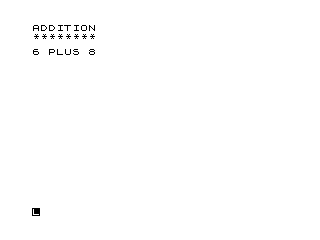
This program is a simple addition drill that generates two random single-digit numbers (0–9) and prompts the user to enter their sum. It uses INK (inverse video) characters to display “WRONG” or “CORRECT” as feedback, then immediately reveals the correct answer before looping back for a new question. The random values are produced with INT(10*RND), giving operands in the range 0–9 inclusive. The program loops indefinitely via GOTO 10, providing continuous practice with no score tracking or exit mechanism.
Program Analysis
Program Structure
The program is divided into clearly separated functional blocks, each occupying a distinct range of line numbers:
- Lines 5–60: Title display — prints a header banner of eight asterisks.
- Lines 100–110: Question generation — picks two random operands.
- Lines 200–220: Question presentation and answer input.
- Lines 300–410: Answer evaluation and feedback display.
- Lines 500–520: Spacing and loop-back to line 10.
- Lines 600–700: Save and auto-run utilities, not part of normal execution flow.
Question Generation
Lines 100 and 110 use INT(10*RND) to generate integers in the range 0–9 inclusive for variables P and Q. This means either operand can be zero, which is valid for a beginner drill but may produce trivial questions such as “0 PLUS 0”.
Key BASIC Idioms
- Inverse video feedback: “WRONG” and “CORRECT” at lines 310 and 400 are stored as inverse-video characters (
%W%R%O%N%G/%C%O%R%R%E%C%T), making them visually prominent on screen without any additional PRINT AT or colour commands. - Answer reveal: Line 410 always prints the full equation
P PLUS Q = P+Qregardless of whether the answer was right or wrong, so the user sees the correct result in both cases before the next question appears. - CLS after INPUT: Line 220 clears the screen immediately after the user types their answer, keeping the display clean before feedback is shown.
- Infinite loop: Line 520 uses
GOTO 10to restart from the header print rather than line 100, so the asterisk banner and “ADDITION” title are redrawn on every iteration.
Program Flow
| Lines | Action |
|---|---|
| 5 | REM label identifying program as “MATH FLASHER 1 ADD” |
| 10–60 | Print “ADDITION” header and row of 8 asterisks |
| 100–110 | Generate random operands P and Q (0–9) |
| 200–220 | Display question, accept INPUT R, clear screen |
| 300 | Branch to 400 if R equals P+Q |
| 310–320 | Print “WRONG” in inverse video, jump to 410 |
| 400 | Print “CORRECT” in inverse video |
| 410 | Print full equation with answer |
| 500–520 | Print blank lines, loop back to line 10 |
Notable Techniques
The REM at line 5 uses inverse video characters to encode the program’s title and variant identifier (“MATH FLASHER 1 ADD”), a common convention for self-documenting program libraries where multiple related programs (e.g. subtraction, multiplication) share the same structure.
Bugs and Anomalies
- There is no score counter or attempt counter, so performance cannot be tracked across questions.
- The header banner is reprinted on every loop iteration (line 520 goes to 10 rather than 100), causing the screen to scroll rather than presenting a stable layout.
- Lines 600 and 700 (
SAVEandRUN) are unreachable during normal execution and serve only as a convenient in-listing save/restart mechanism when jumped to manually.
Image Gallery
Source Code
   5 REM %M%A%T%H% %F%L%A%S%H%E%R% %1% %A%D%D
  10 PRINT "ADDITION"
  20 FOR L=1 TO 8
  30 PRINT "*";
  40 NEXT L
  50 PRINT
  60 PRINT
 100 LET P=INT (10*RND)
 110 LET Q=INT (10*RND)
 200 PRINT P;" PLUS ";Q
 210 INPUT R
 220 CLS
 300 IF R=P+Q THEN GOTO 400
 310 PRINT "%W%R%O%N%G"
 320 GOTO 410
 400 PRINT "%C%O%R%R%E%C%T"
 410 PRINT P;" PLUS ";Q;" = ";P+Q
 500 PRINT
 510 PRINT
 520 GOTO 10
 600 SAVE "1005%8"
 700 RUN
Note: Type-in program listings on this website use ZMAKEBAS notation for graphics characters.