
Piano Fun is a keyboard-driven music composition and playback program that maps specific keypresses to musical notes using the SOUND command with custom register parameters. The program stores up to 900 characters in a string array n$(900), recording each keypress so that a composed tune can be replayed, saved to tape, or loaded back. Note selection is handled by a computed GO TO dispatching on the ASCII code of the pressed key, covering both natural notes (C, D, E, F, G, A, B) and sharps (C#, D#, F#, G#, A#). SOUND register 8 sets the amplitude envelope and registers 11–13 configure the envelope shape and period, giving each note a consistent attack and decay. Tunes are persisted using SAVE/LOAD with the DATA n$() syntax, saving the raw character array directly to tape.
Program Structure
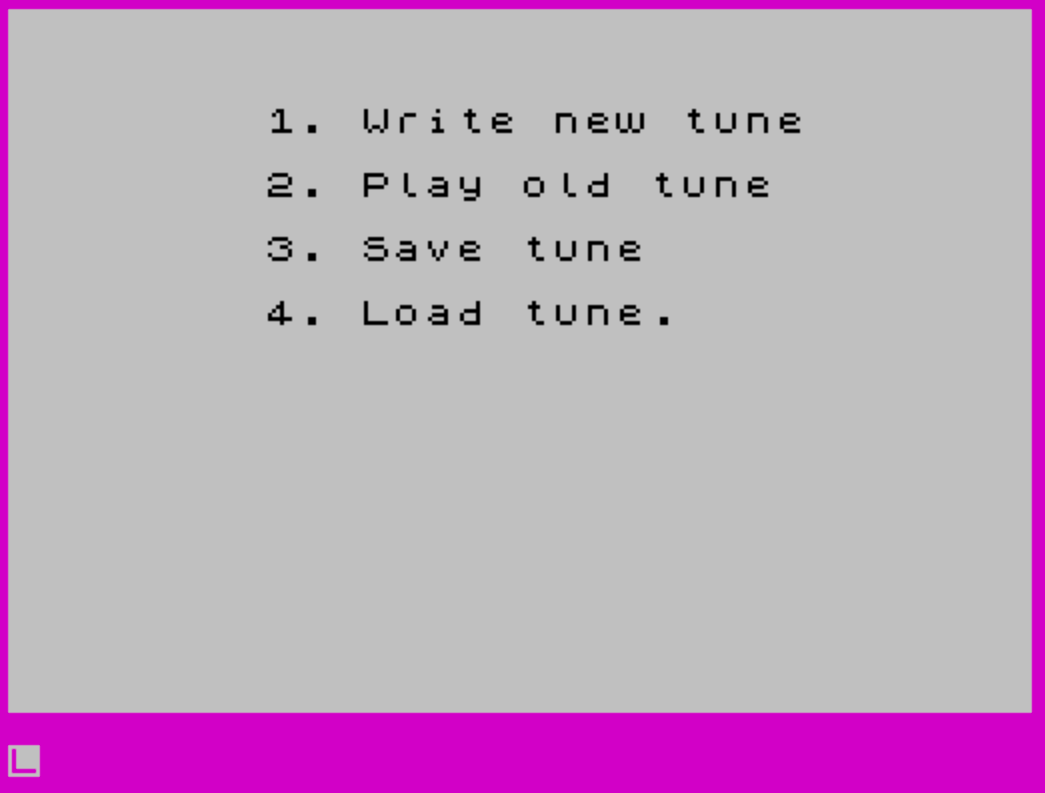
The program is organized into four functional blocks, entered via a computed GO TO at line 10:
- Write new tune — lines 11–210: captures keypresses into
n$()and triggers SOUND output in real time. - Play old tune — lines 311–320: steps through a previously recorded
n$()and replays each note. - Save tune — lines 611–640: prompts for a name and saves the array to tape.
- Load tune — lines 911–940: prompts for a name and loads an array from tape.
The menu is displayed at line 8 and the branch formula at line 10 is GO TO 11+(c-1)*300, mapping choices 1–4 to starting lines 11, 311, 611, and 911 respectively.
Note Dispatch via Computed GO TO
Each keypress is stored in n$(t) and its ASCII code is retrieved with LET m = CODE n$(t) at line 18. The program then executes GO TO m at line 20, jumping directly to the line number equal to the character code. This is a compact dispatch table technique: each note line number corresponds to the ASCII value of the key that triggers it.
| Key | ASCII / Line | Note |
|---|---|---|
0 | 48 | D# |
2 | 50 | C# |
3 | 51 | D# |
5 | 53 | F# |
6 | 54 | G# |
7 | 55 | A# |
9 | 57 | C# |
e | 101 | E |
i | 105 | C |
o | 111 | D |
p | 112 | E |
q | 113 | C |
r | 114 | F |
s | 115 | (stop) |
t | 116 | G |
u | 117 | B |
w | 119 | D |
y | 121 | A |
If a keypress has no matching line, control falls to line 17 (a SOUND call for an unrecognized key) before GO TO m is executed — however, an unrecognized code will cause a runtime error since no matching line exists. Line 17 emits a brief noise burst using SOUND 7,56 (noise channel enable) but this executes before the dispatch, not as a fallback, making it effectively dead code for valid notes.
SOUND Register Usage
Every note line sends the same set of register parameters to the sound chip:
- Register 0: low byte of the tone period for channel A (sets pitch).
- Register 1: high byte of the tone period (fine-tunes octave).
- Register 8: amplitude set to 16, enabling envelope-controlled volume.
- Register 11 and 12: both set to 50, defining the envelope period.
- Register 13: set to 9, selecting a single-decay envelope shape.
This gives every note a consistent plucked/decayed timbre. Only the period registers (0 and 1) change between notes to select pitch.
Rest/Space Handling
At line 15, if the stored character has code 32 (a space), the program executes PAUSE 5 and jumps to line 210, skipping sound output entirely. This implements a short rest. During recording, a space keypress records silence; during playback the same branch is taken, reproducing the pause.
Playback Mode
Playback (option 2, entering at line 311) increments t and re-enters the note-playing code at line 15, reusing the same SOUND dispatch. Playback terminates when the character at position t equals "s" or when t reaches 900. The check at line 318 uses a compound OR condition for this.
Notable Bugs and Anomalies
- Line
17(SOUND 7,56) is intended as a “no valid note” indicator, but it executes unconditionally beforeGO TO mat line20, meaning it fires for every keypress including valid ones. The subsequentGO TO mimmediately triggers the correct note, masking the noise in practice. - Line
611containsPRINT 10,3;without the requiredATkeyword, which would produce a syntax error at runtime. The equivalent line911correctly usesPRINT AT 10,3;. - Two different keys map to the same note label: both ASCII 48 (
0) and 51 (3) are labeled “D#”, and both 105 (i) and 113 (q) are labeled “C”, with 112 (p) and 101 (e) both labeled “E”. These likely represent the same note at different octaves, though the period values differ accordingly. - The variable
tis reset to 0 at line9but the array index starts at 1 (incremented before use at line11), son$(1)throughn$(900)are used, consistent with theDIM n$(900)declaration.
Tape Persistence
The SAVE a$ DATA n$() and LOAD a$ DATA n$() commands at lines 630 and 930 store and retrieve the entire 900-character string array by name. This allows tunes to be saved to and loaded from cassette tape independently of the program itself, enabling a simple song library.
Image Gallery
Source Code
    1 REM  PianoFun
    4 DIM n$(900)
    7 CLS :BORDER PI:PRINT AT 11,10;"\{18}\{1}stop the tape\{18}\{0}":BEEP 1,-5:PAUSE 100:CLS
    8 PRINT AT PI,8;"1. Write new tune";''"        2. Play old tune";''"        3. Save tune";''"        4. Load tune."
    9 INPUT c:CLS :LET t=0
   10 GO TO 11+(c-1)*300
   11 LET t=t+1:PRINT AT 1,1;t
   12 IF t=900 THEN GO TO 8
   14 LET n$(t)= INKEY$
   15 IF CODE n$(t)=32 THEN PAUSE 5:GO TO 210
   17 SOUND 7,56
   18 LET m= CODE n$(t)
   20 GO TO m
   48 SOUND 0,95;1,1;8,16;11,50;12,50;13,9:PRINT AT 10,15;"D#":GO TO 210
   50 SOUND 0,21;1,3;8,16;11,50;12,50;13,9:PRINT AT 10,15;"C#":GO TO 210
   51 SOUND 0,191;1,2;8,16;11,50;12,50;13,9:PRINT AT 10,15;"D#":GO TO 210
   53 SOUND 0,79;1,2;8,16;11,50;12,50;13,9:PRINT AT 10,15;"F#":GO TO 210
   54 SOUND 0,14;1,2;8,16;11,50;12,50;13,9:PRINT AT 10,15;"G#":GO TO 210
   55 SOUND 0,213;1,1;8,16;11,50;12,50;13,9:PRINT AT 10,15;"A#":GO TO 210
   57 SOUND 0,138;1,1;8,16;11,50;12,50;13,9:PRINT AT 10,15;"C# ":GO TO 210
  101 SOUND 0,151;1,2;8,16;11,50;12,50;13,9:PRINT AT 10,15;"E ":GO TO 210
  105 SOUND 0,162;1,1;8,16;11,50;12,50;13,9:PRINT AT 10,15;"C ":GO TO 210
  111 SOUND 0,116;1,1;8,16;11,50;12,50;13,9:PRINT AT 10,15;"D ":GO TO 210
  112 SOUND 0,75;1,1;8,16;11,50;12,50;13,9:PRINT AT 10,15;"E ":GO TO 210
  113 SOUND 0,68;1,3;8,16;11,50;12,50;13,9:PRINT AT 10,15;"C ":GO TO 210
  114 SOUND 0,114;1,2;8,16;11,50;12,50;13,9:PRINT AT 10,15;"F ":GO TO 210
  115 PRINT AT 10,15;"stop":PAUSE 60:CLS :GO TO 8
  116 SOUND 0,46;1,2;8,16;11,50;12,50;13,9:PRINT AT 10,15;"G ":GO TO 210
  117 SOUND 0,186;1,1;8,16;11,50;12,50;13,9:PRINT AT 10,15;"B ":GO TO 210
  119 SOUND 0,232;1,2;8,16;11,50;12,50;13,9:PRINT AT 10,15;"D ":GO TO 210
  121 SOUND 0,241;1,1;8,16;11,50;12,50;13,9:PRINT AT 10,15;"A ":GO TO 210
  210 IF c=1 THEN GO TO 11
  311 LET t=t+1
  318 IF (n$(t)="s" OR t=900) THEN CLS :GO TO 8
  320 GO TO 15
  611 CLS :PRINT 10,3;"Give name of tune to be saved."
  620 INPUT a$
  630 SAVE a$ DATA n$()
  640 GO TO 8
  911 CLS :PRINT AT 10,3;"Give name of tune to be loaded."
  920 INPUT a$
  930 LOAD a$ DATA n$()
  940 GO TO 8
 9000 SAVE "PIANO FUN" LINE 7
Note: Type-in program listings on this website use ZMAKEBAS notation for graphics characters.