
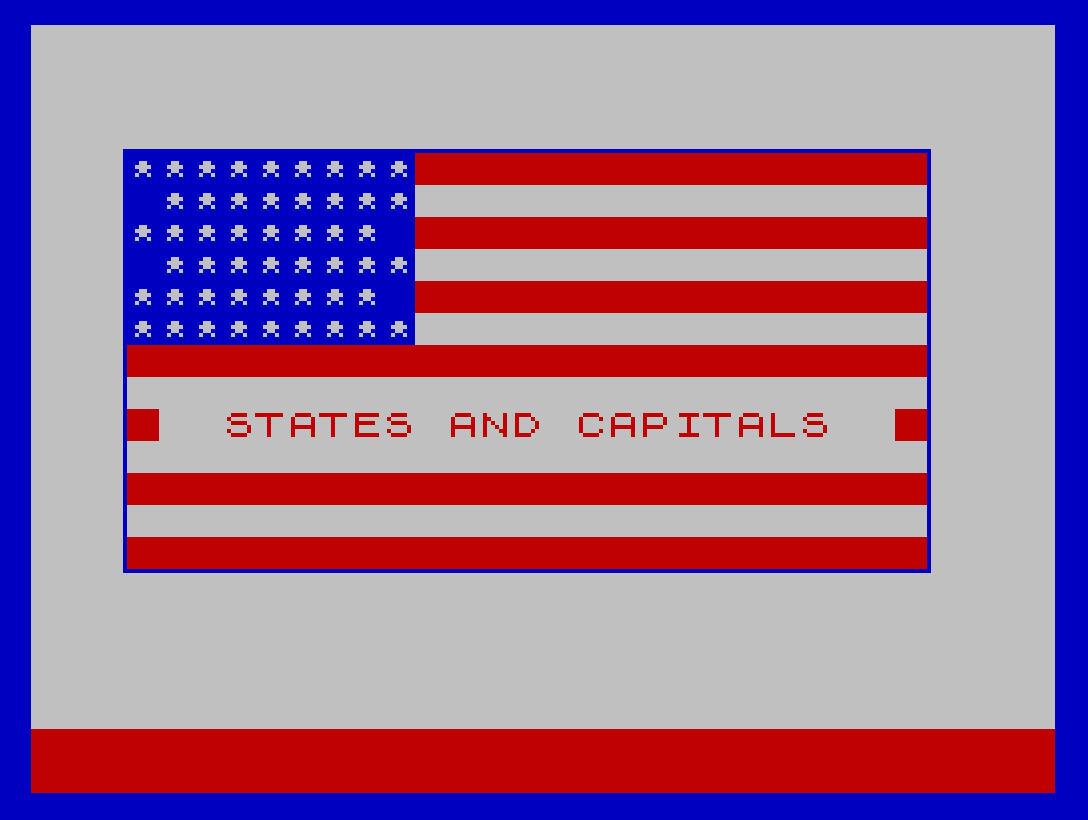
States & Capitals is an educational quiz program covering all 50 U.S. states and their capital cities. The program loads a machine code “expand” routine and a separately saved “flag” binary, suggesting a map or graphical display is rendered using PLOT, DRAW, and CIRCLE commands to mark capital locations using stored x/y coordinates from DATA statements. Three quiz modes are offered: identify the state from its capital, identify the capital from its state, or a randomly mixed mode where even/odd random numbers determine which question type appears. Each DATA record stores the state name, capital name, and four coordinate values used to draw location markers on the map display.
Program Analysis
Program Structure
The program is split across two BASIC files. The loader (lines 10–50) loads machine code blocks and a second BASIC file called “states.” The main program (lines 9–9999 in “states”) handles all quiz logic, scoring, and display. A SAVE "states" LINE 1 at line 9999 packages it as an auto-running file, while SAVE "loader" LINE 10 packages the loader similarly.
Program flow is divided into distinct functional regions:
- Lines 9–90: Initialization, shuffle, and entry point dispatch
- Lines 2000–2175: Main question loop (capitals or states mode)
- Lines 2800–2916: Mixed-mode controller
- Lines 3000–3099: Correct-answer (first try) handler
- Lines 3501–3555: Correct-answer (second try) handler
- Lines 4000–4520: Wrong-answer handler with retry logic
- Lines 5000–5555: Scoring summary and 100% celebration
- Lines 5950–5999: Post-quiz menu
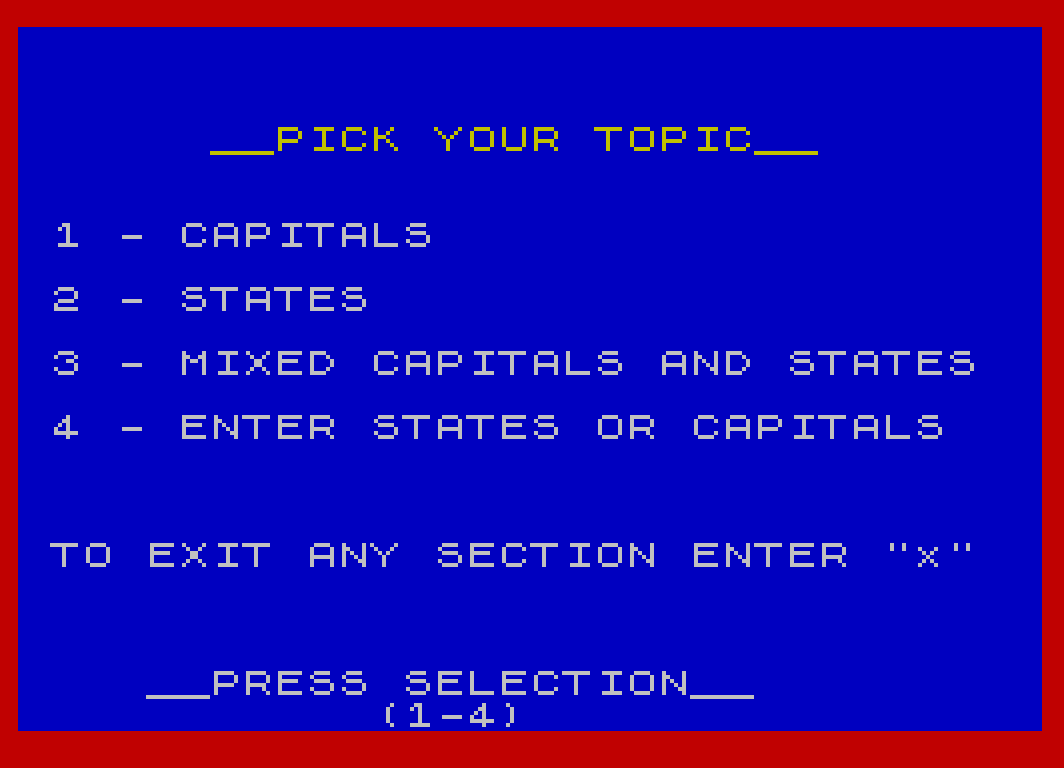
- Lines 6005–6034: Topic selection menu
- Lines 6900–7250: Utility subroutines (map display, drawing)
- Lines 8000–8250: “Quiz the computer” reverse-lookup mode
- Lines 9000–9050: DATA records for all 50 states
Machine Code Usage
Two machine code blocks are loaded by the loader: “flag” at address 44830 (4235 bytes) and “expand” at address 49080 (67 bytes). The expand routine is called immediately via RANDOMIZE USR 49080 after loading. Within the main program, USR 49080 (line 6925) and USR 49113 (line 7000) are called as subroutines, with the return value assigned to c1. The offset of 33 bytes into the expand block (49113 = 49080 + 33) suggests the “flag” block is a bitmap map image and the machine code provides display or decompression services, with the two entry points performing different rendering tasks.
DATA Format and Map Coordinates
Each DATA record at lines 9001–9050 contains six fields:
| Field | Variable | Description |
|---|---|---|
| 1 | s$ | State name |
| 2 | c$ | Capital city name |
| 3 | x1 | PLOT/CIRCLE x coordinate (location marker) |
| 4 | y1 | PLOT/CIRCLE y coordinate (location marker) |
| 5 | y2 | PRINT AT row for capital label |
| 6 | x2 | PRINT AT column for capital label |
The PLOT coordinates use the standard 256×176 pixel system. The PRINT AT coordinates are in character-cell units (rows 0–21, columns 0–31), allowing capital names to be placed as text overlays near their map positions.
Question Shuffling
Lines 20–80 implement a Fisher-Yates-style random ordering without a dedicated swap. A string array x$(50) acts as a “used” flags table, initialized to spaces. The loop picks random indices until it finds an unmarked slot, marks it with "1", and records the order in p(n). This is a rejection-sampling shuffle and can be slow toward the end of the 50-element set, but is functionally correct.
Quiz Modes
Three modes are selectable from the topic menu:
- Mode 1 (m=1): Given a capital, name the state
- Mode 2 (m=2): Given a state, name the capital
- Mode 3 (mixed, q=1): The mixed-mode controller at line 2800 generates a random number 1–99 and uses
f=b/2-INT(b/2)to test odd/even, randomly selecting m=1 or m=2 per question
A fourth option (line 8000) lets the user type any state or capital and the program performs a linear search through all DATA records to return the matching pair and display its map location.
Scoring System
Three counters track performance: u (correct first try), s (correct second try), and i (incorrect after two attempts). The variable t tracks retry count per question and is reset to 0 at the start of each question. The percentage score is computed as f=INT((C-i)/C*100) at line 5200. A perfect score of 100% on all 50 questions triggers a special celebration with alternating BORDER colors.
Two-Try Retry Logic
The wrong-answer handler at line 4000 increments t. When t=1, a gentle hint (“try again”) is shown via line 4500 and the user returns to the INPUT prompt. When t=2, the full answer is revealed (line 4010) and the question moves on. Lines 2072 and 2111 check t=1 to route back to retry before revealing the answer, implementing the two-chance system cleanly.
Key BASIC Idioms
VAL "number"inPRINT AT,INK,PAPER, andGO TOarguments throughout lines 9–9000 — a standard memory-saving technique that stores numbers as strings rather than floating-point constants in the BASIC token streamON ERR GO TO 9995andON ERR RESETused at multiple points for error trapping and clean exitRESTORE 9000+p(o)at line 2020 directly seeks to the DATA record for the shuffled question index, avoiding a sequential scan- Line 7030 draws a small question-mark glyph using
PLOTandDRAWprimitives to indicate the unknown capital location on the map - Line 7200 draws three concentric circles of increasing radius using a
FORloop overCIRCLE x1,y1,v, creating a target/bullseye marker for correct answers
Image Gallery
Source Code
   10 LOAD "flag"CODE 44830,4235
   20 LOAD "expand"CODE 49080,67
   25 RANDOMIZE USR 49080
   30 BORDER 1: PRINT AT 12,4; INK 7; PAPER 2; FLASH 1;"  STATES AND CAPITALS  "
   35 PRINT AT 20,4; INK 1; PAPER 7;"Copyright  TIMEX  1983"
   40 LOAD "states"
   45 STOP
   50 SAVE "loader" LINE 10
    9 RANDOMIZE 0: ON ERR GO TO 9995
   10 GO SUB 6900: BORDER 1
   11 PRINT AT VAL "12",VAL "4"; INK VAL "7"; PAPER VAL "2"; FLASH VAL "1";"  STATES AND CAPITALS  "
   12 PRINT AT VAL "21",VAL "4"; INK VAL "1"; PAPER VAL "7";"Copyright  TIMEX  1983"
   20 DIM x$(50)
   21 DIM p(50)
   23 PAUSE 100
   25 GO SUB 6900
   27 PRINT AT VAL "18",VAL "5"; INK VAL "7"; PAPER VAL "2"; FLASH VAL "1";" SELECTING QUESTIONS "
   30 FOR n=1 TO 50
   40 LET j=1+INT (RND*50)
   50 IF x$(j)<>" " THEN GO TO 40
   60 LET x$(j)="1"
   70 LET p(n)=j
   80 NEXT n
   90 GO TO 6005
  265 RETURN
 1499 GO TO 6005
 2000 LET o=0: LET i=0: LET u=0: LET s=0: LET C=1
 2015 FOR L=0 TO 50
 2017 GO SUB 6900: PAUSE 10: PAUSE 30
 2020 INK 7: PAPER 1: BORDER 1: CLS : LET t=0: LET o=o+1: RESTORE 9000+p(o)
 2030 READ q$: LET s$=q$
 2035 READ q$: LET c$=q$
 2036 READ q1: LET x1=q1: READ q1: LET y1=q1
 2037 READ q1: LET y2=q1: READ q1: LET x2=q1
 2040 IF m=1 THEN GO TO 2080
 2045 LET r$=s$
 2046 GO SUB 7000: PAPER 7: INK 2: PRINT AT VAL "0",VAL "9";"Question ";C
 2050 PRINT AT VAL "1",VAL "1"; INK 1;c$;: PRINT AT VAL "2",VAL "1"; INK 1;"is the capital of what state ?"
 2055 PAPER 7: PRINT AT VAL "20",VAL "0"; INK 2;"Type your answer & press ENTER": PRINT AT VAL "21",VAL "0"; INK 1;"       Spelling counts!  "
 2060 INPUT a$
 2065 IF a$="x" THEN GO TO 5000
 2070 IF a$=s$ THEN GO TO 2145
 2072 IF a$<>c$ AND t=1 THEN GO TO 2120
 2079 GO TO 2120
 2080 LET r$=c$
 2081 GO SUB 7000: INK 1: PAPER 7: PRINT AT 0,9;"Question ";c
 2085 PRINT AT VAL "1",VAL "1"; INK 2;"What is the capital of": PRINT AT VAL "2",VAL "1"; INK 2;s$;" ?"
 2086 GO SUB 7030
 2090 PRINT AT VAL "20",VAL "0"; INK 1;"Type your answer & press ENTER": PRINT AT VAL "21",VAL "0"; INK 2;"       Spelling counts!  "
 2100 INPUT a$
 2105 IF a$="x" THEN GO TO 5000
 2110 IF a$=c$ THEN GO TO 2145
 2111 IF a$<>c$ AND t=1 THEN GO TO 2120
 2120 REM wrong
 2125 GO SUB 4000
 2130 IF t=1 AND m=1 THEN GO TO 2100
 2135 IF t=1 AND m=2 THEN GO TO 2060
 2140 GO TO 2155
 2145 REM correct
 2150 GO SUB 3000
 2155 LET C=C+1
 2160 IF C>=51 THEN GO TO 5000
 2165 IF q=1 THEN GO TO 2175
 2170 NEXT L
 2175 RETURN
 2200 STOP
 2800 REM leave room for directions
 2898 LET o=0: LET i=0: LET u=0: LET s=0: LET C=1
 2900 RANDOMIZE
 2901 LET q=1
 2902 LET b=1+INT (RND*99)
 2904 LET f=b/2-INT (b/2)
 2906 IF f<>0 THEN GO TO 2912
 2908 LET m=2: GO SUB 2015
 2910 GO TO 2900
 2912 LET m=1: GO SUB 2015
 2914 GO TO 2900
 2916 STOP
 3000 IF t>0 THEN GO TO 3500
 3005 LET u=u+1
 3006 CLS : GO SUB 7000
 3040 PRINT AT y2,x2; PAPER 2; INK 7;c$: GO SUB 7200
 3042 PRINT AT 1,11; FLASH 1;"CORRECT": PRINT AT 20,1;c$;" is the"
 3043 PRINT AT VAL "21",VAL "1";"capital of ";s$
 3044 BEEP .12,2: BEEP .12,5: BEEP .15,8: BEEP .15,17: BEEP .17,10: BEEP .20,20
 3045 FOR z=1 TO 7: BORDER 1: PAUSE 20: BORDER 2: PAUSE 20: NEXT z
 3046 BORDER 1
 3050 PAUSE 90
 3099 RETURN
 3501 GO SUB 7000: GO SUB 7200: PRINT AT y2,x2; INK 7; PAPER 2;c$
 3504 BEEP .12,5: BEEP .15,8: BEEP .17,17
 3505 BORDER 2: PRINT AT VAL "1",VAL "3";r$;" is correct.": PRINT AT 20,1;c$;" is the": PRINT AT 21,1;"capital of ";s$
 3506 PAUSE 150
 3507 LET s=s+1
 3550 PAUSE 50
 3555 RETURN
 4000 LET t=t+1
 4005 IF t=1 THEN GO TO 4500
 4010 CLS : GO SUB 7000
 4020 INK 2: PAPER 7: PRINT AT VAL "0",VAL "1";a$;" is incorrect": PRINT AT VAL "1",VAL "1";c$;" is the": PRINT AT 2,1;"capital of ";s$
 4021 GO SUB 7200: PRINT AT y2,x2;c$
 4023 PRINT AT VAL "20",VAL "0";"                               "
 4024 PRINT AT VAL "21",VAL "0";"                                "
 4030 LET i=i+1
 4060 PRINT AT 21,0;"Press enter when ready": INPUT y$: RETURN
 4110 GO TO 5000
 4500 INK 1: PAPER 7: PRINT AT VAL "20",VAL "0";"                                ": PRINT AT VAL "21",VAL "0";"                                "
 4501 PRINT AT VAL "20",VAL "1";a$;" is incorrect": PRINT AT VAL "21",VAL "1";"try again."
 4520 PAUSE 90: RETURN
 4999 LET c=c-1
 5000 LET C=C-1: IF C<=0 THEN GO TO 5950
 5070 PAPER 7: BORDER 7: INK 1: CLS
 5075 PRINT AT VAL "4",VAL "6";"Out of ";C;" questions"
 5076 PRINT AT 5,8;"you answered:"
 5080 IF u<=0 THEN GO TO 5090
 5085 PRINT AT VAL "8",VAL "0";u;"  Correct on the first try"
 5090 IF s<=0 THEN GO TO 5100
 5095 PRINT AT VAL "11",VAL "0";s;"  Correct on the second try"
 5100 IF i<=0 THEN GO TO 5110
 5105 PRINT AT VAL "14",VAL "0";i;"  Incorrectly"
 5200 LET d=C-i: LET f=INT (d/C*100)
 5204 IF C=50 AND f=100 THEN GO TO 5500
 5222 PAUSE 400: GO TO 5950
 5500 REM 100% stuff
 5510 GO SUB 6900
 5515 PRINT AT VAL "20",VAL "8"; INK VAL "2"; PAPER VAL "7"; FLASH VAL "1";"100% CORRECT !!!"
 5520 FOR n=1 TO 7
 5525 BORDER 1: PAUSE 30: BORDER 2: PAUSE 30
 5530 NEXT n
 5535 PAUSE 80
 5950 PAPER 1: INK 7: BORDER 2: CLS
 5951 PRINT AT VAL "7",VAL "3"; INK VAL "6";"TO PICK ANOTHER SECTION"
 5952 PRINT AT VAL "9",VAL "11"; INK VAL "6";"PRESS S": PRINT AT VAL "12",VAL "7"; INK VAL "6";"TO EXIT PRESS E"
 5953 IF INKEY$="s" THEN RUN 20
 5954 IF INKEY$="e" THEN GO TO 5999
 5955 GO TO 5953
 5999 ON ERR RESET : STOP
 6000 REM <<<>>><<<>>><<<>>><<<>>>
 6002 PAUSE 400
 6005 GO SUB 6900: PAUSE 20: BORDER 2: INK VAL "7": PAPER VAL "1": CLS
 6010 PRINT AT VAL "3",VAL "6"; INK VAL "6";"__PICK YOUR TOPIC__"
 6015 PRINT AT VAL "6",VAL "1";"1 - CAPITALS"
 6020 PRINT AT VAL "8",VAL "1";"2 - STATES"
 6024 PRINT AT VAL "10",VAL "1";"3 - MIXED CAPITALS AND STATES"
 6025 PRINT AT VAL "12",VAL "1";"4 - ENTER STATES OR CAPITALS"
 6026 PRINT  AT VAL "16",VAL "1";"TO EXIT ANY SECTION ENTER ""x""": PRINT AT VAL "20",VAL "4";"__PRESS SELECTION__"
 6027 PRINT AT VAL "21",VAL "11";"(1-4)"
 6030 IF INKEY$="1" THEN GO TO 6040
 6031 IF INKEY$="2" THEN GO TO 6050
 6032 IF INKEY$="3" THEN GO TO 6060
 6033 IF INKEY$="4" THEN GO TO 8000
 6034 GO TO 6030
 6040 LET m=1: LET q=0: GO TO 2000
 6050 LET m=2: LET q=0: GO TO 2000
 6060 LET q=1: GO TO 2800
 6925 LET c1=USR 49080: RETURN
 6995 RETURN
 7000 LET c1=USR 49113: RETURN
 7020 RETURN
 7025 REM draw ?
 7030 PLOT x1,y1: DRAW 2,0: DRAW 0,-2: DRAW -2,0: DRAW 0,-1: PLOT x1,y1-6
 7110 RETURN
 7200 INK 2: PAPER 7: FOR v=0 TO 2: CIRCLE x1,y1,v: NEXT v
 7250 RETURN
 8000 BORDER 2: INK 7: PAPER 1: CLS : PRINT AT VAL "3",VAL "0";" This section of the program"
 8001 PRINT AT VAL "4",VAL "0";"allows you to quiz the computer"
 8002 PRINT AT VAL "5",VAL "0";"on states and capitals."
 8003 PRINT AT VAL "7",VAL "0";" To do this you enter either"
 8004 PRINT AT VAL "8",VAL "0";"a state or a capital and the"
 8005 PRINT AT VAL "9",VAL "0";"computer will respond with"
 8006 PRINT AT VAL "10",VAL "0";"the state and it's capital.": PRINT AT VAL "12",VAL "0";" To exit this section enter ""x"""
 8007 PRINT AT VAL "13",VAL "0";"in response to a prompt."
 8008 PRINT AT VAL "20",VAL "5";"(Press c to continue)"
 8010 IF INKEY$="c" THEN GO TO 8100
 8011 GO TO 8010
 8100 GO SUB 6900: PAUSE 50: BORDER 1: PAPER 2: INK 7: CLS
 8102 PRINT AT VAL "8",VAL "4";"Enter state or capital"
 8103 ON ERR GO TO 9995
 8104 INPUT l$
 8106 IF l$="x" THEN GO TO 5950
 8107 RESTORE 9000
 8108 FOR n=1 TO 50
 8112 READ q$: LET s$=q$
 8114 IF s$<>l$ THEN GO TO 8120
 8116 READ q$
 8118 LET c$=q$: GO TO 8200
 8120 READ q$: IF q$<>l$ THEN GO TO 8126
 8122 LET c$=q$
 8124 GO TO 8200
 8126 READ q1: READ q1: READ q1: READ q1: NEXT n
 8127 PRINT AT VAL "8",VAL "4";"                           "
 8128 PRINT AT 11,0;l$: PRINT AT VAL "12",VAL "0";"No such state or capital...": PRINT AT VAL "13",VAL "0";"check your spelling"
 8130 GO TO 8250
 8200 READ q1: LET x1=q1: READ q1: LET y1=q1: READ q1: LET y2=q1: READ q1: LET x2=q1
 8201 GO SUB 7000: PAPER 7: INK 2: PRINT AT VAL "1",VAL "0";;c$; INK VAL "0";" is": PRINT AT VAL "2",VAL "0"; INK 0;"the capital of "; INK 1;s$; INK 0;"."
 8202 PRINT AT y2,x2; INK 7; PAPER 2;c$
 8205 GO SUB 7200
 8250 PAUSE 300: GO TO 8100
 9000 REM
 9001 DATA "Alaska","Juneau",32,32,19,1
 9002 DATA "Hawaii","Honolulu",54,36,18,5
 9003 DATA "Alabama","Montgomery",167,63,15,18
 9004 DATA "Arizona","Phoenix",59,66,14,4
 9005 DATA "Arkansas","Little Rock",144,72,14,13
 9006 DATA "California","Sacramento",31,99,10,1
 9007 DATA "Connecticut","Hartford",214,112,9,24
 9008 DATA "Massachusetts","Boston",226,121,5,26
 9009 DATA "Rhode Island","Providence",224,113,6,22
 9010 DATA "Colorado","Denver",90,98,10,8
 9011 DATA "Delaware","Dover",210,98,10,26
 9012 DATA "Maryland","Annapolis",207,93,11,23
 9013 DATA "Florida","Tallahassee",183,55,16,21
 9014 DATA "Georgia","Atlanta",175,70,14,19
 9015 DATA "Idaho","Boise",56,120,8,5
 9016 DATA "Illinois","Springfield",153,100,10,15
 9017 DATA "Indiana","Indianapolis",164,101,10,15
 9018 DATA "Iowa","Des Moines",132,110,9,12
 9019 DATA "Kentucky","Frankfort",169,87,12,17
 9020 DATA "Tennessee","Nashville",162,78,13,16
 9021 DATA "Kansas","Topeka",128,92,11,13
 9022 DATA "Louisiana","Baton Rouge",147,56,16,13
 9023 DATA "Maine","Augusta",222,134,6,25
 9024 DATA "Michigan","Lansing",169,119,8,18
 9025 DATA "Minnesota","St. Paul",140,124,7,13
 9026 DATA "Mississippi","Jackson",155,64,15,17
 9027 DATA "Missouri","Jefferson City",142,92,11,12
 9028 DATA "Montana","Helena",72,136,6,6
 9029 DATA "Nebraska","Lincoln",123,106,9,12
 9030 DATA "Nevada","Carson City",42,102,10,2
 9031 DATA "New Hampshire","Concord",217,127,7,25
 9032 DATA "New Jersey","Trenton",205,107,9,22
 9033 DATA "New York","Albany",203,122,7,23
 9034 DATA "New Mexico","Santa Fe",84,74,13,7
 9035 DATA "North Dakota","Bismarck",106,135,6,10
 9036 DATA "North Carolina","Raleigh",193,81,10,21
 9037 DATA "South Carolina","Columbia",187,74,13,19
 9038 DATA "Ohio","Columbus",177,103,10,19
 9039 DATA "Oklahoma","Oklahoma City",120,76,13,9
 9040 DATA "Oregon","Salem",32,132,6,2
 9041 DATA "Pennsylvania","Harrisburg",192,107,9,20
 9042 DATA "South Dakota","Pierre",108,122,7,11
 9043 DATA "Utah","Salt Lake City",64,105,7,2
 9044 DATA "Texas","Austin",118,52,16,12
 9045 DATA "Virginia","Richmond",195,90,11,21
 9046 DATA "West Virginia","Charleston",185,94,11,18
 9047 DATA "Washington","Olympia",40,144,5,3
 9048 DATA "Wisconsin","Madison",152,122,7,17
 9049 DATA "Wyoming","Cheyenne",88,110,9,8
 9050 DATA "Vermont","Montpelier",211,126,7,22
 9990 STOP
 9995 ON ERR RESET : BEEP 1,1: PAUSE 100: ON ERR GO TO 9995: ON ERR CONTINUE
 9996 STOP
 9999 SAVE "states" LINE 1
Note: Type-in program listings on this website use ZMAKEBAS notation for graphics characters.