
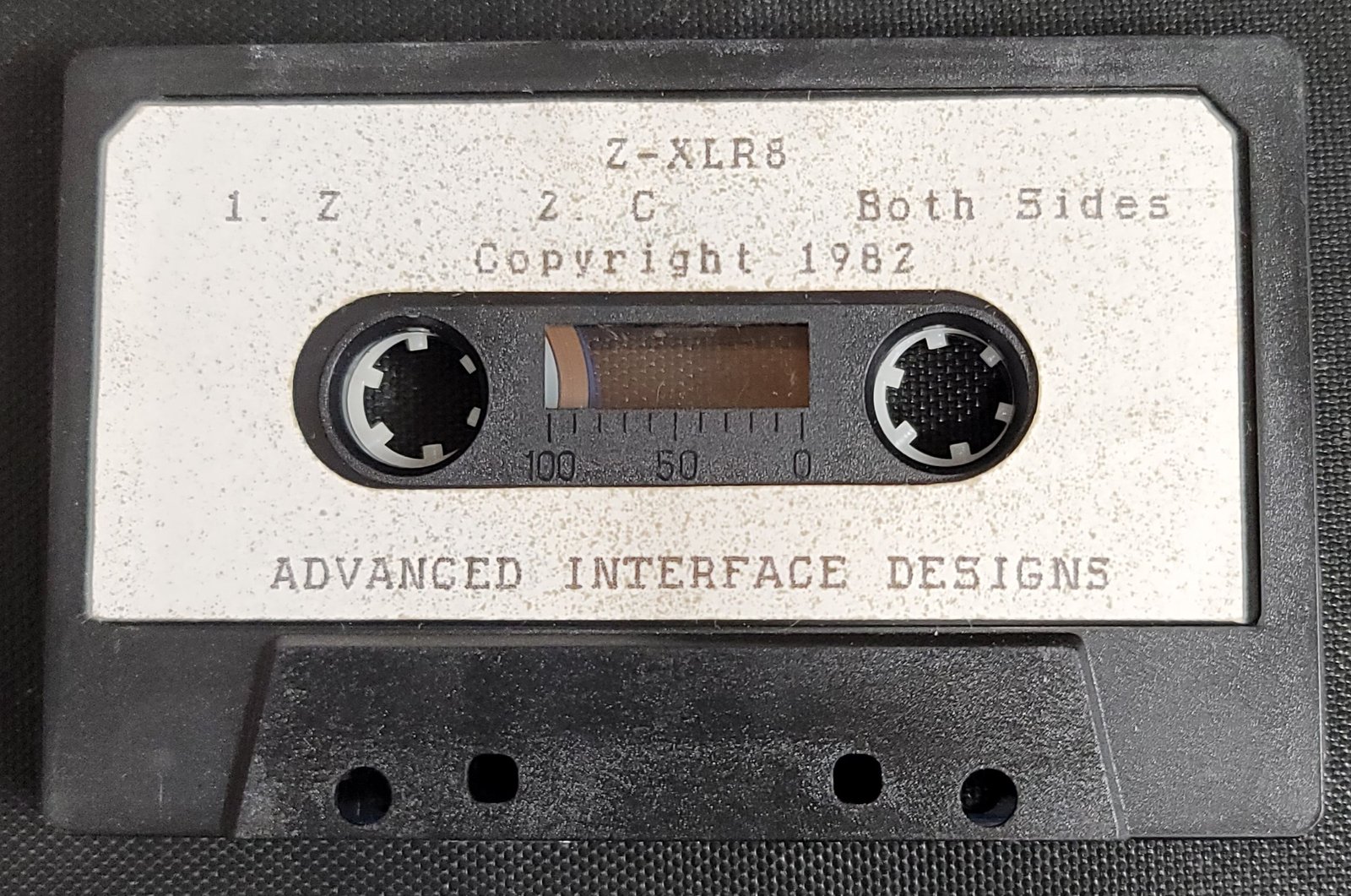
Z-XLR8 is a two-part cassette tape accelerator system that records and plays back data at higher-than-standard speeds using machine code routines embedded in REM statements. The first program handles calibration: it records a timing signal to tape, plays it back into RAM at address 22001–22959, then analyzes the sampled waveform to compute average, low, and high byte values and assess signal quality. The second program is the actual Z-XLR8 loader/saver, which accepts user-supplied timing and calibration values plus a starting memory address, patches several machine code parameters via POKE, and then executes the fast-load/save routine via RAND USR. The machine code in the first program’s REM (line 1) begins at address 16384 and includes routines for tape I/O, delay loops, and byte sampling; the second program’s REM similarly contains a large Z80 routine starting at 16384 that implements the full accelerated tape protocol, including a disassembler-style jump table visible in the opcode data.
Program Analysis
Overall Architecture
Z-XLR8 consists of two independent BASIC programs. The first (lines 1–570) is a calibration utility that records a timing signal to tape, reads it back, analyzes the resulting byte values in RAM, and guides the user to an optimal timing constant. The second (lines 1 and 9000–9082) is the actual fast tape transfer loader, which takes the calibrated parameters and a starting address, patches the embedded machine code via POKE statements, and launches it with RAND USR 18141.
Machine Code Payloads
Both programs carry their Z80 machine code in line 1 REM statements. In the first program the REM at line 1 places code starting at address 16389 (the first byte after the REM token and length bytes). The routine at USR 16700 is called from line 7 as a load-verification check; it returns 65 on a good load. The second program’s REM similarly loads a much larger block; USR 18520 returns 33 as its integrity check (line 9001). The final byte \35 (0x35, decimal 53) in each REM is used as a checksum or sentinel by the machine code.
Program 1 – Calibration Routine Structure
| Lines | Function |
|---|---|
| 1 | REM holding Z80 machine code payload |
| 5 | SAVE the program itself |
| 7–9 | Verify machine code loaded correctly via USR 16700 |
| 10–88 | Setup: POKEs to install the MC, prompt for timing value N, record to tape via RAND USR 16520 |
| 90–103 | User tape management prompts (stop, rewind, play) |
| 104–111 | Delay loop (GOSUB 420), then playback via RAND USR 16625 |
| 120–175 | Statistical analysis of bytes at addresses 22001–22959 |
| 180–205 | Quality assessment and display of calibration result |
| 207–265 | Selection menu: restart, recalibrate, or stop |
| 300–348 | Subroutine: center-print a prompt string and wait for keypress |
| 400–410 | Error handler: timing value out of range |
| 420–440 | Short delay loop (100 iterations) |
| 500–570 | Diagnostic/debug routine: scans for anomalous bytes and prints surrounding values |
Waveform Analysis Algorithm
After playback, 959 bytes are stored starting at address 22001. The calibration analysis at lines 120–175 computes the arithmetic mean (stored as AVG), then makes a second pass to find the highest value below the mean (L) and the lowest value above it (H). Line 181 tests three conditions simultaneously: the midpoint of H and L must be within 1.5 of AVG, and both half-amplitudes must exceed 2, ensuring a reasonably symmetric, well-separated waveform. Line 194 computes the average amplitude A and prints that many asterisks as a visual bar graph.
Lines 400–410 handle out-of-range timing: if a byte exceeds 249 (near the 8-bit ceiling) and N is already above 12, the user is told to decrease the timing value; if N is above 14 the decrease message is also triggered from line 182.
Machine Code Patching – Program 1
Lines 50–80 install the machine code into the system and patch one parameter:
POKE 23000,197— patches a byte in system RAM (possibly a USR vector or stack frame)POKE 16515,216/16516,89/16517,0/16518,64— patches four bytes inside the REM machine code (a 16-bit address pair, likely a destination pointer)POKE 16620,N— writes the user-supplied timing constant into the delay loop within the MC
Machine Code Patching – Program 2
Program 2’s setup (lines 9008–9082) performs more extensive patching:
POKE 16961,N— timing valuePOKE 17107,N— calibration (threshold) value- Lines 9030–9032: stores
TA = L + 1760(the tape-area end address) low/high bytes at addresses 16631/16630 - Lines 9040–9050: stores a four-byte address block at 16450–16455, encoding both a fixed pointer (0x4083 = 16515) and the user-supplied starting address
L RAND USR 18141launches the full fast-transfer routine;NEWclears BASIC afterward
Key BASIC Idioms
- The keypress-wait idiom at lines 319–320:
IF INKEY$<>"" THEN GOTO 319(flush any held key) followed byIF INKEY$="" THEN GOTO 320(wait for a new press). - The centering calculation at line 308:
TAB ((32-SL)/2)whereSL=LEN U$centers text on a 32-column display. - Low/high byte splitting via
INT(x/256)andx - 256*INT(x/256)is used at lines 9030–9032 and 9048–9050 to store 16-bit addresses as two separate POKEs. GOSUB 300withU$pre-set is used throughout as a parameterized message-and-wait subroutine, avoiding repetitive code.
Notable Techniques
The use of the area around address 22001 (0x55F1) as a sample buffer is deliberate: it sits in the display file on a 16K machine but above typical BASIC program space, making it a convenient scratch area for waveform data that does not need to persist. The large second-program REM block contains a sophisticated Z80 routine with what appears to be a jump table (multiple CA xx xx — JP Z,nn — instructions following byte comparisons), suggesting a command dispatcher for different tape operations. The embedded ASCII-encoded strings visible in the second REM (e.g., INPUT DIM NAME TYPE START STOP ERROR VARSAVE in XOR-shifted encoding) indicate the machine code implements a named-file fast tape filing system.
Anomalies and Notes
- Lines 350–365 define a FOR/NEXT loop that iterates 1–4 but does nothing, then returns. This appears to be an unused stub or leftover timing loop.
- Lines 500–570 are never called from the main flow and appear to be a debugging/diagnostic routine for inspecting anomalous sample data.
- The FAST/SLOW calls around the keypress subroutine (lines 310, 340) ensure the display is readable during the prompt but execution resumes at full speed afterward.
- Program 2 calls
NEWat line 9082 immediately afterRAND USR 18141, which would only execute if the machine code routine returns — suggesting the MC is expected to take over completely andNEWis a safety fallback.
Image Gallery
Source Code
   1 REM 0D85904001E64CDB7401D20FA1E23EFDCDD7401D20F82A8540EB2A83407ECDD7401B07AB3C2A1401E23EDDCDD7401D20F8C947DBFE78CDEB40D3FFCDEB40C947DBFE78CDEB40CD2F41D3FFCDEB40CD2F41C9CDC440E87DCC440D4B740DC2DC40CDB740C9619520FDC9C5D5E5D9C5D5E51EFD21F055D91E78CD15411D00000020F4D9E1D1C1D9E1D1C1C9D96816015DBFEA7F21A417BBADA1841725230C21841D9C9CDEB40CDEB40C90000003E01B30218340865FB78B17B2320F7604FC900000000000000000000000000000000000035
   5 SAVE "%C"
   7 IF USR 16700=65 THEN GOTO 10
   8 PRINT AT 10,11;"BAD LOAD"
   9 STOP
  10 CLS
  25 PRINT AT 7,0
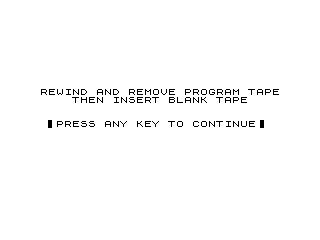
  30 PRINT " REWIND AND REMOVE PROGRAM TAPE"
  35 LET U$="THEN INSERT BLANK TAPE"
  40 GOSUB 300
  47 FAST
  50 POKE 23000,197
  55 POKE 16515,216
  60 POKE 16516,89
  65 POKE 16517,0
  70 POKE 16518,64
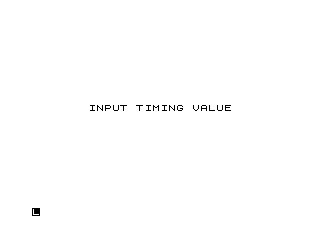
  75 PRINT AT 8,7;"INPUT TIMING VALUE"
  78 INPUT N
  79 CLS
  80 POKE 16620,N
  85 LET U$="START RECORDING TAPE"
  86 GOSUB 300
  88 RAND USR 16520
  90 LET U$="STOP RECORDING TAPE"
  91 GOSUB 300
  95 LET U$="REWIND TAPE HALF WAY"
  96 GOSUB 300
 100 LET U$="START PLAYING TAPE"
 101 GOSUB 300
 104 GOSUB 420
 105 RAND USR 16625
 110 LET U$="STOP PLAYING TAPE"
 111 GOSUB 300
 120 LET S=0
 125 FOR I=22001 TO 22959
 126 IF PEEK I>249 THEN GOTO 400
 130 LET S=S+PEEK I
 135 NEXT I
 140 LET AVG=INT (S/959+.5)
 145 LET L=0
 150 LET H=255
 155 FOR I=22001 TO 22959
 160 LET P=PEEK I
 165 IF P<AVG AND P>L THEN LET L=P
 170 IF P>AVG AND P<H THEN LET H=P
 175 NEXT I
 180 CLS
 181 IF (ABS (AVG-(H+L)/2)<=1.5) AND (H-AVG>2) AND (AVG-L>2) THEN GOTO 190
 182 IF N>14 THEN GOTO 402
 183 PRINT AT 10,5;"INCREASE TIMING VALUE"
 184 LET U$="BAD CALIBRATION"
 186 GOSUB 300
 188 GOTO 207
 190 PRINT AT 3,8;"TIMING VALUE = ";N
 192 PRINT AT 6,6;"CALIBRATION VALUE = ";AVG
 194 LET A=INT (((H-AVG)+(AVG-L))/2+.5)
 196 PRINT AT 10,13;
 198 FOR I=1 TO A
 200 PRINT "*";
 202 NEXT I
 204 LET U$="GOOD CALIBRATION"
 205 GOSUB 300
 207 CLS
 208 PRINT AT 8,11;"%S%E%L%E%C%T%I%O%N"
 209 PRINT ,,,,,,
 210 PRINT TAB 8;"1.  RESTART"
 215 PRINT TAB 8;"2.  RECALIBRATE"
 225 PRINT TAB 8;"3.  STOP"
 230 PRINT AT 17,5;"INPUT SELECTION NUMBER"
 235 INPUT X
 237 CLS
 240 IF X=1 THEN GOTO 75
 245 IF X=2 THEN GOTO 100
 250 IF X=3 THEN STOP
 260 CLS
 265 GOTO 207
 300 LET SL=LEN U$
 304 PRINT AT 8,0
 308 PRINT TAB ((32-SL)/2);U$
 309 PRINT
 310 SLOW
 318 PRINT AT 12,0;"  : PRESS ANY KEY TO CONTINUE :"
 319 IF INKEY$<>"" THEN GOTO 319
 320 IF INKEY$="" THEN GOTO 320
 340 FAST
 345 CLS
 348 RETURN
 350 FOR I=1 TO 4
 360 NEXT I
 365 RETURN
 400 IF N<13 THEN GOTO 130
 402 CLS
 405 PRINT AT 10,5;"DECREASE TIMING VALUE"
 410 GOTO 184
 420 FOR A=1 TO 100
 430 NEXT A
 440 RETURN
 500 FOR I=22001 TO 22959
 505 IF PEEK I>249 THEN GOTO 550
 510 NEXT I
 550 CLS
 555 PRINT I
 560 FOR J=I TO I+19
 565 PRINT PEEK J,PEEK (J+20)
 570 NEXT J

   1 REM 0C3F540CDDD40CD2BF2AC40233680E5CDB840E1FE76204CD23FC9FE7720B3602B7EFE762012B18E277237EFE7620DB2318D8CD2BF213B40CB7ECC292CB4628FCED4B2540CD4BFCDBD77EFE77C8FE76C8FE4030DCC92AC4011D6219142023B78B1C87EFE7628F636018F2216347227B40CDDD4061CDD45CD9040CDFF44170113E40EDB0CDDD4062CDD45CD9040CDFF447E324540237EFE31CA4642FE38CA3241C311413A4540FE37CA00FE27CA5341FE35CAA343FE29CAE343FE2CCA2B44FE2DCA3D44CDDD4063CD7241ED534740CDDD4064CD7241ED534940ED535840C38941CD7F417EFEDCC4E45C42B45C9CDD45CD9040CDFF44C9CDDD4065CD7F413EFD213C40772377CD7745324B40CD8145324C40325B40C3AB41DBFECDD541CDE54111110213C40CDF141CDFD41ED5B49402A4740CDF141CDD944CDDD4066CD7F41C9DBFE6611001B7AB320FB520F8C911E83CD6421B7AB320F8C97ECD13421B237AB3C2F141C91EFFCD6421D20FAC947DBFE78CD4042D3FFCD4042C9CD2742E87DC2742D4642DC21842CD642C947DBFE78CD4042CD4042CD4042D3FFCD4042CD4042CD4042C96FF520FDC9D9C5D5E53A4540FE2ECA9445FE27CA7142FE35CA4E44FE29CA7544FE2CCAC444FE2DCAD64463C5C35B43CDDD4063CD7241ED534740CDDD4065CD7F41CD9E42CD36432A47407CB5283225640CD4843CD6E43C39243CDD1421EF214D40CDE042FEFD20F9CDE042FEFD20F2CDE04277231DC2B442213E40114D40E71ABEC29E42D2313C2C542C9D9EFF1EFBD9C9D9E1E1E1D1C1D9C9D9CD46FD2D8426016FF15DBFEA7F2EB427BBADAE9427A91781747D2E942D9C9210281183401F87EDB0C921834011E02E1FA0EDB0C92A7F401FF09227F40218340CD9E91FF0EB3602BB78B120F8C9214D401ED9786231D20FBBEC861DC35B432A5640ED5B5840CDE04277231B7AB3C24F43C9C5CDDD4067CDD45C17023C1CD9040C392432BED5B584097862B1B477AB378C274433278372A5B40227937ED5B5B40BBC861EC35B43D9E1D1C1D9CDD944CDDD4066CD7F41C911040ED5347402A1440A7ED5223224940225840CDDD4065CD7F413EFD213C40772377CD7745324B403E0324C40325B40CD8145ED44324C40325B40C3AB41CDDD4068CD7F41CD444235E2356ED53783723224740ED534940324640C389417ED62047237EFED3E80202CBF7B0472A10407EB8C8FE8020561FC35B43C5CDF29C1EB18ECED5BC40ED53474011D72ED534940C3894111020ED53474011018ED534940C38941CD5A44CD4843CD6E43C39243CDDD4065CD7F41CD9E42CD36432145403A5440BEC8620C35B43CDDD4068CD7F41CD444235E235623224740ED534940324640CD5A442146403A554086CB77286621C5C35B432A4940ED5B5840A7ED52306622C5C35B432A4740225640CD4843CD6E43C39243CD5A442AC40225640CD4843CD6E43C39243C34E44DBFE64C3D94150E52A7B401FF03E18EDB11520FB4E60EBE192B4713231AB8C87718F82AC4011F8219237EFE028FAC92AC4011D7219E5CDE044E11130019C9237EFE1C30FA2B2B1100EBC9CD1E45110CD6C451A0CD6C451640CD6C451E83CD6C4511027CD6C45EBC9CD1E45110CD6C451100CD6C45101CD6C451010CD6C45EB97C91A1BD61DD83C93D20FCC96D3E02386520FBC92A4740ED5B49403E0861B23477AB378C818F6E1D1C1223C40ED533E40ED434040C5D5E5CDDD4065CD7F41CDDD4069CDD45CDC8456ACDD45CDC845CDDA45CD934618F52AC40EB1321210191F72EDB0CDDD40C9CDD1421EF214D40CDE042FEFD20F9CDE042FEFD20F2CDE04277231D20F8CDA746CD1D46CD5246CD304611D0193A544077FE29205CD39463E0FE27203CDBC46C9CD304667114C4023131AFE80C8775C818F32AC402311D6219C9CD3046111C0193A5540E63FC62077233A5540CB77C836DC9CD30461113019224D40111027CD7B4611E83CD7B4611640CD7B4611A0CD7B461110CD7B46C92A58403E1B3CA7ED5230FA192258402A4D407723224D40C9D92A3C40ED5B3E40ED4B4040D91F00CD35FC91ED214D403E086231D20FB215A40BEC8E1C3DA452A5640225840CD3046111B019C359462A4640E5ED5B4240A7ED52224840C31748CDCC467EFEC3CA947FECDCA947E6C7FEC2CA947FEC4CA9477E121323ED4B4440A7E5ED42E138DAC333477E1213234E234623E52A4240A73ED42B30E2A4440A7ED423862A484094D44E1EB71237023EB18C82A4640118211936C9233647C351471936C923362A1117019362B23362BED5B46402A1440A7ED52D01BED53440C9761892E33353A3902B2E312A03326322A18A2E33353A3902834323226332918A2E33353A390262929372A383818A2E33353A390312A332C392D18B383926373903926352A18C3839343503926352A18E2A373734371872E33353A390292E3203B26372E2627312A1812B2E312A03326322A00393E352A00312A332C392D003839263739018033333333333333333333333333333333180ED5BB5421922B54222F145D12A4240C9282631310311F1928263131D1C2B1E2719312902D311B101D221F252211192E332802D3119E312131290102D31113E01947218340865FB78B17B2320F7604FC90FF0CF8202100EF0BF8008200000000000000000000000000000000000000000000000000000000000000000000000000000000000000000000000000000000000000000000000000000000000000000000000000000000000000000000000000000000000000000000000000000000000000000000000000000000000000000000000000000000000000000000000000000035
 9000 SAVE "%Z"
 9001 IF USR 18520=33 THEN GOTO 9004
 9002 PRINT AT 10,11;"BAD LOAD"
 9003 STOP
 9004 CLS
 9005 PRINT AT 10,7;"INPUT TIMING VALUE"
 9006 INPUT N
 9008 POKE 16961,N
 9010 CLS
 9012 PRINT AT 10,4;"INPUT CALIBRATION VALUE"
 9014 INPUT N
 9016 POKE 17107,N
 9018 CLS
 9020 PRINT AT 10,2;"INPUT Z-XLR8 STARTING LOCATION"
 9022 INPUT L
 9023 IF L=0 THEN STOP
 9024 LET TA=L+1760
 9030 POKE 16631,INT (TA/256)
 9032 POKE 16630,TA-256*INT (TA/256)
 9040 POKE 16450,131
 9042 POKE 16451,64
 9044 POKE 16452,23
 9046 POKE 16453,72
 9048 POKE 16455,INT (L/256)
 9050 POKE 16454,L-256*INT (L/256)
 9080 RAND USR 18141
 9082 NEW
Note: Type-in program listings on this website use ZMAKEBAS notation for graphics characters.