
One of the most common complaints regarding the T/S1000,ZX81 is that the keyboard is difficult to use. Because of its compact design, the touch-sensitive keypad is not suited to extensive programming sessions. Add-on keyboards are available for your T/S — but which one should you buy? To help our readers decide, Timex Sinclair User asked freelance reviewer M.K. Wilson to test six keyboards and one overlay. “I was surprised,” she told us afterwards, “to discover how much they vary in cost, size, design, versatility and ease of assembly and operation.” Her report:
OF THE SIX keyboards I tested, only the Memotech requires no assembly. Its attractive blue keyboard is cable-connected to a buffered interface which simply plugs into the edge port connector on the back of your T/S1000; peripherals then plug neatly into the edge connector on the interface. The lightweight plastic keys are a bit too close together for comfort and ease in extensive programming, but respond well to a light touch. As you must remove your hands to press the ENTER and space keys, it is not really possible to touch-type on this keyboard. An interesting and unique feature of the Memotech is that you can use it and the T/S keypads simultaneously, which would be useful in a student-teacher session when only one computer is available or when playing games that require two players. The Memotech sits apart from the computer and comes complete with its own aluminum case.
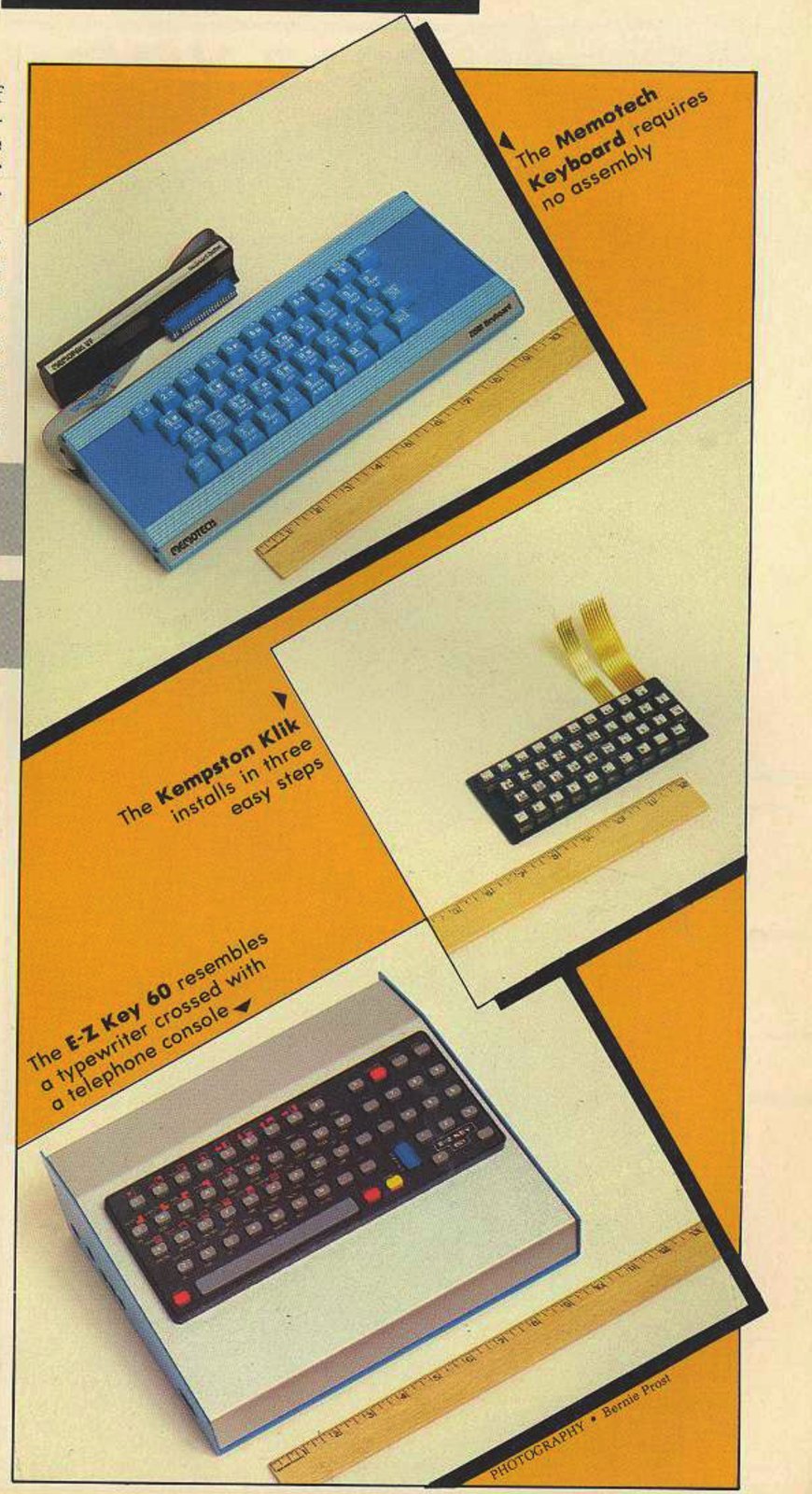
Kempston Micro Electronics of England takes an interesting approach to keyboard design. Unlike other keyboards that enhance or disguise your computer, the Kempston Klik-Keyboard is small enough to fit neatly on top of it. The Klik requires no case and installs in three steps: first, remove the T/S’s keypad by peeling it off and unplugging it; second, feed the connecting cables through the slot in the case; third, fit the keyboard with the supplied adhesive pads and press it firmly onto the case. The keyboard sits neatly in the recess left by the membrane keypad. Though its connecting wires end with little prongs which are more difficult to plug in than ribbon connectors, the Klik is fairly easy to install, and once installed is a permanent part of the computer. Its smallness is its main drawback however, as the keys must be painstakingly stroked one by one.
The legends on the keys, printed on gummed stickers, must be manually applied, which can be tedious: the keys are so small the procedure is also apt to be slow. When applying them you must take special care that they are properly aligned, for even one out of place may ruin the appearance of the whole unit. The Kempston Klik has 40 keys, and each emits an audible click when depressed: hence the name. There is no space bar. This keyboard duplicates that of the original, but because of its size also retains many of its problems.
Another keyboard with keys that click is the E-Z Key 60 from E-Z Key. Perhaps the best-designed and most convenient to use of the six, the E-Z Key has 60 oval keys and resembles a modern push-button telephone as much as it does a typewriter. The keys are well-spaced and require only three ounces of force to operate, making touch-type programming a breeze. It has two shift keys, a five-inch space bar, a separate numeric keypad and a larger ENTER key conveniently placed near the home keys in touch-type position. Another plus is its eight automatic shift keys which control edit, delete, single quote, double quote, colon, semi-colon, function and stop — a great boon to quick and easy programming. The legends, silkscreened in three colors on the case and molded on the key tops, may appear at first glance to be merely a cosmetic attribute, but they comprise another innovative feature of this unit. Characters that require use of the shift are printed in red, corresponding with the red shift keys; those requiring the function key are yellow to correspond with the yellow function key.
To assemble the E-Z Key 60, plug in the ribbon connectors and attach the computer to the keyboard case, already pre-fitted with mounting screws. The instructions are precise and easy to follow, and once assembly is achieved you will have an attractive blue and gray unit that houses your computer. The cases are sold separately: you have the choice of two, one slightly larger than the other. As the name implies, this is indeed an “E-Z” keyboard to assemble and operate.
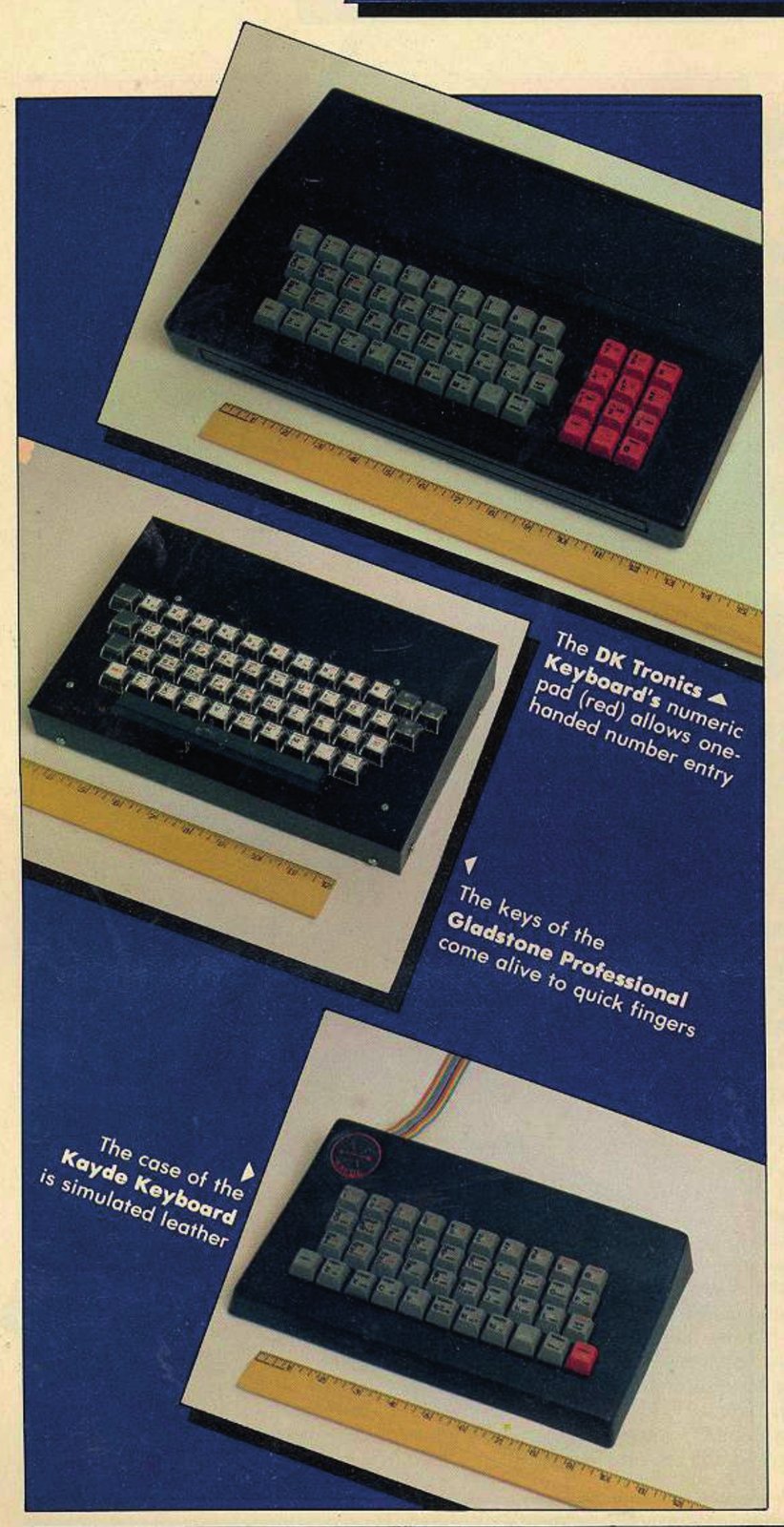
The DK Tronics Keyboard, like the E-Z Key, actually has two parts — a keyboard and a case. The full-sized typewriter style keyboard has 52 keys, 12 of which are for the numeric keypad: the 0 to 9 keys, a full stop, and a shift key. The numeric keypads are useful to anyone entering a lot of numbers, since it requires only one hand.
Assembly requires no electronic skill and no soldering — simply remove your computer from its case and plug in the ribbon connector. The new case fits over both, leaving you with an attractive self-contained unit. You can connect other peripherals to the edge connector that extends from the rear. In all, the DK Tronics keyboard is responsive and fast, though its lack of a space bar is a slight inconvenience.
The Gladstone Professional Keyboard features a full-sized keyboard with 47 keys and a space bar. It has six extra keys which electronics buffs may hook up for greater convenience, but it performs just as well without them. The legends, clearly printed in black on white with shifted characters in red, will not wear off as each key is protected with clear lucite. The ENTER key is conveniently placed for easy acessibility, so you don’t lose the flow when touch-typing.
Assembly is simple: plug in the flexible ribbon connectors and place the computer inside the handsome black metal case (which easily accommodates plug-in peripherals).
The keys of the Gladstone Professional come alive to quick fingers, and require only a light touch. Comfortable to use, well-suited to long programming sessions, it is as its name suggests, truly professional.
I found the Kayde Keyboard from Kayde Electronic Systems the least satisfying to use. It is slightly less expensive (see chart) and more difficult to assemble than the others. Where the others feature prong-tipped or flexible ribbon-type connectors, the Kayde has multicolored wire connectors that are slightly too thick to slide through the slot in the computer case; some force is required to push them through, and once through they leave a small unsightly bulge in the case. The wires end in small plastic discs, one of which, too large for the socket, requires trimming. Two wires must be stripped and soldered. The Kayde has 40 steel-gray plastic keys, a repeat key, no space bar, and a black molded case that resembles simulated leather. The legends are printed on pre-cut gummed labels which must be peeled off and painstakingly applied. The sturdiness of this unit is questionable as each time a key is pressed the keyboard sags slightly. The Kayde keyboard sits apart from the computer but without the tastefulness of the aqua-blue Memotech or the Kempston with its tailored aspect.
How to make inputting easier without buying a keyboard? For about $10 you can buy a clear plastic overlay that attaches permanently to your computer: just peel off its backing paper and press it firmly in place. It offers none of the advantages of the keyboards but it is an inexpensive way of separating the keypads and providing a firmer reference for your fingers.
THERE are other keyboards available for the T/S1000,ZX81, but these represent a fair sampling. If you seek an attractive, well-designed keyboard that will house your computer and is suited to lengthy programming sessions, your best bet is the E-Z Key or Gladstone Professional; for their superior design and performance, they can’t be beat. For those of us who shy away from assembling a keyboard of any kind, try the Memotech, which need only be plugged in. Remember, it is wise to carefully appraise your needs beforehand, and make your purchase accordingly.
TSU Rates the Keyboards
                        Does keyboard                                   Suggested  Circle
             Assembly   sit apart from  Numeric  Space  Overall         Retail     Reader
Keyboard     required?  computer?       pad?     bar?   Rating          Price      Service No.
Memotech     No         Yes             No       No     **              $100       43
Kempston Klik Yes       No              No       No     **              $50'       44
E-Z Key 60   Yes        No              Yes      Yes    ****            $85        45
DK Tronics   Yes        No              Yes      No     ***             $81'       46
Gladstone
Professional Yes        No              No       Yes    *** 1/2         $80        47
Kayde        Yes        Yes             No       No     *               $75'       48

'Units sold by mail from U.K. Price does not include shipping charges.