
Send us your comments, questions, gripes, guest editorials, computer artwork, short program listings, and helpful hints (no candy wrappers or photos of of your mother-in-law please). We will print as many as space allows. The Editor reserves the right to accept or reject contributions, and to make insipid comments in the space between columns.
2068 PUZZLE SOLUTION
George Mockridge, of Daly City, California, sent in this TS2068 program he wrote to solve the PUZZLE OF THE MONTH (July/August ’88) by the late Cedric R. Bastiaans. It can be compiled with TIMACHINE, the BASIC Compiler.
- The Editor
   1 REM Solution for Puzzle of Month - July/Aug. TIME DESIGNS. Program by George Mockridge.    Can be compiled using TIMACHINE.
   3 REM !INT +i,j,k,l,m
   4 REM !INT a
   5 REM ! OPEN #
   9 CLS : LET a=-1: PRINT "Working on problem.": PRINT
  10 FOR i=1 TO 24
  20 FOR j=1 TO 24
  30 FOR k=1 TO 24
  40 FOR l=1 TO 24
  50 FOR m=1 TO 24
  60 IF i+j+k+l+m=40 THEN GO SUB 100
  65 IF a=1 THEN STOP
  70 NEXT m: NEXT l: NEXT k: NEXT j: NEXT i
  75 STOP
 100 IF i*j=39*(k*l*m) THEN LET n=((i+1)*(j+1))/((k+1)*(l+1)*(m+1)): GO TO 103
 102 GO TO 110
 103 GO SUB 300
 105 IF a=1 THEN PRINT "2 BOYS AGES - ";i;" ";j: PRINT "3 GIRLS AGES- ";k;" ";l;" ";m
 110 IF i*j*k=39*(l*m) THEN LET n=((i+1)*(j+1)*(k+1))/((l+1)*(m+1)): GO TO 113
 112 GO TO 200
 113 GO SUB 300
 115 IF a=1 THEN PRINT "3 BOYS AGES - ";i;" ";j;" ";k: PRINT "2 GIRLS AGES- ";l;" ";m
 200 RETURN
 300 LET a=1: IF (INT (n/2)*2-n)<>0 THEN LET a=-1
 301 RETURN
DIRT CHEAP PRINTER
Dear Tim,
This is a note to inform your readers that it is now feasible to run the IBM PCjr thermal printer on the TS2068 computer. I am a late comer to the Timex Sinclair scene and thus did not get in on the initial movement to full size printers such as the Gorilla Banana, Star 10, and others. But now there are hundreds of these PCjr thermal printers on the market for about $30 to $35.
Granted printers keep improving and getting more reasonable in price, but for the low-budget hobbyist, this has to be one choice to consider.
The PCjr printer I purchased has a serial input port and is interfaced to my TS2068 through Ed Grey‘s Z/S-IO serial board (available from ED GREY ENTERPRISES) I am using print driver software written by Larry Kenny (LARKEN ELECTRONICS) for his LKDOS cartridge system. I also purchased from the printer vendor (see address at the end of this letter), a conversion plug to go from the IBM printer to the RS232 serial board on my computer.
It is also possible to run the printer using a modified version of John Bell‘s “Serial Port Driver” program you published in the JAN/FEB ’88 issue of TDM. John McMichael (1710 Palmer Dr., Laramie, WY 82070).
The thermal printer has limitations, such as the use of special paper, it’s a non-permanent record, etc. But I think it is a good deal for the limited hobbyist. I solve the paper problem by scrounging the end rolls of FAX paper, from a large corporate facsimile operation that buys 600 foot rolls, and throws away the roll ends so that the machine will not run out of paper while unattended. For permanent copies of important documents, I run them through a copying machine.
I class myself as a casual user and find the larger printer increases the utility of my “toy” computer a great deal. The real work on this system came from John McMichael, Larry Kenny and Ed Grey. I just asked each of them for their contribution. The print driver software uses the LPRINT and LLIST commands, but doesn’t use the COPY command.
John Austin
McKinney, Texas
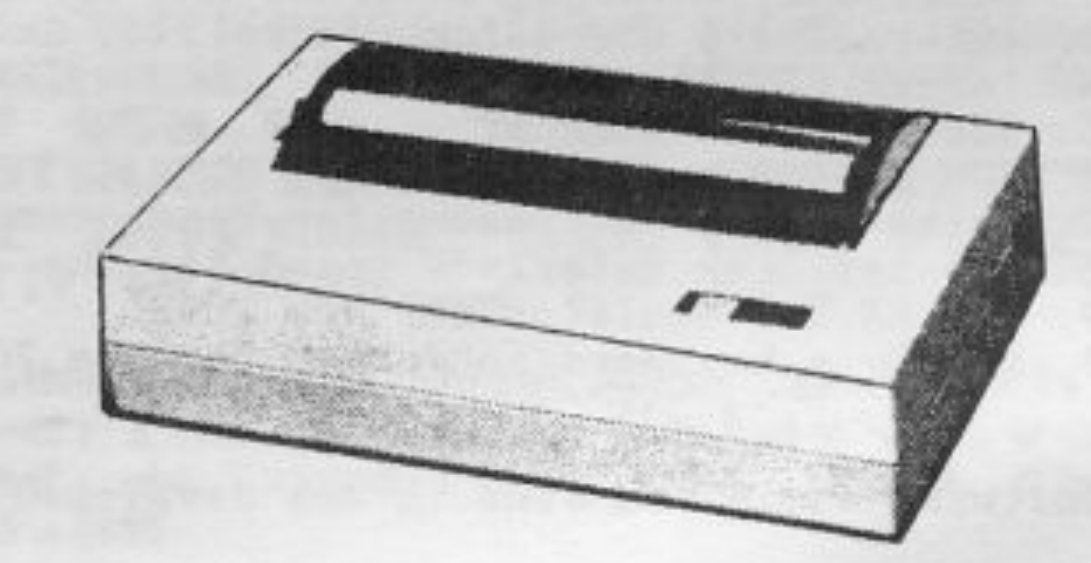
The full-size thermal printer discussed and pictured above can be purchased from B.G. MICRO, P.O. Box 280298, Dallas, TX 75228, phone (214) 271-5546, for $29.95 + $4.00 shipping (U.S.). The printer was manufactured by CANON for the IBM PCjr. An optional PC AT/XT type connector is available for $3.00. Paper is available from Radio Shack and other sources. The printer may be available from other dealers who deal in surplus hacker supplys.
- The Editor
2068 HELPS ARMY
Dear Tim and Staff,
I think Paul Bingham and Stan Lemke, along with all the others, deserve a big thank-you for the programs they have donated to your magazine. Has anyone thought of consolidating them on a disk/tape and offering them to others through the magazine? The revenue could be used to offset production costs. That way we all win.
The following is a graphic that I use for a coversheet on the operator’s manual exam my pilot’s have to take. Although not drawn with a commercial graphics program (simple PLOT/DRAW commands were used), I did use TECH DRAW JR (Zebra Systems) for the shading.
John Bailey
Chief Warrant Officer
United States Army
APO, San Francisco
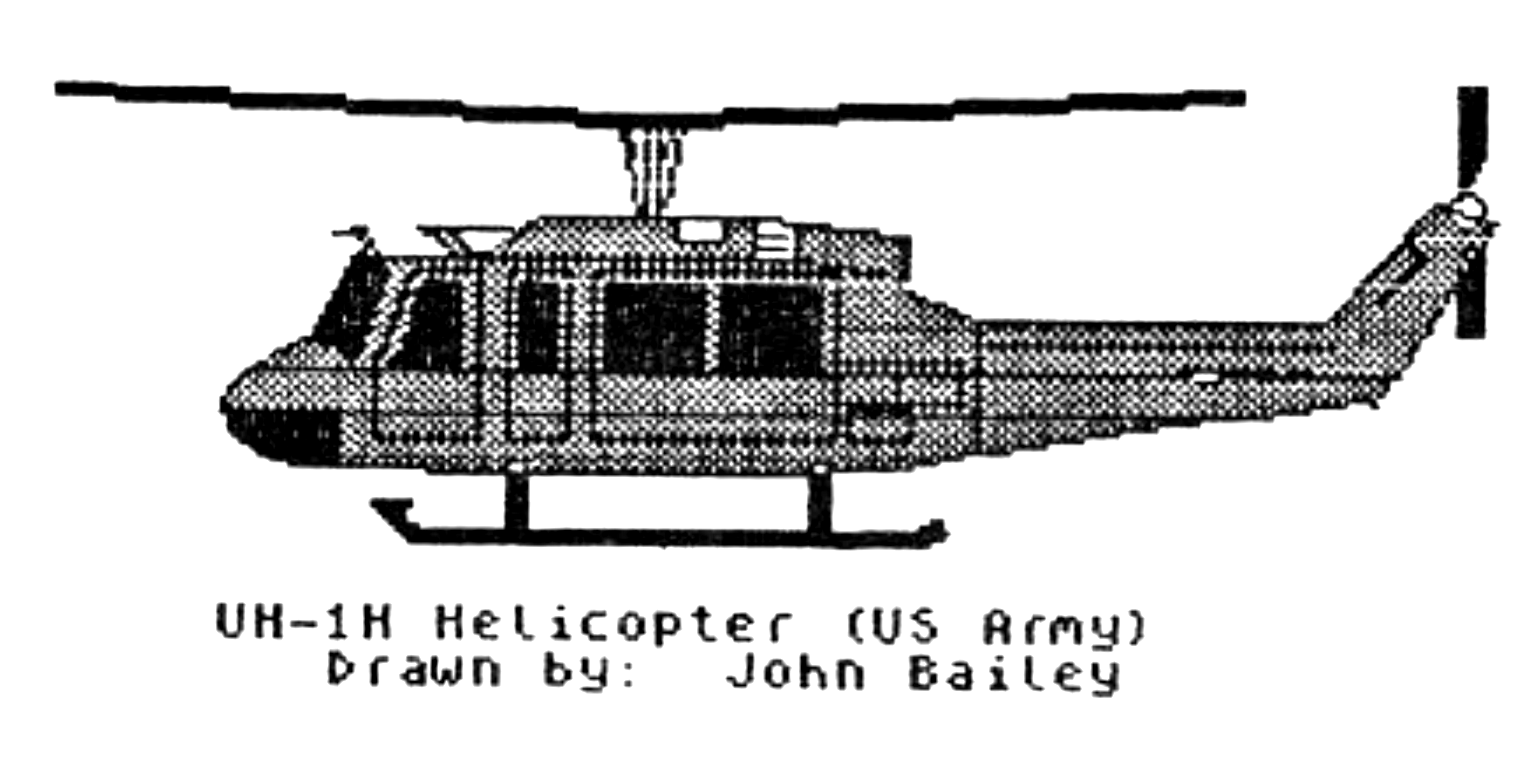
Nice pic John! About your suggestion: currently we are understaffed to offer all of the listings in each issue on a tape or disk. While it would be nice, just think about all of the different formats that would have to be offered (TS1000 tapes, QL microdrive cartridges and disks, TS2068 tapes and disks in four different formats, not to mention double-sided and quad-density disk systems). However, most of our contributors, including Paul Bingham, Stan Lemke, Michael Carver, William Andrews, and others, will offer most of their programs published in TDM on a tape for nominal charge. Even if it isn’t stated in the article or program, it would be worth your while to contact the author either directly or through TDM to see if this service is available.
- The Editor
QL MACHINE CODE
Dear Tim,
I have a question that you may be able to help me with. I want to write some machine code functions and link them into the name table. I own the “QL Technical Guide” and the book, “Machine Code Programming On The Sinclair QL”. I understand how to actually link functions and procedures, but I don’t see how to transfer the answer back to SuperBASIC. Also, how do I get the parameters passed to my code. Would you be able to explain this or refer me to some source that could? I’ve read section 9.0, “Interfacing to SuperBASIC” in the Technical Guide, but I’m still a little unclear about it all. A simple example would be most helpful. Such as, a function that would take two parameters and add them.
I would really like to see more technical articles for the QL in TDM. Similar to what I’ve asked. The QL is a powerful machine, but the manuals are lacking in explaining it’s full uses. I’m presently a graduate student and don’t have the time to go through deciphering exactly what was meant in the manuals. Any additional help would be greatly appreciated. Thank you for your time and advise.
David McCall
Rochester, New York
I asked our resident QL Machine Code programmer, Michael Carver for some references on how to pass parameters to SuperBASIC, and then to code. He has recommended the books “The Sinclair QDOS Companion” (published by Sunshine), pages 121-126; and “Advanced QL Machine Code” (published by Duckworth), pages 82-100. These books may still be available from a QL dealer.
Your request for technical articles has been honored. Starting in this issue, Michael Carver will begin a new series, with the first article detailing how to extend SuperBASIC by installing semi-permanent PRO- cedures and FuNctions. A follow-up article will discuss creating and running Jobs on the QL.
- The Editor
FOR THE YOUNGER SET
Here is a very simple BASIC TS2068 program which will teach your kids their alphabet (both CAPS and small) and numbers, as well as the QWERTY keyboard.
Two of my grandsons learned this way, and now my 20 month old granddaughter is “pecking away”.
Change the name of the bus line to their own (in Line 300) and watch them grow.
Earl L. Kielgass
Tempe, Arizona
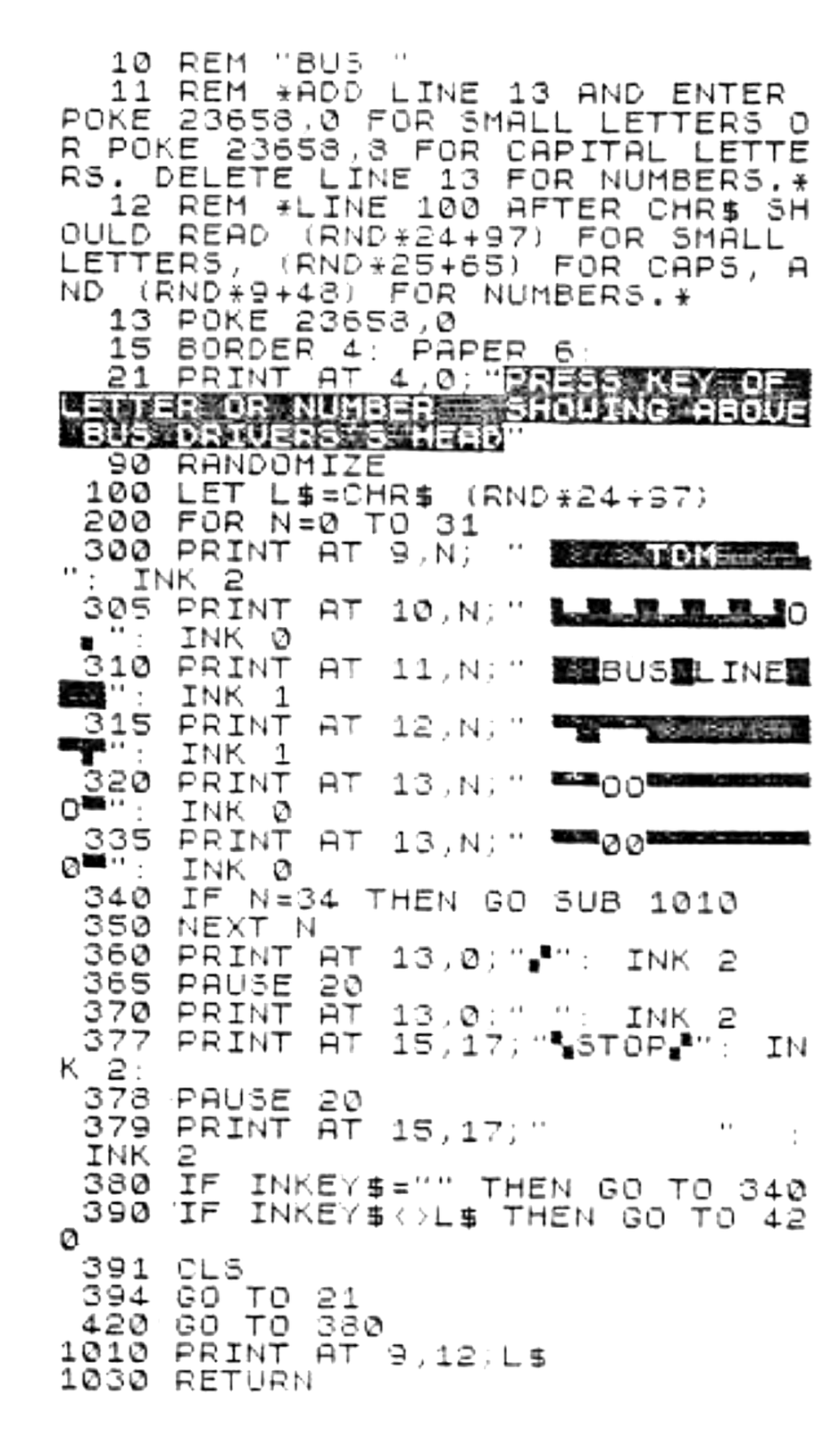
Note: Type-in program listings on this website use ZMAKEBAS notation for graphics characters.