
Sprites, for those of you unfamiliar with them, are very simply User Defined Graphics (UDG’s) which are capable of moving about the screen. Aside from movement, one large difference from regular UDG’s is that sprites are normally larger than a single character space. A good example of a sprite, is the ghouls and goblins that appear on the screen of most arcade games.
SPRITES 2068 is a sprite development and handler package. Those of you that have the TDM Technical Manual will note that there is an appendix, number C-5, devoted to this subject. This program is none other than this same code.
SPRITES 2068 co-authors Tidwell and Ruegg have “debugged” the Timex sprite package code. This was no small task as I had tackled this myself and found many “bugs”. They have also enhanced the original package with the addition of an automatic RAMTOP setter and additional screen attribute capabilities.
Having the Timex sprite service code is of no use however, if you cannot interface a program with it. Therein lies the true value in this package as Tidwell and Ruegg have prepared a comprehensive manual and a very nice Basic program to demonstrate the sprite packages’ abilities. The user manual is clear and easy to understand. They have assumed you know nothing on the subject, yet, have not “talked down” to the advanced programmer.
Authors, Tidwell and Ruegg have included in the manual, a section on machine code interfacing. This section is the poorest part of the manual, but if you can write machine code programs, you will not suffer for it. They have thoughtfully listed all of the variables and a memory map, and of course…you already have your own copy of the Technical Manual to go by.
And as if all of that were not enough, there is also a very nice UDG development tool included with the Basic demo program. This could be used alone to aid in the addition of UDG’s to your programs. It allows the design of each UDG in enlarged format and then displays the UDG in normal size, as it would appear on your screen. It will also display a group of UDG’s, 8 across by 8 down, to view your sprite (or a portion of it) as it will appear.
SPRITES 2068 will allow up to 256 sprites, each one up to 256 by 256 characters. In practice however, you will find the constraints of memory size will not allow for this. The invisible wall, RAMTOP, will not interfere with your use of sprites, as there is enough memory in the 2068 for most all the sprites you will want to use.
The smallest sprite possible is one character space (8 by 8 pixels), due to the use of the UDG’s as designed by Timex. This means that your sprites will require some thought as you can only use two colors in each character space. Also, movement of the sprites can appear “blinky” if there is too much going on in your program.
There are vertical and horizontal screen scrolls in SPRITES 2068, however, they too use the character space as the smallest unit of measure. They can be combined to create a scroll in eight different directions. The scrolls, as well as the sprites should really be addressed on a pixel-by-pixel basis. However, it appears that Timex never intended us to have that kind of control from the “normal” video mode.
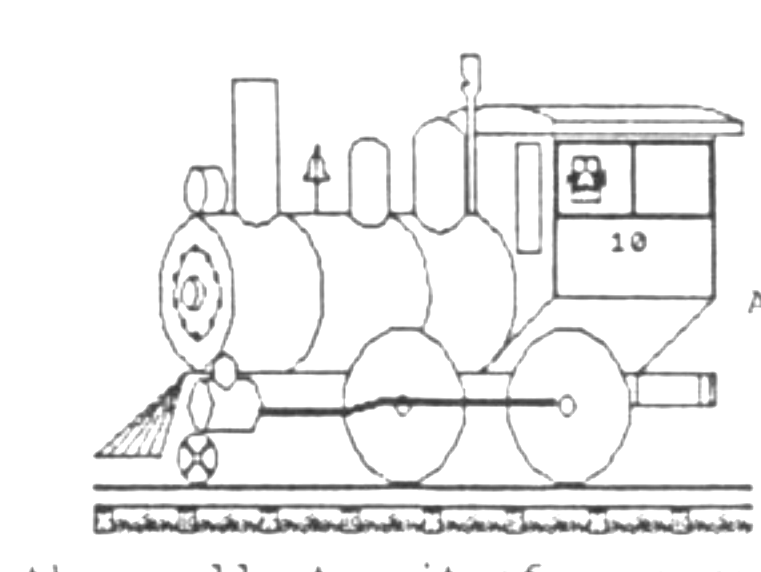
SPRITES 2068 is a crude sprite package BUT it is the ONLY one available for the Timex Sinclair 2068. If you are accustomed to the graphics abilities of other computers, such as Commodore or Atari machines, you might be a little disappointed. Keep in mind, however, that those computers were initially designed to play games and therefore, have sprite capabilities as part of their operating systems.
I found SPRITES 2068 to be an excellent “starter” package. If you want to include sprites in your own programs, you will find this utility very easy to use. I would suggest that you do follow the user manual’s suggestion of programming in small blocks, as you must be very careful to maintain control over what is happening on the screen. This control is needed due to SPRITES 2068 use of the Attr-P system variables instead of Attr-T. With some careful planning, you will be amazed at the results you can accomplish.
Tidwell and Ruegg deserve a big hand for their thorough treatment of sprites. They have taken the Timex sprite routines and explained them to us in laymans terms.
Price for the SPRITES 2068 development package on cassette, complete with a comprehensive 34 page manual, and an educational (and entertaining) demo program, is $19 ppd. It is available directly from the authors (Vern Tidwell- 1303 Whitehead St., Key West, FL 33040 or Ron Ruegg- 37529 Perkins Road, Prairieville, LA 70769) and some Timex dealers handle it also.