
This program is a sprite graphics demonstration and utility suite for the TS2068, built around a machine code “Sprite Service Package” loaded at address 60160. The package accepts command strings stored in a BASIC string variable (pointed to by a POKE to address 60156) and supports commands for initializing, placing, erasing, moving, and animating UDG-based sprites, as well as horizontal and vertical screen scrolling. Demonstrations include a walking character named “BUGGER,” a five-ball motion study, mice, a dripping faucet with DRAW/ARC graphics, and a detailed locomotive scene drawn entirely with PLOT/DRAW/CIRCLE commands. A built-in SPRITEDRAW editor (lines 700–799) lets users design 8×8 UDG sprites interactively, save them to tape, and relocate the UDG file in high RAM. Line 9997 performs a self-shortening routine using DELETE to strip the demo lines before saving a compact auto-run version called “sprite” to tape.
Program Analysis
Program Structure
The program is organized into several major functional regions, navigated via a menu at line 1100 and a variable V used as a computed GO TO target for sequencing demonstrations:
- Lines 1–5: Initialization, memory setup, and an alternate
LOADentry point for the shortened “sprite” version. - Lines 10–19: Introduction/wraparound demonstration with BEEP-on-collision feedback.
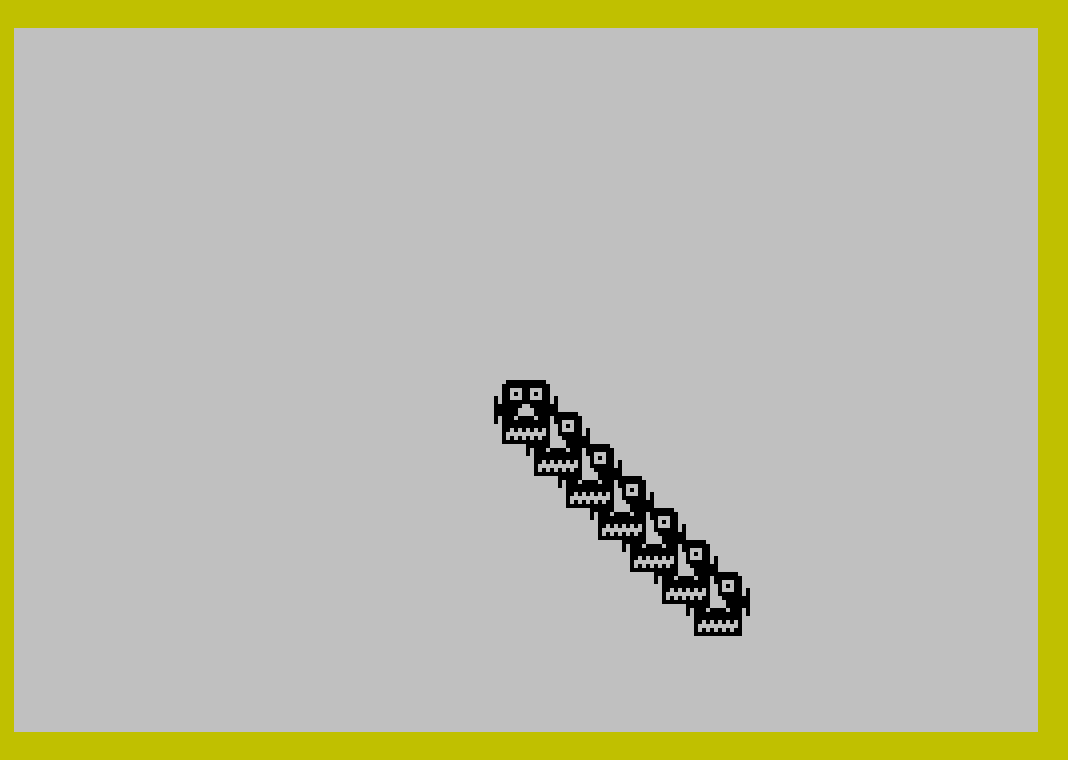
- Lines 20–29: “BUGGER” character animation demo with diagonal movement, multi-head gag, and sound effects.
- Lines 30–35: Five-ball motion study using 10 simultaneously managed sprites.
- Lines 40–43: Mice sprites bouncing within a bordered play area.
- Lines 50–72: Interactive sprite control using arrow key codes (53–56), color-box selection, and attribute POKEing.
- Lines 110–160: Utility subroutines: error recovery/menu return, keypress waits, screen message helpers.
- Lines 250–263: “Fix That Drip!” demonstration with detailed ARC-based faucet drawing and SOUND effects.
- Lines 300–355: Locomotive demonstration — an elaborate PLOT/DRAW/CIRCLE scene with whistle (SOUND), bell (SOUND), and animated train sprites.
- Lines 700–799: SPRITEDRAW — an interactive UDG pixel editor with sprite assembly, relocation, and tape SAVE/VERIFY.
- Lines 1000–1095: Subroutine to draw the complete train scene using PLOT, DRAW, CIRCLE, and ARC commands.
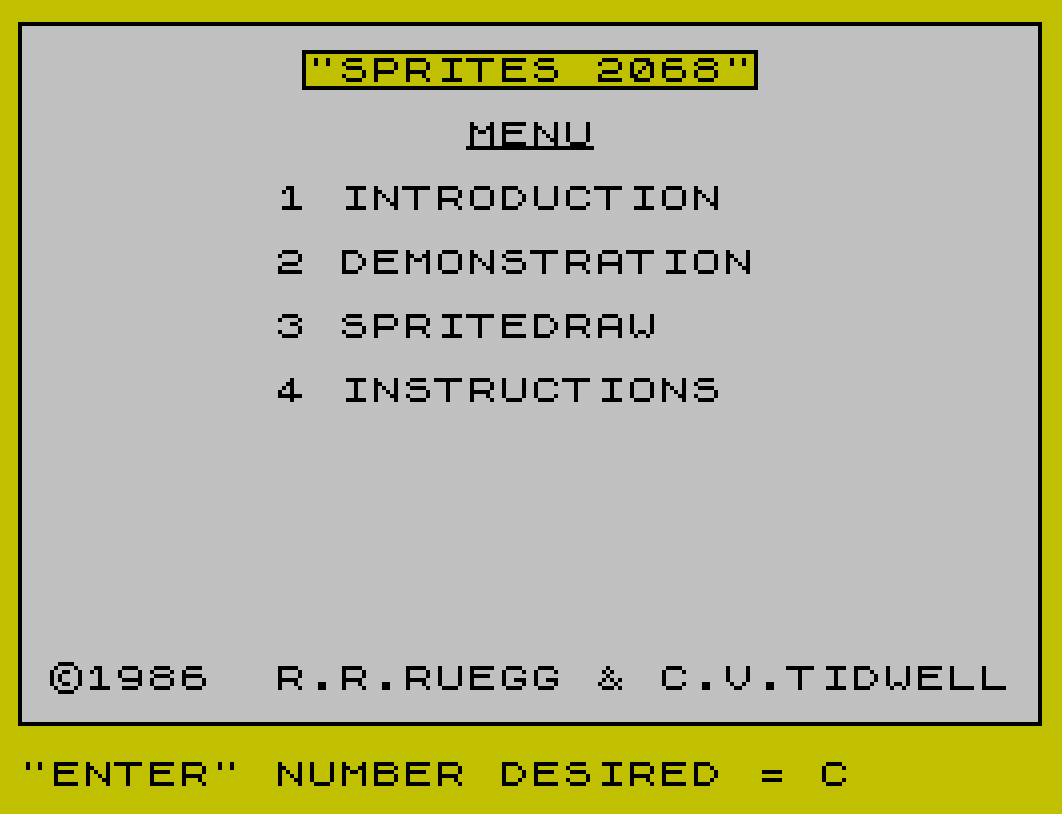
- Lines 1100–1140: Main menu with ON ERR handler and border/title display.
- Lines 2000–2036: Introduction sequence explaining sprites, UDGs, and the command string protocol.
- Lines 3000, 9997–9999: Error recovery and self-shortening/save routine.
Machine Code Interface
The Sprite Service Package resides at address 60160 (stored in variable S). It is invoked via RANDOMIZE USR S or LET X=USR S; the latter captures a return value used for collision detection (non-zero means overlap). The package is told which BASIC string variable holds its command by a POKE 60156,CODE "C", establishing C$ as the command channel throughout the program.
A secondary machine code entry at address 64584 (line 11) provides a 100% machine code demonstration path. Address 2217 is called repeatedly via RANDOMIZE USR 2217 as a fast screen/attribute clear or reset helper. Package state variables are read back through direct memory inspection — for example, PEEK 60123 returns the current sprite column and PEEK 60124 returns the current sprite row, used extensively in boundary detection logic.
Sprite Command String Protocol
All sprite operations are encoded as space-separated tokens in C$ and dispatched with a single USR call. The supported command set, as documented in the introduction sequence at lines 2028–2032, includes:
| Command | Syntax | Function |
|---|---|---|
| I | I<t> | Initiate sprites (set total count) |
| S | S<t>,<p>,<b> | Initiate screen (paper, border) |
| C | C<#>,<w>,<h>,<i>,<a> | Create sprite from UDG address |
| W | W<m> | Set autowrap mode |
| P | P<#>,<r>,<c> | Put (place) sprite at row/column |
| E | E<#> | Erase sprite |
| M | M<#>,<vt>,<hz> | Move sprite by delta |
| L | L<#>,<nr>,<nc> | Change sprite location absolutely |
| A | A<#>,<i> | Change sprite attribute (ink) |
| O | O<#>,<#> | Overlap test between two sprites |
| H | H<±1> | Horizontal screen scroll |
| V | V<±1> | Vertical screen scroll |
Multiple commands can be chained in a single C$ string, as seen in lines like "M0,0,2 E3 M2,0,-3 M4,0,-2 M6,0,-2 P8,13,15", allowing complex multi-sprite choreography in one USR call.
SPRITEDRAW Editor (Lines 700–799)
The SPRITEDRAW subsystem provides a full interactive UDG pixel editor. It maintains an 8×8 string array X$(8,8) where each cell is "0" or "1" representing pixel state. Navigation uses arrow key codes 53–56. Pressing P sets a pixel (prints a dot with PAPER 0; INK 7), pressing 0 clears it. The assembly subroutine at line 741 converts the array to byte values by summing powers of two (O/2 accumulation) and POKEs them to the UDG file address Z via a transient buffer at address 18447 (interleaved with 256-byte stride). The UDG file location Z defaults to 62680 and is user-relocatable via an INPUT prompt with validation at line 792.
Attribute Manipulation and Screen Effects
The color-box demo (lines 58–70) directly POKEs attribute memory at 22528 + row*32 offsets to create colored boxes and boundary markers. The train steam effect (lines 331–354) POKEs specific attribute cells to flash between values 40 and 56 (PAPER 5/INK 0 and PAPER 7/INK 0) to simulate smoke puffs. SOUND register writes in lines 332, 350–353 program the AY chip for whistle and bell timbres using direct register/value pairs.
Self-Shortening Save Routine
Lines 9997–9999 implement a self-modifying program reduction: ON ERR RESET disables error trapping, then DELETE commands remove lines 1–4, 10–98, and 100–9998, leaving only the loader stub at line 5 and the save lines. The program then executes SAVE "sprite" LINE 5 for an auto-run BASIC file, followed by a separate SAVE "sprite" CODE 60160,(2520+168) to preserve the machine code package and UDG data. A VERIFY pass confirms both saves.
Computed GO TO for Demo Sequencing
Variable V is initialized at line 20 and incremented by 10 each time the user interrupts a demo (line 110). The dispatch at line 120 uses GO TO V to jump to the next demo segment (20, 30, 40, 50). When V reaches 60, control passes to the menu at line 300 via GO TO 300. This is a clean idiom for sequencing a linear demo without a lookup table.
Notable Techniques
- ARC drawing parameters (
PI/1.5,PI/2,PI/4,PI/3,PI/8) are used extensively in the locomotive and faucet scenes to produce curved wheel spokes and pipe bends. PAUSE 0followed byINKEY$(lines 11, 29, etc.) is used as an efficient keypress-wait idiom.- Line 717 uses
A-48arithmetic on the ASCII code of a digit key to convert it to a display integer and flash it as a menu selection indicator. - The UDG display in the intro (lines 2008–2010) encodes character references directly in string
A$using Spectrum UDG escape characters, iterated with substring slicing. - Line 58 computes attribute addresses as
22809 + N + Aand sources color values from22528 + PEEK(60123)*32, mirroring the current sprite column’s attribute row into a panel region. - The
ON ERR GO TO 3000at line 1102 provides a safe fallback to the shortened “sprite” loader (line 4/5) if a runtime error occurs during the demo, ensuring the machine code is reloaded correctly.
Anomalies and Notes
- Line 42 has a
NEXT Nwithout a matchingFORat its own level — theFOR N=1 TO 36loop and itsNEXT Nare on the same line, but a strayNEXT Nat line 43 also exists; this is likely a structural artifact of the multiline loop spanning lines 42–43 in the original intent. - Line 723 contains orphaned
NEXT CandNEXT Lcontinuations that are reached by fall-through from line 722’s inner loop whenM<0— the pixel decode logic deliberately spans two lines to handle both the set and clear cases. - The
DIM X$(8,8)at line 702 allocates a string matrix where each element is a single character"0"or"1", used as a boolean pixel map;VAL X$(L,C)converts back to numeric 0 or 1 for arithmetic.
Image Gallery
Source Code
    1 REM "SPRITES 2068"COPYRIGHT1986 BY: R.R.RUEGG & C.V.TIDWELL
    2 POKE 23659,2: CLEAR 59930: POKE 60156,CODE "C": LET S=60160: BORDER 6: POKE 23658,8
    4 GO TO 1100
    5 LOAD "sprite"CODE 60160,(2520+168): CLEAR 58090: POKE 60156,CODE "C"
   10 LET C$="I1 S22,7,6 C0,2,2,0,64248 W1": RANDOMIZE USR S: CLS : FOR N=1 TO 45: PRINT "HELLO SPRITES ";: NEXT N: PRINT '; PAPER 5;"(SPRITE set for wraparound with BEEP if anything is overwritten)": PLOT 0,0: DRAW 0,175: DRAW 255,0: DRAW 0,-175: DRAW -255,0: LET C$="P0,10,14": LET X=USR S
   11 POKE 23659,0: PRINT AT 22,0; PAPER 6;" Move SPRITE Left-Press ANY Key"' INK 2;"PRESS ""F"" FOR 100% MACHINE CODE!": POKE 23659,2: GO SUB 160: IF INKEY$="F" THEN RANDOMIZE USR 64584: PRINT #1;TAB 4;"PRESS ANY KEY TO REPEAT.": PAUSE 0: GO TO 10
   12 LET C$="M0,0,-1": FOR N=1 TO 96: LET X=USR S: IF X<>0 THEN BEEP .005,20
   13 NEXT N
   14 PRINT #1;TAB 4;"Move SPRITE UP-Press Key": GO SUB 160: LET C$="M0,-1,0": FOR N=1 TO 88: LET X=USR S: IF X<>0 THEN BEEP .005,20
   15 NEXT N
   16 PRINT #1;"SCROLL SCREEN Left&Up-Press Key": GO SUB 160: LET C$="H-1": FOR N=1 TO 24: RANDOMIZE USR S: NEXT N: LET C$="V-1": FOR N=1 TO 24: RANDOMIZE USR S: NEXT N
   17 PRINT #1;TAB 2;"Move SPRITE Right-Press Key": GO SUB 160: LET C$="M0,0,1": FOR N=1 TO 89: RANDOMIZE USR S: NEXT N
   18 PRINT AT 11,0;"This is roughly what the SPRITESprogram is designed to do.  Whatremains is to learn the various SPRITE GRAPHICS SUPPORT PACKAGE command definitions and how theymay be used. Reference should bemade to the SPRITES MANUAL, to  the simple illustrations in thisDEMO program and to the COMPUTERUSER MANUAL for programing help."
   19 GO SUB 1140: GO SUB 130: PRINT AT 11,0;"Interesting displays and games  can be created with some trial  and error work and imagination. Those who are comfortable with  assembly language/machine code  programing, note the special    chapter in the SPRITES MANUAL onsuggestions for quick access to the sprite service modules.       PRESS ANY KEY TO GO TO MENU   ": GO SUB 1140: RANDOMIZE USR 2217: PAUSE 0: GO TO 1100
   20 LET V=20: LET C$="I1 S22,7,6 C0,2,2,0,64248 W1": RANDOMIZE USR S: CLS : GO SUB 355: PRINT AT 10,9;"Make BUGGER go";''TAB 13; FLASH 1;"WHACKO": GO SUB 130: CLS : LET C$="P0,10,14": RANDOMIZE USR S: FOR N=1 TO 20: BEEP .015,-10: LET C$="M0,1,0": RANDOMIZE USR S: BEEP .015,-10: LET C$="M0,-1,0": RANDOMIZE USR S: NEXT N
   21 LET C$="M0,1,0": FOR N=1 TO 10: RANDOMIZE USR S: NEXT N: LET C$="M0,0,1": FOR N=1 TO 16: RANDOMIZE USR S: NEXT N: LET C$="M0,-1,0": FOR N=1 TO 20: RANDOMIZE USR S: NEXT N: LET C$="M0,0,-1": FOR N=1 TO 30: RANDOMIZE USR S: NEXT N
   22 LET C$="M0,1,0": FOR N=1 TO 20: RANDOMIZE USR S: NEXT N: LET C$="M0,0,1": FOR N=1 TO 14: RANDOMIZE USR S: NEXT N: LET C$="M0,-1,0": FOR N=1 TO 10: RANDOMIZE USR S: NEXT N
   23 LET C$="M0,0,2 M0,2,0 M0,0,-2 M0,-2,0": FOR N=1 TO 10: RANDOMIZE USR S: NEXT N: LET C$="H1 V1 P0,10,14": FOR N=1 TO 10: RANDOMIZE USR S: NEXT N: LET C$="H-1 V-1 M0,1,1": FOR N=1 TO 10: RANDOMIZE USR S: NEXT N
   24 LET C$="M0,1,1": FOR N=1 TO 80: BEEP .001,30: RANDOMIZE USR S: NEXT N: BEEP .15,30: FOR N=1 TO 5: PAPER 4: CLS : BEEP .01,40: PAPER 7: CLS : BEEP .01,50: NEXT N
   25 LET C$="M0,1,-1": FOR N=1 TO 80: BEEP .001,30: RANDOMIZE USR S: NEXT N: PRINT AT 10,2;"Does BUGGER have a headache?": GO SUB 130
   26 FOR N=1 TO 25: BEEP .015,-10: LET C$="M0,1,0": RANDOMIZE USR S: BEEP .015,-20: LET C$="M0,-1,0": RANDOMIZE USR S: NEXT N
   27 PRINT AT 10,0;TAB 31;AT 20,2;"Does BUGGER want some more?": GO SUB 130: FOR n=1 TO 25: BEEP .015,-10: LET C$="M0,0,1": RANDOMIZE USR S: BEEP .015,-20: LET C$="M0,0,-1": RANDOMIZE USR S: NEXT N
   28 PRINT AT 20,0;TAB 31;AT 10,5;"How does BUGGER feel?": GO SUB 130: PRINT AT 10,5;"Oh! Two heads. SORRY.": LET C$="A0,4 P0,13,12 P0,13,16 A0,0": RANDOMIZE USR S
   29 FOR N=1 TO 50: BEEP .015,60: BEEP .0015,60: BEEP .02,0: NEXT N: GO SUB 140: LET V=30: PAUSE 0
   30 LET C$="I10 S15,7,6 W1 C0,2,2,0,64280 C1,2,2,0,64312 C2,2,2,2,64280 C3,2,2,2,64312 C4,2,2,0,64280 C5,2,2,0,64312 C6,2,2,0,64280 C7,2,2,0,64312 C8,2,2,0,64280 C9,2,2,0,64312 P0,1,0 P2,4,30 P4,7,30 P6,10,30 P8,13,15": RANDOMIZE USR S: FOR N=1 TO 6: PLOT 0,199-N*24: DRAW 255,0: NEXT N
   31 GO SUB 140: PRINT AT 16,5;"""5BALLS"" (Motion Study)";AT 17,13;"RIGHT";AT 18,13;"FASTBALL";AT 19,13;"LEFT";AT 20,13;"BOUNCER";AT 21,13;"SPINNER": LET C$="E0 P1,1,1 E2 P3,4,28 E4 P5,7,29 E6 P7,10,29 P9,13,15": RANDOMIZE USR S
   32 FOR N=1 TO 14: LET C$="M0,0,2 E3 M2,0,-3 M4,0,-2 M6,0,-2 P8,13,15": RANDOMIZE USR S: LET C$="M1,0,2 E2 M3,0,-3 M5,0,-2 M7,0,-2 P9,13,15": RANDOMIZE USR S: IF INKEY$<>"" THEN GO TO 110
   33 NEXT N: LET C$="M7,0,-1": RANDOMIZE USR S: LET C$="E7 M6,0,-1": RANDOMIZE USR S: FOR N=1 TO 14: LET C$="M0,0,2 E3 M2,0,-3 M4,0,-2 M7,0,2 P8,13,15": RANDOMIZE USR S
   34 LET C$="M1,0,2 E2 M3,0,-3 M5,0,-2 M6,0,2 P9,13,15": RANDOMIZE USR S: IF INKEY$<>"" THEN GO TO 110
   35 NEXT N: LET C$="M6,0,1": RANDOMIZE USR S: LET C$="E6 M7,0,1": RANDOMIZE USR S: GO TO 32
   40 LET C$="I3 S22,7,6 W1 C0,3,1,0,64536 C1,3,1,2,64536 C2,3,1,0,64560": RANDOMIZE USR S: PLOT 0,47: DRAW 255,0: PRINT AT 2,20;"EEK!"''TAB 22;"MICE": FOR N=1 TO 20: BEEP .01,50: NEXT N: LET C$="P0,15,31 P1,15,50 P2,15,0": RANDOMIZE USR S: GO SUB 140
   41 PAUSE 80: IF INKEY$<>"" THEN GO TO 110
   42 LET C$="M2,0,1 M0,0,-1 M1,0,-2": FOR N=1 TO 36: LET X=USR S: IF X<>0 THEN BEEP .01,50: NEXT N: GO TO 41
   43 NEXT N: GO TO 41
   50 RANDOMIZE USR 2217: LET C$="I1 S22,7,6 C0,3,1,0,64512 P0,4,4": RANDOMIZE USR S: GO SUB 68: PRINT #1;"PRESS ""Y"" FOR NEXT DEMONSTRATION"
   51 LET A=CODE INKEY$: IF A>=53 AND A<=56 THEN GO SUB A+1: GO SUB 58
   52 IF A=89 THEN GO TO 250
   53 GO TO 51
   54 LET C$="M0,0,-1": RANDOMIZE USR S: RETURN
   55 LET C$="M0,1,0": RANDOMIZE USR S: RETURN
   56 LET C$="M0,-1,0": RANDOMIZE USR S: RETURN
   57 LET C$="M0,0,1": RANDOMIZE USR S: RETURN
   58 IF PEEK 60124=2 THEN FOR N=1 TO 5: BEEP .015,N: NEXT N: FOR N=0 TO 160 STEP 32: FOR A=0 TO 5: POKE 22809+N+A,PEEK (22528+PEEK 60123*32): NEXT A: NEXT N: LET C$="M0,0,1": RANDOMIZE USR S: PLOT 16,1: DRAW 0,173
   60 IF PEEK 60124=29 THEN BEEP .1,-10: LET C$="M0,0,-1": RANDOMIZE USR S: PLOT 255,0: DRAW 0,175
   62 IF PEEK 60123=0 THEN BEEP .1,-10: LET C$="M0,1,0": RANDOMIZE USR S: PLOT 0,175: DRAW 255,0
   64 IF PEEK 60123=21 THEN BEEP .1,-10: LET C$="M0,-1,0": RANDOMIZE USR S: PLOT 0,0: DRAW 255,0
   66 RETURN
   68 LET A=0: FOR N=22528 TO 23200 STEP 64: POKE N,A: POKE N+1,A: POKE N+32,A: POKE N+33,A: LET A=A+16: NEXT N
   70 OVER 1: PLOT 0,0: DRAW 0,175: DRAW 255,0: DRAW 0,-175: DRAW -254,0: PLOT 16,1: DRAW 0,173: FOR N=16 TO 160 STEP 16: PLOT 1,N: DRAW 14,0: NEXT N: OVER 0
   72 PLOT 199,63: DRAW 0,49: DRAW 49,0: DRAW 0,-49: DRAW -49,0: PRINT AT 2,13;"""SELECT BOX COLOR"""'AT 3,15;"USE ARROW KEYS"'AT 4,15;"TO MOVE SPRITE"'AT 15,25;"LE BOX": RETURN
   99 STOP
  110 RANDOMIZE USR 2217: INK 0: LET V=V+10: IF V=60 THEN GO TO 300
  120 GO TO V
  130 RANDOMIZE USR 2217: PRINT #1;"   PRESS ANY KEY TO CONTINUE": PAUSE 0: RANDOMIZE USR 2217: RETURN
  140 RANDOMIZE USR 2217: PRINT #1;"PRESS KEY FOR NEXT DEMONSTRATION": RETURN
  150 RANDOMIZE USR 2217: PRINT #1;"  PRESS ""M"" TO RETURN TO MENU": RETURN
  160 PAUSE 0: RANDOMIZE USR 2217: RETURN
  250 LET C$="I4 S22,7,6 C0,1,1,5,64344 C1,1,1,5,64352 C2,1,2,5,64360 C3,1,1,5,64376": RANDOMIZE USR S: GO SUB 254: PRINT AT 1,20;"FIX THAT";AT 2,22;"DRIP!"
  251 FOR A=1 TO 5: LET C$="P0,5,16": RANDOMIZE USR S: FOR N=1 TO 2: LET C$="P1,5,16": RANDOMIZE USR S: PAUSE 10: LET C$="P2,5,16": RANDOMIZE USR S: PAUSE 10: LET C$="E2 P1,5,16": RANDOMIZE USR S: IF INKEY$<>"" THEN GO TO 110
  252 NEXT N: LET C$="E1 P3,6,16": RANDOMIZE USR S: FOR N=1 TO 16: LET C$="M3,1,0": RANDOMIZE USR S: IF INKEY$<>"" THEN GO TO 110
  253 NEXT N: BEEP .01,-20: BEEP .003,50: NEXT A: GO SUB 259: GO TO 251
  254 PLOT 128,136: DRAW 15,0: DRAW 0,10: DRAW -20,14,PI/2: DRAW -30,0,PI/4: DRAW -20,0
  255 DRAW 0,3: DRAW -4,0,PI/2: DRAW -28,-30,PI/2: DRAW 0,-4,PI/2: DRAW 17,0: DRAW 0,-129
  256 PLOT 45,0: DRAW 0,129: DRAW 17,0: DRAW 0,4,PI/2: DRAW 7,12,-PI/2: DRAW 4,0,PI/2: DRAW 0,3
  257 PLOT 128,136: DRAW 0,10: DRAW -6,2,PI/3: DRAW -30,0,-PI/4: DRAW -19,0: DRAW 0,11
  258 PLOT 112,164: DRAW 0,3: DRAW -5,0: DRAW 0,-3: INK 2: FOR N=0 TO 35: PLOT 92+N,168: DRAW 0,4: NEXT N: INK 0: RETURN
  259 INK 2: OVER 1: FOR N=0 TO 5: PLOT 92+N,168: DRAW 0,4: PLOT 92+35-N,168: DRAW 0,4: BEEP .015,60: NEXT N: OVER 0: GO SUB 263
  260 LET A=22703: FOR N=1 TO 17: POKE A+N,40: POKE A+N+1,40: LET A=A+31: NEXT N: PAUSE 100
  261 FOR N=5 TO 0 STEP -1: PLOT 92+N,168: DRAW 0,4: PLOT 92+35-N,168: DRAW 0,4: BEEP .015,60: NEXT N
  262 GO SUB 352: LET A=22703: FOR N=1 TO 17: POKE A+N,56: POKE A+N+1,56: LET A=A+31: NEXT N: RETURN
  263 GO SUB 350: GO SUB 140: RETURN
  300 REM Train Movement Demo
  301 LET C$="I25 S22,7,6 W1 C0,12,1,0,62680 C1,12,1,0,62776 C2,12,1,0,62872 C3,12,1,0,62968 C4,12,1,0,63064 C5,4,1,0,63160 C6,8,1,0,63192 C7,10,1,0,63256 C8,4,1,0,63336 C9,11,1,0,63368 C10,4,1,0,63456 C11,11,1,0,63488 C12,4,1,0,63576 C13,12,1,0,63608 C14,4,1,0,63704 C15,12,1,0,63736 C16,12,1,0,63832 C17,2,2,0,63928 C18,2,2,0,63960 C19,32,1,0,63992 C20,2,2,0,64384 C21,2,2,0,64416 C22,2,2,0,64448 C23,2,2,0,64480 C24,2,2,0,64248": RANDOMIZE USR S
  302 GO SUB 1000
  303 GO SUB 330
  304 RANDOMIZE USR 2217: GO SUB 331: GO SUB 350: GO SUB 354: PAUSE 200: PRINT #1;"HOLD DOWN ANY KEY TO STOP TRAIN"
  305 LET C$="P17,18,4 P16,16,12 P0,17,12 P19,21,1": RANDOMIZE USR S
  306 GO SUB 353
  307 LET C$="P18,18,4 P1,17,12 P19,21,2 P17,18,4 P2,17,12 P22,7,10 M24,0,1": RANDOMIZE USR S
  308 GO SUB 354
  309 LET C$="P18,18,4 P3,17,12 P19,21,3 P17,18,4 P4,17,12 P20,7,10 M24,0,-1": RANDOMIZE USR S
  310 LET C$="P18,18,4 P5,17,12 P6,17,16 P7,16,14 P19,21,4": RANDOMIZE USR S
  311 GO SUB 353
  312 LET C$="P17,18,4 P8,17,12 P9,16,13 P19,21,5 P18,18,4 P10,17,12 P11,16,13 P19,21,6 P22,7,10 M24,0,1": RANDOMIZE USR S
  313 LET C$="P17,18,4 P12,17,12 P13,16,12 P19,21,7 P20,7,10 M24,0,-1": RANDOMIZE USR S
  314 GO SUB 354
  315 LET C$="P18,18,4 P14,17,12 P15,16,12 P19,21,0": RANDOMIZE USR S
  316 IF INKEY$<>"" THEN GO SUB 350: GO TO 318
  317 GO TO 305
  318 GO SUB 150
  319 IF INKEY$="M" THEN GO SUB 352: GO TO 1100
  320 GO TO 319
  330 PRINT AT 1,0;"YEAR-1911 Florida East Coast RR": GO SUB 355: PRINT AT 2,9; FLASH 1;"WOW";: PRINT "! A TRAIN!": GO SUB 130: PRINT AT 1,0;TAB 31'TAB 31;AT 1,8;"BLOW THE WHISTLE!": GO SUB 130: PRINT AT 1,0;TAB 31: GO SUB 331: GO TO 334
  331 FOR A=1 TO 3: FOR X=5 TO 55 STEP 50: FOR N=22610 TO 22546 STEP -32: POKE N,40: NEXT N
  332 SOUND 0,209;1,0;2,93;3,0;4,82;5,0;6,31;7,49;8,15;9,15;10,15;13,8
  333 PAUSE 30: FOR N=22610 TO 22546 STEP -32: POKE N,56: NEXT N: GO SUB 352: PAUSE X: NEXT X: NEXT A: RETURN
  334 PRINT AT 1,9;"RING THE BELL!": GO SUB 130: PRINT AT 1,0;TAB 31
  335 FOR N=1 TO 8: LET C$="P21,7,10": RANDOMIZE USR S: PAUSE 10
  337 GO SUB 351
  338 LET C$="P20,7,10": RANDOMIZE USR S
  339 PAUSE 8: GO SUB 352
  340 LET C$="P22,7,10": RANDOMIZE USR S: PAUSE 10
  341 LET C$="P23,7,10": RANDOMIZE USR S
  342 GO SUB 351
  343 LET C$="P22,7,10": RANDOMIZE USR S
  344 PAUSE 15: GO SUB 352
  345 LET C$="P20,7,10": RANDOMIZE USR S: NEXT N
  346 PRINT AT 1,0;"RUN THE TRAIN? SURE,BUT WHO WILLWE VOLUNTEER TO BE THE ENGINEER?": GO SUB 130: PRINT AT 1,0;TAB 31;" "'TAB 31;" "
  347 PRINT AT 1,14;"BUGGER!!!": PAUSE 60: LET C$="P24,7,23": RANDOMIZE USR S
  348 FOR N=1 TO 20: BEEP .01,-10: LET C$="M24,0,1": RANDOMIZE USR S: BEEP .01,-10: LET C$="M24,0,-1": RANDOMIZE USR S: NEXT N: PRINT AT 1,0;TAB 11;"ALL ABOARD": GO SUB 130: PRINT AT 1,0;TAB 31: RETURN
  350 SOUND 6,0;7,7;8,15;9,15;10,15: RETURN
  351 SOUND 0,55;1,0;2,104;3,0;4,104;5,0;7,56;8,16;9,16;10,16;12,6;13,2: RETURN
  352 SOUND 8,0;9,0;10,0: RETURN
  353 SOUND 6,20;7,7;8,16;9,16;10,16;12,40;13,8: FOR N=22631 TO 22535 STEP -32: POKE N,0: POKE N+1,0: NEXT N: RETURN
  354 FOR N=22631 TO 22535 STEP -32: POKE N,40: POKE N+1,40: NEXT N: RETURN
  355 FOR N=1 TO 50: BEEP .01,N: NEXT N: RETURN
  700 LET Z=62680: REM SPRITEDRAW
  701 RANDOMIZE USR 2217: LET C$="I1 S22,7,6 C0,3,1,0,64512 P0,50,50": RANDOMIZE USR S: POKE 23676,INT (Z/256): POKE 23675,(Z/256-INT (Z/256))*256: GO SUB 788: LET B=0: LET D=0: LET X1=11
  702 DIM X$(8,8): FOR L=1 TO 8: FOR C=1 TO 8: LET X$(L,C)="1": NEXT C: NEXT L: FOR N=1 TO 8: BEEP .01,20: NEXT N
  703 GO SUB 150
  704 LET A=CODE INKEY$: IF A=49 THEN GO SUB 799: GO TO 798
  705 LET A=CODE INKEY$: IF A>=53 AND A<=55 AND B=49 AND D=0 THEN GO SUB 700+A: GO SUB 756
  706 IF A>=53 AND A<=55 AND B=49 AND D=1 THEN GO SUB 700+A: GO SUB 730: GO SUB 757
  707 IF A=82 AND B=49 AND D=1 THEN GO TO 784
  708 IF A=77 THEN GO TO 1100
  709 IF A=90 THEN GO TO 778
  710 IF A=52 THEN GO SUB 799: GO SUB 717: RANDOMIZE USR 2217: SAVE "udg"CODE Z,168: BEEP .01,30: PRINT #1;"REWIND TAPE. PRESS KEY TO VERIFY": GO SUB 160: POKE 23659,0: PRINT AT 21,0;: VERIFY "udg"CODE Z: BEEP .01,30: PRINT AT 22,0;"CODE VERIFIES O.K. PRESS ANY KEY": POKE 23659,2: PAUSE 0: GO SUB 799: GO TO 703
  712 IF A=51 THEN GO SUB 799: GO SUB 717: GO TO 741
  714 IF A=50 THEN GO SUB 799: GO SUB 717: GO TO 760
  716 GO TO 704
  717 PRINT AT A-48,14; FLASH 1;A-48: RETURN
  720 LET X=PEEK 60123: LET P=Z-8+X*8: PRINT AT 8,15;CHR$ (X+143)'AT 11,13;P: GO SUB 721: GO TO 722
  721 LET Q=22528+X*32: LET R=22528+X1*32: FOR N=1 TO 3: POKE R,56: POKE Q,32: LET R=R+1: LET Q=Q+1: NEXT N: LET X1=X: RETURN
  722 FOR L=1 TO 8: LET N=PEEK P: PRINT AT L+6,19;"   ";AT L+6,19;N: LET O=256: FOR C=1 TO 8: LET M=N-(O/2): LET O=O/2: IF M>=0 THEN LET X$(L,C)="0": LET N=M: NEXT C: LET P=P+1: NEXT L: GO SUB 724: GO TO 725
  723 LET X$(L,C)="1": NEXT C: LET P=P+1: NEXT L: GO SUB 724: GO TO 725
  724 BEEP .01,30: FOR L=7 TO 14: FOR C=23 TO 30: POKE 22528+L*32+C,VAL X$(L-6,C-22)*56: NEXT C: NEXT L: RETURN
  725 FOR N=1 TO 5: BEEP .015,N: NEXT N: LET C$="M0,0,1": RANDOMIZE USR S: PLOT 64,1: DRAW 0,173: RETURN
  726 FOR N=7 TO 14: PRINT AT N,23;"        ": NEXT N: RETURN
  730 IF PEEK 60124=8 THEN BEEP .01,30: LET X=PEEK 60123: GO SUB 721: GO SUB 734: GO TO 736
  732 RETURN
  734 LET T=18447: LET P=Z-8+X*8: FOR N=1 TO 8: POKE P,PEEK T: LET T=T+256: LET P=P+1: NEXT N: RETURN
  736 PRINT AT X,5;CHR$ (X+143);AT 11,13;P-8: GO SUB 725: GO SUB 799: RETURN
  740 GO SUB 795
  741 LET D=1: LET T=18447: FOR L=1 TO 8: PRINT AT L+6,19;"   ": LET P=0: LET O=256: FOR C=1 TO 8: IF X$(L,C)="0" THEN LET P=P+O/2: LET O=O/2: NEXT C: POKE T,P: LET T=T+256: PRINT AT L+6,19;P: NEXT L: GO TO 743
  742 LET O=O/2: NEXT C: POKE T,P: LET T=T+256: PRINT AT L+6,19;P: NEXT L
  743 BEEP .01,30: GO TO 798
  744 IF A=48 THEN LET X$(L-6,C-22)="1": PRINT AT L,C; OVER 1;"X": GO TO 762
  745 IF A=80 THEN LET X$(L-6,C-22)="0": PRINT AT L,C; PAPER 0; INK 7; OVER 1;"X": GO TO 761
  746 IF A=65 THEN LET E=751: BEEP .01,30: POKE 23659,0: PRINT AT 22,0; PAPER 6;"PRESS UDG FILE LETTERS. MARKER= ARROW KEYS. Y=RETURN TO ITEM #2.": POKE 23659,2: PRINT AT 2,14;"2"'AT 15,19;"     SPRITE"'AT 16,23;"ASSEMBLY": PLOT 183,55: DRAW 65,0: GO SUB 726: LET F=L: LET G=C: GO TO E
  747 GO TO 763
  748 LET A=CODE INKEY$: IF A>=65 AND A<=85 THEN PRINT AT L,C;CHR$ (A+79)
  749 IF A=89 THEN GO SUB 726: RANDOMIZE USR 2217: PRINT #1;TAB 7; FLASH 1;"ONE MOMENT PLEASE!": PRINT AT 15,19;"CODE  LARGE"'AT 16,23;"  ""UDG"" ": GO SUB 791: GO SUB 724: BEEP .05,5: BEEP .05,10: PRINT AT 2,14; FLASH 1;"2": GO TO 760
  750 GO TO 768
  751 IF F<>L OR G<>C THEN POKE 22528+F*32+G,56: LET F=L: LET G=C
  752 POKE 22528+L*32+C,40: GO TO 748
  753 LET C$="M0,0,-1": RANDOMIZE USR S: RETURN
  754 IF PEEK 60123<>21 THEN LET C$="M0,1,0": RANDOMIZE USR S: RETURN
  755 LET C$="M0,-1,0": RANDOMIZE USR S: RETURN
  756 IF PEEK 60124=8 THEN BEEP .01,30: GO SUB 720
  757 IF PEEK 60123=0 THEN LET C$="M0,1,0": RANDOMIZE USR S: PLOT 72,175: DRAW 24,0
  758 IF PEEK 60123>19 THEN PLOT 64,0: DRAW 32,0
  759 RETURN
  760 RANDOMIZE USR 2217: LET L=7: LET C=23: LET E=761
  761 IF VAL X$(L-6,C-22)=0 THEN PRINT AT L,C; PAPER 0; INK 7; OVER 1;"X": GO TO 763
  762 PRINT AT L,C; OVER 1;"X"
  763 LET A=CODE INKEY$: IF A>=53 AND A<=56 THEN GO SUB 795: GO TO 768
  764 IF A=48 OR A=80 OR A=65 THEN GO TO 744
  765 IF A=49 THEN GO SUB 795: GO SUB 799: GO SUB 150: GO TO 798
  766 IF A=51 THEN GO SUB 799: GO SUB 717: GO SUB 150: GO TO 740
  767 GO TO 763
  768 IF A=53 AND C=23 THEN LET C=30: GO TO E
  769 IF A=53 AND C>=24 THEN LET C=C-1: GO TO E
  770 IF A=54 AND L<=13 THEN LET L=L+1: GO TO E
  771 IF A=54 AND L=14 THEN LET L=7: GO TO E
  772 IF A=55 AND L>=8 THEN LET L=L-1: GO TO E
  773 IF A=55 AND L=7 THEN LET L=14: GO TO E
  774 IF A=56 AND C=30 THEN LET C=23: GO TO E
  775 IF A=56 AND C>=23 THEN LET C=C+1: GO TO E
  776 IF E=761 THEN GO TO 744
  777 GO TO E
  778 CLS : PRINT TAB 6;"SPECIAL INSTRUCTIONS"''"To change UDG FILE location from";Z;" to another address;"'TAB 7;"""ENTER"" new address"'TAB 15;"or"'" Press ""ENTER"" to leave it the"'" same and return to SPRITEDRAW"
  779 PRINT AT 9,0; PAPER 6;"USE CAUTION WHEN CHANGING THE   UDG LOCATION! IT IS POSSIBLE TO REWRITE THE COMPUTER-RAM MEMORY AND ""CRASH"" THE COMPUTER. CHOOSELOCATION WELL:SEE USER'S MANUAL."
  780 PRINT '"Enter SPRITE ASSEMBLY Mode from Draw new UDG Mode & Press ""A""."'AT 18,0; PAPER 6;"""R""=Relocate UDG"; PAPER 7;" to RAM Address.Press ""R"" while in Add new UDG  Mode,flashing 1&3. ENTER Addressor press ENTER for no change.": PLOT 0,0: DRAW 0,104: DRAW 255,0: DRAW 0,-41: DRAW -255,0: DRAW 0,112: DRAW 255,0: DRAW 0,-175: DRAW -255,0
  781 GO SUB 787: IF Z$="" THEN GO TO 701
  782 GO SUB 792: LET Z=VAL Z$: IF Z<=65368 THEN GO TO 701
  783 GO TO 781
  784 LET Y=Z: GO SUB 787: IF Z$="" THEN GO TO 703
  785 GO SUB 792: LET Z=VAL Z$+8: IF Z<=65536 THEN LET X=0: GO SUB 734: LET Z=Y: LET A=144: FOR N=1 TO 21: PRINT AT N,5;CHR$ A: LET A=A+1: NEXT N: GO SUB 799: GO TO 703
  786 GO TO 784
  787 INPUT """ENTER"" new address = ";Z$: RETURN
  788 CLS : PRINT #1;TAB 7; FLASH 1;"ONE MOMENT PLEASE!": PRINT "UDG FILE";TAB 14;"MENU: PRESS 1-4"'TAB 14;"1 Select UDG"'TAB 14;"2 Draw new UDG"'TAB 14;"3 Add new UDG"'TAB 14;"4 SAVE ""udg"" CODE"'TAB 22;Z;",168"'AT 10,13;"""UDG"""'AT 12,13;"ADDR."'AT 15,19;"CODE"'AT 17,13; PAPER 6;"""Z""=SPECIAL"; PAPER 7;'TAB 13; PAPER 6;"""R""=Relocate UDG"; PAPER 7;'TAB 13;"POINTER=ARROW KEYS"'TAB 17;"""0""=DELETE DOT"'TAB 17;"""P""=PRINT DOT"'AT 15,25;"LARGE"'TAB 25;"""UDG"""
  789 LET A=65: FOR N=1 TO 21: PRINT AT N,1;CHR$ A;TAB 5;CHR$ (A+79): LET A=A+1: NEXT N
  790 PLOT 0,0: DRAW 0,175: DRAW 255,0: DRAW 0,-175: DRAW -191,0: PLOT 24,1: DRAW 0,167: DRAW 40,0: DRAW 0,6: DRAW 0,-173: FOR N=0 TO 168 STEP 8: PLOT 1,N: DRAW 32,0: PLOT 52,N: DRAW 11,0: NEXT N
  791 PLOT 103,88: DRAW 0,33: DRAW 42,0: DRAW 0,-33: DRAW -42,0: PLOT 183,55: DRAW 0,65: DRAW 65,0: DRAW 0,-65: DRAW -65,0: FOR N=192 TO 240 STEP 8: PLOT N,56: DRAW 0,63: NEXT N: FOR N=64 TO 112 STEP 8: PLOT 184,N: DRAW 63,0: NEXT N: RETURN
  792 FOR N=1 TO LEN Z$: IF CODE Z$(N)>=48 AND CODE Z$(N)<=57 AND LEN Z$<=5 THEN NEXT N: RETURN
  795 IF VAL X$(L-6,C-22)=1 THEN PRINT AT L,C; OVER 1;"X"
  796 IF VAL X$(L-6,C-22)=0 THEN PRINT AT L,C; PAPER 0; INK 0; OVER 1;"X"
  797 RETURN
  798 PRINT AT 1,14; FLASH 1;"1": LET C$="P0,11,9": RANDOMIZE USR S: LET B=49: GO TO 705
  799 BEEP .01,30: LET B=0: LET D=0: LET C$="E0": RANDOMIZE USR S: PLOT 64,0: DRAW 32,0: FOR N=1 TO 4: PRINT AT N,14;N: NEXT N: RETURN
 1000 REM Draw Train
 1010 PLOT 40,100: DRAW 0,-50,-PI/1.5: DRAW 0,50,-PI/1.5: DRAW 0,15,-PI/1.5: DRAW 0,-15,-PI/1.5: DRAW 8,0: DRAW 0,15,PI/1.5: DRAW -8,0: PLOT 48,100: DRAW 7,0: PLOT 72,100: DRAW 28,0: PLOT 115,100: DRAW 10,0: PLOT 145,100: DRAW 5,0: DRAW 0,-50,-PI/1.5
 1015 PLOT 56,50: DRAW 42,0: PLOT 141,50: DRAW 22,0: PLOT 45,50: DRAW -11,0: FOR N=-35 TO -10 STEP 5: PLOT 35,50: DRAW n,-26: NEXT N: DRAW -24,0
 1020 PLOT 41,48: DRAW 0,-16,-PI/1.5: DRAW 0,16,-PI/1.5: DRAW 5,0: DRAW 0,5: DRAW 9,0,-PI/1.5: DRAW 0,-5: DRAW -9,0,-PI/1.5: PLOT 55,48: DRAW 5,0: DRAW 0,-16,-PI/1.5: DRAW -19,0: PLOT 40,90: DRAW 0,-30,-PI/1.5: DRAW 0,30,-PI/1.5: PLOT 40,80: DRAW 0,-10,-PI/1.5: DRAW -3,0: DRAW 0,10,-PI/1.5: DRAW 0,-10,-PI/1.5: PLOT 37,80: DRAW 3,0
 1022 CIRCLE 39,89,1: CIRCLE 44,86,1: CIRCLE 47,80,1: CIRCLE 48,72,1: CIRCLE 45,66,1: CIRCLE 39,62,1: CIRCLE 34,66,1: CIRCLE 31,72,1: CIRCLE 31,80,1: CIRCLE 34,86,1
 1030 PLOT 55,100: DRAW 0,43: DRAW 17,0: DRAW 0,-43: DRAW -17,0,-PI/2: PLOT 87,100: DRAW 0,3: CIRCLE 87,121,1: LET C$="P20,7,10": RANDOMIZE USR S
 1040 PLOT 75,100: DRAW 0,-50,-PI/1.5: PLOT 115,100: DRAW -15,0,-PI/1.5: DRAW 0,20: DRAW 15,0,-PI/1.5: DRAW 0,-20: DRAW 13,-36,-PI/2: PLOT 145,100: DRAW -20,0,-PI/1.5: DRAW 0,25: DRAW 20,0,-PI/1.5: DRAW 0,-25
 1050 PLOT 0,15: DRAW 255,0: PLOT 0,14: DRAW 255,0: PLOT 0,9: DRAW 255,0: PLOT 0,8: DRAW 255,0: PLOT 209,40: DRAW 32,0: DRAW 0,10: DRAW -2,0: DRAW 0,-10: DRAW -4,0: DRAW 0,10: DRAW 4,0: DRAW -33,0: CIRCLE 120,40,3: CIRCLE 120,40,24: CIRCLE 184,40,3: CIRCLE 184,40,24
 1060 PLOT 146,100: DRAW 0,38: DRAW -2,2: DRAW 0,2: DRAW 3,0: DRAW -3,3: DRAW 0,6: DRAW 7,0: DRAW 0,-11: DRAW -2,-2: DRAW 0,-38
 1070 PLOT 210,123: DRAW -29,0: DRAW 0,-23: DRAW 28,0: DRAW 0,23: DRAW 30,0: DRAW 0,-23: DRAW -30,0: PLOT 210,124: DRAW -30,0: DRAW 0,-25: DRAW 30,0: DRAW 0,25: DRAW 30,0: DRAW 0,-50: DRAW -60,0: DRAW 0,25: DRAW 60,0: PLOT 179,126: DRAW -30,0: DRAW 103,0: DRAW 0,4: DRAW -72,0
 1080 DRAW -31,4,PI/4: PLOT 146,134: DRAW -10,-3,PI/4: PLOT 252,130: DRAW -25,5,PI/8: DRAW -60,0
 1090 PLOT 180,75: DRAW -30,-25: PLOT 179,74: DRAW 0,56: PLOT 241,126: DRAW 0,-52: DRAW -30,-24: DRAW 0,-10: PLOT 174,123: DRAW -9,0: DRAW 0,-35: DRAW 9,0: DRAW 0,34: FOR N=0 TO 2: PLOT 65,39-N: DRAW 30,0: NEXT N
 1095 LET C$="P17,18,4 P0,17,12 P19,21,0": RANDOMIZE USR S: PRINT AT 10,25;"10": RETURN
 1100 REM MENU
 1102 ON ERR GO TO 3000: CLS : PRINT AT 3,14;"MENU";AT 3,14; OVER 1;"____"''TAB 8;"1 INTRODUCTION"''TAB 8;"2 DEMONSTRATION"''TAB 8;"3 SPRITEDRAW"''TAB 8;"4 INSTRUCTIONS"
 1104 PRINT AT 20,1;"\*1986  R.R.RUEGG & C.V.TIDWELL": GO SUB 1140
 1106 INPUT """ENTER"" NUMBER DESIRED = ";A: IF A>=1 AND A<=4 THEN GO TO 1110
 1108 BEEP .1,0: BEEP 1,-10: GO TO 1106
 1110 IF A=1 THEN GO TO 2000
 1112 IF A=2 THEN GO TO 20
 1114 IF A=3 THEN GO TO 700
 1116 CLS : PRINT AT 3,10;"INSTRUCTIONS";AT 3,10; OVER 1;"____________"'"(Custom Program Use With--BASIC)"''">Draw SPRITE with SPRITEDRAW."
 1118 PRINT '">If more than 21-UDGs were drawn with SPRITEDRAW then BREAK the  program & EDIT Line 5 and Line  9999 to include any additional  UDG code."
 1120 PRINT '">Shorten ""sprites"" program and   save back-up copy to tape.           (Instruction later)"
 1122 PRINT '">Add BASIC Command Program Line, see SPRITES Manual, and run.": GO SUB 1140: GO SUB 130
 1124 CLS : PRINT AT 3,10;"INSTRUCTIONS";AT 3,10; OVER 1;"____________"'TAB 5;"Shorten ""SPRITES 2068"""''">This program will shorten and  ""SAVE"" to auto-run, Line 5."
 1126 PRINT '">The new version called ""sprite""contains only a few lines of theoriginal program plus 2520-Bytesof Code (SPRITE SERVICE) and 168bytes of SPRITE code (21-UDGs)."
 1128 PRINT '">Use ""sprite"" to practice with  and build on."
 1130 PRINT '">Press key ""1"" if ready for the program to self-edit (shorten) &SAVE itself.  >>CAREFUL!<<": GO SUB 1140
 1132 PRINT #1;"Press ""ENTER"" To Return To Menu"
 1134 LET A=CODE INKEY$: IF A=49 THEN RUN 9997
 1136 IF A=13 THEN GO TO 1100
 1138 GO TO 1134
 1140 PRINT AT 1,9; PAPER 6;"""SPRITES 2068"""; PAPER 7: PLOT 71,159: DRAW 0,9: DRAW 113,0: DRAW 0,-9: DRAW -113,0: PLOT 0,0: DRAW 0,175: DRAW 255,0: DRAW 0,-175: DRAW -255,0: RETURN
 2000 CLS : GO SUB 1140: PRINT AT 10,9;"W E L C O M E": LET A=64: LET B=80: LET C=24: LET D=120: FOR N=1 TO 16: PLOT A,B: DRAW 0,C: DRAW D,0: DRAW 0,-C: DRAW -D,0: LET A=A-2: LET B=B-2: LET C=C+4: LET D=D+4: NEXT N: FOR N=1 TO 8: BEEP .008,20: NEXT N
 2002 GO SUB 130: CLS : GO SUB 1140: PRINT AT 3,1;"NOW......";AT 5,1;"JUST WHAT IS A SPRITE": GO SUB 130: PRINT AT 10,1;"IT'S A ""UDG"".";AT 12,1;"USER DEFINED GRAPHIC CHARACTER"
 2004 PRINT AT 16,1;"OK?..... NOTHING NEW.": PRINT AT 18,1;"A ""UDG"" IS WELL EXPLAINED IN";AT 19,1;"THE COMPUTER USERS' MANUAL.": GO SUB 130
 2006 CLS : GO SUB 1140: PRINT AT 3,1;"LET'S SEE SOME EXAMPLES......": PLOT 112,72: DRAW 0,32: DRAW 32,0: DRAW 0,-32: DRAW -32,0: POKE 23675,248: POKE 23676,250
 2008 LET A$="  \c   \m   ^   \g   $   \a\b\e\f\g\h\r\s\t\u\a\b\c\d": LET B$="DEMON A SPOT ARROW PIE  DOLLARBANDITA BALLA BELLBUGGER": GO SUB 130
 2010 LET A=1: LET B=3: LET C=1: FOR N=1 TO 9: PRINT AT 10,15;A$(A TO A+1);AT 11,15;A$(B TO B+1);AT 14,13;B$(C TO C+5): LET A=A+4: LET B=B+4: LET C=C+6: GO SUB 130: NEXT N: LET A$="": LET B$=""
 2012 PRINT AT 17,1;"YOU GET THE IDEA.........";AT 18,1;"MORE?.....SURE.": GO SUB 130
 2014 LET C$="I8 S22,7,6 C0,32,1,0,62680 C1,32,1,0,62936 C2,32,1,0,63192 C3,32,1,0,63448 C4,32,1,0,63704 C5,32,1,0,63960 C6,32,1,0,64216 C7,14,1,0,64472 P0,13,0 P1,14,0 P2,15,0 P3,16,0 P4,17,0 P5,18,0 P6,19,0 P7,20,0": RANDOMIZE USR S
 2016 PRINT AT 3,8;"MEET THE SPRITES"''"238-UDG's (21-maximum at a time)were used to create the SPRITES for this DEMO.  The UDG code waslocated at an empty spot in highRAM-memory starting at address  62680.": GO SUB 1140: GO SUB 130: CLS
 2018 PRINT AT 2,1;"SO......"'" WHAT MAKES A ""UDG"" A SPRITE?"''" A CERTAIN FLAIR FOR ACTIVITY."''"A SPRITES SERVICE PACKAGE startsat address 60160.  This machine code package easily controls theSPRITES behavior.  Commands are put into a String (such as C$) &a call made to the PACKAGE.  Thevariables used by the PACKAGE do"
 2020 PRINT "extend a short distance below   address 60160 and are PACKAGE   generated using string data."''"If the commands reside in stringvariable C$, then the name ""C""  MUST be entered with:"
 2022 PRINT ;TAB 6;"POKE 60156,CODE ""C""": GO SUB 1140: GO SUB 130
 2024 CLS : PRINT AT 3,1;"Next...."''" Add the command program line,   such as:   LET C$=""I1 S22,7,6   C0,2,2,0,64248 P0,5,10 W1"""'" (description to follow)^"
 2026 PRINT '" Then...."''" Call the PACKAGE into action"'" with:  LET X = USR 60160"''" That's it!"'" Look easy?....It is.": GO SUB 1140: GO SUB 130
 2028 CLS : PRINT AT 5,19;"It";TAB 19;"Sh,p,b";TAB 19;"C#,w,h,i,a";TAB 19;"Wm";TAB 19;"P#,r,c";TAB 19;"E#";TAB 19;"M#,vt,hz";TAB 24;"L#,nr,nc";TAB 24;"A#,i";TAB 24;"O#,#"
 2030 PRINT AT 17,0;"t=sprite total, w=width,h=height"'"p=paper, b=border, i=ink, m=mode"'"#=sprite number, a=address,r=row"'"c=column, nr=new row,nc=new col."'" vt=vertical and hz=horizontal"
 2032 PRINT AT 3,1;"DESCRIPTION OF STRING COMMANDS"'TAB 11;"< TABLE >"'"INITIATE SPRITE"'"INITIATE SCREEN"'"CREATE SPRITE"'"SET AUTOWRAP MODE"'"PUT SPRITE"'"ERASE SPRITE"'"MOVE SPRITE"'"CHANGE SPRITE LOCATION"'"CHANGE SPRITE ATTRIBUTE"'"OVERLAP?"'"VERT. or HORIZ. SCREEN SCROLL:  V1=down V-1=up H1=right H-1=left"
 2034 PLOT 0,40: DRAW 255,0: PLOT 0,136: DRAW 255,0: GO SUB 1140: GO SUB 130
 2036 CLS : PRINT AT 8,4;"NOW, ENOUGH OF THIS...."''"  MORE DETAILS IN THE MANUAL."'''TAB 3;" LET'S SEE SOME ACTION!": GO SUB 1140: GO SUB 130: GO TO 10
 3000 POKE 23659,2: ON ERR RESET : BEEP .1,0: BEEP 1,-10: GO TO 4
 9997 ON ERR RESET
 9998 BORDER 7: CLS : DELETE 1,4: DELETE 10,98: DELETE 100,9998
 9999 SAVE "sprite" LINE 5: FOR N=1 TO 7: BEEP .05,10: NEXT N: SAVE "sprite"CODE 60160,(2520+168): BEEP .1,30: PRINT AT 8,9;"VERIFY PROGRAM"''TAB 4;"REWIND TAPE & PLAY BACK"'''TAB 8;"(PRESS ANY KEY)": PAUSE 0: CLEAR : VERIFY "": VERIFY ""CODE : BEEP .1,30
Note: Type-in program listings on this website use ZMAKEBAS notation for graphics characters.