
There’s something quietly wonderful about discovering that other people have been building the same thing you’ve been building. Not exactly the same — differently the same. Same general idea, completely different priorities, completely different angles. Each one a window into the maker’s own preoccupations.
I built Retro Pixel Converter over a few weeks, partly because I wanted to convert headshots to ZX Spectrum SCREEN$ format and couldn’t quite find a tool that did exactly what I wanted. I knew about ZX Spectrumizer but discovered some other, similar (and not-so-similar) programs along the way.
If you’re trying to figure out which one to use, the short answer is probably more than one. They each do something the others don’t.
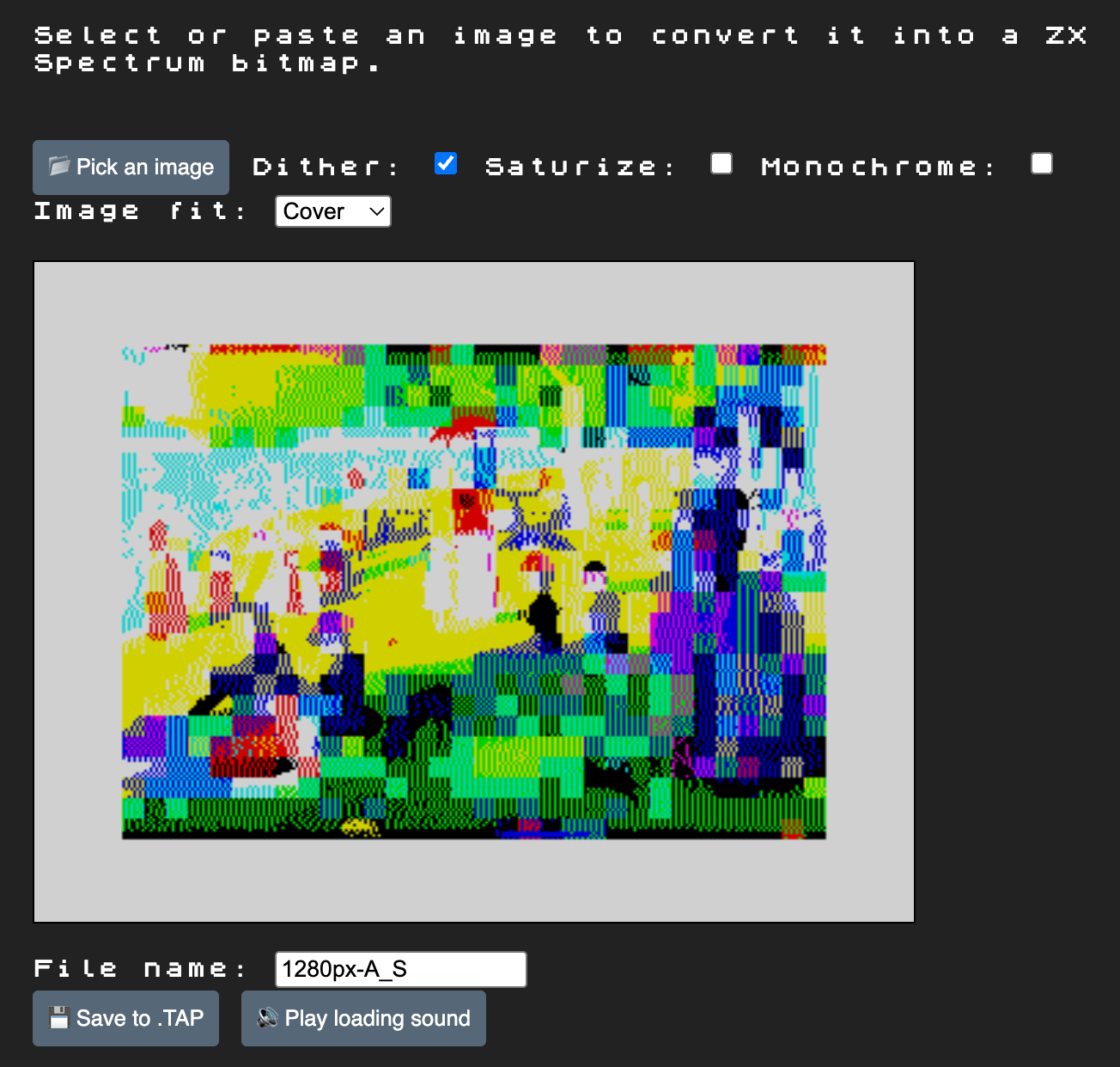
ZX Spectrumizer — Anders Marzi Tornblad
atornblad.github.io/zx-spectrumizer
ZX Spectrumizer is a single-purpose tool. It converts images to ZX Spectrum format, and it does so with a real respect for the experience of using a Spectrum, not just the file format.
Two things in particular to note:
- It plays the loading audio in your browser. When you convert your image, you can have it actually generate the WAV/sound that a real Spectrum tape loader would produce, so you can play it back and hear the screech. It uses the Web Audio API and an
AudioWorkletProcessorto synthesize the loading tones. - You can paste a clipboard image or shoot one with your phone camera directly into the page. No round trip through a file picker.
It also has a “contain” mode that intelligently reuses edge pixels to fill the canvas (rather than just letterboxing with black bars), saturation enhancement, a monochrome mode, and exports .TAP files ready to load on a real Speccy or in an emulator.
Open source, vanilla JavaScript, no build tools. Tornblad is also the credited author, and he uses Sizenko Alexander’s ZX Spectrum 7 typeface on the page, which is a nice touch.
Use ZX Spectrumizer if: You want a focused, polished, delightful ZX-Spectrum-only experience. You like that a tool can have a little bit of personality. You want the loading audio.
Dithertron — Steven Hugg
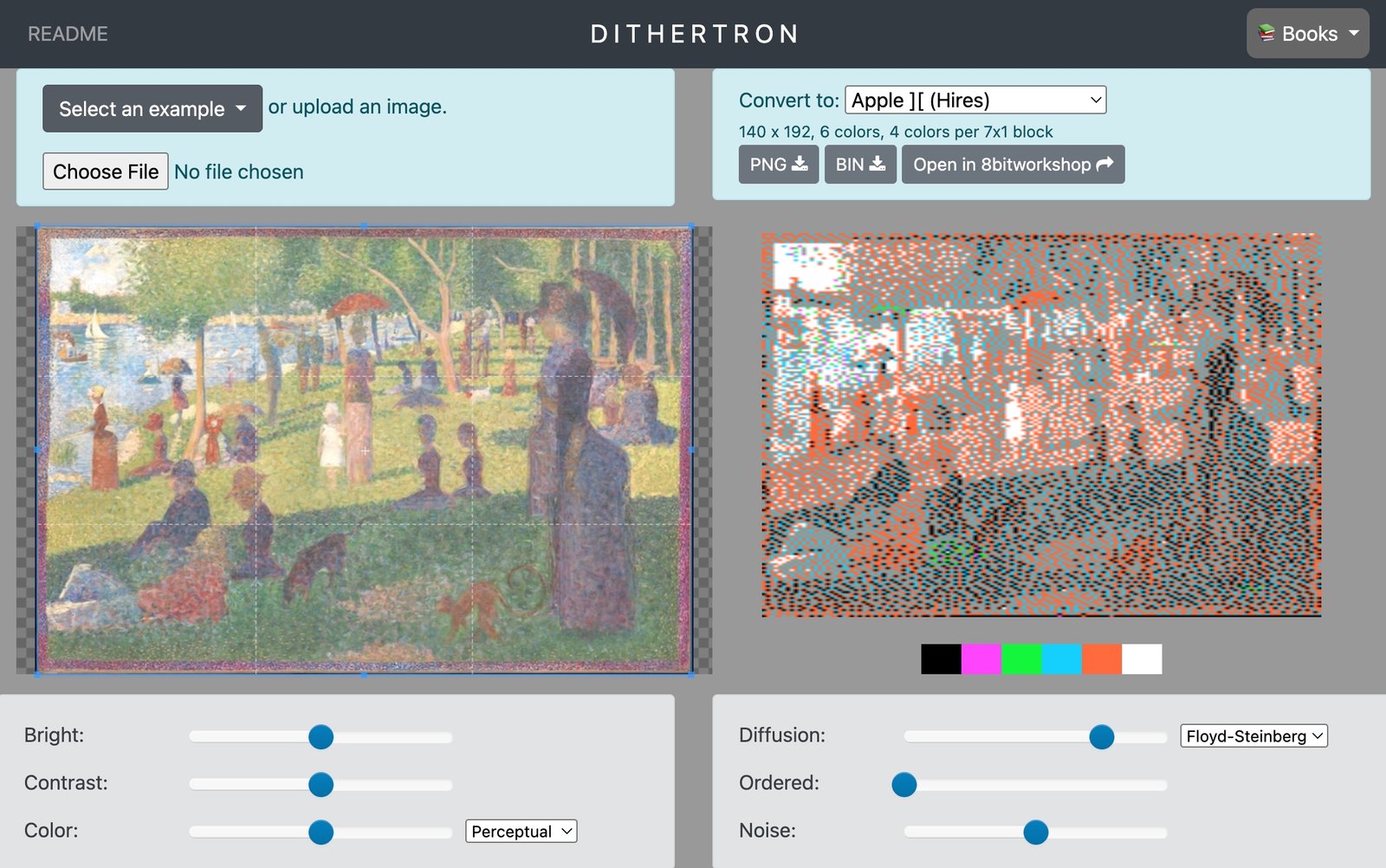
Dithertron is the one that goes wide. It supports a remarkable list of platforms:
- Commodore 64 (multicolor and hi-res)
- NES (several variants)
- TMS9918A (which means TI-99/4A, ColecoVision, MSX, etc.)
- Apple II
- Atari 2600 / 800 / 5200
- ZX Spectrum
- Amstrad CPC
- Sega Master System
- BBC Micro
- Game Boy
- PICO-8 / TIC-80
- Commander X16
- Amiga
Steven Hugg is the author of the 8bitworkshop, a browser-based IDE for retro-game development with companion books on the Atari 2600, NES, arcade hardware, and Verilog video-game design. Dithertron lives inside that ecosystem and is designed for it: there’s an “Open in 8bitworkshop” button that throws your converted image straight into the IDE so you can build a ROM around it.
The conversion approach is also distinctive. Dithertron splits the screen into the platform’s natural sub-blocks (whatever the hardware imposes — 8×8 cells, 4×8 cells, scanline-based attributes, etc.) and then iterates: neighbouring blocks affect each other when dithering is enabled, so it picks colours for each block, dithers, re-evaluates, and repeats until they stabilise. The user-facing controls are a small set of sliders: Brightness, Contrast, Color, Diversity, Diffusion, Ordered, and Noise. They’re not labelled with algorithm names — you adjust by feel.
Dithertron uses Georges Seurat’s A Sunday Afternoon on the Island of La Grande Jatte as its test image, a delightfully apropos and absurd selection. One might argue the Seurat was the original pixel artist.
Exports as PNG or raw BIN. GPL-3.0 source; exported binaries are CC0.
Use Dithertron if: You need a tool that handles platforms beyond the Sinclair / Atari / C64 trio. You’re working in 8bitworkshop and want a smooth pipeline. You prefer adjusting by feel over picking algorithm names.
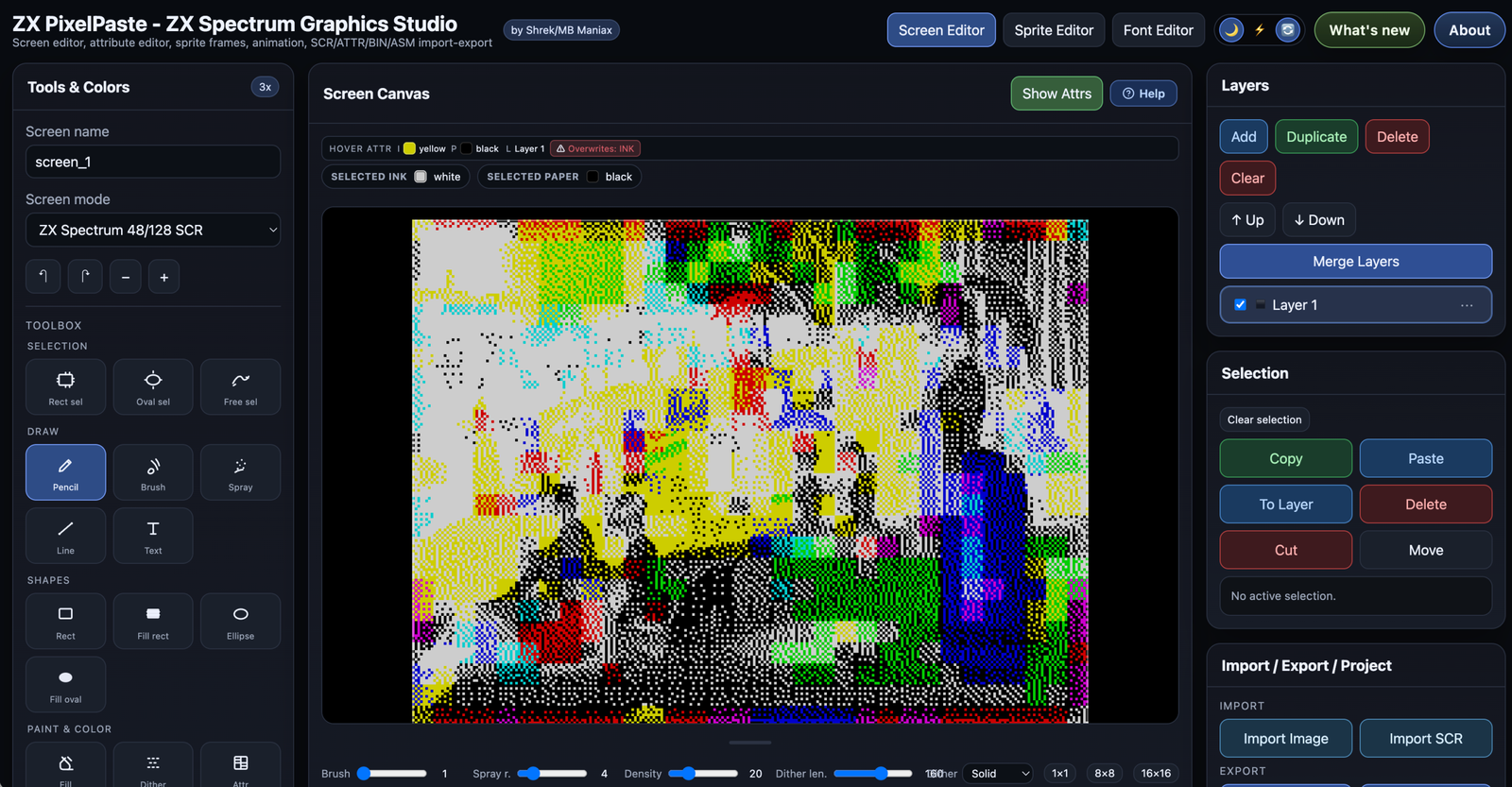
ZX PixelPaste — Shrek / MB Maniax
If ZX Spectrumizer is a converter and Dithertron is a multi-platform converter, ZX PixelPaste is something different: it’s a full graphics studio for the Spectrum lineage. Conversion is one part of it, but the tool exists for making art.
It has:
- A screen editor for full 256×192 pictures with attributes
- A sprite editor with animation frames, configurable delays, and transparency masks
- A font editor for custom character sets and UDGs
- Layer-based composition with transform tools
- Multiple dithering algorithms (Ordered Bayer and Floyd-Steinberg) for the conversion side
- A 256-colour palette editor for ZX Spectrum Next alongside the classic 48K/128K
- Live preview with non-destructive editing
- Import/export of
.SCR,.ATTR,.BIN, and.ASMfiles for direct use in homebrew
The Next palette support is notable — most Spectrum tools stop at the 16-colour classic palette, but the Next has 256 colours and a different attribute system, and ZX PixelPaste handles it.
It’s authored by Shrek / MB Maniax. Web-based, polished, with a strong “I am a workflow tool, not a one-shot converter” personality.
Use ZX PixelPaste if: You’re actually creating Spectrum or Spectrum Next graphics for a project, not just converting. You want to draw, animate, design fonts, and have the conversion pipeline as one part of a bigger toolset. You’re targeting Next.
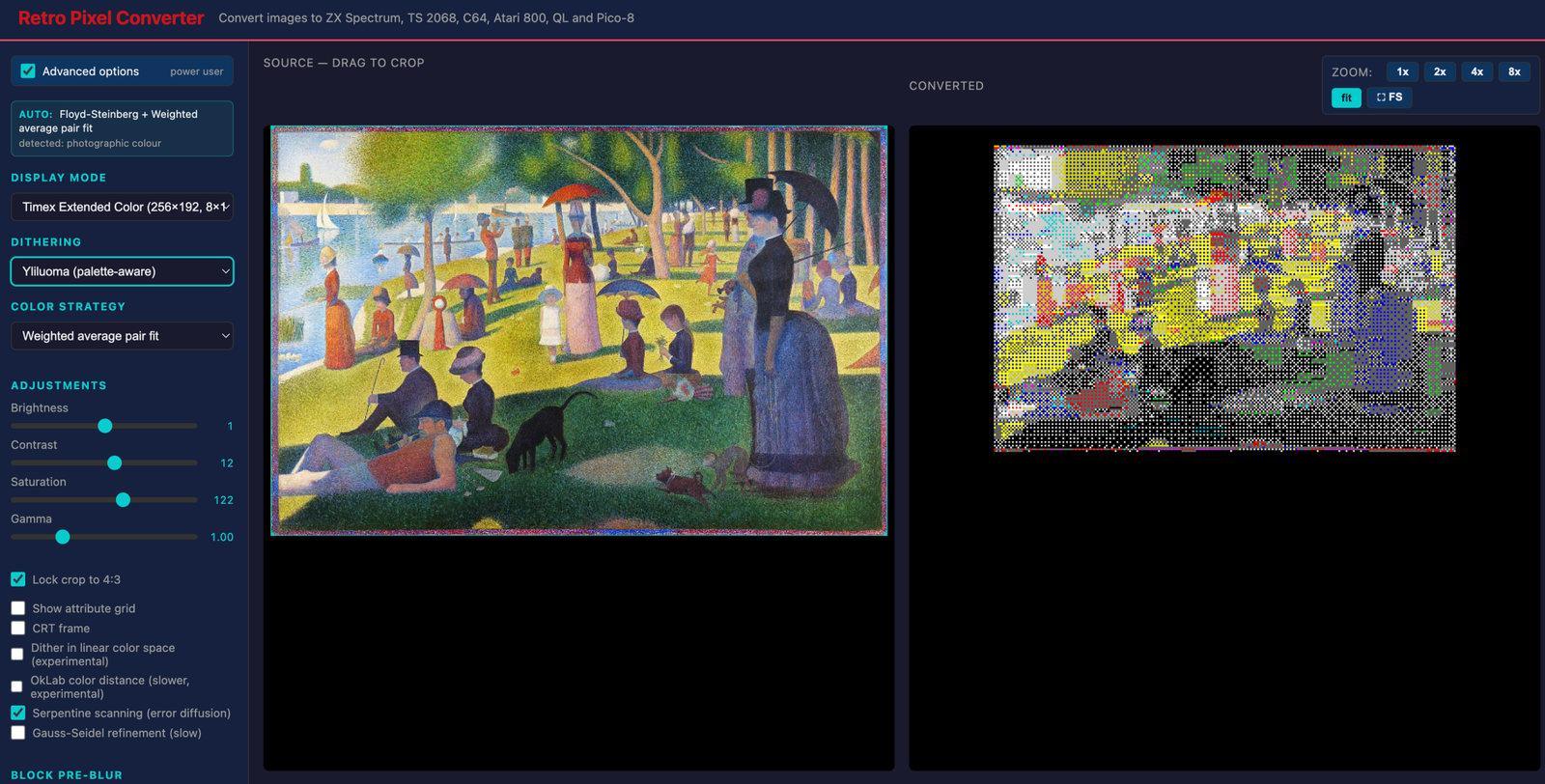
Retro Pixel Converter — mine
factus10.github.io/retro-pixel-converter
For completeness, here’s where mine fits in the constellation. I wrote it iteratively, incorporating feedback from Josef Jelinek along the way, and it ended up being the colour-science-and-algorithms-leaning one of this group. Where Dithertron has a small set of feel-based sliders, mine exposes a longer rack of levers — but with a “basic / advanced” toggle so most people never see them, and an auto-recommendation that picks good defaults from analysing the image.
Where it fits:
- Eleven display modes across ZX Spectrum, Timex/Sinclair 2068 (Standard, Extended Color Mode 8×1, 64-column hi-res), Commodore 64 (hi-res and Koala multicolor), Atari 800 (GR.15 / GR.8 / GR.9), Sinclair QL (Mode 4 and Mode 8), and Pico-8.
- Twelve dither algorithms including Floyd-Steinberg, Atkinson, Stucki, Jarvis-Judice-Ninke, Burkes, Sierra Lite, Hilbert-curve FS, Bayer 4×4 / 8×8, blue noise, Yliluoma, and clustered-dot halftone.
- Four colour-search strategies: Josef’s weighted-average pair fit (the default and usually the best), exhaustive per-block, global pre-quantize (k-means for Atari GR.15’s 4-of-128), and PCA gradient fit.
- Color science options to dig into when you want them: OkLab perceptual distance, Redmean weighting, sRGB-linear-space dithering, Gaussian pre-blur for block colour selection, Gauss-Seidel iterative refinement, serpentine error diffusion.
- Hardware-accurate niceties like ZX Spectrum’s pure-black bright-black vs the TS 2068’s distinctive dark-grey, the TS 2068 64-column mode’s 8 hardware-only ink/paper combinations, correct pixel-aspect-ratio handling per mode (so a 64-col image renders at its proper 4:3 landscape with vertical 2× stretch, not as 8:3 squished pixels).
- A CRT frame with optional scanlines, an A/B snapshot for comparing two conversions side-by-side, profile import/export of every setting, and a custom-mode JSON import for adding new machines.
Single-file HTML, no build tools, GPL-3. The repo is at github.com/factus10/retro-pixel-converter.
Use Retro Pixel Converter if: You want to dig into the dither/colour-science angle, you need TS 2068 advanced modes done correctly, or you’re working with QL or want a tool that lets you import custom mode definitions.
How to choose
| You want… | Reach for… |
|---|---|
| A delightful focused tool with loading audio and a phone-camera button | ZX Spectrumizer |
| A converter that handles platforms beyond Sinclair/C64/Atari | Dithertron |
| To draw, animate, and design fonts in a full studio | ZX PixelPaste |
| To dig into colour-science and dither algorithm details | Retro Pixel Converter |
| Spectrum Next 256-colour palette support | ZX PixelPaste |
| 8bitworkshop integration / NES / Game Boy / Apple II / TMS9918A | Dithertron |
| TS 2068 ECM 8×1 attribute mode or 64-column hi-res mode | Retro Pixel Converter |
| Sinclair QL or Pico-8 modes | Retro Pixel Converter |
| To hear the screech of a Spectrum tape loader generated from your image | ZX Spectrumizer |
Honestly, several of these are worth keeping in your bookmarks bar at the same time. They’re all small enough that you don’t need to commit to one.
Why I think this is great
It’s easy to look at four tools doing closely-related things and feel like the work was redundant — couldn’t we have just had one? But that misses what’s actually happening. Each of these tools is shaped by what its maker cared about most:
- Tornblad cared about the moment of converting an image to a Spectrum and the textures of that experience: the audio, the speed of pasting, the feel.
- Hugg cared about every old platform and stitching the converter into a development workflow that builds actual ROMs.
- Shrek / MB Maniax cared about the artist’s end of the pipeline — drawing, animating, designing, with conversion as a feeder.
- I cared about the algorithms — getting the colour mathematics right, supporting hardware modes precisely, exposing knobs.
If any one of us had to make the canonical version, we’d have left out three quarters of what’s interesting. A constellation of small, opinionated tools is the right shape for a hobby space like this. Each one is a love letter to a slightly different aspect of the same thing.
If you make retro graphics with any of these, please do consider sending the makers a thank-you. They’re all hobby projects, all open source or free, and all the better for being part of a community that doesn’t quite agree on what the answer is.
Try them all. Each one will surprise you with at least one feature you wouldn’t have thought to ask for.