
This program is a 3D line-drawing tool that lets the user sketch curves in three-dimensional space using keyboard controls, then replay or randomize the recorded strokes. Viewpoint coordinates (L, M, N) and step size (G) are entered at startup, and each keypress maps one of six directions (U/D/L/R/F/B) to adjustments of the X, Y, and Z displacement vectors (U, V, W). The subroutine at line 2000 performs a perspective projection, computing screen coordinates C and D using dot-product and cross-product-style arithmetic against the viewpoint vector, with PEEK 23677 and 23678 reading the current graphics cursor position for incremental DRAW commands. Recorded keypresses are stored in the 255-character string S$, allowing a drawing to be played back (P mode) from the buffer or replayed continuously with randomized viewpoints in the random (R) mode.
Program Analysis
Program Structure
The program is organized into a set of clearly delineated subroutines called from a tight main loop. Execution flows through an initialization phase, then enters either an interactive drawing loop or a playback loop depending on the mode selected at startup.
- Lines 5–80: Main entry and drawing loop — initializes, reads keypresses, updates direction vectors, projects to screen, draws.
- Lines 200–210: Playback branch — calls the playback subroutine then waits for a keypress to restart.
- Lines 1000–1040: Geometry subroutine — computes squared magnitudes S (XY plane) and T (full 3D), and their square roots H and Q.
- Lines 2000–2286: Perspective projection — maps 3D displacement (U, V, W) to screen pixel coordinates C and D.
- Lines 3000–3060: Input handler — maps R$, L, U, D, F, B keys to increments/decrements of the three direction components.
- Lines 5000–5110: Setup — prompts for step size and viewpoint, selects Get/Put/Random mode.
- Lines 6000–6070: Playback subroutine — replays the stored S$ buffer stroke by stroke.
- Lines 7000–7020: Origin reset — resets displacement to zero, projects, and PLOTs the starting point.
- Lines 8000–8030: Random mode — repeatedly randomizes viewpoint and replays the buffer in an infinite loop.
- Line 9000: SAVE utility line, not reached during normal execution.
Keypress Recording and Buffer
DIM S$(255) at line 5 allocates a fixed 255-character string to record the user’s keypresses. Each character entered during drawing is stored at position A, which starts at 1 (set at line 5050) and increments at line 42. A sentinel value "E" signals end-of-input (line 44 redirects to re-initialization, and line 6060 checks for it during playback). The buffer fills up silently until A=255, at which point the program halts with a “BUFFER FULL” message.
Perspective Projection Mathematics
The viewpoint is the vector (L, M, N) entered at startup. The current 3D pen displacement is (U, V, W). The subroutine at line 1000 computes:
S = L²+M²— squared magnitude of the horizontal viewpoint componentT = S + N²— squared magnitude of the full 3D viewpoint vectorQ = SQR(T)— distance from origin to viewpointH = SQR(S)— horizontal distance
Line 2000 computes O = T - U*L - V*M - W*N, which is proportional to the projection denominator (related to the dot product of the displacement vector with the viewpoint). Line 2010 calculates the horizontal screen coordinate C using a cross-product-like term (V*L - U*M), scaled by 4*T/(H*O) and centered at 128. Line 2020 calculates the vertical coordinate D, incorporating the vertical component of displacement relative to the viewing plane, centered at 96. Together these implement a simplified perspective divide.
Incremental DRAW via PEEK
Rather than tracking the previous screen position explicitly in BASIC variables, the program reads the graphics cursor position directly from system variables using PEEK 23677 (COORDS-x) and PEEK 23678 (COORDS-y). The DRAW statement at lines 70 and 6040 uses C - PEEK(23677) and D - PEEK(23678) to draw a delta from the current cursor position to the newly projected point, which elegantly avoids storing separate “previous coordinate” variables.
Mode Selection
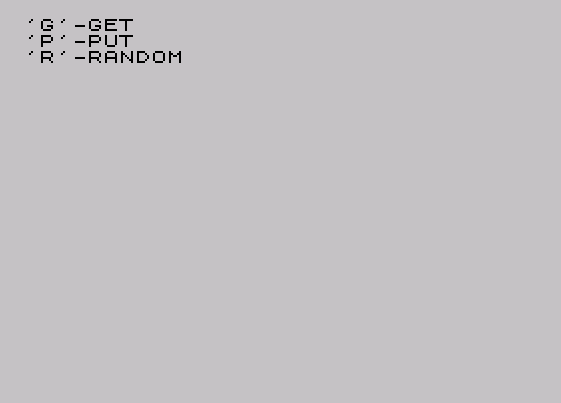
At line 5061–5100, the user chooses between three modes before drawing begins:
| Key | Mode | P value | Behavior |
|---|---|---|---|
| G | Get (record) | 1 | Enters playback branch at line 200 after each stroke |
| P | Put (draw) | 0 | Interactive drawing, stores keypresses in S$ |
| R | Random | — | Jumps to line 8000 for randomized replay loop |
The naming of “G” for Get and “P” for Put appears counterintuitive — “G” loads and replays a previously recorded buffer while “P” is the interactive recording mode.
Notable Techniques and Anomalies
- The use of
PEEK 23677/23678to read back the graphics cursor is an efficient Sinclair system-variable trick that avoids redundant coordinate tracking variables. - Line 204 uses a polling loop
IF R$="" THEN GO TO 205which targets non-existent line 205, causing an immediate fall-through to line 210 — this is a well-known technique to implement a “wait for any key” with a non-blocking feel, since line 210 follows immediately. - The random mode at line 8000 loops infinitely (
GO TO 8000at line 8030) with no exit condition, requiring a manual break. - Line 2286 has an unusually large line number for a RETURN statement, suggesting lines between 2030 and 2285 may have been deleted during editing.
- In “Get” mode (
P=1), the buffer variableAis never reset before playback at line 6000 — playback relies onAretaining the value set at line 5050 and incremented during the prior recording session, which works correctly only on first use after initialization. - The direction keys U/D/L/R/F/B (Up, Down, Left, Right, Back, Forward) map to the three axes in pairs, providing full 6-direction 3D navigation in a compact 6-line subroutine.
Image Gallery
Source Code
    5 DIM S$(255)
   10 GO SUB 5000
   11 GO SUB 1000
   15 CLS
   20 GO SUB 7000
   35 IF P=1 THEN GO TO 200
   40 LET R$=INKEY$: IF R$="" THEN GO TO 40
   41 LET S$(A)=R$
   42 LET A=A+1
   43 IF A=255 THEN PRINT "BUFFER FULL": STOP
   44 IF R$="E" THEN GO TO 10
   50 GO SUB 3000
   60 GO SUB 2000
   70 DRAW C-PEEK (23677),D-PEEK (23678)
   80 GO TO 40
  200 GO SUB 6000
  204 LET R$=INKEY$: IF R$="" THEN GO TO 205
  210 GO TO 10
 1000 LET S=L*L+M*M
 1010 LET T=S+N*N
 1020 LET Q=SQR (T)
 1030 LET H=SQR (S)
 1040 RETURN
 2000 LET O=T-U*L-V*M-W*N
 2010 LET C=T*(V*L-U*M)*4/(H*O)+128
 2020 LET D=96+3*Q*(W*S-N*(U*L+V*M))/(H*O)
 2286 RETURN
 3000 IF R$="U" THEN LET W=W+G
 3010 IF R$="D" THEN LET W=W-G
 3020 IF R$="R" THEN LET U=U-G
 3030 IF R$="L" THEN LET U=U+G
 3040 IF R$="B" THEN LET V=V-G
 3050 IF R$="F" THEN LET V=V+G
 3060 RETURN
 5000 CLS
 5010 INPUT "SIZE?";G
 5020 INPUT "X VIEWPOINT?";L
 5030 INPUT "Y VIEWPOINT?";M
 5040 INPUT "Z VIEWPOINT?";N
 5050 LET A=1
 5061 PRINT "'G'-GET"'"'P'-PUT"'"'R'-RANDOM"
 5070 LET R$=INKEY$: IF R$="" THEN GO TO 5070
 5080 IF R$="G" THEN LET P=1: GO TO 5110
 5090 IF R$="P" THEN LET P=0: GO TO 5110
 5093 IF R$="R" THEN GO TO 8000
 5100 GO TO 5070
 5110 RETURN
 6000 GO SUB 7000
 6010 LET R$=S$(A)
 6020 GO SUB 3000
 6030 GO SUB 2000
 6040 DRAW C-PEEK (23677),D-PEEK (23678)
 6050 LET A=A+1
 6060 IF S$(A)<>"E" AND A<>255 THEN GO TO 6010
 6070 RETURN
 7000 LET W=0: LET U=0: LET V=0: GO SUB 2000
 7010 PLOT C,D
 7020 RETURN
 8000 LET A=1: LET G=20: LET L=RND*100: LET M=RND*100: LET N=RND*100
 8003 CLS
 8010 GO SUB 6000
 8030 GO TO 8000
 9000 SAVE "3-D"
 9010 STOP
Note: Type-in program listings on this website use ZMAKEBAS notation for graphics characters.