
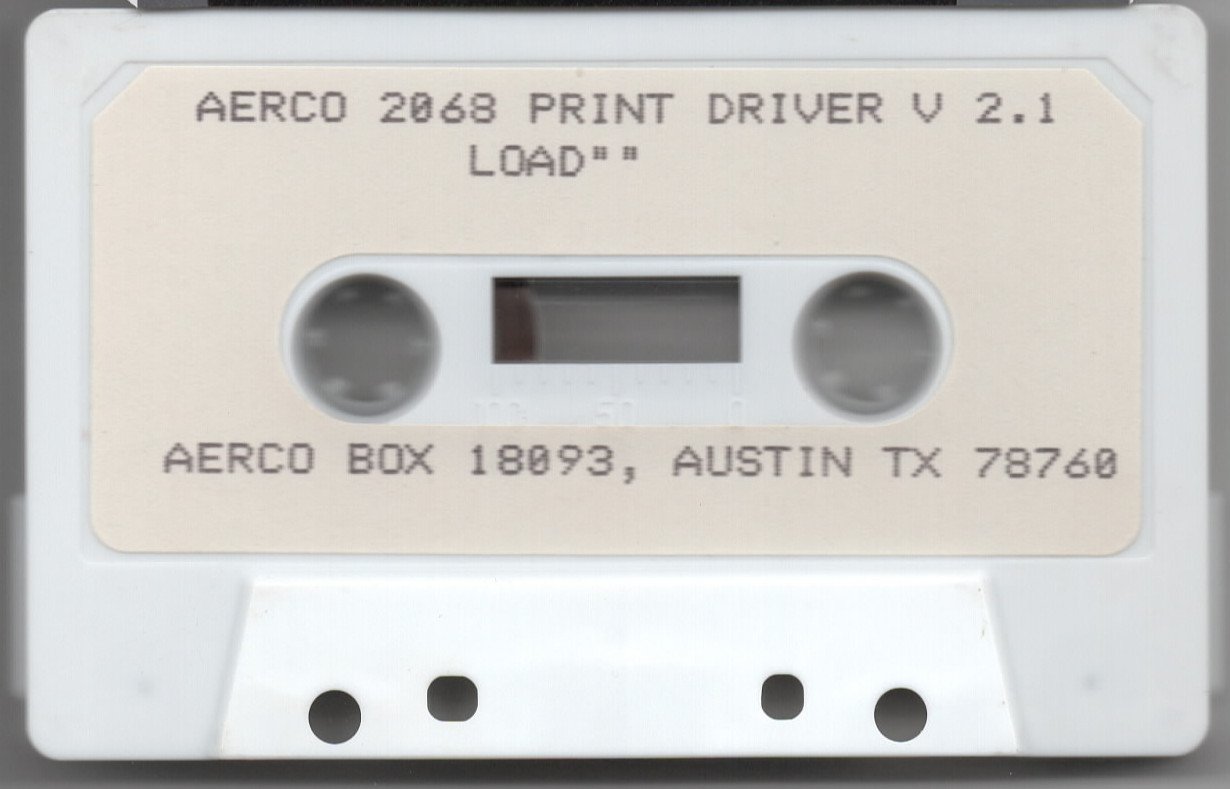
This program is a menu-driven loader and configuration utility for a Centronics parallel printer driver, marketed by AERCO (Acme Electric Robot Co. of Austin, TX) for the Timex 2068. The driver itself is a 1,111-byte machine code routine stored at address 64456, and the BASIC program configures it via a series of POKEs into addresses in the 64456–64980 range to support seven printer types including Seikosha, Epson, Prowriter, Gemini, and Olivetti models. Line 9992 uses CLEAR 64455 to protect the machine code from BASIC’s memory allocator, then patches the system’s printer vector at addresses 26703–26704 to redirect output through the custom driver. The customization routine at line 9867 uses DELETE to remove setup lines from the BASIC program after configuration, keeping the resident copy clean. A printer demonstration prints a set of humorous “Laws of Computer Programming” followed by LLIST to output the program listing itself.
Program Analysis
Program Structure
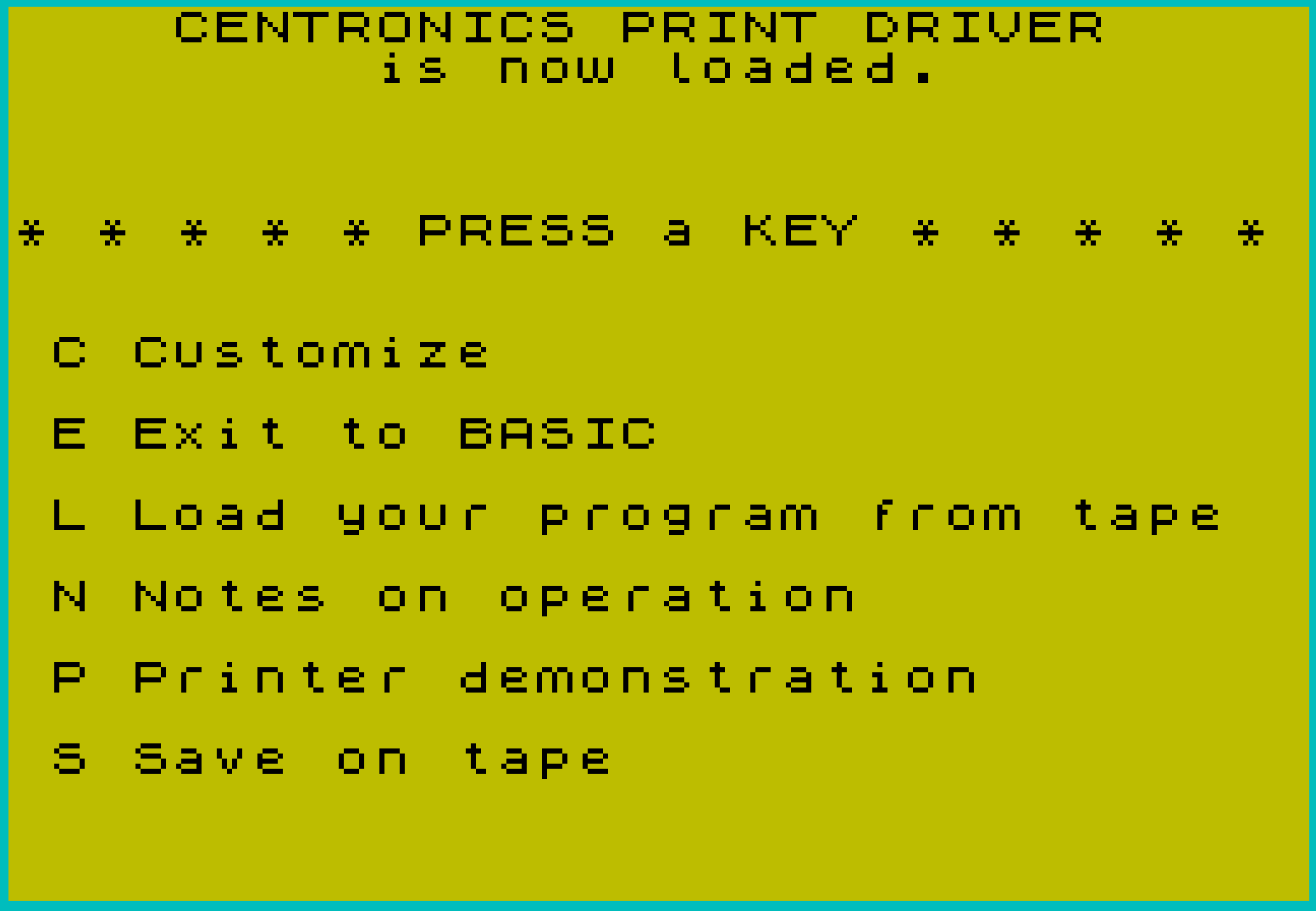
The program is organized into a main menu (lines 1–29), a notes/help section (lines 9034–9098), a printer demonstration (lines 9100–9199), a printer customization wizard (lines 9800–9870), and initialization/save/load utilities (lines 9980–9998). The menu at lines 3–14 presents six options (C, E, L, N, P, S), and lines 15–29 handle key dispatch with a polling loop.
Key Dispatch and Input Handling
Lines 15–17 implement a two-stage keypress idiom: line 15 busy-waits until INKEY$ is non-empty, then line 17 captures the key into C$. Each option is tested with paired upper/lowercase comparisons (e.g., C$(1)="C" OR C$(1)="c"). This approach avoids INPUT for the main menu, keeping response immediate. Line 29 falls back to GO TO 1 for unrecognized keys.
Machine Code Driver Integration
The core of the package is a 1,111-byte machine code print driver loaded at address 64456. Line 9992 sets this up:
CLEAR 64455— protects addresses 64456 and above from BASIC’s heap.POKE 26704andPOKE 26703— patches the system printer vector (a two-byte address at 26703–26704) to redirect all printer output through the driver atPRINTORG(64461).LOAD ""CODE 64456,1111— loads the machine code block from tape into the reserved area.
The variable PRINTORG is set to 64461 (a few bytes into the code block, past the configuration bytes), and the vector is split into low/high bytes using integer arithmetic.
Driver Configuration via POKEs
Addresses in the 64456–64980 range serve as a configuration table for the machine code driver. Key configuration addresses include:
| Address | Purpose |
|---|---|
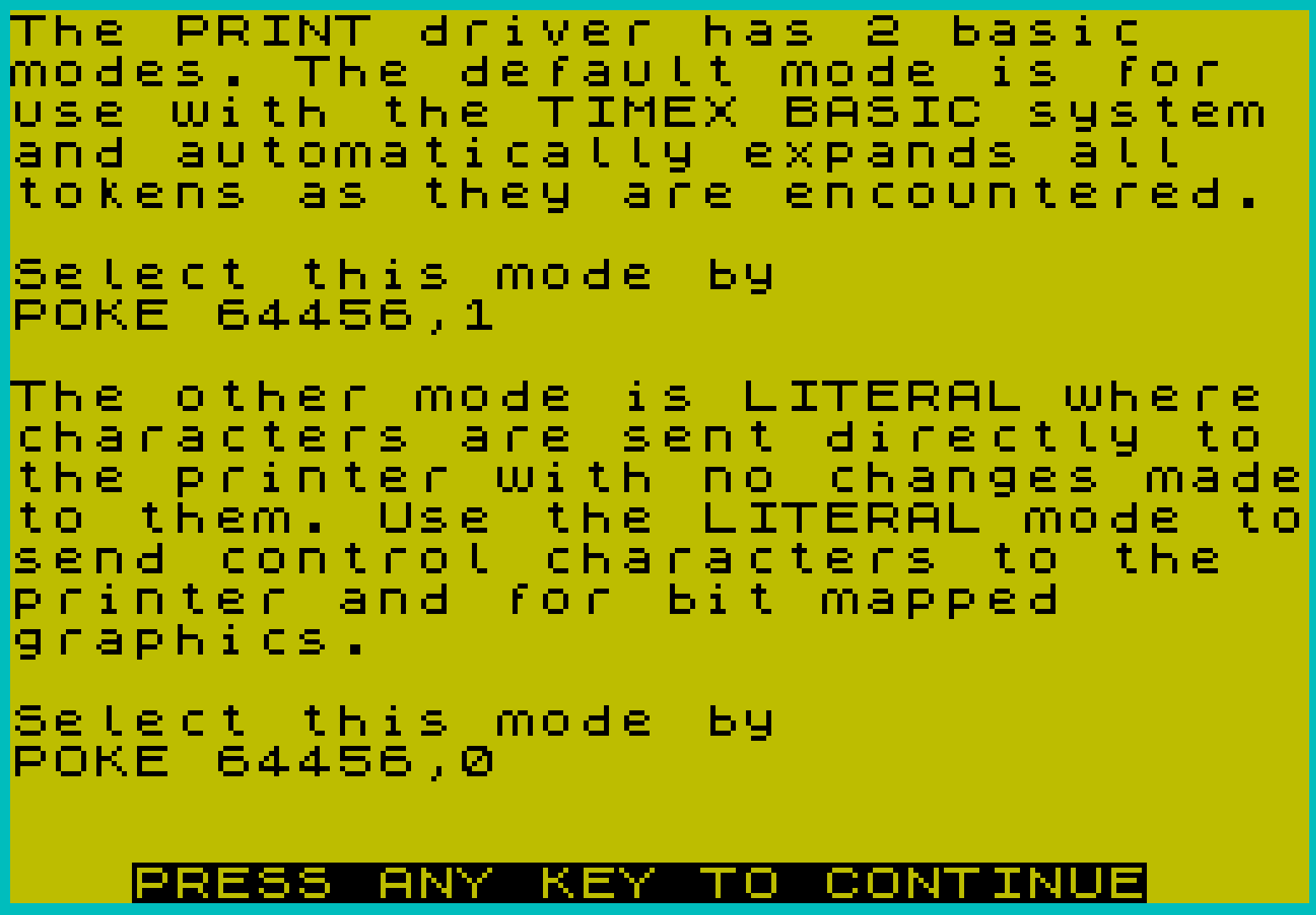
| 64456 | Mode: 1=token expansion (BASIC), 0=literal passthrough |
| 64457–64458 | Initialized to 0 (reserved/status bytes) |
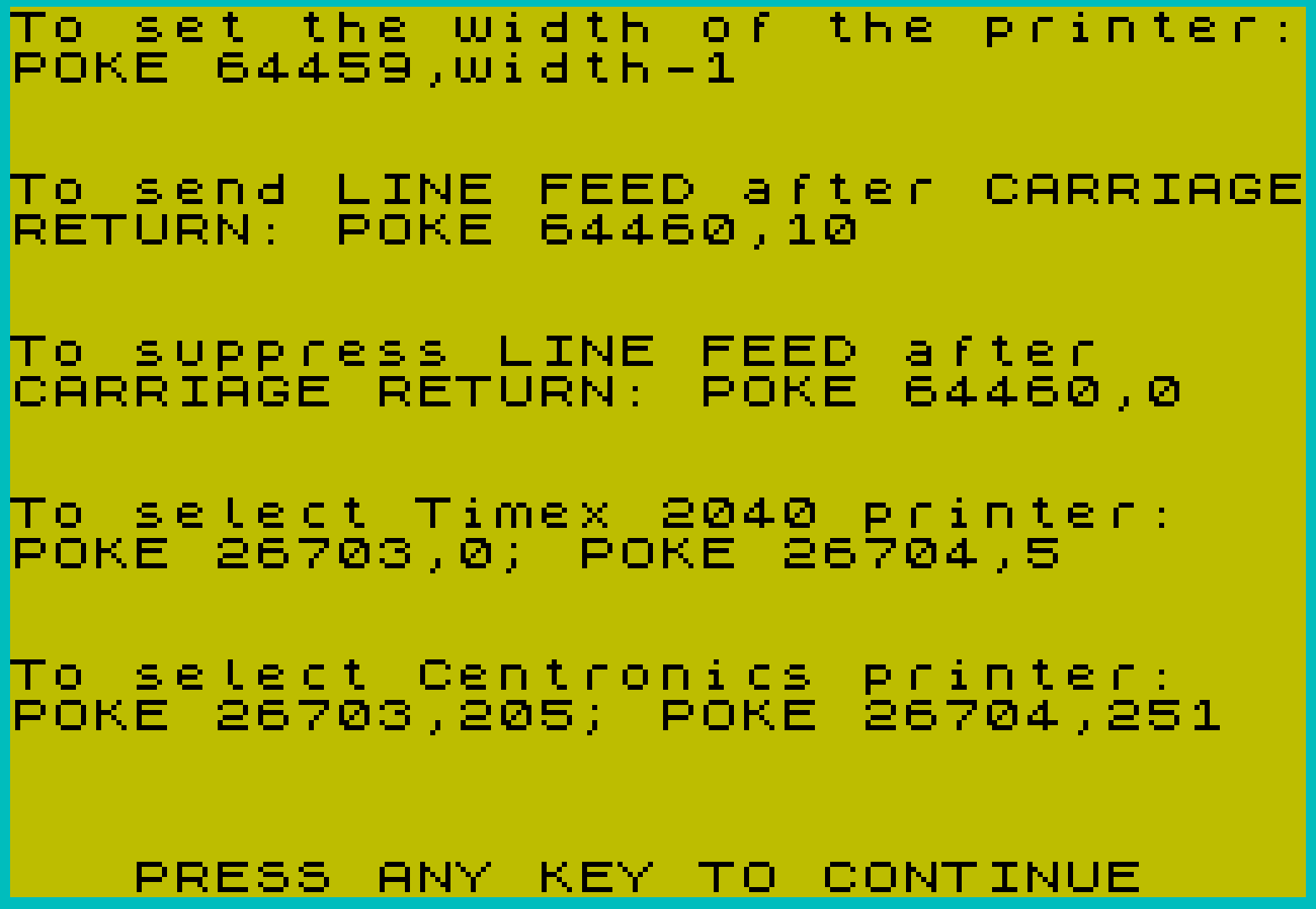
| 64459 | Printer width minus 1 (default 79 for 80 columns) |
| 64460 | Line feed after carriage return (10=send LF, 0=suppress) |
| 64464 | Graphics mode selector (76=standard bitmap, 238=Olivetti) |
| 64782–64788 | Bit-image row setup escape sequence bytes and length |
| 64799–64805 | Additional printer command bytes |
| 64834–64838 | Further printer initialization bytes |
| 64850 | Graphics density/dots-per-inch parameter |
| 64874, 64886, 64888, 64894 | Jump/return addresses within machine code |
| 64980–64981 | Olivetti-specific zoom/normal control bytes |
Supported Printer Types
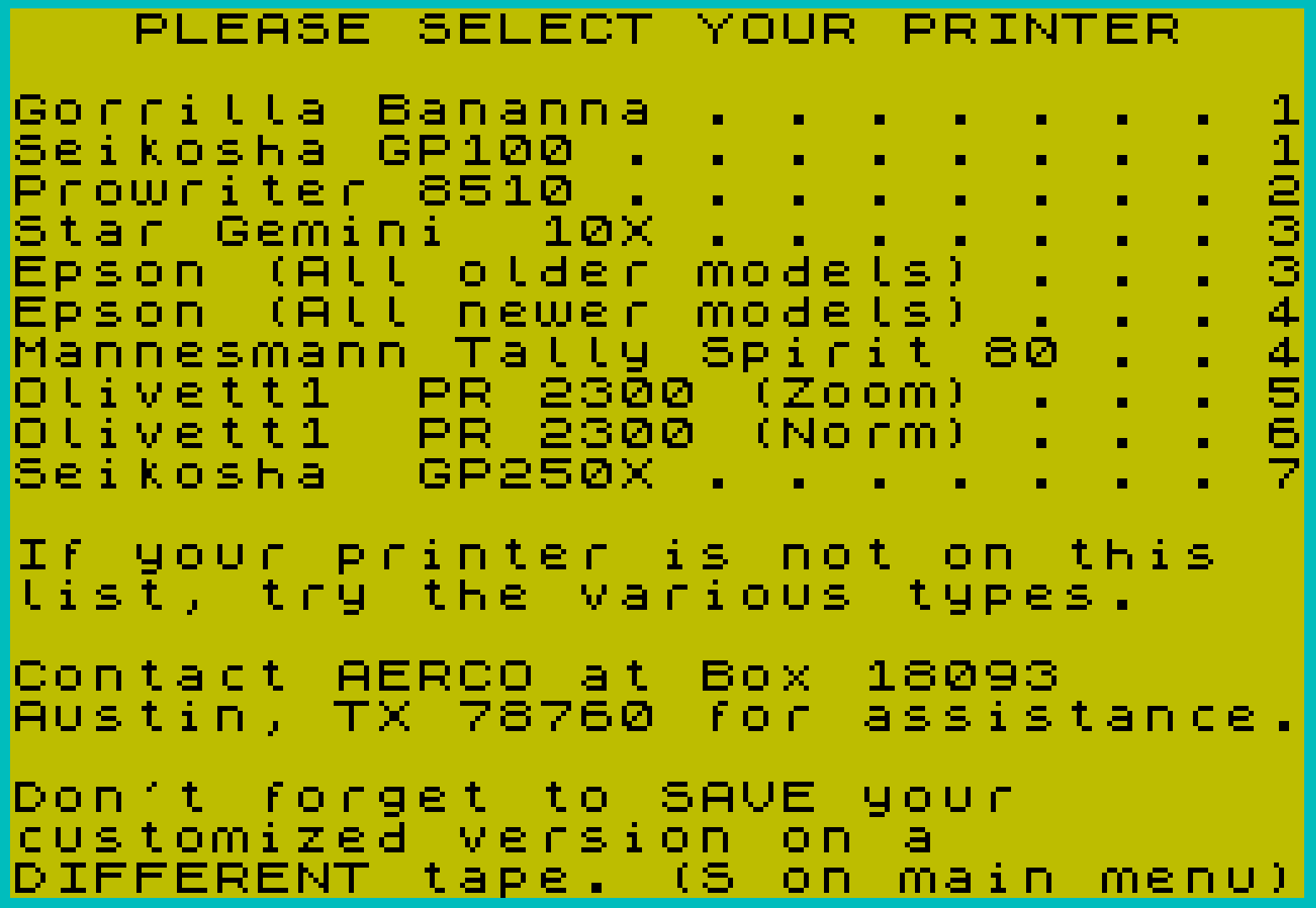
The customization wizard (lines 9840–9870) accepts a numeric selection 1–7 and applies printer-specific POKE sequences:
- Seikosha GP-100 / Gorilla Banana
- Prowriter 8510
- Star Gemini 10X / Epson older models
- Epson newer models / Mannesmann Tally Spirit 80
- Olivetti PR 2300 (Zoom mode)
- Olivetti PR 2300 (Normal mode)
- Seikosha GP-250X
DELETE for Self-Modification
Line 9867 uses DELETE 3,3: DELETE 9867,9867 after printer customization. The first call removes line 3 (which contains a FLASH instruction directing the user to customize first), and the second removes line 9867 itself from the running program. This is a self-modifying BASIC technique that cleans up the program after one-time setup steps are complete, so the saved customized version doesn’t include the setup prompt or the DELETE line.
Save and Load Routines
Line 23 (triggered by key S) and lines 9984 save both the BASIC program and the machine code block in sequence: SAVE "PRINT" LINE 9990 saves BASIC with autostart at line 9990 (the initialization routine), followed by SAVE "PRCODE" CODE 64456,1111 to save the machine code. Line 9998 (key L) clears the screen and executes LOAD "" to load a user’s own BASIC program from tape.
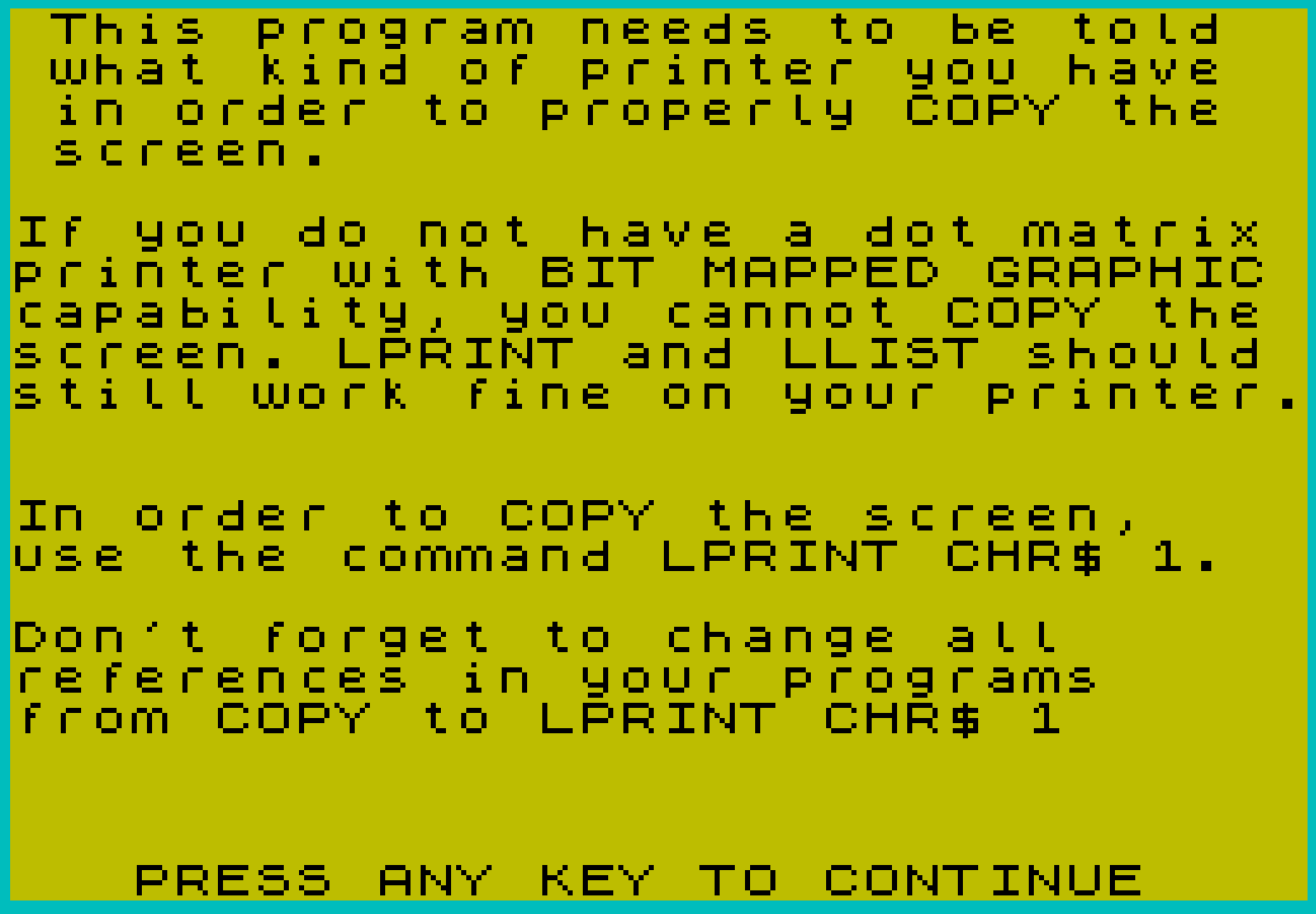
Screen Copy via LPRINT CHR$ 1
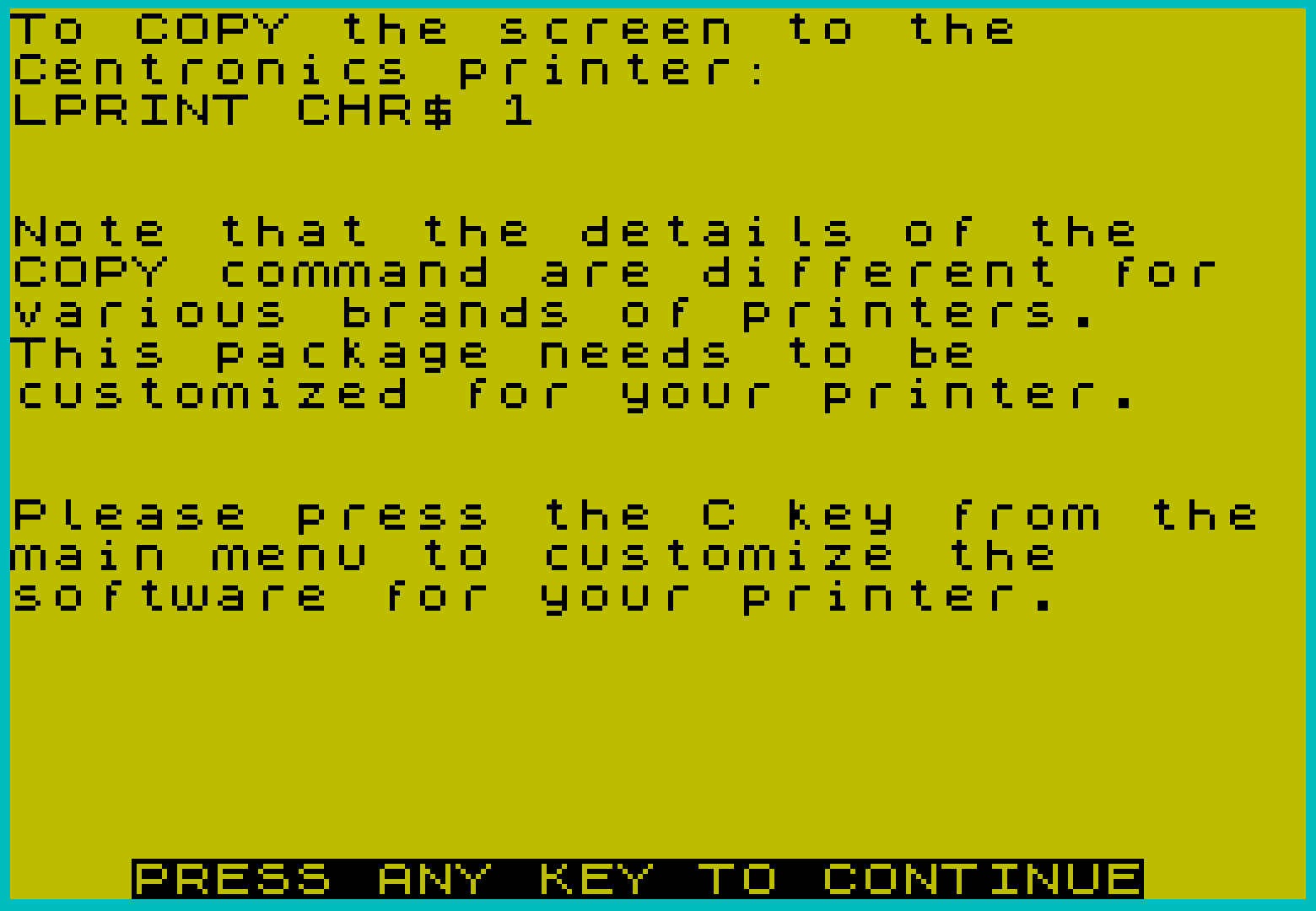
The notes section explains that LPRINT CHR$ 1 is used in place of the built-in COPY command to dump the screen to the Centronics printer. This is handled entirely within the machine code driver, which intercepts the CHR$ 1 sentinel and triggers its own screen-copy routine using the printer-type-specific bit-image parameters previously POKEd into the configuration table.
Notable Anomalies
- Line 9865 tests
IF Pr=3.3, which can never be true afterINPUT Prin a context where only integer values 0–7 are expected. This appears to be a leftover stub or dead code. - The
GO SUB 9090“press any key” routine at line 9092 first busy-waits forINKEY$to become empty (debounce), then waits for a keypress — a correct debounce pattern. - “Olivett1” (lines 9833–9834) is a typo for “Olivetti” in the printer selection menu.
- “Gorrilla Bananna” (line 9820) is a double misspelling of “Gorilla Banana,” a brand of Seikosha-compatible printer.
- The possessive “it’s” in the LPRINT text at line 9145 is grammatically incorrect (should be “its”), but faithfully reproduces the original “Laws of Computer Programming” quotes as commonly circulated at the time.
Image Gallery
Source Code
    1 REM Version 2.1  12/84
    2 BORDER 5: PAPER 6: INK 0: CLS
    3 FLASH 1: PRINT AT 8,14;"Do this first";: FLASH 0
    4 PRINT AT 0,0;"    CENTRONICS PRINT DRIVER              is now loaded.",,,,,,,
    5 PRINT "* * * * * PRESS a KEY * * * * *",,,,,
    6 PRINT " C Customize "
    8 PRINT AT 10,0;" E Exit to BASIC",,,
   10 PRINT " L Load your program from tape",,,
   11 PRINT " N Notes on operation",,,
   12 PRINT " P Printer demonstration",,,
   14 PRINT " S Save on tape"
   15 IF INKEY$="" THEN GO TO 15
   17 LET C$=INKEY$
   18 IF C$(1)="C" OR C$(1)="c" THEN GO TO 9800
   19 IF C$(1)="E" OR C$(1)="e" THEN CLS : PRINT "Timex BASIC awaiting Keyboard   entry ";: FLASH 1: PRINT "K";: FLASH 0: STOP
   21 IF C$(1)="L" OR C$(1)="l" THEN GO TO 9998
   23 IF C$(1)="S" OR C$(1)="s" THEN SAVE "PRINT" LINE 9990: SAVE "PRCODE"CODE 64456,1111
   25 IF C$(1)="P" OR C$(1)="p" THEN GO TO 9100
   27 IF C$(1)="N" OR C$(1)="n" THEN GO TO 9000
   29 GO TO 1
 9034 CLS : PRINT "The PRINT driver has 2 basic    modes. The default mode is for  use with the TIMEX BASIC system and automatically expands all   tokens as they are encountered.                                 Select this mode by             POKE 64456,1                                                    The other mode is LITERAL where characters are sent directly to the printer with no changes madeto them. Use the LITERAL mode tosend control characters to the  printer and for bit mapped      graphics.                                                       Select this mode by             POKE 64456,0"
 9040 GO SUB 9090
 9042 CLS : PRINT "To set the width of the printer:POKE 64459,width-1"
 9044 PRINT ,,,,"To send LINE FEED after CARRIAGERETURN: POKE 64460,10"
 9046 PRINT ,,,,"To suppress LINE FEED after     CARRIAGE RETURN: POKE 64460,0"
 9048 PRINT ,,,,"To select Timex 2040 printer:   POKE 26703,0; POKE 26704,5"
 9050 PRINT ,,,,"To select Centronics printer:   POKE 26703,205; POKE 26704,251"
 9055 GO SUB 9090
 9060 CLS : PRINT "To COPY the screen to the       Centronics printer:             LPRINT CHR$ 1"
 9062 PRINT ,,,,"Note that the details of the    COPY command are different for  various brands of printers.     This package needs to be        customized for your printer."
 9064 PRINT ,,,,"Please press the C key from the main menu to customize the      software for your printer."
 9070 GO SUB 9090
 9089 GO TO 1
 9090 FLASH 1: PRINT AT 21,3;"PRESS ANY KEY TO CONTINUE": FLASH 0
 9092 IF INKEY$<>"" THEN GO TO 9092
 9094 IF INKEY$="" THEN GO TO 9094
 9096 PRINT AT 21,3;"                         "
 9098 RETURN
 9100 PRINT AT 19,0;"                                ": FLASH 1: PRINT AT 21,0;"ENTER printer width";: FLASH 0: PRINT "        "
 9105 INPUT W
 9110 POKE 64459,W-1
 9115 CLS : PRINT "Welcome to the world of TIMEX   2068 APPLICATIONS!                                              AERCO currently also  offers a  dual channel RS 232 Serial      Interface, a family of four axisStepper Motor Controllers,      and a Floppy Disc Interface     with 64 K of RAM that runs CPM.                                                                 AERCO  Acme Electric Robot Co.  Box 18093                       Austin, TX 78760                                                (512) 451-5874"
 9118 LPRINT
 9120 LPRINT "LAWS OF COMPUTER PROGRAMMING"
 9122 LPRINT
 9125 LPRINT "Any given program, when running, is obsolete."
 9127 LPRINT
 9130 LPRINT "If a program is useless, it will have to be documented."
 9132 LPRINT
 9135 LPRINT "If a program is useful, it will have to be changed."
 9137 LPRINT
 9140 LPRINT "Any program will expand to fill all available memory."
 9142 LPRINT
 9145 LPRINT "The value of a program is proportional to the weight of it's output."
 9147 LPRINT
 9150 LPRINT "Program complexity grows until it exceeds the capability of the programmer to maintain it."
 9152 LPRINT
 9155 LPRINT "Make it possible for programmers to write in English and you will find that programmers cannot write in English."
 9157 LPRINT
 9160 LPRINT "If builders built buildings the way programmers wrote programs, then the first woodpecker that came along would destroy civilization."
 9162 LPRINT
 9165 LPRINT "Inside every large program is a small program struggling to get out."
 9167 LPRINT
 9170 LPRINT "The attention span of a computer is only as long as its power cord."
 9172 LPRINT
 9175 LPRINT "If a test installation functions perfectly, all subsequent systems will malfunction."
 9177 LPRINT
 9180 LPRINT "Not until a program has been in production for at least six months will the most harmful error be discovered."
 9182 LPRINT
 9185 LPRINT "One good reason that computers can do more work than people is that they never have to stop and answer the telephone."
 9187 LPRINT
 9190 LPRINT "If you put tomfoolery in a computer nothing comes out but tomfoolery. But this tomfoolery, having passed through a very expensive machine, is somehow enobled and none dare criticize it."
 9192 LPRINT ,,,,,,,,
 9195 LLIST
 9199 GO TO 1
 9800 CLS : PRINT " This program needs to be told   what kind of printer you have   in order to properly COPY the   screen.",,,,
 9802 PRINT "If you do not have a dot matrix printer with BIT MAPPED GRAPHIC capability, you cannot COPY the screen. LPRINT and LLIST should still work fine on your printer.",,,,
 9804 PRINT "In order to COPY the screen,    use the command LPRINT CHR$ 1.                                  Don't forget to change all      references in your programs     from COPY to LPRINT CHR$ 1",,,
 9810 GO SUB 9090
 9815 CLS : FLASH 1: PRINT AT 0,3;"PLEASE SELECT YOUR PRINTER": FLASH 0
 9820 PRINT ,,"Gorrilla Bananna . . . . . . . 1"
 9822 PRINT "Seikosha GP100 . . . . . . . . 1"
 9824 PRINT "Prowriter 8510 . . . . . . . . 2"
 9826 PRINT "Star Gemini  10X . . . . . . . 3"
 9828 PRINT "Epson (All older models) . . . 3"
 9830 PRINT "Epson (All newer models) . . . 4"
 9832 PRINT "Mannesmann Tally Spirit 80 . . 4"
 9833 PRINT "Olivett1  PR 2300 (Zoom) . . . 5"
 9834 PRINT "Olivett1  PR 2300 (Norm) . . . 6"
 9835 PRINT "Seikosha  GP250X . . . . . . . 7"
 9836 PRINT ,,"If your printer is not on this  list, try the various types.                                    Contact AERCO at Box 18093      Austin, TX 78760 for assistance."
 9837 PRINT ,,"Don't forget to SAVE your       customized version on a         DIFFERENT tape. (S on main menu)"
 9840 INPUT Pr
 9845 IF Pr<0 OR Pr>7 THEN GO TO 9815
 9848 IF Pr=1 THEN LET P$="Seikosha 100": GO SUB 9870: POKE 64460,0: POKE 64782,1: POKE 64783,8: POKE 64799,0: POKE 64834,1: POKE 64835,15: POKE 64850,25: POKE 64874,64: POKE 64886,251: POKE 64888,11: POKE 64894,11
 9850 IF Pr=2 THEN LET P$="Prowriter type": GO SUB 9870: POKE 64460,10: POKE 64782,6: POKE 64783,27: POKE 64784,84: POKE 64785,49: POKE 64786,54: POKE 64787,27: POKE 64788,62: POKE 64799,6: POKE 64800,27: POKE 64801,83: POKE 64802,48: POKE 64803,50: POKE 64804,53: POKE 64805,54: POKE 64834,4: POKE 64835,27: POKE 64836,60: POKE 64837,27: POKE 64838,65: POKE 64850,24: POKE 64874,128: POKE 64886,59: POKE 64888,251: POKE 64894,59
 9852 IF Pr=3 THEN LET P$="Gemini type": GO SUB 9870: POKE 64460,10: POKE 64782,3: POKE 64783,27: POKE 64784,51: POKE 64785,16: POKE 64799,4: POKE 64800,27: POKE 64801,75: POKE 64802,0: POKE 64803,1: POKE 64834,2: POKE 64835,27: POKE 64836,64: POKE 64850,24: POKE 64874,1: POKE 64886,35: POKE 64888,195: POKE 64894,35
 9854 IF Pr=4 THEN LET P$="Epson type": GO SUB 9870: POKE 64460,10: POKE 64782,3: POKE 64783,27: POKE 64784,51: POKE 64785,24: POKE 64799,4: POKE 64800,27: POKE 64801,75: POKE 64802,0: POKE 64803,1: POKE 64834,2: POKE 64835,27: POKE 64836,64: POKE 64850,24: POKE 64874,1: POKE 64886,195: POKE 64888,35: POKE 64894,35
 9856 IF Pr=5 THEN LET P$="Olivetti ": POKE 64464,238: POKE 64980,27: POKE 64981,47
 9858 IF Pr=6 THEN LET P$="Olivetti ": POKE 64464,238: POKE 64980,0: POKE 64981,0
 9859 IF Pr=7 THEN LET P$="Seikosha 250": GO SUB 9870: POKE 64460,0: POKE 64782,3: POKE 64783,27: POKE 64784,76: POKE 64785,2: POKE 64799,8: POKE 64800,27: POKE 64801,16: POKE 64802,0: POKE 64803,111: POKE 64804,27: POKE 64805,71: POKE 64806,1: POKE 64807,0: POKE 64834,3: POKE 64835,27: POKE 64836,76: POKE 64837,3: POKE 64850,24: POKE 64874,128: POKE 64886,59: POKE 64888,251: POKE 64894,59
 9865 IF Pr=3.3 THEN GO TO 1
 9867 DELETE 3,3: DELETE 9867,9867
 9869 GO TO 1
 9870 POKE 64464,76: RETURN
 9980 STOP
 9981 REM
 9982 REM   GOTO here to save BASIC program and machine code PRINTDRIVER on tape
 9983 REM
 9984 SAVE "PRINT" LINE 9990: SAVE "PRCODE"CODE 64456,1111
 9985 REM
 9986 REM  Jump to start of your BASIC program
 9987 REM
 9988 PRINT "Copy is completed. GOTO 1 to    make another copy.": STOP
 9989 REM
 9990 REM GOTO here to initialize BASIC and load machine code PRINT DRIVER
 9991 REM
 9992 CLEAR 64455: LET PRINTORG=64461: POKE 26704,INT (PRINTORG/256): POKE 26703,PRINTORG-(INT (PRINTORG/256))*256: POKE 64456,1: POKE 64458,0: POKE 64457,0: POKE 64459,79: LOAD ""CODE 64456,1111
 9993 REM
 9994 REM  Jump to start of your BASIC program
 9995 REM
 9996 GO TO 1
 9998 CLS : PRINT AT 8,0;"Looking for program from tape...",,,,,,,,"Start Tape Recorder": LOAD ""
Note: Type-in program listings on this website use ZMAKEBAS notation for graphics characters.