
This program generates large banner text by converting each character’s ROM font data into a scaled-up block graphic representation and sending it to the printer via LPRINT. The user specifies a width multiplier (1–4), a graphics token character to use as the “ink” for the enlarged pixels, and the message string to render. Each character is decoded bit-by-bit using PEEK of the ROM font (located via system variables at addresses 23606–23607), and the resulting pattern is assembled into a 32×32 string array before being printed row by row. The program includes an error-handler routine that resets display attributes and alerts the user to stop the tape, and a real-time clock display built from the TS2068 frame counter system variables at 23672–23674.
Program Analysis
Program Structure
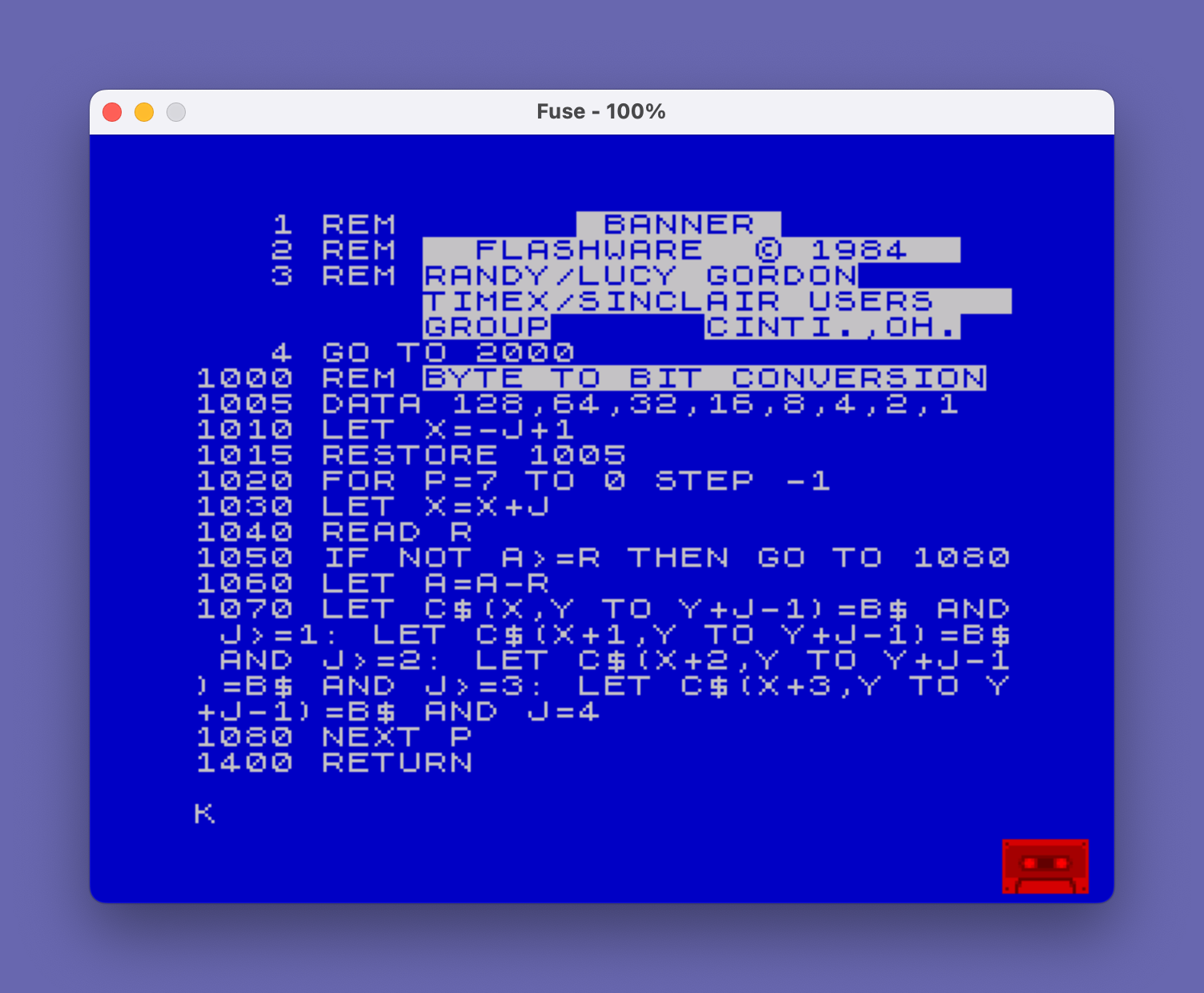
The program is organized into several distinct blocks separated by REM statements:
- Lines 1–4: Header REMs and an immediate
GO TO 2000to skip the subroutine area. - Lines 1000–1400: Subroutine — byte-to-bit conversion, building the character cell into
C$. - Lines 2000–2080: Main loop — title screen, user input, ROM font peeking, and output dispatch.
- Lines 3000–3200: Print subroutine — LPRINTs the assembled
C$array. - Lines 9990–9997: Tail section — real-time clock display, error handler, and SAVE command.
ROM Font Access
The program locates the character set by reading the system variable pair at addresses 23606 and 23607, which together form a pointer to the ROM character data. Line 2030 computes the address of each 8-byte character definition:
LET N=((PEEK 23606+PEEK 23607*256))+CODE A$(Q)*8+K
Iterating K from 7 down to 0 gives each scan-line byte of the character from top to bottom, with bit 7 being the topmost row. This is a well-known technique for accessing font bitmaps without machine code on this platform.
Byte-to-Bit Conversion Subroutine (Lines 1000–1400)
The subroutine at line 1000 decodes a single byte value A into its 8 constituent bits using a DATA table of powers of two (128, 64, 32, …, 1). For each bit that is set, a slice of the fill string B$ is written into the output array C$. The variable J controls the scale factor (1–4), so each “pixel” becomes a J-character-wide block. The row index X and column index Y position the block within C$:
C$(X, Y TO Y+J-1)— always written when bit is set andJ>=1C$(X+1, Y TO Y+J-1)— written whenJ>=2C$(X+2, Y TO Y+J-1)— written whenJ>=3C$(X+3, Y TO Y+J-1)— written whenJ=4
This means each pixel is replicated both horizontally (up to J characters wide) and vertically (up to J rows tall), producing a square scaled-up pixel.
Fill String Construction
Line 2006 builds B$ to be exactly J repetitions of the user-supplied graphics token character:
LET B$=(B$ AND J>=1)+(B$ AND J>=2)+(B$ AND J>=3)+(B$ AND J=4)
This exploits the Sinclair BASIC string conditional idiom where (S$ AND condition) evaluates to S$ if the condition is true, or "" if false, effectively concatenating 1 to 4 copies of the token character.
Column Starting Position Calculation
Line 2017 computes the starting column Y within C$ for each bit-pixel using a similar conditional idiom:
LET Y=(13 AND J=1)+(9 AND J=2)+(5 AND J=3)+(1 AND J=4)
This centers the 8-pixel-wide character (scaled by J) within the 32-column C$ array: at scale 1 the 8 characters start at column 13; at scale 4 the 32 characters start at column 1.
Output Subroutine (Lines 3000–3200)
After each character is assembled into C$, the subroutine at line 3000 sends it to the printer. S=J*8 gives the number of printed rows (8 scan-lines each scaled by J). Each row of C$ is LPRINTed with a slice to column 32, ensuring only the used portion is output. The C$ array is then re-dimensioned with DIM C$(32,32) at line 2077 to clear it before the next character.
Real-Time Clock Display
Lines 9990–9993 provide a clock display using the three-byte frame counter at system variable addresses 23672–23674. The combined value is divided by 60 (frames per second) to yield total seconds, then decomposed into hours, minutes, and seconds with integer arithmetic. This is a common technique for timing on this platform, though it relies on the frame counter not overflowing (it wraps after approximately 23,000 hours).
Error Handler
Line 9995 uses the ON ERR keyword (rendered as { in the source) followed by RESET to catch runtime errors, then resets all display attributes, clears the screen, and sounds a warning beep sequence before falling through to GO TO 1 to restart from the beginning.
Notable Techniques and Anomalies
- The
RESTORE 1005at line 1015 ensures the DATA pointer resets to the powers-of-two table for every character scan-line, which is essential for correct operation sinceREADadvances the pointer. - The loop variable in the bit-extraction loop (
P) counts from 7 to 0 but is never actually used in the computation—only theREAD Rand accumulation ofXmatter.Pserves purely as a loop counter. - The
Xvariable is initialized as-J+1(line 1010) and then incremented byJat the start of each iteration (line 1030), so it takes the sequence1, 1+J, 1+2J, …—correctly addressing the scaled row slots. - The program uses
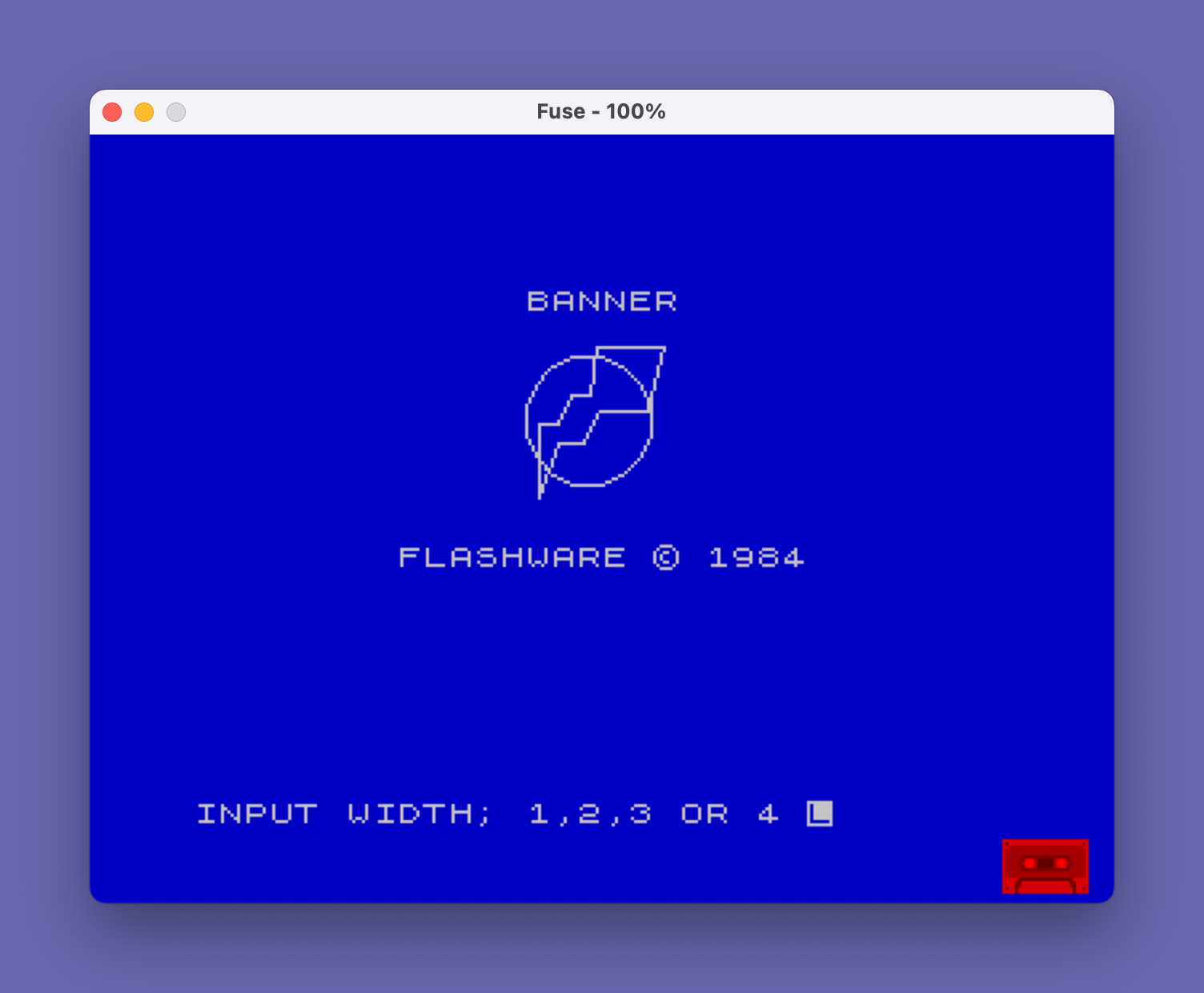
CIRCLE,PLOT, andDRAWcommands in line 2001 to draw the Flashware logo on screen as part of the title display, indicating Spectrum/TS2068 graphics capabilities. - The
IF NOT A>=R THEN GO TO 1080idiom at line 1050 is equivalent toIF A<R THEN GO TO 1080but avoids the<operator, a stylistic choice common in early BASIC programs.
Image Gallery
Source Code
    1 REM        BANNER
    2 REM   FLASHWARE  \* 1984
    3 REM RANDY/LUCY GORDON               TIMEX/SINCLAIR USERS            GROUP      CINTI.,OH.
    4 GO TO 2000
 1000 REM BYTE TO BIT CONVERSION
 1005 DATA 128,64,32,16,8,4,2,1
 1010 LET X=-J+1
 1015 RESTORE 1005
 1020 FOR P=7 TO 0 STEP -1
 1030 LET X=X+J
 1040 READ R
 1050 IF NOT A>=R THEN GO TO 1080
 1060 LET A=A-R
 1070 LET C$(X,Y TO Y+J-1)=B$ AND J>=1: LET C$(X+1,Y TO Y+J-1)=B$ AND J>=2: LET C$(X+2,Y TO Y+J-1)=B$ AND J>=3: LET C$(X+3,Y TO Y+J-1)=B$ AND J=4
 1080 NEXT P
 1400 RETURN
 2000 REM INPUT CHARACTER
 2001 PRINT AT 3,13;"BANNER";AT 13,8;"FLASHWARE \* 1984": CIRCLE 123,110,20: PLOT 127,133: DRAW 20,0: DRAW -5,-20: DRAW -15,0: DRAW -5,-10: DRAW -8,0: DRAW -6,-17: DRAW 0,23: DRAW 6,0: DRAW 4,9: DRAW 6,0: DRAW 2,15
 2002 DIM C$(32,32)
 2003 INPUT "INPUT WIDTH; 1,2,3 OR 4 ";J
 2005 INPUT "INPUT GRAPHICS TOKEN ";B$
 2006 LET B$=(B$ AND J>=1)+(B$ AND J>=2)+(B$ AND J>=3)+(B$ AND J=4)
 2009 INPUT "INPUT MESSAGE ";A$
 2012 PRINT A$
 2016 FOR Q=1 TO LEN A$
 2017 LET Y=(13 AND J=1)+(9 AND J=2)+(5 AND J=3)+(1 AND J=4)
 2020 FOR K=7 TO 0 STEP -1
 2030 LET N=((PEEK 23606+PEEK 23607*256))+CODE A$(Q)*8+K
 2040 LET A=PEEK N
 2050 GO SUB 1000
 2055 LET Y=Y+J
 2070 NEXT K
 2076 GO SUB 3000
 2077 DIM C$(32,32)
 2079 NEXT Q
 2080 GO TO 2000
 3000 REM COPY
 3015 LET S=J*8
 3100 FOR H=1 TO S
 3105 LPRINT C$(H, TO 32)
 3110 NEXT H
 3200 RETURN
 9990 REM     TAIL LEADER
 9991 REM   FLASHWARE  \* 1984
 9992 LET TIME=INT ((PEEK 23672+256*PEEK 23673+256*256*PEEK 23674)/60): LET HR=INT (TIME/60/60): LET MIN=INT ((TIME-(HR*60*60))/60): LET SEC=TIME-((MIN*60)+(HR*60*60)): PRINT AT 21,0;"ON LINE__";TAB 10;HR;":";MIN;":";SEC;"  "
 9993 IF INKEY$="" THEN GO TO 9992
 9994 STOP
 9995 ON ERR RESET : INK 7: BORDER 1: PAPER 1: FLASH 0: INVERSE 0: OVER 0: BRIGHT 0: CLS : PRINT AT 10,8;" STOP THE TAPE ": FOR A=0 TO 5: BEEP .3,19: BEEP .3,-8: NEXT A: CLS
 9996 GO TO 1
 9997 SAVE "BANNER" LINE 9995: REM 10/06/84
Note: Type-in program listings on this website use ZMAKEBAS notation for graphics characters.