
This program generates large-format banner text on a printer by reading character bitmap data directly from the ROM character set. It accepts a message string, a width multiplier (number of times each row is repeated), and a height multiplier (1–4, repeating each pixel row), then decodes each character’s 8×8 pixel matrix by extracting individual bits from ROM bytes. Each decoded pixel is stored in an 8×8 string array and output via LPRINT, allowing arbitrarily wide banner lettering. The ROM character set base address is dynamically located using the system variable at addresses 23606–23607 (CHARS), making the code portable across different memory configurations.
Program Structure
The program is a continuous loop anchored by a GO TO 20 at line 100, prompting for a new message after each print job. The main processing divides into three phases:
- Setup (lines 10–25): Clear screen, accept input, and locate the ROM character set.
- Bit decoding (lines 30–60): For each character in the message, decode its 8×8 ROM bitmap into string array
a$. - Output (lines 70–90): Print each character column-by-column with width and height repetition via LPRINT.
ROM Font Access via CHARS System Variable
Line 25 reads the two-byte system variable CHARS from addresses 23606–23607:
LET s=(PEEK 23607+1)*256+PEEK 23606
The CHARS variable normally holds a value 256 bytes below the start of the font data (so that adding CODE " " * 8 = 0 gives the space character’s address). The program compensates by adding 1 to the high byte, effectively pointing s directly at the font bitmap for character 32 (space). This is a clean and portable technique that works even if the font has been relocated.
Bit-Plane Decoding (Lines 40–57)
For each character m$(x), the program fetches 8 bytes from ROM (one per pixel row) and manually unpacks each byte into individual bits using successive threshold subtraction — a common BASIC technique when bitwise AND is unavailable or less readable:
| Line | Bit weight | Array column |
|---|---|---|
| 50 | 128 (bit 7) | a$(1, 8-z) |
| 51 | 64 (bit 6) | a$(2, 8-z) |
| 52 | 32 (bit 5) | a$(3, 8-z) |
| 53 | 16 (bit 4) | a$(4, 8-z) |
| 54 | 8 (bit 3) | a$(5, 8-z) |
| 55 | 4 (bit 2) | a$(6, 8-z) |
| 56 | 2 (bit 1) | a$(7, 8-z) |
| 57 | 1 (bit 0) | a$(8, 8-z) |
The index 8-z where z runs 0–7 transposes the bitmap so that rows become columns in a$, effectively rotating the character 90°. This means the outer print loop (line 70) iterates over z=1 TO 8 as vertical scan lines of the original character.
Output Loop and Scaling (Lines 70–80)
Three nested loops control output:
z(1–8): iterates over the 8 vertical pixel columns of the stored bitmap.w(1–f1): repeats each columnf1times, controlling the printed width of the character.y(1–8): iterates over the 8 horizontal pixel rows.e(1–f2): repeats each pixelf2times vertically within a row.
Each pixel is printed as a block graphic character █ (full block, character 255) or left as a space (the default initialized value of the string array). An LPRINT with no argument at line 80 sends a newline after each row.
Notable Techniques and Idioms
- DIM inside the loop (line 35):
DIM a$(8,8)is re-executed for every character, which re-initializes the array to spaces. This is an intentional reset mechanism, though it incurs overhead from repeated memory allocation. - Bit extraction by subtraction: Rather than using
INT(q/128)orq AND 128, the program tests each threshold once and subtracts, which is correct and readable but slightly verbose across 8 lines. - No screen preview: Output goes exclusively to the printer via
LPRINT; there is no on-screen representation of the banner.
Bugs and Anomalies
- Bit 0 threshold (line 57): The condition
IF q>0is used for the least-significant bit instead ofIF q>0(equivalent toq=1at this point). Since all higher bits have been stripped, this is functionally correct. - No upper bound on
f1: The prompt says “1 TO ?” with no enforced maximum, so very large values will cause extremely long print jobs without warning. - No input validation: Non-printable or high-code characters in
m$could cause a PEEK outside the ROM font region, potentially reading garbage data or causing an error. - Transposition side-effect: The 90° rotation means each character is printed rotated; however, because the printer outputs rows left-to-right and the loop structure compensates, the final result appears correct as large upright text on the printout.
Image Gallery
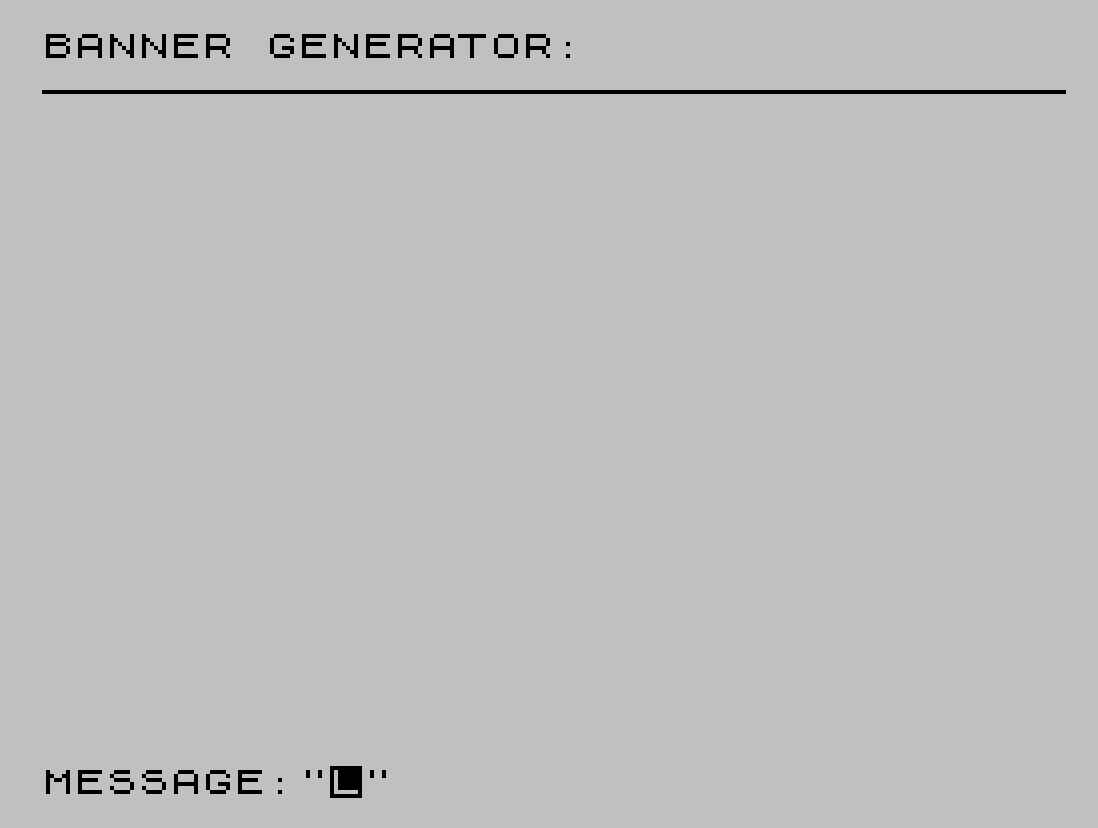
Source Code
    1 REM   BANNER GENERATOR
    2 REM   © by Ryan Gray, 11/22/84 ALL RIGHTS RESERVED
   10 CLS : PRINT "BANNER GENERATOR:               ________________________________"
   20 INPUT "MESSAGE:";m$
   21 INPUT "WIDTH (1 TO ?):";f1: INPUT "HEIGHT (1 TO 4):";f2
   25 LET s=(PEEK 23607+1)*256+PEEK 23606
   30 FOR x=1 TO LEN m$
   35 DIM a$(8,8)
   40 FOR z=0 TO 7: LET q=PEEK (s+z+8*(CODE m$(x)-32))
   50 IF q>127 THEN LET a$(1,8-z)="█": LET q=q-128
   51 IF q>63 THEN LET a$(2,8-z)="█": LET q=q-64
   52 IF q>31 THEN LET a$(3,8-z)="█": LET q=q-32
   53 IF q>15 THEN LET a$(4,8-z)="█": LET q=q-16
   54 IF q>7 THEN LET a$(5,8-z)="█": LET q=q-8
   55 IF q>3 THEN LET a$(6,8-z)="█": LET q=q-4
   56 IF q>1 THEN LET a$(7,8-z)="█": LET q=q-2
   57 IF q>0 THEN LET a$(8,8-z)="█"
   60 NEXT z
   70 FOR z=1 TO 8: FOR w=1 TO f1: FOR y=1 TO 8
   75 FOR e=1 TO f2: LPRINT a$(z,y);: NEXT e: NEXT y
   80 LPRINT : NEXT w: NEXT z
   90 NEXT x
  100 GO TO 20
Note: Type-in program listings on this website use ZMAKEBAS notation for graphics characters.