
This program is a banner generator for the 2040 printer, printing any string of up to 32 characters in enlarged dot-matrix form. It renders the text by writing it to the screen using INVERSE mode, then scanning the pixel grid with POINT to detect lit pixels and issuing LPRINT to reproduce the pattern. Two size options are offered: size 1 outputs at full resolution (step 1) and size 2 at half resolution (step 0.5 through the pixel loop). The screen-to-printer pixel-copying technique avoids any manual font data by exploiting the built-in character renderer and the POINT function.
Program Structure
The program is organised into three clear phases:
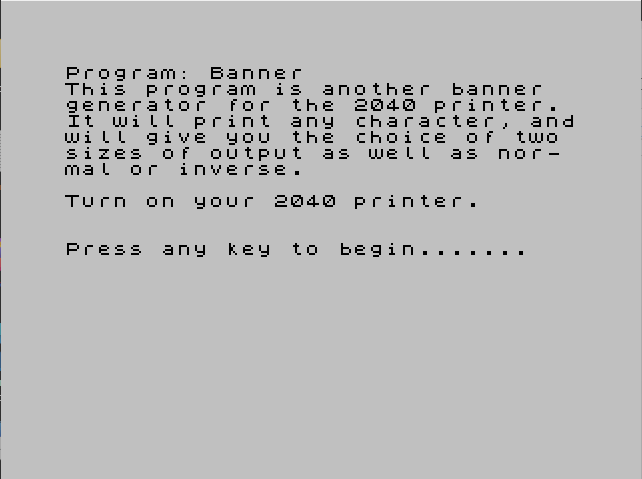
- Introduction / setup (lines 1–5): displays a description, prompts the user to power on the printer, and waits for a keypress using the
IF INKEY$="" THEN GO TO 4polling loop. - Input collection (lines 10–37): gathers the string
a$(validated to ≤ 32 characters), the sizes(1 or 2), and the inverse flagi(0 or 1). The string is then rendered silently to the screen at row 0 withPRINT AT 0,0; INVERSE i; a$. - Pixel scanning and printing (lines 40–80): nested loops walk the pixel grid over the rendered text, use
POINTto test each pixel, and fireLPRINTblock characters to the printer.
Screen-Based Font Rendering Technique
Rather than storing font bitmaps, the program exploits the built-in character renderer. The string is printed to the screen (line 37) and then the pixel grid is read back with POINT (x,y) (line 60). This turns the display into a temporary bitmap buffer, making the program completely font-agnostic — any printable character, including graphics characters, will be enlarged correctly.
Size and Step Control
Variable t controls the pixel-sampling step. For size 1, t=1; for size 2, t=0.5. Using a step of 0.5 in the outer FOR x loop means every source pixel column is sampled twice, doubling the horizontal resolution of the output. The inner FOR Y=166 TO 175 STEP T similarly doubles vertical sampling for size 2, producing an output approximately four times larger than size 1.
Printer Output
Wherever POINT returns 1, the program issues LPRINT AT a,b;"█" — a filled block character (chr 143, \::=█). The printer cursor column b is incremented each inner loop iteration and reset to 0 after each row; printer row counter a starts at 2 (leaving a small top margin) and increments with each outer loop step. A bare LPRINT advances the printer line after each pixel row.
Variable Summary
| Variable | Purpose |
|---|---|
a$ | Input string (max 32 chars) |
l | Length of a$ |
s | Size choice (1 or 2) |
t | Loop step (1 or 0.5) |
i | Inverse flag (0 or 1) |
a | Printer row counter |
b | Printer column counter |
x | Pixel x (horizontal scan) |
Y | Pixel y (vertical scan, lines 50–70) |
Image Gallery
Source Code
    1 PRINT "This program is another banner  generator for the 2040 printer. It will print any character, andwill give you the choice of two sizes of output as well as nor- mal or inverse."
    2 PRINT : PRINT "Turn on your 2040 printer."
    3 PRINT : PRINT : PRINT "Press any key to begin......."
    4 IF INKEY$="" THEN GO TO 4
    5 CLS
   10 INPUT "Words (max 32 chars)",a$
   11 LET l=LEN (a$): IF l>32 THEN PRINT "sorry, too long": GO TO 10
   15 INPUT "Size (1 or 2)";s
   16 IF s<1 OR s>2 THEN GO TO 15
   17 LET t=1: IF s=2 THEN LET t=.5
   30 INPUT "0=normal and 1=inverse";i
   36 IF i<0 OR i>1 THEN GO TO 30
   37 LET a=2: LET b=0: PRINT AT 0,0; INVERSE i;a$
   40 FOR x=0 TO (l*8)-1 STEP t
   50 FOR Y=166 TO 175 STEP T
   60 IF POINT (x,y)=1 THEN LPRINT AT a,b;"█";
   70 LET b=b+1: NEXT y: LET b=0: LPRINT : LET a=a+1: NEXT x
   80 CLS : GO TO 10
   99 SAVE "banner" LINE 10
Note: Type-in program listings on this website use ZMAKEBAS notation for graphics characters.