
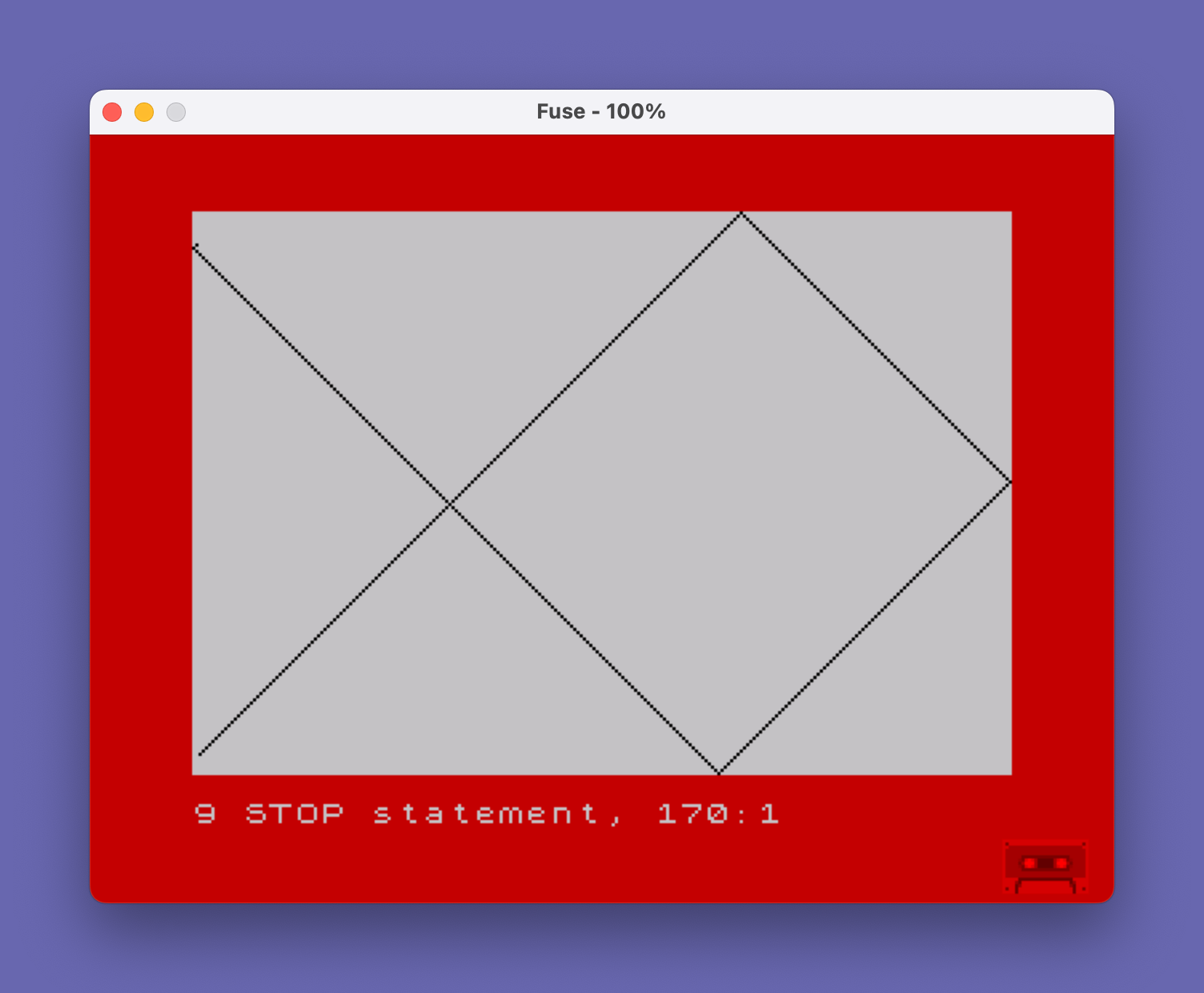
This program simulates a bouncing ball across the screen, plotting its path using PLOT coordinates up to 255×175 pixels. The user specifies a number of bounces before the animation halts; each wall collision triggers a short BEEP at a different pitch (semitones 1, 2, 4, or 5) to distinguish horizontal from vertical bounces. Direction reversals are handled by two subroutines at lines 200 and 230, which negate the respective delta variables and increment the bounce counter. Initial position and direction deltas are randomised at startup, giving a different trajectory each run.
Program Analysis
Program Structure
The program is organised into three logical sections:
- Initialisation (lines 20–85): Sets random starting coordinates, direction deltas, bounce counter, and prompts for the target bounce count.
- Main animation loop (lines 90–160): Checks boundary collisions, updates position, plots the pixel, and loops until the bounce count is reached.
- Collision subroutines (lines 200–250): Two short subroutines reverse the horizontal (
d) or vertical (c) delta and increment the countert.
Variables
| Variable | Role |
|---|---|
x | Current X pixel coordinate |
y | Current Y pixel coordinate |
d | Horizontal delta (direction/speed), initially 1 |
c | Vertical delta (direction/speed), initially 1 |
t | Bounce counter (incremented on each wall hit) |
b | User-supplied maximum bounce count |
Collision Detection and Boundary Values
Boundary checks at lines 90–120 test whether the next position (x+d or y+c) would exceed the screen limits. The horizontal limits are 0 and 255, and the vertical limits are 0 and 175, matching the Spectrum’s full pixel resolution of 256×176. Beep pitches differ per wall: semitone 1 for the right edge, 2 for the left, 4 for the bottom, and 5 for the top, giving audible feedback distinguishing axis and direction of bounce.
Key BASIC Idioms
- Direction reversal via negation (
LET d=-d,LET c=-c) is a standard reflection technique requiring no conditional logic beyond the boundary check. - Random initialisation using
INT(RND*50)+1constrains the start point well within the screen, avoiding an immediate boundary hit on the first step. - The loop condition at line 160 (
IF t<b THEN GO TO 90) acts as a WHILE loop, with the program falling through toSTOPat line 170 when the bounce target is met.
Notable Techniques
The pixel trail is cumulative — the screen is never cleared after line 85, so every visited pixel remains lit, producing a visible geometric pattern that fills over successive runs. Because both deltas start at 1 and the starting coordinates are randomised to values between 1 and 50, the trajectory angle is always 45° but the exact path and pattern vary with each execution.
Bugs and Anomalies
- The starting coordinates are chosen in the range 1–50 for both X and Y, but the screen is 256 pixels wide and 176 tall. While not a bug, using a wider random range would better utilise the full screen area.
- Because boundary checks test
x+d > 255rather than>= 255, a pixel landing exactly on coordinate 255 will not trigger a bounce on that step; the next step will move to 256 (off-screen) before the check catches it on the following iteration, potentially causing a brief out-of-bounds PLOT — though on hardware this typically wraps or clips silently. - The
BORDER 2at line 10 sets a red border but there is no corresponding INK or PAPER setting, so the plot colour defaults to whatever the current attribute state is.
Image Gallery
Source Code
    5 REM  bounce
   10 BORDER 2: CLS
   20 LET x=INT (RND*50)+1
   30 LET y=INT (RND*50)+1
   40 LET c=1
   50 LET d=1
   60 LET t=0
   70 PRINT "How many bounces";
   80 INPUT b
   85 CLS
   90 IF x+d>255 THEN BEEP .1,1: GO SUB 200
  100 IF x+d<0 THEN BEEP .1,2: GO SUB 200
  110 IF y+c>175 THEN BEEP .1,4: GO SUB 230
  120 IF y+c<0 THEN BEEP .1,5: GO SUB 230
  130 LET x=x+d
  140 LET y=y+c
  150 PLOT x,y
  160 IF t<b THEN GO TO 90
  170 STOP
  200 LET d=-d
  210 LET t=t+1
  220 RETURN
  230 LET c=-c
  240 LET t=t+1
  250 RETURN
Note: Type-in program listings on this website use ZMAKEBAS notation for graphics characters.