
This program is an interactive circuit schematic drawing tool that lets users plot and connect electronic component symbols on screen. The user navigates a drawing cursor using keys 5–8 (the standard directional keys), then invokes component-drawing routines via single-letter commands: “f” for forward, “r” for resistor, “c” for capacitor, “t” for transistor, “d” for diode, “i” for inductor, “s” for switch, “b” for battery, and “p” for plot. Each component subroutine draws its symbol using DRAW and CIRCLE commands, including variants for horizontal/vertical orientation, polarity (positive/negative first), and component subtypes such as electrolytic or variable capacitors, and NPN/PNP transistors. A DATA table at line 55 maps keystroke characters to GOSUB targets, and direction keys are handled by a RESTORE trick that selects one of four DATA pairs at lines 200–500 to set the delta-x and delta-y for each DRAW step.
Entered from ZX Computing April/May 1983.
Program Analysis
Program Structure
The program is organized as a main input loop with a dispatch table, feeding into a collection of component-drawing subroutines starting at line 1000 and above. The main loop occupies lines 10–80, and component routines are stored at round-numbered line addresses (1000, 2000, 2500, 3000, etc.), each handling a specific circuit symbol. A utility subroutine at line 8000 introduces a small pause (a short FOR/NEXT loop) before returning, used to debounce or delay after INPUT prompts.
Key Dispatch Mechanism
Command dispatch is performed by two mechanisms depending on whether the keypress is a direction key or a component key:
- Direction keys (5–8): Lines 30 and 46 use the expression
(VAL m$-3)*100to compute aRESTOREtarget. For key “5” this yieldsRESTORE 200, “6” yieldsRESTORE 300, “7” yieldsRESTORE 400, and “8” yieldsRESTORE 500. Execution then falls through to line 60 which reads the delta valuesa,bfrom the selected DATA block. - Component keys: Line 50 performs a linear search through the DATA at line 55, comparing
u$to the pressed key. On a match, it executesGO TO u, jumping directly to the relevant component routine.
DATA Table at Line 55
| Key | Target Line | Component |
|---|---|---|
| f | 6500 | Fuse |
| b | 5500 | Battery |
| s | 6000 | Switch |
| i | 3500 | Inductor |
| p | 1000 | Plot (reposition) |
| (empty) | 10 | No-op / loop |
| c | 2000 | Capacitor |
| r | 2500 | Resistor |
| t | 3000 | Transistor |
| d | 4000 | Diode |
Component Drawing Techniques
All component symbols are constructed entirely from sequences of DRAW and PLOT commands, using absolute pixel arithmetic relative to the current cursor position x,y. After drawing, each routine updates x and/or y to reflect the new “wire end” position and returns to the main loop via GO TO 10.
The inductor at lines 3510–3520 uses the three-argument DRAW x,y,angle form with PI to draw semicircular arcs, producing a coil appearance. The transistor routine at lines 3010–3020 uses CIRCLE for the transistor body outline, combined with DRAW for the internal connections and arrowhead.
Component variants are handled by a series of INPUT prompts gathering orientation (h or v), polarity, and subtype. The responses are stored in k$ and z$, and subsequent IF chains select the appropriate drawing sequence.
Boundary Detection
Line 64 checks whether the current position is at a screen edge and the user is trying to move further off-screen. If so, it sets screen=0 and loops back without drawing. The variable screen acts as a guard flag, reset to 1 at line 75 after each successful draw operation. Line 62 tests this flag but its logic is incomplete: it reads IF screen=0 THEN GO TO 64, which always falls through to line 64 anyway, making the branch redundant.
Bugs and Anomalies
- Case inconsistency: Line 2015 references
K$(uppercase) while the variable was assigned ask$(lowercase) at line 2005. On the Spectrum, these are treated as distinct variables, soK$will be empty and line 2015’s condition will always fail, making the horizontal capacitor branch unreachable via that path. - Unused
screen=0branch: Line 62 (IF screen=0 THEN GO TO 64) jumps to line 64 which is the very next line, so the branch has no effect. - REM spelling: Line 1 spells “CIRCUIT” as “CURCUIT”, which is a typo in the original publication.
- Line 1005 variable: The
INPUTat line 1005 usesY(uppercase) rather thany, creating a separate variable that does not affect the drawing cursor coordinateyused throughout the rest of the program. - Pause subroutine at 8000: The loop
FOR z=1 TO 7: NEXT zreusesz, which is also used as the search index in the dispatch loop at line 50. This is safe because the subroutine is only called after the dispatch loop has either found a match or exhausted its search.
Notable Idioms
- Using
RESTORE (VAL m$-3)*100to compute a DATA pointer arithmetically from a key character is a compact alternative to a multi-branchIFladder. - The DATA at line 55 encodes both the lookup key and the branch target in pairs, allowing a single generic search loop to handle all component dispatches.
- The coordinate display at lines 68–69 uses
PRINT OVER 0with a blank string to erase the previous coordinate readout before printing the new one, avoiding attribute color contamination.
Image Gallery
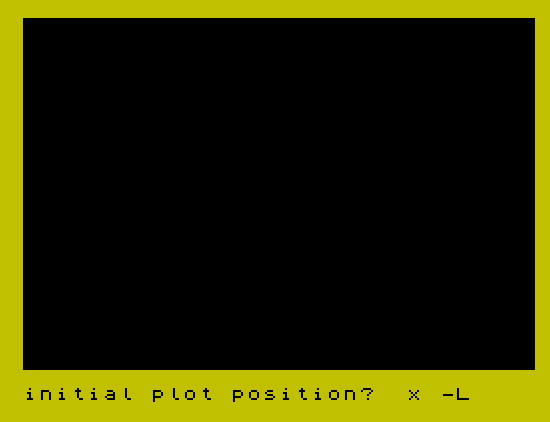
Source Code
    1 REM CURCUIT SKETCH ZX Computing April/May 1983
    2 BORDER 6: PAPER 0: CLS : INK 7
    3 INPUT "initial plot position?  x -";x;"y -";y
    5 PLOT x,y
    6 LET screen=1
    8 PRINT AT 0,0;0;" , ";0
   10 LET m$=""
   15 LET m$=INKEY$
   30 IF m$>="5" AND m$<="8" THEN RESTORE (VAL m$-3)*100
   46 IF m$>="5" AND m$<="8" THEN GO TO 60
   50 RESTORE 55: FOR z=1 TO 10: READ u$,u: IF u$=m$ THEN GO TO u
   52 NEXT z
   55 DATA "f",6500,"b",5500,"s",6000,"i",3500,"p",1000,"",10,"c",2000,"r",2500,"t",3000,"d",4000
   60 READ a,b
   62 IF screen=0 THEN GO TO 64
   64 IF x=255 AND m$="8" OR x=0 AND m$="5" OR y=175 AND m$="7" OR y=0 AND m$="6" THEN LET screen=0: GO TO 10
   65 LET x=x+a
   67 LET y=y+b
   68 PRINT OVER 0;AT 0,0;"         "
   69 PRINT OVER 0;AT 0,0;x;" , ";y
   70 DRAW a,b
   75 LET screen=1
   80 GO TO 10
  200 DATA -1,0
  300 DATA 0,-1
  400 DATA 0,1
  500 DATA 1,0
 1000 INPUT "X - co-ordinate?";x
 1005 INPUT "Y - co-ordinate?";Y
 1010 PLOT x,y: GO TO 10
 2005 INPUT "h OR v";k$: GO SUB 8000
 2007 INPUT "electrolytic? (Y/N)";z$: GO SUB 8000: IF z$="y" THEN GO TO 2100
 2010 INPUT "variable? (Y/N)";z$: GO SUB 8000: IF z$="y" THEN GO TO 2050
 2015 IF K$="h" THEN DRAW 0,8: DRAW 0,-16: LET x=x+6: LET y=y-8: PLOT x,y: DRAW 0,16: DRAW 0,-8: LET y=y+8: GO TO 10
 2020 IF k$="v" THEN DRAW -8,0: DRAW 16,0: LET y=y+6: LET x=x+8: PLOT x,y: DRAW -16,0: DRAW 8,0: LET x=x-8: GO TO 10
 2050 IF k$="h" THEN PLOT x-4,y-8: DRAW 14,16: DRAW 0,-2: DRAW 0,2: DRAW -2,0: DRAW 0,2: PLOT x,y: GO TO 2015
 2060 IF k$="v" THEN PLOT x-6,y-4: DRAW 16,14: DRAW -2,0: DRAW 2,0: DRAW 0,-2: DRAW 0,2: PLOT x,y: GO TO 2020
 2100 INPUT "pos OR neg first?";z$: GO SUB 8000
 2110 IF k$="v" AND z$="pos" THEN DRAW 8,0: DRAW -16,0: DRAW 0,3: DRAW 16,0: DRAW 0,-3: PLOT x,y+6: DRAW -8,0: DRAW 16,0: DRAW 0,1: DRAW -16,0: DRAW 0,1: DRAW 16,0: DRAW -8,0: LET y=y+9: GO TO 10
 2120 IF k$="v" AND z$="neg" THEN DRAW 8,0: DRAW -16,0: DRAW 0,1: DRAW 16,0: DRAW 0,1: DRAW -16,0: PLOT x,y+6: DRAW -8,0: DRAW 16,0: DRAW 0,3: DRAW -16,0: DRAW 0,-3: DRAW 0,3: DRAW 8,0: LET y=y+9: GO TO 10
 2130 IF k$="h" AND z$="pos" THEN DRAW 0,8: DRAW 0,-16: DRAW 3,0: DRAW 0,16: DRAW -3,0: PLOT x+6,y: DRAW 0,8: DRAW 0,-16: DRAW 1,0: DRAW 0,16: DRAW 1,0: DRAW 0,-16: DRAW 0,8: LET x=x+9: GO TO 10
 2140 IF k$="h" AND z$="neg" THEN DRAW 0,8: DRAW 0,-16: DRAW 1,0: DRAW 0,16: DRAW 1,0: DRAW 0,-16: PLOT x+6,y: DRAW 0,8: DRAW 0,-16: DRAW 3,0: DRAW 0,16: DRAW -3,0: DRAW 3,0: DRAW 0,-8: LET x=x+9: GO TO 10
 2500 INPUT "h OR v";k$: GO SUB 8000
 2505 INPUT "variable? (Y/N)";z$: GO SUB 8000
 2506 IF z$="y" THEN GO TO 2700
 2510 IF k$="h" THEN DRAW 0,4: DRAW 18,0: DRAW 0,-8: DRAW -18,0: DRAW 0,4: DRAW 0,-4: DRAW 18,0: DRAW 0,4: LET x=x+18: GO TO 10
 2520 IF k$="v" THEN DRAW 4,0: DRAW 0,18: DRAW -8,0: DRAW 0,-18: DRAW 4,0: DRAW -4,0: DRAW 0,18: DRAW 4,0: LET y=y+18: GO TO 10
 2700 IF k$="h" THEN DRAW -3,3: DRAW 3,-3: DRAW -3,-3: DRAW 3,3: DRAW 0,8: DRAW 0,-16: DRAW 6,0: DRAW 0,16: DRAW -6,0: DRAW 3,0: LET y=y+8: LET x=x+3: GO TO 10
 2720 IF k$="v" THEN DRAW -3,-3: DRAW 3,3: DRAW 3,-3: DRAW -3,3: DRAW 8,0: DRAW -16,0: DRAW 0,6: DRAW 16,0: DRAW 0,-6: DRAW 0,3: LET x=x+8: LET y=y+3: GO TO 10
 3000 INPUT "pnp OR npn";z$: GO SUB 8000
 3010 IF z$="npn" THEN CIRCLE x+6,y,8: PLOT x,y: DRAW 2,0: DRAW 0,5: DRAW 0,-10: DRAW 1,0: DRAW 0,10: DRAW 1,0: DRAW 0,-10: DRAW 0,3: DRAW 4,-4: DRAW 0,1: DRAW 0,-1: DRAW -1,0: DRAW 1,0: DRAW -4,4: DRAW 0,2: DRAW 6,4: LET x=x+10: LET y=y+4: GO TO 10
 3020 IF z$="pnp" THEN CIRCLE x+6,y,8: PLOT x,y: DRAW 2,0: DRAW 0,5: DRAW 0,-10: DRAW 1,0: DRAW 0,10: DRAW 1,0: DRAW 0,-10: DRAW 0,3: DRAW 4,-4: DRAW -4,4: DRAW 1,0: DRAW -1,0: DRAW 0,-1: DRAW 0,1: DRAW 0,2: DRAW 6,4: LET x=x+10: LET y=y+4: GO TO 10
 3500 INPUT "h OR v";z$: GO SUB 8000
 3510 IF z$="h" THEN DRAW 2,0: DRAW 7,0,PI: DRAW -2,0: DRAW 7,0,PI: DRAW -2,0: DRAW 7,0,PI: DRAW 2,0: LET x=x+21: GO TO 10
 3520 IF z$="v" THEN DRAW 0,2: DRAW 0,7,PI: DRAW 0,-2: DRAW 0,7,PI: DRAW 0,-2: DRAW 0,7,PI: DRAW 0,2: LET y=y+21: GO TO 10
 4000 INPUT "h OR v?";z$: GO SUB 8000
 4010 INPUT AT 0,0;"cathode (c) OR anode (a) first?";k$: GO SUB 8000
 4020 IF z$="h" AND k$="c" THEN DRAW 0,6: DRAW 0,-12: DRAW 0,6: DRAW 7,-6: DRAW 0,12: DRAW -7,-6: DRAW 7,6: DRAW 0,-6: LET x=x+7: GO TO 10
 4030 IF z$="h" AND k$="a" THEN DRAW 0,6: DRAW 0,-12: DRAW 7,6: DRAW -7,6: DRAW 7,-6: DRAW 0,6: DRAW 0,-12: DRAW 0,6: LET x=x+7: GO TO 10
 4040 IF z$="v" AND k$="c" THEN DRAW 6,0: DRAW -12,0: DRAW 6,0: DRAW -6,7: DRAW 12,0: DRAW -6,-7: DRAW 6,7: DRAW -6,0: LET y=y+7: GO TO 10
 4050 IF z$="v" AND k$="a" THEN DRAW 6,0: DRAW -12,0: DRAW 6,7: DRAW 6,-7: DRAW -6,7: DRAW -6,0: DRAW 12,0: DRAW -6,0: LET y=y+7: GO TO 10
 5500 INPUT "h OR v";z$: GO SUB 8000
 5510 INPUT "pos OR neg first?";k$: GO SUB 8000
 5520 IF z$="v" AND k$="pos" THEN DRAW -7,0: DRAW 14,0: PLOT x,y+3: DRAW 3,0: DRAW -6,0: DRAW 3,0: LET y=y+3: GO TO 10
 5530 IF z$="v" AND k$="neg" THEN DRAW 3,0: DRAW -6,0: PLOT x,y+3: DRAW -7,0: DRAW 14,0: DRAW -7,0: LET y=y+3: GO TO 10
 5540 IF z$="h" AND k$="pos" THEN DRAW 0,7: DRAW 0,-14: PLOT x+3,y: DRAW 0,3: DRAW 0,-6: DRAW 0,3: LET x=x+3: GO TO 10
 5550 IF z$="h" AND k$="neg" THEN DRAW 0,3: DRAW 0,-6: PLOT x+3,y: DRAW 0,-7: DRAW 0,14: DRAW 0,-7: LET x=x+3: GO TO 10
 6000 INPUT "h OR v";z$: GO SUB 8000
 6010 IF z$="h" THEN DRAW 14,7: LET x=x+14: PLOT x,y: GO TO 10
 6020 IF z$="v" THEN DRAW 7,14: LET y=y+14: PLOT x,y: GO TO 10
 6500 INPUT "h OR v";z$: GO SUB 8000
 6510 IF z$="h" THEN DRAW 0,4: DRAW 0,-8: DRAW 1,0: DRAW 0,8: DRAW 1,0: DRAW 0,-8: DRAW 1,0: DRAW 0,8: DRAW 10,0: DRAW 0,-8: DRAW -10,0: DRAW 10,0: DRAW 0,4: LET x=x+13: GO TO 10
 6520 IF z$="v" THEN DRAW 4,0: DRAW -8,0: DRAW 0,1: DRAW 8,0: DRAW 0,1: DRAW -8,0: DRAW 0,1: DRAW 8,0: DRAW 0,10: DRAW -8,0: DRAW 0,-10: DRAW 0,10: DRAW 4,0: LET y=y+13: GO TO 10
 8000 FOR z=1 TO 7: NEXT z: RETURN
 8999 STOP
 9901 SAVE "circuit" LINE 1
Note: Type-in program listings on this website use ZMAKEBAS notation for graphics characters.