
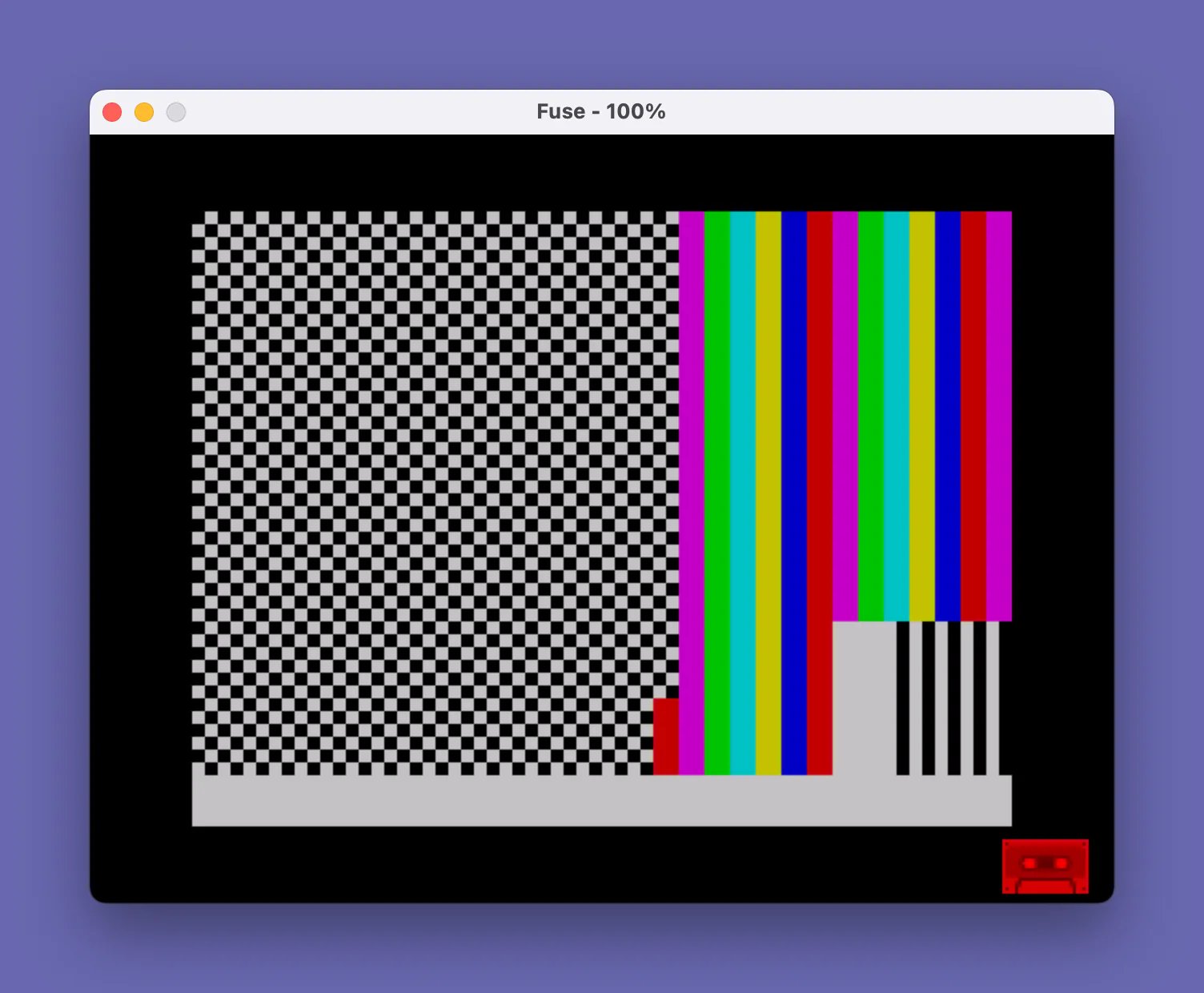
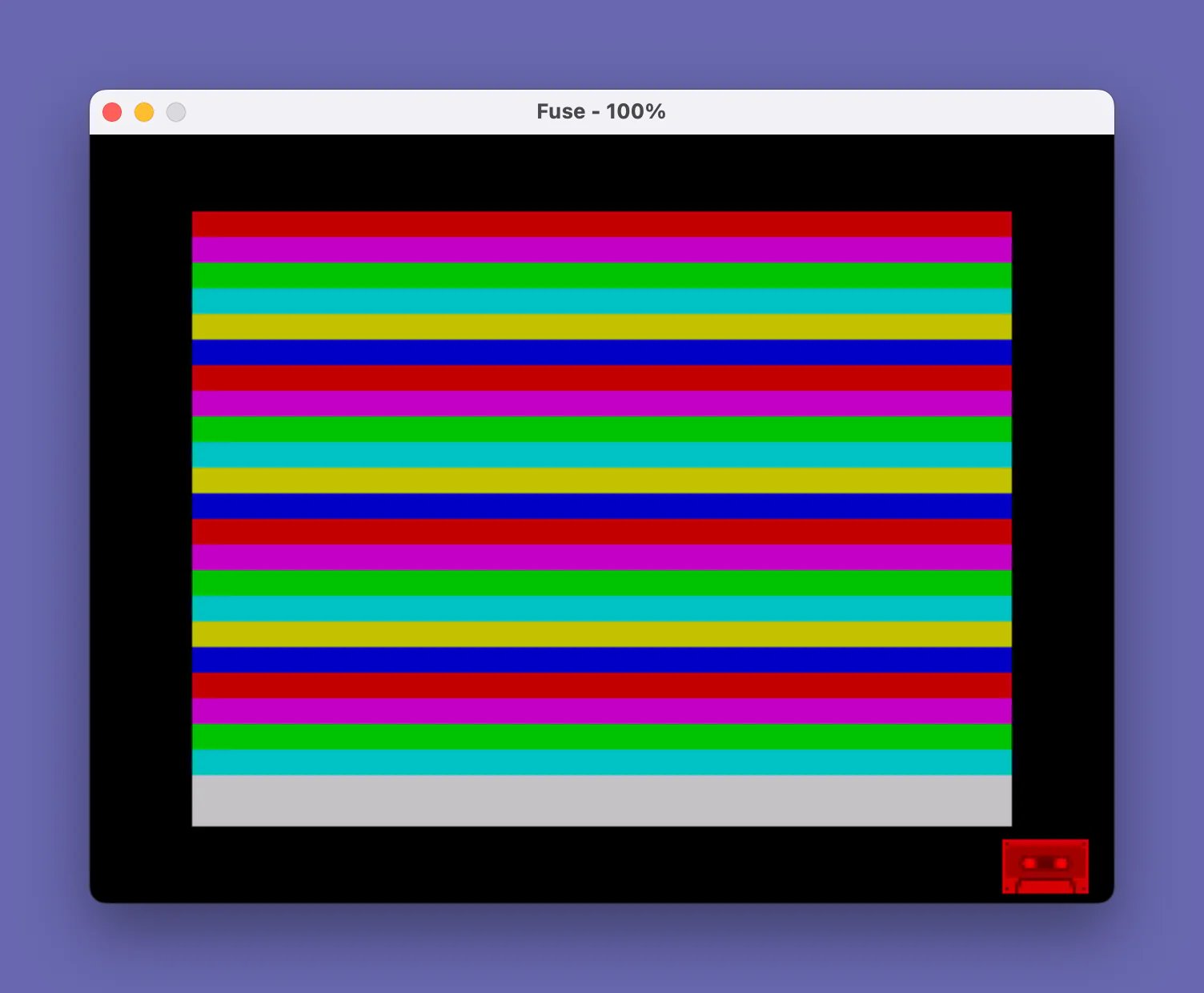
This program displays a series of animated color and graphics demonstrations using block graphic characters printed across the full 32×22 character screen. The first section fills the screen row by row with cycling INK colors 1–6, producing horizontal color bars; the second section repeats the effect column by column, pausing at column 16 midway through. Subsequent sections overwrite the screen with progressively simpler block graphics — a partial white pattern, a half-block fill using the ▞ character (code 130), a hash-character fill, and finally a sparse dot pattern — each separated by a PAUSE 0 keypress wait. The program loops indefinitely via GO TO 5, which targets a non-existent line, effectively restarting from line 8. The SAVE command at line 9998 stores the program with auto-run enabled via LINE 0.
Program Analysis
Program Structure
The program is organized as a sequence of self-contained display sections, each terminated by a PAUSE 0 that waits for a keypress before continuing. A final GO TO 5 at line 1000 restarts the loop from before line 8, creating an infinite demonstration cycle. Lines 9997–9998 are utility lines (a STOP guard and a SAVE statement) that are never reached during normal execution.
| Lines | Section | Description |
|---|---|---|
| 8–60 | Horizontal color bars | Fills screen row by row, cycling INK 1–6 |
| 109–160 | Vertical color bars | Fills screen column by column, pauses at column 16 |
| 210–230 | White block patch | Prints a 6-row block of mixed █ and space graphics at columns 25–31 |
| 310–360 | Half-block fill | Fills entire screen with the ▞ (▞) block graphic character |
| 410–460 | Hash fill | Fills entire screen with # characters in white ink |
| 510–580 | Sparse dot pattern | CLS, then places isolated ▖ characters at corners and two rows |
| 1000 | Loop | GO TO 5 (non-existent line, falls through to line 8) |
Color Cycling Technique
Both the horizontal (lines 9–60) and vertical (lines 109–160) bar sections use the same cycling idiom: variable k is incremented each iteration, and when it reaches 7 it is reset to 1, thereby cycling through INK colors 1 through 6 and skipping color 0 (black), which would be invisible against the black paper. This is a compact modular-arithmetic replacement using a conditional reset rather than the MOD operator.
Notable Techniques
- AT-based screen painting: Every cell is addressed individually with
PRINT INK k;AT i,j;"█"rather than usingINKstatements or attribute manipulation, giving per-cell color control. - Mid-loop pause: Line 111 inserts a
PAUSE 0when the column indexireaches 16, splitting the vertical bar sweep into two halves viewable separately without restructuring the loop. - Block graphics variety: The program demonstrates three distinct block graphic characters —
\::(█, full block),\.'(▞, diagonal half-block), and\:/\.(partial blocks) — showing the range of the 2×2 block graphic set. - Sparse dot pattern: Lines 540–570 use carefully spaced
ATpositions and string padding to place▖characters at specific screen locations, suggesting a rudimentary border or grid effect rather than a filled pattern. - PAPER 0 / BORDER 0: Set once at line 8 and never changed, ensuring all subsequent colored ink characters appear on a solid black background throughout the entire demonstration.
Anomalies and Observations
- Line 1000 jumps to line 5, which does not exist; execution falls through to line 8, which is a deliberate idiom for a “soft restart” that avoids re-executing any hypothetical initialization-only lines between 5 and 7.
- Variable
kis re-initialized to 1 at line 109 before the vertical bar section, ensuring the color cycle restarts cleanly regardless of wherekwas left by the horizontal section. - The white block printed in lines 210–226 at columns 25–31 uses a mix of
\::(full block) and\:/\characters within a single string, creating an irregular pattern; the exact visual depends on character spacing and is likely decorative rather than functional. - Line 520 prints a single
\:'(▛) character at AT 10,15 — a single cell in the middle of the cleared screen — before the sparse dot pattern is built up in subsequent lines, creating a brief isolated graphic flash.
Image Gallery
Source Code
    8 BORDER 0: PAPER 0
    9 LET k=1
   10 FOR i=0 TO 21
   15 LET k=k+1
   16 IF k=7 THEN LET k=1
   20 FOR j=0 TO 31
   30 PRINT INK k;AT i,j;"\::"
   40 NEXT j
   50 NEXT i
   60 PAUSE 0
  109 LET k=1
  110 FOR i=0 TO 31
  111 IF i=16 THEN PAUSE 0
  115 LET k=k+1
  116 IF k=7 THEN LET k=1
  120 FOR j=0 TO 21
  130 PRINT INK k;AT j,i;"\::"
  140 NEXT j
  150 NEXT i
  160 PAUSE 0
  210 PRINT INK 7;AT 16,25;"\::\::\: \: \: \: \: "
  220 PRINT INK 7;AT 17,25;"\::\::\: \: \: \: \: "
  221 PRINT INK 7;AT 18,25;"\::\::\: \: \: \: \: "
  223 PRINT INK 7;AT 19,25;"\::\::\: \: \: \: \: "
  225 PRINT INK 7;AT 20,25;"\::\::\: \: \: \: \: "
  226 PRINT INK 7;AT 21,25;"\::\::\: \: \: \: \: "
  230 PAUSE 0
  310 FOR i=0 TO 31
  320 FOR j=0 TO 21
  330 PRINT INK 7;AT j,i;"\.'"
  340 NEXT j
  350 NEXT i
  360 PAUSE 0
  410 FOR i=0 TO 31
  420 FOR j=0 TO 21
  430 PRINT INK 7;AT j,i;"#"
  440 NEXT j
  450 NEXT i
  460 PAUSE 0
  510 CLS
  520 PRINT INK 7;AT 10,15;"\:'"
  530 PAUSE 0
  540 PRINT INK 7;AT 0,0;"\. ";AT 0,31;"\. ";AT 21,0;"\. ";AT 21,31;"\. "
  550 PAUSE 0
  560 PRINT INK 7;AT 5,0;"\.    \.     \.     \.     \.     \.     \. "
  570 PRINT INK 7;AT 16,0;"\.     \.     \.     \.     \.     \.     \. "
  580 PAUSE 0
 1000 GO TO 5
 9997 STOP
 9998 SAVE "COLOR BARS" LINE 0
Note: Type-in program listings on this website use ZMAKEBAS notation for graphics characters.