
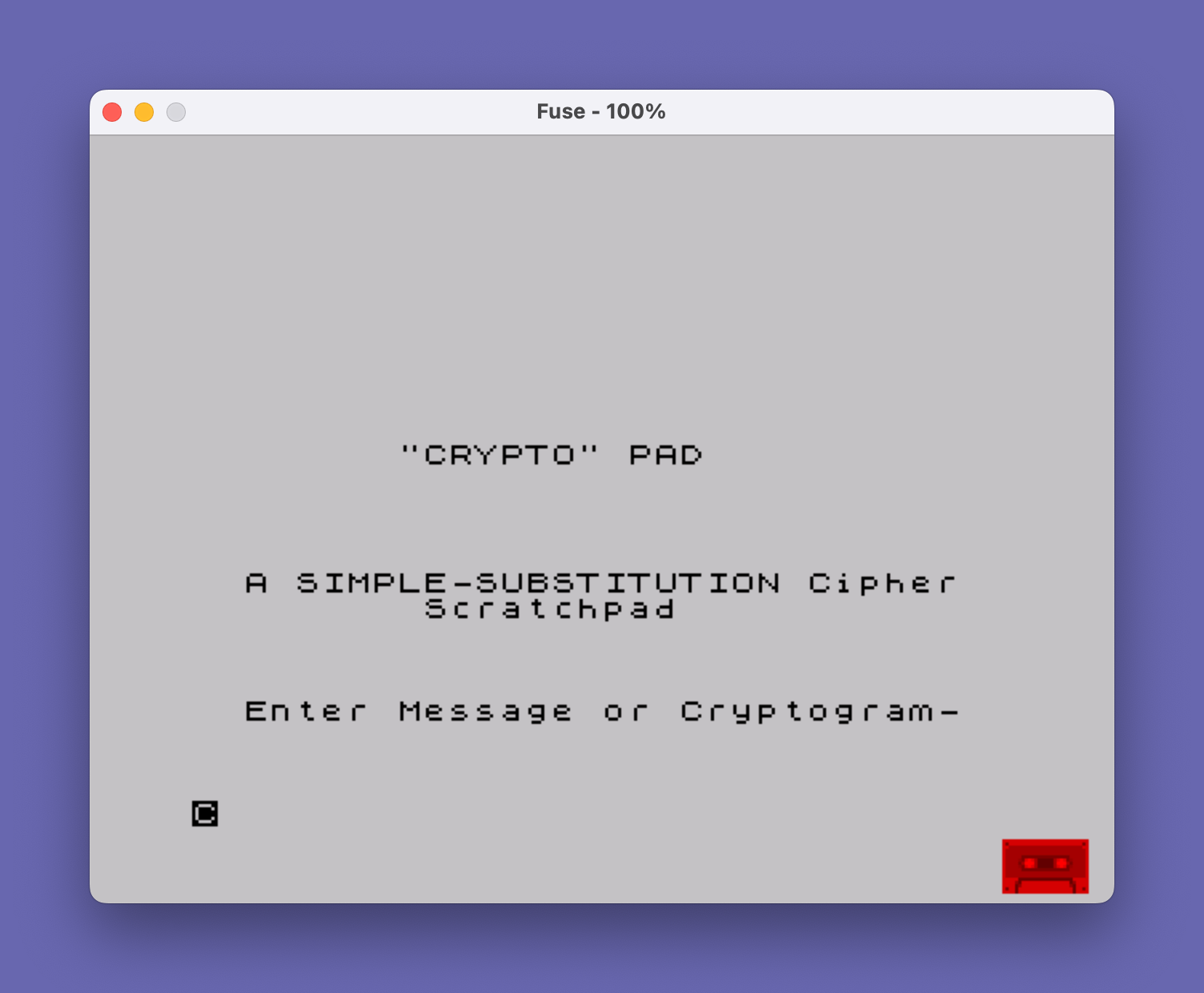
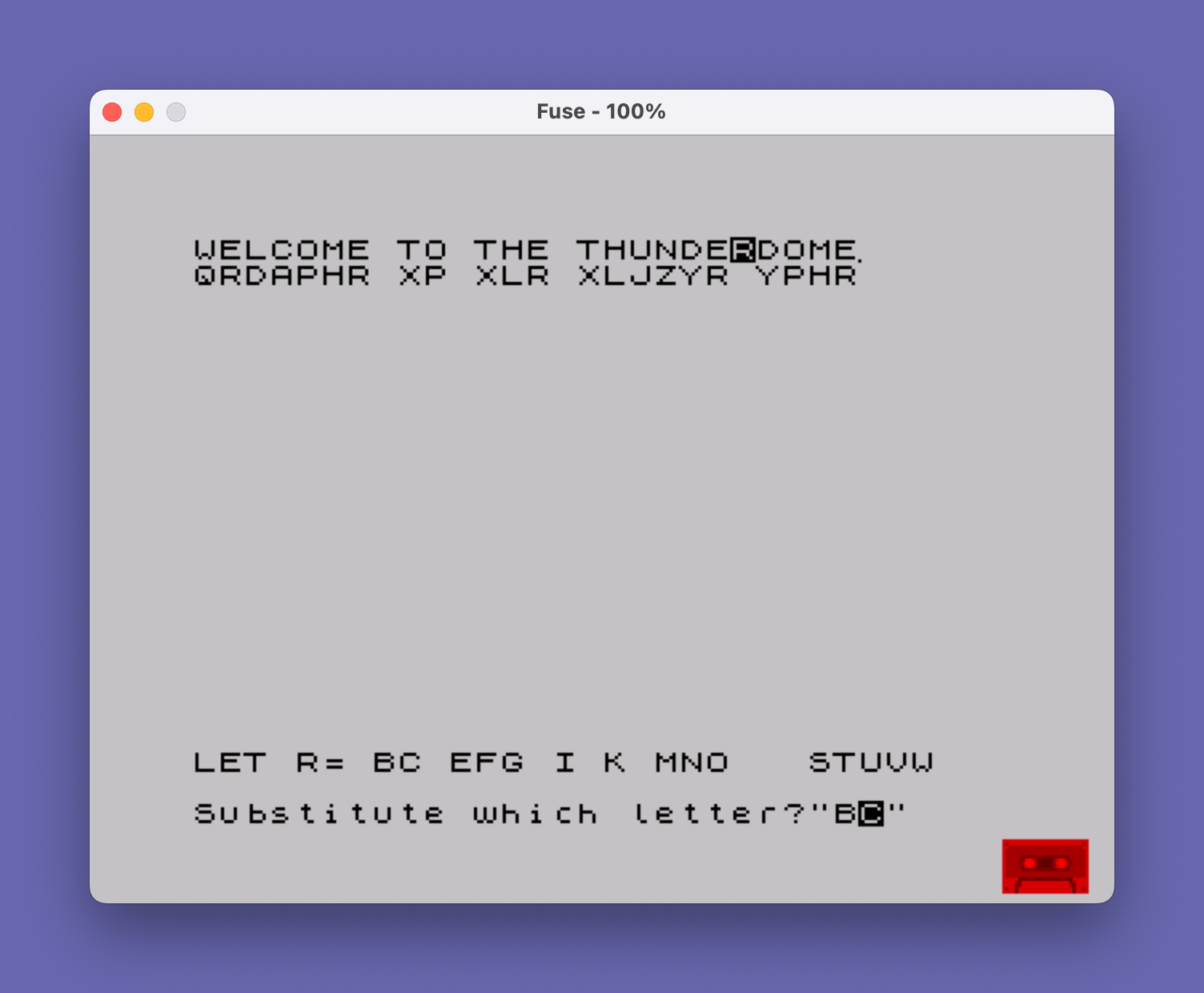
This program implements an interactive simple-substitution cipher tool that accepts either a plaintext message or cryptogram and displays it with a visual substitution pad. The message is split into lines of up to 32 characters at word boundaries and printed with blank lines between each segment; below each line of text a substitution row is maintained on screen. The program uses SCREEN$ to read characters directly from the display buffer rather than maintaining a separate data array, effectively using the screen as its working storage for the cipher alphabet. POKE 23609,30 sets the BORDCR system variable, POKE 65535,128 and POKE 23658,8 configure display and caps-lock behavior, while the loop at lines 10–14 zeroes a block of high memory. Input validation at lines 504 and 613 restricts entries to printable ASCII range below the backtick (character 96).
Program Analysis
Program Structure
The program divides into four logical phases:
- Initialization (lines 5–24): Clears high memory, sets system variables, and displays the title and prompt.
- Message formatting (lines 30–350): Accepts a message via
INPUT LINE, then iteratively splits it into word-wrapped segments of up to 32 characters, printing each segment with two blank lines beneath it to leave room for the substitution row. - Punctuation seeding (lines 360–396): Scans the on-screen text and copies any non-alphabetic, non-space characters directly to the substitution rows below them.
- Interactive substitution loop (lines 480–690): Prompts the user to press a letter key, highlights all occurrences on screen using
FLASH 1, then asks for a substitute letter and writes it into the substitution rows, updating the cipher alphabet stringc$.
Screen-as-Data-Structure Technique
The most distinctive design choice is the use of SCREEN$ (lines 375, 530, 540, 660–666) as the sole working storage for both the ciphertext display and the substitution alphabet. No separate arrays are maintained; the program reads character values directly from the display buffer at runtime. This conserves RAM but ties all logic tightly to screen coordinates and layout.
The layout uses rows in multiples of 3: ciphertext on row r, substitution on row r+1, and a blank row at r+2. The outer loops at lines 365 and 515 step by 3 (STEP 3) to exploit this structure.
Message Word-Wrapping (Lines 100–350)
Word wrapping is implemented by scanning backwards from position 33 for a space character:
- Line 100 starts the loop from position 33 down to 1.
- Line 110 clamps
itoLEN a$if the remaining text is shorter than 32 characters. - Line 120 breaks on a space, routing to line 200 to split there.
- Line 150 handles the fallback hard split at column 32 if no space was found.
- After printing, lines 330–350 strip leading spaces from the remainder.
The sentinel "\u " appended at line 55 (a UDG character followed by a space) ensures the last word is always terminated by a space, guaranteeing the word-wrap scan always finds a delimiter.
Substitution Alphabet String c$
The string c$ initialized at line 30 holds the 26-letter alphabet. As substitutions are assigned, the corresponding position in c$ is blanked (line 630) to prevent double-assignment. The check at line 618 (IF c$(CODE m$-64)=" ") enforces this constraint. When a substitution is written to the screen (line 668), line 666 restores the letter to c$ if a previously placed substitution is being overwritten — though this restoration logic only fires when the screen row already contains an alphabetic character, so partial edge cases may arise if substitutions are changed repeatedly.
Input Handling and Validation
The keypress wait at lines 500–502 uses the standard flush-then-wait idiom: line 500 waits for the key to be released, line 501 waits for a new press. This prevents key repeat from triggering unwanted actions.
Lines 504 and 613 validate input by checking the character code falls within the printable range below backtick (`, code 96). On this keyboard, codes 65–90 are uppercase letters and codes 32–64 are digits and punctuation — the backtick upper bound neatly excludes control characters above code 96 while accepting the full printable set.
System Variable Configuration
| Address | System Variable | Value | Effect |
|---|---|---|---|
| 23609 | BORDCR | 30 | Sets border/paper color |
| 65535 | High memory byte | 128 | Program-specific flag |
| 23658 | FLAGS2 | 8 | Disables CAPS LOCK |
| 65528–65534 | High RAM | 0 | Zeroed initialization block |
Notable Bugs and Anomalies
- Line 390 punctuation placement: Punctuation is printed at row
r+1(the substitution row), but the loop only checksr=1 TO 20 STEP 3. If the message fills more than 7 lines (row 20), trailing punctuation will be missed. - Line 670 early exit: Inside the substitution-writing loop, encountering a null screen character (
CODE SCREEN$(r,c)=0) causes an immediateGO TO 480rather than continuing to check remaining rows. This can leave occurrences of the target letter on later rows un-substituted if a null cell appears mid-scan. - UDG sentinel visible: The
\uUDG character appended at line 55 may render as a visible (possibly undefined) graphic on the last printed line before being word-wrapped off, depending on whether UDG “u” has been defined.
Image Gallery
Source Code
    5 REM "CRYPTO"
   10 FOR i=65528 TO 65534
   12 POKE i,0
   14 NEXT i
   16 CLS : POKE 23609,30: POKE 65535,128: POKE 23658,8
   20 PRINT AT 9,8;"""CRYPTO"" PAD": PRINT : PRINT : PRINT : PRINT
   22 PRINT "  A SIMPLE-SUBSTITUTION Cipher           Scratchpad": PRINT : PRINT : PRINT
   24 PRINT "  Enter Message or Cryptogram-"
   30 LET c$="ABCDEFGHIJKLMNOPQRSTUVWXYZ"
   50 INPUT LINE a$
   55 LET a$=a$+"\u "
   60 CLS
   70 PRINT
  100 FOR i=33 TO 1 STEP -1
  110 IF i>LEN a$ THEN LET i=LEN a$
  120 IF a$(i)=" " THEN GO TO 200
  130 NEXT i
  150 LET r$=a$( TO 32): LET a$=a$(33 TO ): GO TO 300
  200 LET r$=a$( TO i-1)
  210 LET a$=a$(i+1 TO )
  300 PRINT r$
  320 PRINT : PRINT
  325 IF LEN a$=0 THEN GO TO 360
  330 IF a$(1)<>" " THEN GO TO 100
  340 LET a$=a$(2 TO )
  350 GO TO 330
  360 PRINT AT 21,0; FLASH 1;"SETTING PUNCTUATION"
  365 FOR r=1 TO 20 STEP 3
  370 FOR c=0 TO 31
  375 LET p=CODE SCREEN$ (r,c)
  380 IF p=0 THEN GO TO 480
  385 IF p=32 THEN GO TO 395
  390 IF (p<65 OR p>90) THEN PRINT AT r+1,c;SCREEN$ (r,c)
  395 NEXT c
  396 NEXT r
  480 PRINT AT 21,0;"LET "; FLASH 1;"?"; FLASH 0;"=";c$
  490 LET h=0
  495 BEEP .03,20
  500 IF INKEY$<>"" THEN GO TO 500
  501 IF INKEY$="" THEN GO TO 501
  502 LET l$=INKEY$
  504 IF l$>"`" OR l$<" " THEN GO TO 500
  505 BEEP .02,15
  510 PRINT AT 21,4;l$
  515 FOR r=1 TO 20 STEP 3
  520 FOR c=0 TO 31
  530 IF SCREEN$ (r,c)=l$ THEN PRINT AT r,c; FLASH 1;l$: BEEP .03,30: LET h=1
  540 IF CODE SCREEN$ (r,c)=0 THEN GO TO 595
  550 NEXT c
  590 NEXT r
  595 BEEP .01,10
  600 IF NOT h THEN GO TO 480
  605 INPUT "Substitute which letter?";m$
  610 IF m$="" THEN GO TO 605
  612 LET m$=m$(1)
  613 IF m$<" " OR m$>"`" THEN GO TO 605
  615 IF NOT (m$>"@" AND CODE m$<91) THEN GO TO 650
  618 IF c$(CODE m$-64)=" " THEN GO TO 605
  630 LET c$(CODE m$-64)=" "
  650 FOR r=1 TO 20 STEP 3
  655 FOR c=0 TO 31
  660 IF SCREEN$ (r,c)<>l$ THEN GO TO 670
  662 PRINT AT r,c; FLASH 0;l$
  664 LET n$=SCREEN$ (r+1,c)
  666 IF (n$>"@" AND CODE n$<91) THEN LET c$(CODE n$-64)=n$
  668 PRINT AT r+1,c;m$: BEEP .01,27
  670 IF CODE SCREEN$ (r,c)=0 THEN GO TO 480
  680 NEXT c
  690 NEXT r
 9000 SAVE "CRYPTO" LINE 10
Note: Type-in program listings on this website use ZMAKEBAS notation for graphics characters.