
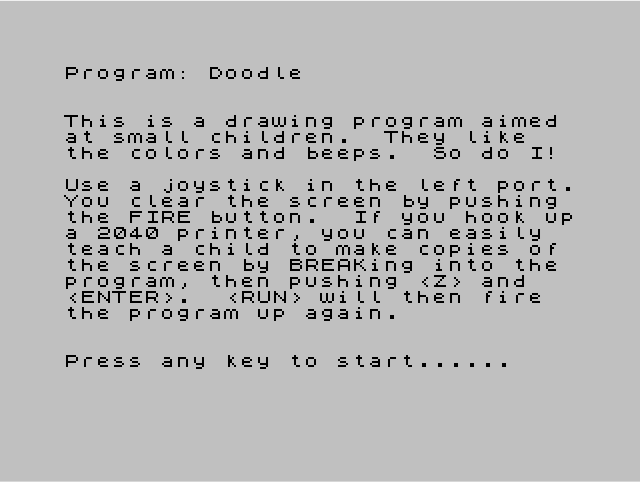
This is a joystick-driven drawing program designed for young children, using the STICK function to read a joystick in port 1. The cursor is rendered as a small cross (two perpendicular lines, four pixels each) drawn with PLOT/DRAW, and the previous cursor position is erased by redrawing it with INVERSE 1 before plotting the new position. Each direction of movement triggers a short BEEP with a distinct pitch and duration, providing audio feedback. The screen is initialised with a solid border of block-graphic characters (█, 704 of them) and INK/PAPER colours are set before drawing begins. Fire on joystick port 2 clears the screen and restarts the draw loop; a note in the introduction explains how to invoke a 2040 printer via BREAK.
Program Structure
The program divides into three broad phases:
- Introduction (lines 1–5): Prints a description and waits for any key via a busy-loop on
INKEY$. - Initialisation (lines 10–130): Sets colours, fills the screen with block characters to create a border effect, and positions the initial cursor at
x=5, y=5with step sizes=4. - Main draw loop (lines 210–510): Reads the joystick, moves the cursor, erases the old cross with INVERSE, draws the new cross in a random ink colour, and loops.
Joystick Handling
The program uses the TS2068-specific STICK keyword (rendered as | in zmakebas source) to read an analogue joystick. Port 1 provides direction and port 2 provides the fire button.
| STICK(1,1) value | Direction | Δx | Δy | BEEP pitch |
|---|---|---|---|---|
| 4 | Left | −s | 0 | 1 |
| 5 | Down-left | −s | +s | 2 |
| 6 | Up-left | −s | −s | 5 |
| 2 | Up | 0 | −s | 3 |
| 10 | Up-right | +s | −s | 1 |
| 1 | Down | 0 | +s | 3 |
| 9 | Down-right | +s | +s | 6 |
| 8 | Right | +s | 0 | 6 |
Fire on port 2 (STICK(2,1)=1 at line 270) branches to line 10, which reinitialises colours and clears the screen.
Cursor Rendering
The cursor is a small cross drawn from two overlapping lines: a horizontal segment (PLOT x-2,y : DRAW 4,0) and a vertical segment (PLOT x,y-2 : DRAW 0,4). The old position is erased by repeating the same geometry with INVERSE 1 (lines 410–440), which XORs the pixels back to their previous state. This avoids having to repaint the background.
Screen Initialisation
Line 50 prints 704 solid block characters (█, char 143) to fill the entire 22×32 display area. This creates a uniform filled canvas rather than a simple CLS. Because the border is also covered, the joystick coordinates are clamped (lines 310–340) to keep the cursor within x∈[5,250] and y∈[5,170], safely inside the pixel grid.
Colour and Sound
Each new cross is drawn in a randomly chosen ink colour: INK (RND*7)+1 at line 460 selects a value in the range 1–7, excluding black (0), so the mark is always visible against the filled background. Each joystick direction also triggers a BEEP with a short duration (~7–14 ms) and a distinct semitone pitch, giving continuous audio feedback during movement.
Image Gallery
Source Code
    1 REM doodle---by John Riley
    2 PRINT : PRINT : PRINT "This is a drawing program aimed at small children.  They like   the colors and beeps.  So do I!"
    3 PRINT : PRINT "Use a joystick in the left port.You clear the screen by pushing the FIRE button.  If you hook upa 2040 printer, you can easily  teach a child to make copies of the screen by BREAKing into the program, then pushing <Z> and   <ENTER>.  <RUN> will then fire  the program up again."
    4 PRINT : PRINT : PRINT "Press any key to start......"
    5 IF INKEY$="" THEN GO TO 5
   10 INK 0: PAPER 7: CLS
   50 FOR q=1 TO 704: PRINT "█";: NEXT q
  110 LET x=5: LET y=5
  120 LET s=4
  130 GO TO 450
  210 IF INKEY$=" " THEN GO TO 210
  220 LET xo=x: LET yo=y
  230 IF STICK(1,1)=4 THEN LET x=x-s: BEEP .008,1
  235 IF STICK(1,1)=5 THEN LET x=x-s: LET y=y+s: BEEP .011,2
  237 IF STICK(1,1)=6 THEN LET x=x-s: LET y=y-s: BEEP .012,5
  240 IF STICK(1,1)=2 THEN LET y=y-s: BEEP .007,3
  245 IF STICK(1,1)=10 THEN LET y=y-s: LET x=x+s: BEEP .013,1
  250 IF STICK(1,1)=1 THEN LET y=y+s: BEEP .005,3
  255 IF STICK(1,1)=9 THEN LET y=y+s: LET x=x+s: BEEP .014,6
  260 IF STICK(1,1)=8 THEN LET x=x+s: BEEP .010,6
  270 IF STICK(2,1)=1 THEN GO TO 10
  310 IF x<5 THEN LET x=5
  320 IF x>250 THEN LET x=250
  330 IF y<5 THEN LET y=5
  340 IF y>170 THEN LET y=170
  410 PLOT INVERSE 1;xo-2,yo
  420 DRAW INVERSE 1;4,0
  430 PLOT INVERSE 1;xo,yo-2
  440 DRAW INVERSE 1;0,4
  460 INK (RND*7)+1: PLOT x-2,y
  470 DRAW 4,0
  480 PLOT x,y-2
  490 DRAW 0,4
  510 GO TO 210
Note: Type-in program listings on this website use ZMAKEBAS notation for graphics characters.