
This program collects exam scores one at a time and tallies them into letter-grade buckets (A through F), tracking the total count and the minimum and maximum scores entered. Input continues in a loop until the user types “X”, at which point results are displayed using PRINT with tab-formatted columns. Initialisation is handled via a GOSUB to line 400, which uses CLEAR to reset all variables before zeroing A, B, C, D, F, and N explicitly. The grade boundaries follow a standard 10-point scale: below 60 is F, 60–69 is D, 70–79 is C, 80–89 is B, and 90+ is A.
Program Analysis
Program Structure
The program is divided into four logical sections:
- Initialisation (lines 400–470): A subroutine called at startup via
GOSUB 400that clears variables and sets all counters to zero. - Input loop (lines 20–180): Repeatedly prompts for a score, classifies it, updates the running min/max, and loops back until “X” is entered.
- Results display (lines 200–270): Prints total count, score range, and each letter-grade tally before halting with
STOP. - Utility lines (500–600): A
SAVEline and a bareRUNat line 600.
Grade Classification Logic
Each score is tested against five mutually exclusive ranges using consecutive IF statements on lines 100–140. The boundaries implement a standard 10-point letter-grade scale:
| Grade | Condition | Counter |
|---|---|---|
| F | G < 60 | F |
| D | G > 59 AND G < 70 | D |
| C | G > 69 AND G < 80 | C |
| B | G > 79 AND G < 90 | B |
| A | G > 89 | A |
Using strict inequalities with integer boundary values (e.g. G > 59 AND G < 70) correctly handles whole-number scores, but would silently misclassify a fractional score such as 59.5, which falls into no bucket. This is a minor latent bug for non-integer inputs.
Min/Max Tracking
Lines 150 and 155 seed both the low (L) and high (H) variables with the very first score when N=1. Subsequent scores update L downward (line 160) and H upward (line 170). This is a clean idiom that avoids needing a sentinel value or a separate flag variable.
Initialisation Subroutine
The subroutine at line 400 begins with CLEAR, which on this platform erases all variables. The subsequent explicit assignments of A, B, C, D, F, and N to zero are therefore redundant — variables default to zero after CLEAR — but serve as readable documentation of the program’s state. The variable L and H are not initialised here; they are handled lazily at lines 150–155 on the first score entry.
Input Handling
The program accepts score input as a string (G$) and converts it with VAL G$ at line 60. The sentinel value “X” is tested at line 50 before the VAL conversion, correctly avoiding a numeric conversion error on non-numeric input. However, any non-numeric, non-“X” input would cause a VAL error at line 60; there is no general error trap.
Notable Techniques and Anomalies
- The title line (line 5) prints without a preceding
CLS, but line 40 issues aCLSafter each score entry, keeping the display clean during data entry. PRINT "A",A(and similarly for B–F) uses the comma tab stop to produce a two-column layout, aligning grade labels with their counts.- Line 600 contains a bare
RUNwith no line number argument, which would restart the entire program from line 5 if ever reached — but it is unreachable during normal execution since line 270 halts withSTOP. - The program uses the variable name
Ffor the fail-grade counter. SinceFis not a reserved keyword in this BASIC dialect, this is valid, though it could cause confusion with numeric string functions in other contexts.
Image Gallery
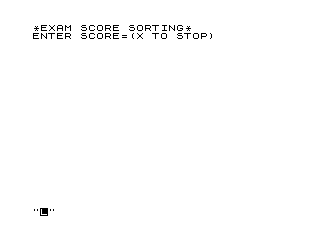
Source Code
   5 PRINT "*EXAM SCORE SORTING*"
  10 GOSUB 400
  20 PRINT "ENTER SCORE=(X TO STOP)"
  30 INPUT G$
  40 CLS
  50 IF G$="X" THEN GOTO 200
  60 LET G=VAL G$
  70 LET N=N+1
 100 IF G<60 THEN LET F=F+1
 110 IF G>59 AND G<70 THEN LET D=D+1
 120 IF G>69 AND G<80 THEN LET C=C+1
 130 IF G>79 AND G<90 THEN LET B=B+1
 140 IF G>89 THEN LET A=A+1
 150 IF N=1 THEN LET L=G
 155 IF N=1 THEN LET H=G
 160 IF G<L THEN LET L=G
 170 IF G>H THEN LET H=G
 180 GOTO 20
 200 PRINT "TOTAL ";N;" SCORES"
 210 PRINT "FROM ";L;" TO ";H
 220 PRINT "A",A
 230 PRINT "B",B
 240 PRINT "C",C
 250 PRINT "D",D
 260 PRINT "F",F
 270 STOP
 400 CLEAR
 410 LET A=0
 420 LET B=0
 430 LET C=0
 440 LET D=0
 450 LET F=0
 460 LET N=0
 470 RETURN
 500 SAVE "1006%2"
 600 RUN
Note: Type-in program listings on this website use ZMAKEBAS notation for graphics characters.