
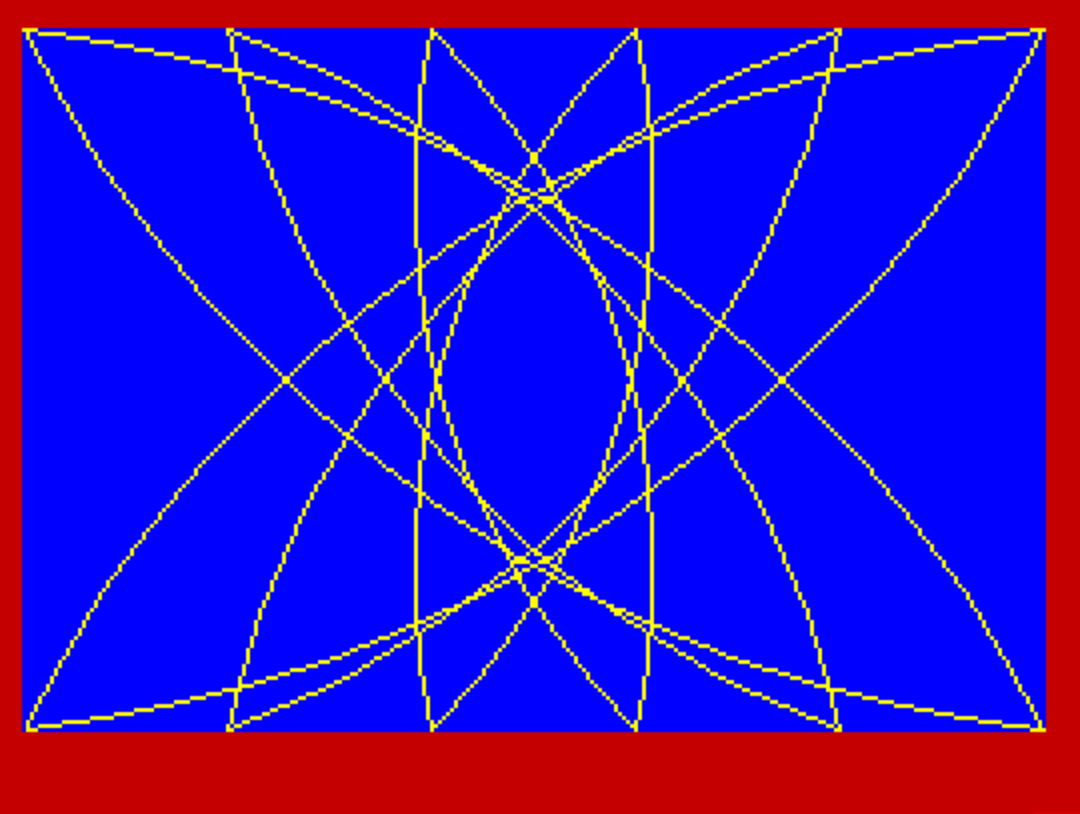
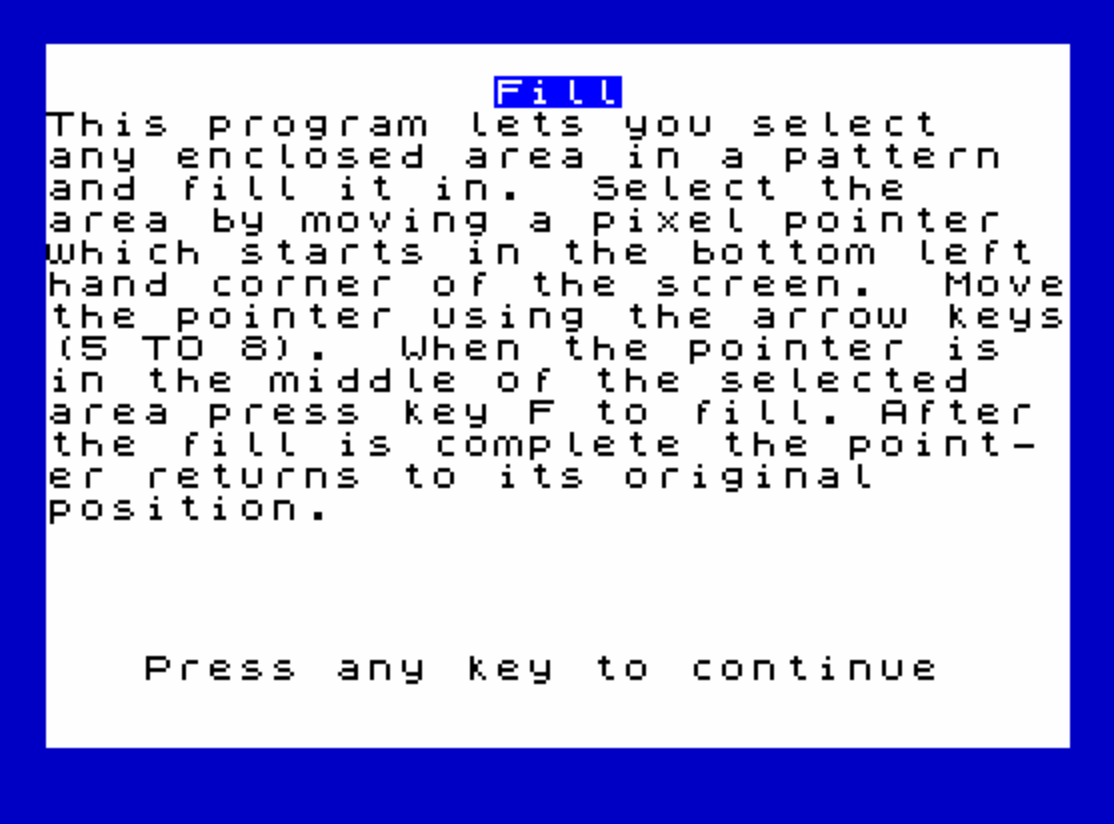
This program implements a pixel-level flood-fill routine for the 256×176 pixel graphics area. A crosshair pointer is moved around the screen using the 5–8 cursor keys, and pressing F triggers a subroutine that fills the enclosed area containing the pointer’s location. The fill algorithm works by first walking outward along a vertical column to find the top and bottom boundary pixels, then scanning horizontally row by row to paint unset pixels, and separately handling four corner regions (top-right, top-left, bottom-right, bottom-left) that extend beyond the central column. Line 1010 pre-loads subroutine entry points into variables so that GO TO statements can target symbolic labels rather than hard-coded line numbers. A sample pattern is drawn using PLOT and DRAW with arc segments (lines 120–140) to create a web of intersecting curved lines that define closed regions suitable for filling.
Program Analysis
Program Structure
The program is divided into four logical sections:
- Lines 10–80: Introduction screen — displays instructions and waits for a keypress.
- Lines 100–140: Sample pattern generator — draws a series of intersecting arcs using
PLOT/DRAWto create closed regions to fill. - Lines 500–630: Pointer movement and selection loop — moves a pixel cursor and waits for the F key to trigger the fill.
- Lines 1000–1510: The fill subroutine itself, entered via
GO SUB fill.
Pattern Generation
Lines 120–140 loop p from 0 to 255 in steps of 51, using DRAW with a third argument (the arc angle in radians) to produce curved lines. Each iteration plots two arcs from the same starting pixel, creating a symmetrical web of intersecting curves that enclose distinct regions suitable for flood-filling. Six iterations produce a visually rich pattern without any bitmap data.
Pointer Movement Loop
The pointer is represented by a single pixel toggled with PLOT OVER 1 — XOR-plotting — so the pixel can be shown and hidden without corrupting underlying graphics. Variables x and y track the pointer coordinates. Lines 570–600 use a compact Sinclair BASIC idiom where boolean expressions (INKEY$="8" etc.) evaluate to 1 or 0, allowing a single arithmetic expression to handle four-directional movement. Boundary wrapping at lines 580 and 600 uses the same trick to keep coordinates in range. Line 550 polls INKEY$ in a tight loop and line 560 erases the old pixel before movement — a standard PAUSE 0 / INKEY$ idiom adapted without PAUSE 0, instead looping on empty INKEY$.
Symbolic Line-Number Variables
Line 1010 pre-assigns a large set of variables whose names match subroutine labels (e.g., fillright, toppoint, loopbotleft) to the actual line numbers of corresponding REM statements. Line 1020 assigns select, fill, move, and wait near the top of the program (line 20). This allows GO TO toppoint, GO TO fillright, etc., to be written symbolically. The approach is a well-known memory and maintainability technique in Sinclair BASIC: VAL is not needed here because the variable itself holds the numeric line number directly.
Fill Algorithm
The fill subroutine uses a custom scanline-style approach rather than a recursive flood fill. It operates in several stages:
- Vertical scan (lines 1030–1060): Starting from the pointer’s Y coordinate,
awalks upward andbwalks downward usingPOINTto find the top and bottom boundary pixels of the enclosed area along columnx. - Corner extent detection (lines 1070–1140): Four variables (
cmax,cmin,dmax,dmin) are walked outward fromxto find how far the enclosed region extends horizontally at the top and bottom edges. - Main horizontal fill (lines 1160–1230): For each row between
b+2anda-2,xmaxandxminwalk right and left fromx, plotting unset pixels until a boundary is hit. - Corner fills (lines 1250–1510): Four separate loops handle the top-right, top-left, bottom-right, and bottom-left corner regions, each walking vertically outward from the boundary row.
Notable Techniques
PLOT OVER 1is used for the cursor pixel so it can be toggled without corrupting the underlying pattern.- All inner loops use
GO TOwith symbolic variables rather thanFOR/NEXT, which is faster for tight pixel-scanning loops in Sinclair BASIC. - The
POINTfunction is used extensively as a boundary detector — the fill stops when it encounters a set pixel, making the algorithm implicitly shape-agnostic. - Early exit conditions (e.g.,
IF cmax=x+1 THEN GO TO filltopleftat line 1250) skip corner-fill phases when no corner extent exists, avoiding unnecessary work.
Bugs and Anomalies
- Lines 570–600 read
INKEY$multiple times in sequence. Because each read samples the keyboard independently, rapidly pressed or released keys may cause only some of the four direction checks to fire correctly in a single pass, though in practice this is rarely noticeable. - The fill algorithm assumes the pointer is placed strictly inside a closed boundary. If the pointer is on or near a boundary pixel, or if the shape is not truly closed, the boundary-walking loops have no guard against running off-screen, which could cause erratic behavior or an infinite loop.
- Line 1220 has a comment “fill toleft” (missing space), a minor typographical error in the source.
- The variable name
filleftat line 1010 appears to be a typo forfillleft(orfillleft), though it is consistent with its usage at line 1220 (GO TO filleft), so no actual bug results.
Variable Summary
| Variable | Role |
|---|---|
fill, wait, move, select | Line-number aliases for major GO TO targets |
x, y | Current pointer pixel coordinates |
a, b | Top and bottom boundary Y coordinates on column x |
cmax, cmin | Rightmost/leftmost X extent at top boundary |
dmax, dmin | Rightmost/leftmost X extent at bottom boundary |
xmax, xmin | Horizontal fill extents for main body scanlines |
ymax, ymin | Vertical fill extents for corner region scanlines |
n | Loop counter for row/column iteration |
p | Pattern generation loop counter |
Image Gallery
Source Code
   10 REM P51 FILL
   20 LET fill=1000: LET wait=540: LET move=520: LET select=500
   29 REM
   30 REM set up PRINT ser display
   31 REM
   40 BORDER 1: PAPER 7: INK 9: BRIGHT 1: CLS
   50 PRINT PAPER 1;AT 1,14;"Fill"
   60 PRINT "This program lets you select    any enclosed area in a pattern  and fill it in.  Select the     area by moving a pixel pointer  which starts in the bottom left hand corner of the screen.  Movethe pointer using the arrow keys(5 TO 8).  When the pointer is  in the middle of the selected   area press key F to fill. After the fill is complete the point- er returns to its original      position."
   70 PRINT FLASH 1;AT 19,3;"Press any key to continue"
   80 PAUSE 0
   89 REM
   90 REM sample program 100-490
   91 REM
  100 REM pattern program
  101 REM
  110 BORDER 2: PAPER 1: INK 6: BRIGHT 1: CLS
  120 FOR p=0 TO 255 STEP 51
  130 PLOT p,0: DRAW 255-2*p,175,1: DRAW 2*p-255,-175,1
  140 NEXT p
  499 REM
  500 REM select area
  501 REM
  510 LET x=0: LET y=0
  520 REM move
  530 PLOT OVER 1,x,y
  540 REM wait
  550 IF INKEY$="" THEN GO TO wait: REM no space between inverted commas
  560 PLOT OVER 1;x,y
  570 LET x=x+(INKEY$="8")-(INKEY$="5")
  580 LET x=x-(x>255)+(x<0)
  590 LET y=y+(INKEY$="7")-(INKEY$="6")
  600 LET y=y-(y>175)+(y<0)
  610 IF INKEY$<>"f" AND INKEY$<>"F" THEN GO TO move
  620 GO SUB fill
  630 GO TO select
  900 REM subroutines
 1000 REM fill - fills enclosed space
 1010 LET loopbotleft=1490: LET fillbotleft=1450: LET loopbotright=1420: LET fillbotright=1380: LET looptopleft=1350: LET filltopleft=1310: LET looptopright=1280: LET filleft=1200: LET fillright=1180: LET bottomleft=1130: LET bottomright=1110: LET topleft=1090: LET topright=1070: LET bottompoint=1050: LET toppoint=1030
 1020 LET a=y: LET b=y: LET cmax=x+1: LET cmin=x-1: LET dmax=x+1: LET dmin=x-1
 1030 REM toppoint
 1040 IF POINT (x,a)=0 THEN LET a=a+1: GO TO toppoint: REM find pixel (x,a)
 1050 REM bottompoint
 1060 IF POINT (x,b)=0 THEN LET b=b-1: GO TO bottompoint: REM find pixel (x,b)
 1070 REM topright
 1080 IF POINT (cmax,a-1)=0 THEN LET cmax=cmax+1: GO TO topright: REM test if area exists above and to right of pixel (x,a) and, if so find cmax
 1090 REM topleft
 1100 IF POINT (cmin,a-1)=0 THEN LET cmin=cmin-1: GO TO topleft: REM test if area exists above and to left of pixel (x,a) and, if so find cmax
 1110 REM bottomright
 1120 IF POINT (dmax,b+1)=0 THEN LET dmax=dmax+1: GO TO bottomright: REM test if area exists below and to right of pixel (x,b) and, if so find dmax
 1130 REM bottomleft
 1140 IF POINT (dmin,b+1)=0 THEN LET dmin=dmin-1: GO TO bottomleft: REM test if area exists below and to left of pixel (x,b) and, if so find dmin
 1150 REM The important point coordinates have now been found. Now fill the area.
 1160 FOR n=b+2 TO a-2
 1170 LET xmax=x: LET xmin=x-1
 1180 REM fillright
 1190 IF POINT (xmax,n)=0 THEN PLOT xmax,n: LET xmax=xmax+1: GO TO fillright: REM fill to right of line between pixels(x,b) and (x,a)
 1200 REM filleft
 1220 IF POINT (xmin,n)=0 THEN PLOT xmin,n: LET xmin=xmin-1: GO TO filleft: REM fill toleft of line between pixels (x,b) and (x,a)
 1230 NEXT n
 1240 REM fill the top and bottom areas
 1250 IF cmax=x+1 THEN GO TO filltopleft
 1260 FOR n=x-1 TO cmax-1
 1270 LET ymax=a-1
 1280 REM looptopright
 1290 IF POINT (n,ymax)=0 THEN PLOT n,ymax: LET ymax=ymax+1: GO TO looptopright: REM fill top right hand space
 1300 NEXT n
 1310 REM filltopleft
 1320 IF cmin=x-1 THEN GO TO fillbotright
 1330 FOR n=x+1 TO cmin+1 STEP -1
 1340 LET ymax=a-1
 1350 REM looptopleft
 1360 IF POINT (n,ymax)=0 THEN PLOT n,ymax: LET ymax=ymax+1: GO TO looptopleft: REM fill top lefthand space
 1370 NEXT n
 1380 REM fillbotright
 1390 IF dmax=x+1 THEN GO TO fillbotleft
 1400 FOR n=x-1 TO dmax-1
 1410 LET ymin=b+1
 1420 REM loopbotright
 1430 IF POINT (n,ymin)=0 THEN PLOT n,ymin: LET ymin=ymin-1: GO TO loopbotright: REM fill bottom right hand space
 1440 NEXT n
 1450 REM fillbotleft
 1460 IF dmin=x-1 THEN RETURN
 1470 FOR n=x+1 TO dmin+1 STEP -1
 1480 LET ymin=b+1
 1490 REM loopbotleft
 1500 IF POINT (n,ymin)=0 THEN PLOT n,ymin: LET ymin=ymin-1: GO TO loopbotleft: REM fillbottom left hand space
 1510 NEXT n: RETURN
Note: Type-in program listings on this website use ZMAKEBAS notation for graphics characters.