
This program draws concentric circular patterns (“mandalas”) by plotting points along expanding rings using trigonometric functions. It accepts a user-supplied integer between 1 and 100, which controls the angular resolution of each ring: each circle is sampled at 2×NUMBER evenly spaced points using the parametric equations x = 31 − B·cos(N/NUMBER·π) and y = 22 + B·sin(N/NUMBER·π). Twenty concentric rings are drawn (B from 1 to 20), centred near the middle of the ZX81’s 64×44 lo-res PLOT coordinate space. After plotting, a POKE to address 16384 (the display file’s first byte) is used as a finishing touch before the program halts.
Program Analysis
Program Structure
The program is short and linear, divided into three logical phases:
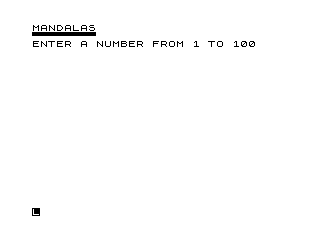
- Introduction (lines 1–50): Displays a title and decorative border row, then inputs and validates a number in the range 1–100.
- Drawing (lines 60–120): Clears the screen, switches to FAST mode, and plots the mandala using nested
FORloops. - Finalisation (lines 130–180): Writes to the display file, halts execution, and contains housekeeping lines (
CLEAR,SAVE,RUN) that are never reached during normal execution.
The Mandala Algorithm
The core drawing uses two nested loops. The outer loop variable B runs from 1 to 20 and represents the radius of each successive ring. The inner loop variable N runs from 1 to 2*NUMBER and indexes sample points around the circumference. Each point is placed using:
- X =
31 - B*COS(N/NUMBER*PI) - Y =
22 + B*SIN(N/NUMBER*PI)
The angle step per iteration is N/NUMBER * PI, meaning the full loop sweeps 2*PI radians (one complete circle). The centre of the pattern is approximately (31, 22), which is close to the centre of the ZX81’s 64×44 lo-res PLOT grid. Larger values of NUMBER produce more sample points per ring, yielding smoother, denser circles; smaller values produce coarser polygonal shapes.
SLOW / FAST Mode Usage
The program switches to SLOW mode at line 5 to enable readable screen output during the prompt phase. It then switches to FAST mode at line 70 before the plotting loop. This is a standard ZX81 idiom: FAST mode suppresses the display refresh interrupt, dramatically speeding up computation-heavy PLOT loops at the cost of a blank screen during drawing.
Input Validation
Line 50 uses a compound OR condition to reject out-of-range input and loop back to line 40:
50 IF NUMBER<1 OR NUMBER>100 THEN GOTO 40
This is a clean, idiomatic guard. Note that no check is made for non-integer input; fractional values would be accepted and would alter the angular step, producing incomplete or non-repeating patterns.
POKE to Display File
Line 130 executes POKE 16384,74. Address 16384 is the start of the ZX81 display file. The value 74 is the opcode for a HALT instruction in Z80 machine code; however, in the ZX81 display file context this byte is interpreted as part of the display rather than executed. This POKE overwrites the first byte of the display with character code 74 (the letter J), which may subtly affect the top-left corner of the screen, though in FAST mode the display is suppressed and the effect would only appear after the program stops.
Unreachable Lines
Lines 160–180 (CLEAR, SAVE, RUN) are never reached during a normal run because STOP at line 150 halts execution. These are common housekeeping lines left in ZX81 program listings for re-saving the program to tape.
Decorative Border
Line 20 prints a row of block graphics using the escape sequence \'' repeated eight times. Each \'' represents the ▀ (top-half block) graphic character, creating a horizontal decorative line beneath the title.
Key Variables
| Variable | Role |
|---|---|
NUMBER | User input; controls angular sampling density (1–100) |
B | Outer loop counter; radius of current ring (1–20) |
N | Inner loop counter; current sample point index (1–2×NUMBER) |
Image Gallery

Source Code
   1 REM      MANDALAS
   3 CLS
   5 SLOW
  10 PRINT "MANDALAS"
  20 PRINT "\''\''\''\''\''\''\''\''"
  30 PRINT "ENTER A NUMBER FROM 1 TO 100"
  40 INPUT NUMBER
  50 IF NUMBER<1 OR NUMBER>100 THEN GOTO 40
  60 CLS
  70 FAST
  80 FOR B=1 TO 20
  90 FOR N=1 TO 2*NUMBER
 100 PLOT 31-B*COS (N/NUMBER*PI),22+B*SIN (N/NUMBER*PI)
 110 NEXT N
 120 NEXT B
 130 POKE 16384,74
 150 STOP
 160 CLEAR
 170 SAVE "1019%3"
 180 RUN
Note: Type-in program listings on this website use ZMAKEBAS notation for graphics characters.