
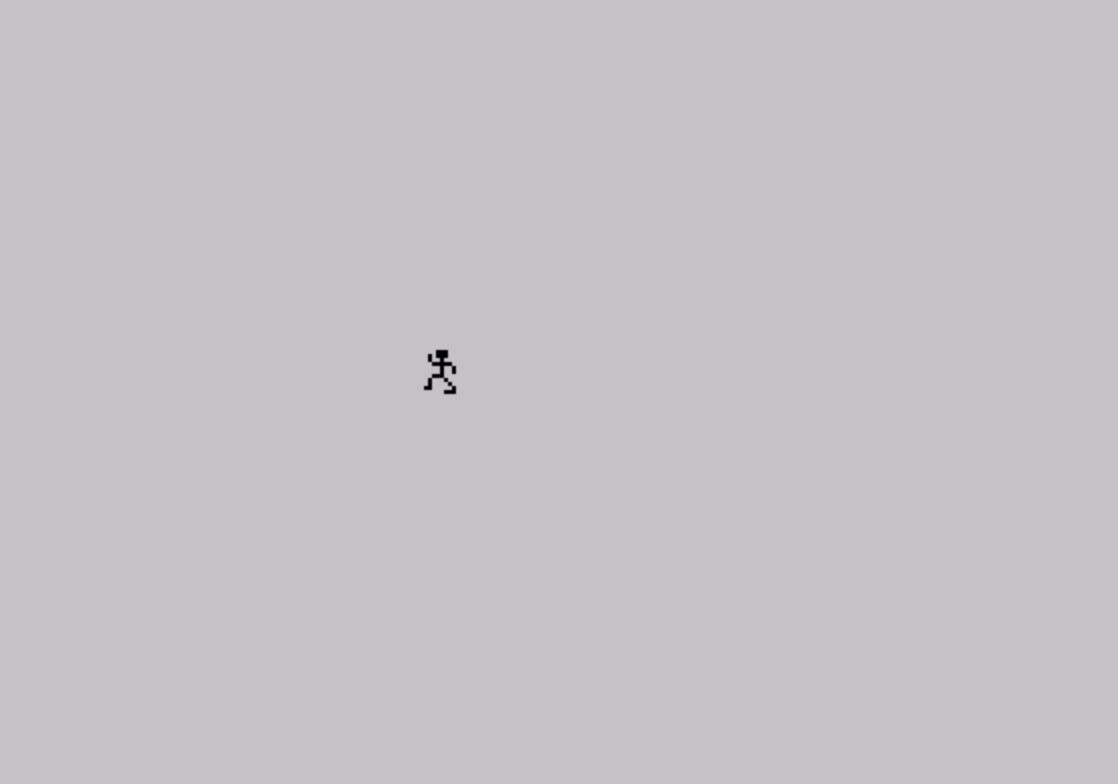
This program animates a walking stick figure (“Manimation”) across the screen using two sets of User Defined Graphics (UDGs) stored in string arrays. It exploits the TS2068’s ability to relocate the UDG table by POKEing system variables 23675 and 23676, allowing up to 80 UDGs across multiple memory-mapped sets rather than the standard 21. Frame data for each animation pose is packed into 24-element string arrays (d$ and e$), with each element holding two or three UDG character references that are later offset by 79 using CHR$ arithmetic to map from letters A–U into the UDG character range (144–164). The DATA statements from line 1000 onward define the pixel bitmaps for all UDG shapes, loaded via POKE USR in nested FOR loops. A variable l controls the figure’s horizontal travel distance, which decrements by 3 on each loop pass until the animation stops.
Program Analysis
Program Structure
The program is divided into three logical phases:
- Initialization (lines 1–6): Sets up memory, plays a startup beep sequence, and prints a title and description screen.
- Data loading (lines 20–120): Populates two string arrays (
d$ande$) with animation frame references, loads UDG bitmap data from DATA statements into multiple UDG table locations, then converts the A–U letter codes in the arrays to the actual UDG character codes by adding 79. - Animation loop (lines 130–250): Renders the walking figure descending the screen (using
d$), then crossing the screen horizontally (usinge$), repeating with a shorter travel distance on each pass untillreaches 2.
Multiple UDG Table Technique
The most technically significant feature is the use of multiple UDG tables to exceed the normal 21-UDG limit. System variables at addresses 23675–23676 hold a pointer to the UDG table base. By POKEing different values into these locations, the program relocates the UDG table to different areas of RAM, effectively creating independent sets of 20–21 UDGs each. This allows the program to define and use approximately 80 UDG shapes total across four table locations.
| POKE 23675 | POKE 23676 | Purpose |
|---|---|---|
| 176 | 254 | First UDG set, first pass (d$ graphics, right half) |
| 5 | (same) | First UDG set, second pass (d$ graphics, left half) |
| 88 | 255 | Restore default after d$ loading |
| 93 | 253 | Second UDG set base (e$ graphics) |
| 181 | 252 | Second UDG set, second bank (e$ graphics continuation) |
String Array Frame Encoding
DIM d$(24,3) and DIM e$(24,3) each create a 24-element array of 3-character strings. Each element represents one row of a 3-row sprite tile, using letters A through U (and spaces for blank tiles) to reference UDG characters. After the arrays are populated, lines 100–120 convert every non-space character by adding 79 to its ASCII code: CHR$(CODE d$(x,y)+79). Since CODE "A" = 65, adding 79 gives 144, the first UDG slot (\a), mapping A→UDG-a, B→UDG-b, etc., up to U→UDG-u (164).
Animation Rendering
The descent animation (lines 130–160) iterates rows i from 10 to 18 and frame indices j from 1 to 22 in steps of 3, printing three consecutive rows of d$ at screen position (i, 2). A special case at j=13 switches the UDG table pointer mid-loop to access the second bank of walking-figure graphics. The horizontal walk (lines 180–210) similarly steps through e$ frames at column i, which increments from 2 to l, with a UDG bank switch at frame 11.
Speed Control
Lines 140 and 190 implement optional speed-up: IF INKEY$="" THEN PAUSE 20 (or PAUSE 30). When the user holds a key, the PAUSE is skipped, making the animation run faster. This is a common Sinclair BASIC idiom for interactive speed control without breaking the main loop structure.
Loop Shortening and Termination
The variable l is initialized to 29 (line 1). After each full animation pass, line 240 decrements l by 3 and line 250 jumps back to line 130. Line 230 checks IF l=2 THEN STOP, halting when the figure has no room left to walk. This creates a figure that appears to travel progressively shorter distances, though the exact visual intent depends on screen layout.
UDG Data Loading
Lines 40–90 use nested FOR loops to READ and POKE UDG bitmap data. The outer loop over i (144 to 163 or 164) selects the character, and the inner loop over j (0 to 7) fills each of the 8 pixel rows via POKE USR CHR$ i + j, a. The z=1 TO 2 loop loads the same UDG range twice into different table locations by changing the base pointer before the second pass.
Notable Techniques and Idioms
- Use of
CLEAR 64699to set RAMTOP and protect the upper RAM area used for additional UDG tables. - Frame data encoded as letter strings with post-load offset arithmetic, keeping DATA lines human-readable during development.
OVER 1at line 6 draws an underline using XOR mode without overwriting existing content.- The SAVE line (9998) uses
LINE 1for autostart and chains a VERIFY immediately after saving. - Line 1000 onwards contains a large block of DATA values; no checksumming is performed, so any data corruption would silently produce garbled graphics.
Potential Anomalies
At line 1030, the DATA statement contains only 13 values before the next line, while the loop expects 16 values per UDG (2 bytes × 8 rows) — however, READ draws sequentially across all DATA lines, so partial lines are valid. More notably, line 220 references variable i after the loop at line 210 exits; since BASIC retains the last loop value, i will equal l+1 after the FOR loop ends, which is intentional for printing the final frame at the correct column position.
Image Gallery
Source Code
    1 CLEAR 64699: LET l=29
    2 FOR q=1 TO 10: BEEP .06,3*q: NEXT q: PRINT "MANIMATION"
    4 PRINT '''"THIS DEMONSTRATION SHOWS A NEAT"''"WAY OF CREATING 2068 ANIMATION"''"IN BASIC. THE TRICKS ARE:"'''"  *  GRAPHICS ARE PUT IN STRINGS"''"  *  STRINGS STORED IN ARRAYS"''"  *  MULTIPLE UDG SETS;80 udg's!"
    6 PRINT AT 18,6;"please wait...";AT 8,0; OVER 1;"________"
   20 DIM d$(24,3): LET d$(1)="AB": LET d$(2)="CD": LET d$(3)="  ": LET d$(4)="EF": LET d$(5)="GH": LET d$(6)=" I": LET d$(7)="JK": LET d$(8)="LM": LET d$(9)=" N": LET d$(10)="OP": LET d$(11)="QR": LET d$(12)="ST"
   30 LET d$(13)="AB": LET d$(14)="CD": LET d$(15)="EF": LET d$(16)="GH": LET d$(17)="IJ": LET d$(18)="KL": LET d$(19)="  ": LET d$(20)="MN": LET d$(21)="OP": LET d$(22)="  ": LET d$(23)="QR": LET d$(24)="ST"
   40 POKE 23675,176: POKE 23676,254: FOR z=1 TO 2: IF z=2 THEN POKE 23675,5
   50 FOR i=144 TO 163: FOR j=0 TO 7: READ a: POKE USR CHR$ i+j,a: NEXT j: NEXT i: NEXT z: POKE 23675,88: POKE 23676,255
   60 DIM e$(24,3): LET e$(1)="AB ": LET e$(2)="CD ": LET e$(3)="EF ": LET e$(4)="GH ": LET e$(5)="IJ ": LET e$(6)="KL ": LET e$(7)="MN ": LET e$(8)="OP ": LET e$(9)="QR ": LET e$(10)="ST ": LET e$(11)=" U ": LET e$(12)=" A "
   70 LET e$(13)=" B ": LET e$(14)=" C ": LET e$(15)=" D ": LET e$(16)=" E ": LET e$(17)=" FG": LET e$(18)=" HI": LET e$(19)=" JK": LET e$(20)=" LM": LET e$(21)=" NO": LET e$(22)=" PQ": LET e$(23)=" RS": LET e$(24)=" TU"
   80 POKE 23675,93: POKE 23676,253: FOR z=1 TO 2: IF z=2 THEN POKE 23675,181: POKE 23676,252
   90 FOR i=144 TO 164: FOR j=0 TO 7: READ a: POKE USR CHR$ i+j,a: NEXT j: NEXT i: NEXT z
  100 FOR x=1 TO 24: FOR y=1 TO 3: IF CODE d$(x,y)<>32 THEN LET d$(x,y)=CHR$ (CODE d$(x,y)+79)
  110 IF CODE e$(x,y)<>32 THEN LET e$(x,y)=CHR$ (CODE e$(x,y)+79)
  120 NEXT y: NEXT x
  125 PRINT AT 18,6;"(any key to speed man up)"
  130 POKE 23676,254: FOR i=10 TO 18: POKE 23675,176: FOR j=1 TO 22 STEP 3: IF j=13 THEN POKE 23675,5
  140 IF INKEY$="" THEN PAUSE 20
  150 PRINT AT i,2;d$(j): PRINT AT i+1,2;d$(j+1): PRINT AT i+2,2;d$(j+2)
  160 PAUSE 7: NEXT j: NEXT i
  170 POKE 23675,93: POKE 23676,253: PRINT AT 19,2;e$(1): PRINT AT 20,2;e$(2): PAUSE 10: PRINT AT 19,2;e$(3): PRINT AT 20,2;e$(4): PAUSE 10
  180 FOR i=2 TO l: POKE 23675,93: POKE 23676,253: FOR j=5 TO 24 STEP 2
  190 IF INKEY$="" THEN PAUSE 30
  200 PRINT AT 19,i;e$(j): IF j=11 THEN POKE 23675,181: POKE 23676,252
  210 PRINT AT 20,i;e$(j+1): PAUSE 7: NEXT j: NEXT i
  220 POKE 23675,93: POKE 23676,253: PRINT AT 19,i;e$(3): PRINT AT 20,i;e$(4): PAUSE 5: PRINT AT 19,i;e$(1): PRINT AT 20,i;e$(2): PAUSE 10
  230 IF l=2 THEN STOP
  240 LET l=l-3
  250 GO TO 130
 1000 DATA 0,1,2,2,1,6,10,18,0,128,64,64,128,96,80,72
 1010 DATA 18,17,2,2,2,2,2,2,72,136,64,64,64,64,64,64
 1020 DATA 0,0,0,1,2,2,1,6,0,0,0,128,64,64,128,96,10
 1030 DATA 18,34,33,2,3,1,0,80,72,80,144,64,64,64
 1040 DATA 64,64,64,0,0,0,0,0,0,0,0,0,0,0,1,2,2,0
 1050 DATA 0,0,0,0,128,64,64,1,6,10,17,34,1,3,1
 1060 DATA 128,96,80,72,80,160,64,64,64,64,64,0,0
 1070 DATA 0,0,0,0,0,0,0,0,1,2,2,0,0,0,0,0,128,64
 1080 DATA 64,1,6,10,18,34,33,2,3,128,96,80,72,80
 1090 DATA 144,64,64,1,0,0,0,0,0,0,0,64,64,64,0,0
 1100 DATA 0,0,0,0,0,0,0,0,1,2,2,0,0,0,0,0,128,64
 1120 DATA 64,1,6,10,18,18,17,2,2,128,96,80,72,72
 1130 DATA 136,64,64,2,2,2,0,0,0,0,0,64,64,64
 1140 DATA 0,0,0,0,0,0,0,0,0,0,0,0,1,0,0,0,0,0,0,0
 1150 DATA 128,2,2,1,3,10,18,10,9,64,64,128,96,80
 1160 DATA 72,68,132,2,2,2,2,2,2,0,0,64,64,128,128
 1170 DATA 0,0,0,0,0,1,2,2,1,6,10,18,0,128,64,64
 1180 DATA 128,96,80,72,10,5,2,2,2,2,2,0,68,130
 1190 DATA 192,128,0,0,0,0,0,1,2,2,1,6,10,18,0,128
 1200 DATA 64,64,128,96,80,72,10,9,2,2,2,2,2,0,68
 1210 DATA 132,64,192,128,0,0,0,0,1,2,2,1,2,6,10,0
 1220 DATA 128,64,64,128,64,96,80,10,9,1,1,1,1,1,0
 1230 DATA 80,144,128,128,128,128,128,0,0,1,2,2,1
 1240 DATA 3,2,6,0,128,64,64,128,64,64,64,3,3,1,1
 1250 DATA 1,1,1,0,64,192,0,0,0,0,0,0,0,1,2,2,1,3
 1260 DATA 3,3,0,128,64,64,128,64,64,64,2,3,1,1,1
 1270 DATA 1,1,0,64,160,64,64,32,32,64,0,0,0,1,1,0
 1280 DATA 1,1,3,0,192,32,32,192,160,32,32,3,2,0,0
 1290 DATA 1,1,1,0,48,200,160,160,16,16,16,0,0,0,0
 1300 DATA 0,0,0,0,1,0,96,144,144,96,208,144,144,2
 1310 DATA 2,0,0,0,1,1,0,148,98,80,80,144,16,16,0
 1320 DATA 0,48,72,72,48,104,104,104,108,114,48,48
 1330 DATA 80,144,144,0,0,12,18,18,12,26,26,27,18
 1340 DATA 14,22,20,20,20,20,24,0,12,18,18,12,26
 1350 DATA 27,27,51,61,18,18,17,17,18,0,0,6,9,9,6
 1360 DATA 13,11,25,0,0,0,0,0,0,0,192,25,38,9,9,17
 1370 DATA 17,17,0,64,64,0,0,0,0,0,0,0,3,4,4,3,6,5
 1380 DATA 13,0,0,128,128,0,128,128,128,12,11,3,3
 1390 DATA 5,9,9,0,128,128,128,0,0,0,0,0,0,1,2,2,1
 1400 DATA 3,3,2,0,128,64,64,128,64,64,192,2,3,1,1
 1410 DATA 3,3,3,0,192,128,0,0,0,0,0,0,0,1,2,2,1,3
 1420 DATA 3,3,0,128,64,64,128,64,64,64,3,1,1,1,1
 1430 DATA 1,1,0,64,128,128,128,128,128,128,0
 9998 CLEAR : SAVE "MANIMATION" LINE 1: PRINT FLASH 1;"VERIFY...": VERIFY "": STOP
Note: Type-in program listings on this website use ZMAKEBAS notation for graphics characters.