
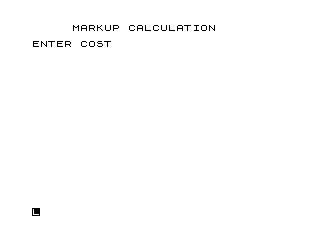
This program calculates retail selling prices based on either a cost-based or sales-based markup percentage. The user enters a cost, a desired markup percentage, and selects whether the markup should be applied on cost (additive: S = C + C×R) or on selling price (divisive: S = C ÷ (1−R)). Rounding to two decimal places is achieved with the classic `INT(S*100+.5)/100` idiom. The program loops to allow multiple calculations before stopping.
Program Analysis
Program Structure
The program is a straightforward single-file BASIC application with a linear flow broken by conditional branches. It can be divided into four logical phases:
- Input phase (lines 4–41): Title display, cost entry (
C), and markup percentage entry (R). - Markup basis selection (lines 120–170): Asks whether markup is on Cost (
"C") or Selling price ("S"), with a validation loop for invalid input. - Calculation phase (lines 180–244): Two branches compute the selling price
Sand set the label stringB$. - Output and repeat (lines 245–290): Prints results, then offers to loop back to line 10 for another calculation.
Markup Formulae
The program implements two standard retail pricing calculations:
| Basis | Code | Formula | Meaning |
|---|---|---|---|
| On Cost | A$="C" | S = C + C×R | Selling price is cost plus a percentage of cost |
| On Selling Price | A$="S" | S = C ÷ (1−R) | Markup is a percentage of the final selling price |
The distinction matters practically: a 50% markup on cost yields a 33% margin on selling price, while a 50% markup on selling price requires doubling the cost price.
Key BASIC Idioms
- Percentage normalisation (line 50–60): If the user enters a value ≥ 1 (e.g. 25 meaning 25%), line 60 divides by 100 to convert to a decimal fraction. Values already less than 1 are assumed to be pre-converted, bypassing division.
- Banker’s-style rounding (lines 190, 230):
INT(S*100+.5)/100rounds the result to two decimal places — the standard approach for currency on this platform whereROUNDis not a built-in function. - String label variable (
B$): Lines 200 and 240 setB$to"COST"or"SALES"respectively, so a singlePRINTstatement at line 255 handles both cases without duplication. - Echo-printing inputs (lines 21, 41, 131): After each
INPUT, the entered value is immediatelyPRINTed back. This is characteristic of the ZX81/TS1000INPUTbehaviour where the prompt line is cleared after entry, serving as a confirmation display.
Notable Techniques
The validation loop at lines 120–170 is a simple but effective pattern: after printing the prompt and reading A$, two IF tests branch away on valid input ("C" or "S"), while any other value falls through to print an error message and GOTO 120 to retry. This avoids the need for a structured loop construct.
Line 245 contains a blank PRINT for spacing, and line 258 likewise, giving the output a cleaner layout. TAB(5) is used in lines 4, 250, and 255 to indent the output for readability.
Bugs and Anomalies
- Case sensitivity: The comparisons at lines 140 and 150 require uppercase
"C"and"S". On a physical keyboard this is typical, but a lowercase entry will always trigger the “INVALID CODE” message with no case-folding applied. - Zero or negative markup: If
R=0is entered, the calculation proceeds correctly (selling price equals cost), but ifR≥1and the user actually meant a decimal (e.g. entering1to mean 100% markup), the division at line 60 converts it to0.01(1%), which may not be the user’s intent. The threshold check at line 50 is a pragmatic heuristic rather than a robust input validation. - Division by zero risk: If a 100% markup on selling price is entered (R=100, converted to R=1.0 by line 60), line 220 performs
C/(1-1), i.e. division by zero, causing a runtime error. No guard is present for this edge case.
Image Gallery
Source Code
   3 REM %M%A%R%K%U%P
   4 PRINT TAB (5);"MARKUP CALCULATION"
   5 PRINT
  10 PRINT "ENTER COST"
  20 INPUT C
  21 PRINT C
  30 PRINT "ENTER MARKUP DESIRED (PCT.)"
  40 INPUT R
  41 PRINT R
  50 IF R<1 THEN GOTO 120
  60 LET R=R/100
 120 PRINT "DESIRE M/U ON COST(C) OR SELL (S) PRICES"
 130 INPUT A$
 131 PRINT A$
 140 IF A$="C" THEN GOTO 180
 150 IF A$="S" THEN GOTO 220
 160 PRINT "INVALID CODE--TRY AGAIN"
 170 GOTO 120
 180 LET S=C+(C*R)
 190 LET S=INT (S*100+.5)/100
 200 LET B$="COST"
 210 GOTO 245
 220 LET S=C/(1-R)
 230 LET S=INT (S*100+.5)/100
 240 LET B$="SALES"
 245 PRINT
 250 PRINT TAB (5);"WHEN COST IS $ ";C;" A MARKUP OF ";R*100;" PCT. ON "
 255 PRINT TAB (5);B$;" GIVES SALES OF $ ";S
 258 PRINT
 260 PRINT "ANOTHER CALCULATION? Y/N"
 270 INPUT Q$
 280 IF Q$="Y" THEN GOTO 10
 290 STOP
 300 SAVE "1011%7"
 310 LIST
Note: Type-in program listings on this website use ZMAKEBAS notation for graphics characters.