
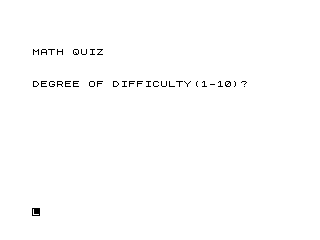
This program presents a randomised arithmetic quiz where the user selects a difficulty level (1–10) and a number of questions. The difficulty value is halved (line 8) and used as a multiplier to scale the operands, so higher settings produce larger numbers. Each question is generated by building an expression string in E$ using STR$ and CHR$, where CHR$ of a value in the range 21–24 encodes one of the four arithmetic operators (+, -, *, /), and VAL E$ evaluates the expression to check the answer. The program tracks correct answers in H and reports a percentage score at the end, and embedded REM lines explain how to modify the quiz to multiplication-only by replacing the string-based expression with explicit variables.
Program Analysis
Program Structure
The program is divided into a clear sequence of phases: initialisation and input (lines 1–13), the question loop (lines 15–35), end-of-quiz reporting (lines 36–41), a correct-answer handler (lines 42–45), and a reusable blank-line subroutine (lines 46–49). Lines 50–90 contain a SAVE command and a block of REM statements providing modification instructions.
- Lines 1–13: Set score to zero, collect difficulty and question count
- Lines 15–35: FOR loop generating and evaluating each question
- Lines 36–41: Post-quiz loop and percentage score display
- Lines 42–45: Correct-answer branch, score increment, rejoins main flow
- Lines 46–49: Subroutine printing three blank lines for spacing
Difficulty Scaling
The user enters a difficulty value A between 1 and 10 (line 6–7). Line 8 halves it with INT(A/2), and line 9 clamps it to a minimum of 1. This scaled value is then used as a multiplier in lines 16–17:
C = A * INT(10 * RND) + 1D = A * INT(10 * RND) + 1
At difficulty 1 (input), A becomes 1, giving operands 1–10. At difficulty 10, A becomes 5, giving operands up to 50. Odd input values lose their fractional part through INT, so inputs 1 and 2 both yield A=1.
Expression String Technique
Line 18 is the most technically interesting line in the program:
LET E$ = STR$ C + CHR$ INT(4*RND+21) + STR$ D
INT(4*RND+21) produces a random integer in {21, 22, 23, 24}. In the character set, these correspond to the arithmetic operator characters. The resulting E$ is a complete expression such as "7+3" or "12*5". Line 26 evaluates it with VAL E$ to check the player’s answer, and line 27 prints the correct result the same way. This avoids storing the operator and result as separate variables.
Character Code to Operator Mapping
| CHR$ code | Character |
|---|---|
| 21 | – |
| 22 | * |
| 23 | / |
| 24 | + |
Note that the character code ordering means subtraction and division can appear alongside addition and multiplication, so answers may be non-integers or even negative — the player’s INPUT is compared numerically via VAL E$, but integer answers are expected in practice.
Spacing Subroutine
The subroutine at lines 46–49 prints three blank lines and returns. It is called via GOSUB 46 throughout the program (lines 2, 4, 10, 19, 21, 25, 28, 37, 43) to provide consistent vertical spacing between output sections, reducing code duplication at the cost of subroutine call overhead.
Score and Progress Display
After each wrong answer, lines 29–33 print the current score (H) and question number (G), then prompt the user to press ENTER to continue. Line 32 conditionally appends " TO CONT" only when more questions remain (G <> B), giving a slightly different prompt on the final question. The final score at line 39 is computed as 100*H/G and displayed as a percentage.
Embedded Modification Guide
Lines 60–90 contain REM statements instructing the user how to convert the quiz to multiplication-only. The suggested changes replace the string-expression approach with an explicit variable E = C*D, a fixed PRINT statement, and direct comparisons. This documents an alternative, simpler implementation strategy directly within the program listing.
Bugs and Anomalies
- Line 18 uses
STR$ C + ... + STR$ C— the second operand should beSTR$ D, notSTR$ C. Both operands of the expression are always equal, making subtraction always produce zero and division always produce one. This is a clear typographical error. - Division questions can produce non-integer or irrational results (e.g.
7/3), which are difficult for a player to enter exactly. The program does not restrict operators by operand values. - Subtraction can yield negative results when
D > C, which may confuse younger players. - Line 39 references
Gafter the FOR loop exits. When the loop completes normally,GequalsB+1, so100*H/Gwill be slightly lower than expected. The correct final question count should beB, notG. - Line 7 rejects
A<0but the prompt says 1–10; a value of 0 is accepted and then clamped to 1 at line 9, so the validation is partially redundant.
Image Gallery
Source Code
   1 LET H=0
   2 GOSUB 46
   3 PRINT "MATH QUIZ"
   4 GOSUB 46
   5 PRINT "DEGREE OF DIFFICULTY(1-10)?"
   6 INPUT A
   7 IF A<0 OR A>10 THEN GOTO 6
   8 LET A=INT (A/2)
   9 IF A=0 THEN LET A=1
  10 GOSUB 46
  11 PRINT "HOW MANY QUESTIONS?"
  12 INPUT B
  13 IF B<1 THEN GOTO 12
  14 CLS
  15 FOR G=1 TO B
  16 LET C=A*INT (10*RND)+1
  17 LET D=A*INT (10*RND)+1
  18 LET E$=STR$ C+CHR$ INT (4*RND+21)+STR$ C
  19 GOSUB 46
  20 PRINT "QUESTION NUMBER ";G
  21 GOSUB 46
  22 PRINT "WHAT IS  ";E$;"?"
  23 INPUT F
  24 PRINT "     ";F
  25 GOSUB 46
  26 IF F=VAL E$ THEN GOTO 42
  27 PRINT "INCORRECT. THE ANSWER IS ";VAL E$
  28 GOSUB 46
  29 PRINT ,"YOUR SCORE IS ";H
  30 PRINT " RIGHT OUT OF ";G
  31 PRINT "PRESS ENTER";
  32 IF G<>B THEN PRINT " TO CONT"
  33 INPUT A$
  34 CLS
  35 NEXT G
  36 FOR K=1 TO 3
  37 GOSUB 46
  38 NEXT K
  39 PRINT "END OF QUIZ. YOUR SCORE IS ";100*H/G;,"PER CENT"
  41 STOP
  42 LET H=H+1
  43 GOSUB 46
  44 PRINT "CORRECT. THE ANSWER IS ";F
  45 GOTO 28
  46 PRINT
  47 PRINT
  48 PRINT
  49 RETURN
  50 SAVE "1005%1"
  55 RUN
  60 REM YOU CAN MAKE THIS PROGRAM
  65 REM DO ONLY MULTIPLICATION BY
  70 REM CHANGING THE FOLLOWING
  75 REM LINES TO:                       18 LET E=C*D
  80 REM LINE 22 PRINT "WHAT IS ";C;" TIMES ";D;"?"
  86 REM LINE 26 IF F=E  THEN GOTO 42
  90 REM LINE 27 PRINT "INCORRECT.THE ANSWER IS ";E
Note: Type-in program listings on this website use ZMAKEBAS notation for graphics characters.