
This program performs imperial-to-metric unit conversions across 17 categories, including length, volume, weight, and temperature. Conversion factors are stored compactly as a single comma-delimited string in line 290, which is parsed at startup by a subroutine at line 1160 that scans for comma delimiters and uses VAL to extract each numeric value into the array C(17). The computed dispatch table at line 740 uses the formula GO TO 750+(N*20) to jump directly to the appropriate result PRINT statement, exploiting the regular 20-unit line-number spacing between cases. Temperature conversion (option 17) is handled specially via a separate subroutine at line 1280 that applies the (F−32)×5/9 formula before the standard rounding routine. Results are rounded to two decimal places using the INT(R*D)/D technique at line 1260, with D fixed at 100.
Program Analysis
Program Structure
The program divides into several logical phases:
- Initialization (lines 10–380): Sets display attributes, draws a decorative title screen using block graphics, parses the conversion-factor string into array
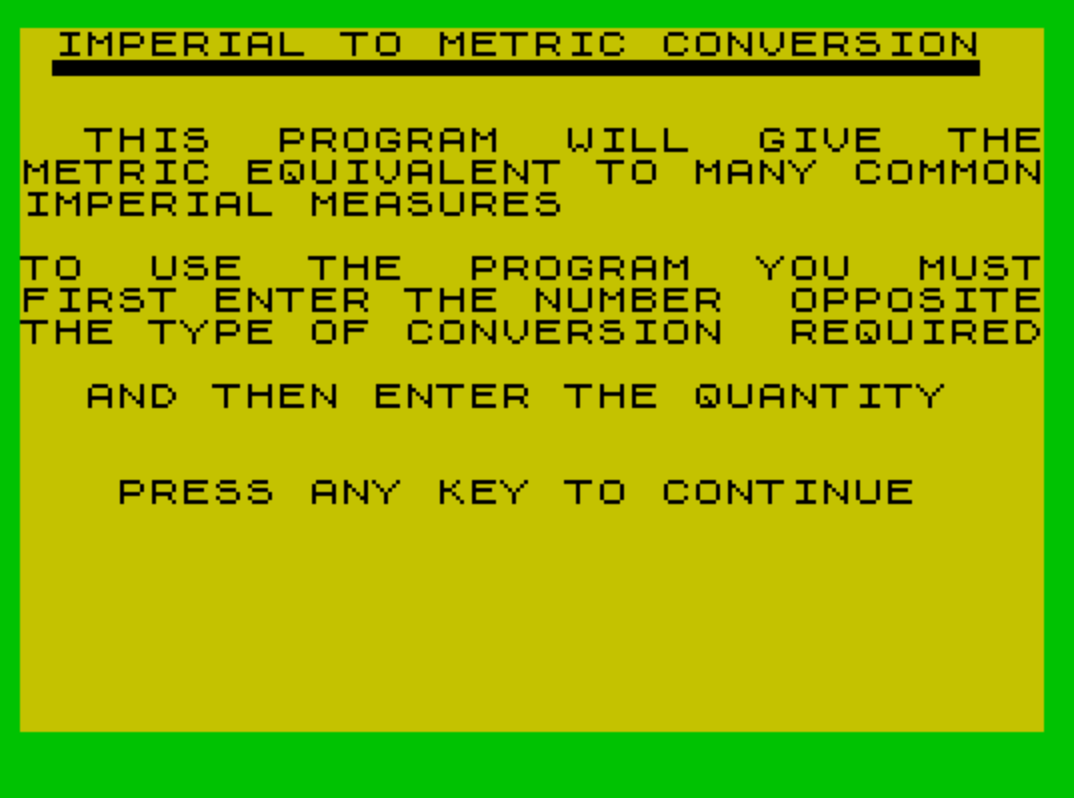
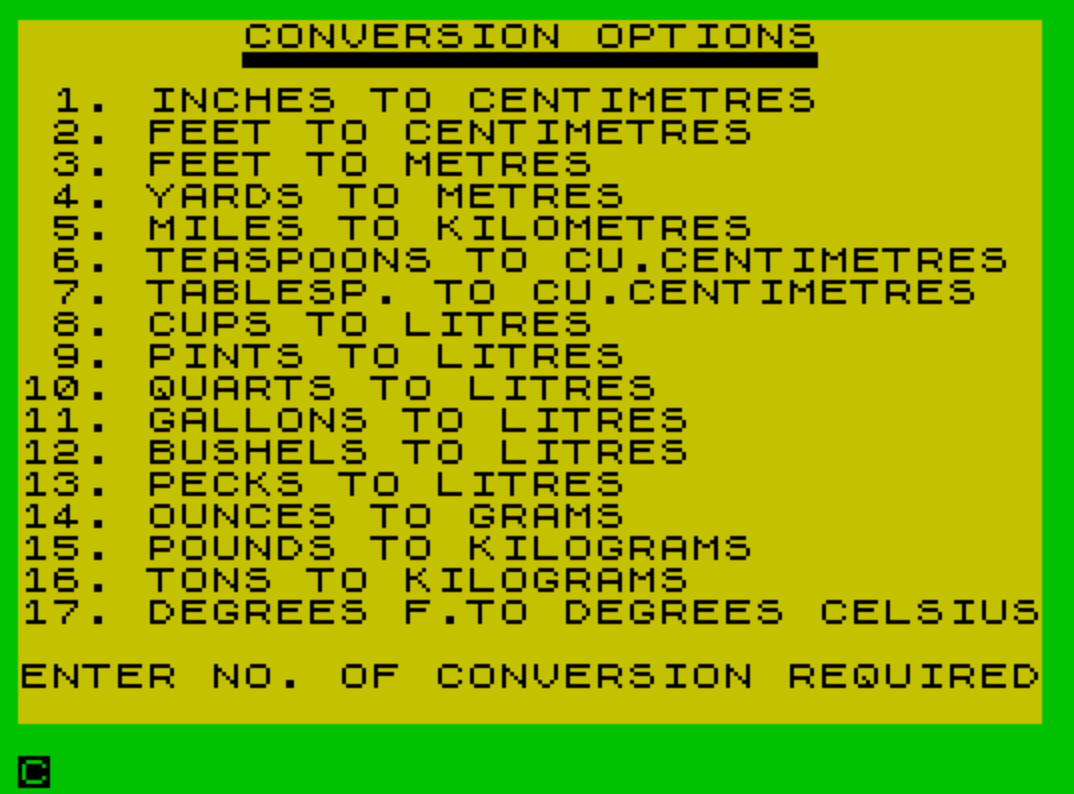
C(17), and displays a brief usage summary. - Menu (lines 450–640): Prints the 17 conversion options and prompts for a selection, validated to the range 1–17.
- Conversion and dispatch (lines 680–1110): Accepts the input value, multiplies by the stored factor, rounds the result, and jumps to the appropriate PRINT statement via a computed
GO TO. - Repeat/exit (lines 1110–1150): Asks whether to continue; pressing Y returns to the menu, any other key falls through to the sign-off.
- Subroutines (lines 1160–1290): String parser, header printer, rounding, and temperature conversion.
- Sign-off (lines 1320–1340): Displays a humorous closing message before halting.
Conversion Factor Storage and Parsing
All 17 multiplication factors are encoded in a single comma-terminated string A$ at line 290. The subroutine at lines 1160–1190 implements a simple delimiter scanner: starting from position X, it increments pointer Y until it finds a comma, then calls VAL A$(X TO Y-1) to extract the numeric token, advances X past the comma, and returns. This is called 17 times in a FOR loop (lines 340–360) to populate C(17) at startup, avoiding the need to store each constant as a separate variable or DATA statement.
Computed GO TO Dispatch
After a conversion result is calculated, line 740 executes GO TO 750+(N*20). The PRINT statements for each of the 17 cases are placed exactly 20 line numbers apart (lines 750, 770, 790, … through 1090), so the arithmetic maps option number N directly to the correct output line. This is a common efficiency technique that avoids a chain of IF … THEN tests.
There is a minor structural anomaly: options 1 and 2 both print “INCHES = … CENTIMETRES” (lines 750 and 770), while option 2 should print “FEET = … CENTIMETRES” (which appears at line 790 for option 3). The dispatch formula places N=2 at line 790 and N=3 at line 810, so the actual printed labels at lines 770 and 790 are effectively never reached by the intended conversion — option 2 (Feet to Centimetres) ends up printing the line-770 “INCHES” label instead of “FEET”. This is a latent label bug.
Temperature Special Case
Option 17 (Fahrenheit to Celsius) cannot use a simple multiplicative factor, so line 1090 intercepts it with GO SUB 1280 before the result is printed at line 1095. The subroutine applies (I-32)*5/9 and then calls the rounding subroutine at 1250, overwriting R so that Z holds the correct Celsius value. Note that the flow for option 17 falls through from line 1080 to 1090 rather than being reached by the dispatch jump — the dispatch formula for N=17 gives 750+(17*20)=1090, which lands exactly on the temperature subroutine call, so the mechanism still works correctly.
Rounding Subroutine
Lines 1250–1260 implement two-decimal-place rounding via:
LET D=10^2— computes the scaling factor (100)LET Z=INT(R*D)/D— truncates rather than rounds, so results are always rounded down
True rounding would require INT(R*D+0.5)/D, but truncation to two places is adequate for the program’s display purposes.
Display and UX Techniques
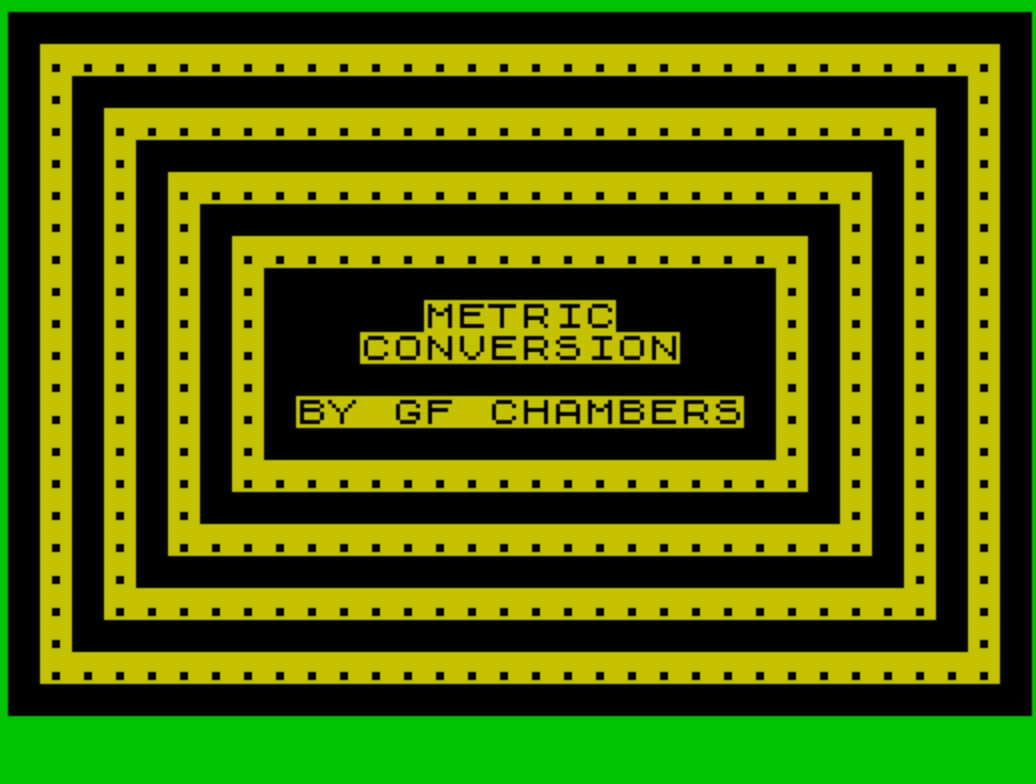
The decorative title screen at line 40 uses an extended PRINT string packed with \:: (█ solid block) and \:. (▙) block graphic escapes to draw a diamond/border pattern around centered text — all in a single PRINT statement spanning many screen lines. The variable T is set to 1100 at line 280 and used as a GO TO T target after each result is printed, acting as a named constant for the “more conversions?” prompt location.
Key Variables
| Variable | Purpose |
|---|---|
C(17) | Array of conversion factors parsed from A$ |
A$ | Comma-delimited string of all 17 conversion factors |
X, Y | Start and end pointers used by the string-parsing subroutine |
N | Selected conversion option (1–17) |
I | User-entered input value |
R | Raw (unrounded) result of conversion |
Z | Rounded result for display |
T | Constant (1100) used as a GO TO target after each result |
D | Rounding divisor (100) |
Bugs and Anomalies
- The dispatch table places option 2 (Feet→Centimetres) at line 790, which prints “FEET = … CENTIMETRES” — correct — but line 770 (never reached by the dispatch) also says “INCHES”. The labels at unreachable lines are harmless but indicate copy-paste artifact.
- Line 1210 is called at line 380 as
GO SUB 1210, but the subroutine is defined at line 1220 — the missing line 1210 causes a jump to 1220, which is a deliberate Sinclair BASIC behavior (jumping to the next available line), so this functions correctly in practice. - The repeat loop at line 1140 only continues if
I$="Y"(uppercase); lowercase “y” will fall through to the sign-off, which may surprise users. - Line 440 (the
GO TO 440target for “Y” to restart) does not exist; the interpreter will jump to line 450 (the next available line), which is the menu — the intended behavior.
Image Gallery
Source Code
   10 REM   METRIC CONVERSION     An original Programby    G. F. Chambers
   20 POKE 23658,8
   30 PAPER 6: INK 0: BORDER 4
   40 PRINT "\::\::\::\::\::\::\::\::\::\::\::\::\::\::\::\::\::\::\::\::\::\::\::\::\::\::\::\::\::\::\::\::\::..............................\::\::.\::\::\::\::\::\::\::\::\::\::\::\::\::\::\::\::\::\::\::\::\::\::\::\::\::\::\::\::.\::\::.\::..........................\::.\::\::.\::.\::\::\::\::\::\::\::\::\::\::\::\::\::\::\::\::\::\::\::\::\::\::\::\::.\::.\::\::.\::.\::......................\::.\::.\::\::.\::.\::.\::\::\::\::\::\::\::\::\::\::\::\::\::\::\::\::\::\::\::\::.\::.\::.\::\::.\::.\::.\::..................\::.\::.\::.\::\::.\::.\::.\::.\::\::\::\::\::\::\::\::\::\::\::\::\::\::\::\::.\::.\::.\::.\::\::.\::.\::.\::.\::\::\::\::\::METRIC\::\::\::\::\::.\::.\::.\::.\::\::.\::.\::.\::.\::\::\::CONVERSION\::\::\::.\::.\::.\::.\::\::.\::.\::.\::.\::\::\::\::\::\::\::\::\::\::\::\::\::\::\::\::.\::.\::.\::.\::\::.\::.\::.\::.\::BY GF CHAMBERS\::.\::.\::.\::.\::\::.\::.\::.\::.\::\::\::\::\::\::\::\::\::\::\::\::\::\::\::\::.\::.\::.\::.\::\::.\::.\::.\::..................\::.\::.\::.\::\::.\::.\::.\::\::\::\::\::\::\::\::\::\::\::\::\::\::\::\::\::\::\::\::.\::.\::.\::\::.\::.\::......................\::.\::.\::\::.\::.\::\::\::\::\::\::\::\::\::\::\::\::\::\::\::\::\::\::\::\::\::\::\::\::.\::.\::\::.\::..........................\::.\::\::.\::\::\::\::\::\::\::\::\::\::\::\::\::\::\::\::\::\::\::\::\::\::\::\::\::\::\::\::.\::\::..............................\::\::\::\::\::\::\::\::\::\::\::\::\::\::\::\::\::\::\::\::\::\::\::\::\::\::\::\::\::\::\::\::\::"
  270 DIM C(17)
  280 LET T=1100
  290 LET A$="2.54,30.48,.3048,.9144,1.609,4.929,14.788,.2366,.5676,.9463,4.537,35.24,8.809,28.3495,.4536,907.2,.6214,"
  320 LET X=1: LET Y=X
  340 FOR N=1 TO 17
  350 GO SUB 1160
  360 LET C(N)=A: NEXT n
  380 GO SUB 1210
  400 PRINT ,,"  THIS  PROGRAM  WILL  GIVE  THEMETRIC EQUIVALENT TO MANY COMMONIMPERIAL MEASURES"
  410 PRINT ,," TO  USE  THE  PROGRAM  YOU  MUSTFIRST ENTER THE NUMBER  OPPOSITETHE TYPE OF CONVERSION  REQUIRED",,"  AND THEN ENTER THE QUANTITY"
  420 PRINT ,,,,"   PRESS ANY KEY TO CONTINUE"
  430 PAUSE 0: CLS
  450 PRINT "       CONVERSION OPTIONS"
  460 PRINT "       \''\''\''\''\''\''\''\''\''\''\''\''\''\''\''\''\''\''"
  470 PRINT " 1. INCHES TO CENTIMETRES"
  480 PRINT " 2. FEET TO CENTIMETRES"
  490 PRINT " 3. FEET TO METRES"
  500 PRINT " 4. YARDS TO METRES"
  510 PRINT " 5. MILES TO KILOMETRES"
  520 PRINT " 6. TEASPOONS TO CU.CENTIMETRES"
  530 PRINT " 7. TABLESP. TO CU.CENTIMETRES"
  540 PRINT " 8. CUPS TO LITRES"
  550 PRINT " 9. PINTS TO LITRES"
  560 PRINT "10. QUARTS TO LITRES"
  570 PRINT "11. GALLONS TO LITRES"
  580 PRINT "12. BUSHELS TO LITRES"
  590 PRINT "13. PECKS TO LITRES"
  600 PRINT "14. OUNCES TO GRAMS"
  610 PRINT "15. POUNDS TO KILOGRAMS"
  620 PRINT "16. TONS TO KILOGRAMS"
  630 PRINT "17. DEGREES F.TO DEGREES CELSIUS"
  640 PRINT ,,"ENTER NO. OF CONVERSION REQUIRED"
  660 INPUT N: IF N<1 OR N>17 THEN GO TO 660
  680 PRINT INK 2;AT 20,0;"ENTER THE VALUE TO BE CONVERTED",,,
  690 INPUT I
  700 LET R=I*C(N)
  710 GO SUB 1250
  720 CLS
  730 PRINT AT 10,0;I;
  740 GO TO 750+(N*20)
  750 PRINT " INCHES = ";Z;" CENTIMETRES"
  760 GO TO T
  770 PRINT " INCHES = ";Z;" CENTIMETRES"
  780 GO TO T
  790 PRINT " FEET = ";Z;" CENTIMETRES"
  800 GO TO T
  810 PRINT " FEET = ";Z;" METRES"
  820 GO TO T
  830 PRINT " YARDS = ";Z;" METRES"
  840 GO TO T
  850 PRINT " MILES = ";Z;" KILOMETRES"
  860 GO TO T
  870 PRINT " TSP. = ";Z;" CU. CENTIMETRES"
  880 GO TO T
  890 PRINT " TBSP.= ";Z;" CU. CENTIMETRES"
  900 GO TO T
  910 PRINT " CUPS = ";Z;" LITRES"
  920 GO TO T
  930 PRINT " PINTS = ";Z;" LITRES"
  940 GO TO T
  950 PRINT " QUARTS = ";Z;" LITRES"
  960 GO TO T
  970 PRINT " GALLONS = ";Z;" LITRES"
  980 GO TO T
  990 PRINT " BUSHELS = ";Z;" LITRES"
 1000 GO TO T
 1010 PRINT " PECKS = ";Z;" LITRES"
 1020 GO TO T
 1030 PRINT " OUNCES = ";Z;" GRAMS"
 1040 GO TO T
 1050 PRINT " POUNDS = ";Z;" KILOGRAMS"
 1060 GO TO T
 1070 PRINT " TONS = ";Z;" KILOGRAMS"
 1080 GO TO T
 1090 GO SUB 1280
 1095 PRINT " DEGREES F. = ";Z;" DEGREES",,"     CELSIUS"
 1110 PRINT AT 19,2;"DO YOU HAVE MORE CONVERSIONS?"
 1120 PRINT ,,TAB 10;"PRESS Y/N"
 1130 PAUSE 0
 1140 LET I$=INKEY$: IF I$="Y" THEN GO TO 440
 1150 GO TO 1330
 1160 LET Y=Y+1
 1170 IF A$(Y)<>"," THEN GO TO 1160
 1180 LET A=VAL A$(X TO Y-1)
 1190 LET X=Y+1: RETURN
 1220 CLS : PRINT " IMPERIAL TO METRIC CONVERSION   \''\''\''\''\''\''\''\''\''\''\''\''\''\''\''\''\''\''\''\''\''\''\''\''\''\''\''\''\''": RETURN
 1250 LET D=10^2
 1260 LET Z=INT (R*D)/D: RETURN
 1280 LET R=(I-32)*5/9
 1290 GO SUB 1250: RETURN
 1310 STOP
 1320 CLS : PRINT AT 10,6;"MAKING OUT IN METRIC"
 1330 PRINT ,,TAB 7;"THE ONLY WAY TO GO"
 1340 PRINT ,,TAB 11;"YOU BETCHA": STOP
 1350 SAVE "METRIC" LINE 10: GO TO 1320
Note: Type-in program listings on this website use ZMAKEBAS notation for graphics characters.