
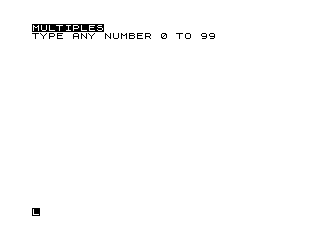
This program prints all multiples of a user-supplied number in the range 0–99, displaying them on screen with the non-multiples replaced by block graphic characters. The program prompts for any integer from 0 to 99, with a special case that substitutes 100 for 0 (since every number is a multiple of 0, which would cause a division-by-zero or trivial result). Numbers that are not multiples are rendered using ZX81 inverse-video block graphics via CHR$ values 156 and above, creating a visually distinctive display. The loop uses nested FOR loops over tens (J) and units (K) digits, reconstructing each two-digit number as 10*J+K. Line 600 saves the program with an auto-run flag, and line 610 re-runs it after saving.
Program Analysis
Program Structure
The program is divided into four logical sections:
- Setup (lines 5–30): Displays the title in inverse video, prompts for input, and clears the screen.
- Main loop (lines 100–300): Iterates through all numbers 0–99 using nested
FORloops and prints results. - Multiple handler (lines 500–520): Called via
GOTO 500when a multiple is found; prints the number usingCHR$block graphics. - Save/run stub (lines 600–610): Saves the program with an auto-run flag, then restarts.
Loop Mechanics
Rather than a single loop from 0 to 99, the program decomposes each number into tens digit J (0–9) and units digit K (0–9), reconstructing the value as M = 10*J+K at line 230. Line 210 contains the escape \66, which is the ZX81 block graphic for character code 66 — however, in context this appears inside a FOR statement and is likely a stray/erroneous character that is ignored or causes a syntax quirk; the effective upper bound for K is 9.
Line 220 adds a leading space when J=0 to align single-digit numbers visually.
Multiple Detection
Line 240 uses the classic integer-division test: IF INT(M/N)*N=M THEN GOTO 500. This checks whether M is exactly divisible by N without using the MOD operator (unavailable in ZX81 BASIC). When a multiple is found, execution jumps to line 500; otherwise the raw number is printed at line 250.
Block Graphic Output for Multiples
Lines 500–510 print the multiples using CHR$(J+156) and CHR$(K+156). On the ZX81, characters 156–165 are inverse-video digits (0–9), so adding 156 to each digit index produces the corresponding inverse digit character. This makes multiples visually stand out from the ordinary printed non-multiples — an effective use of the character set without any PRINT AT or attribute manipulation.
Zero Special Case
Line 110 replaces N=0 with N=100. Since every integer is a multiple of 0 only in a degenerate sense (or produces division-by-zero in the test), substituting 100 ensures no number in the 0–99 range satisfies the divisibility condition, so all numbers are printed in normal video — a pragmatic workaround.
Key BASIC Idioms and Techniques
- Integer-division modulo test:
INT(M/N)*N=M(line 240) - Inverse-digit rendering via
CHR$(digit+156)(lines 500–510) GOTO 260at line 520 re-enters theNEXT Kline directly, continuing the inner loop after printing a multiple — this is a deliberate structured jump into the loop body.- Title displayed in inverse video using
%-escaped characters (line 5). - After printing all results,
GOTO 10at line 300 loops back to prompt for a new number without restarting the program.
Bugs and Anomalies
| Line | Issue | Impact |
|---|---|---|
| 210 | \66 block graphic escape appears at end of FOR K=0 TO 9 | Likely a spurious character; may cause a syntax error or be silently ignored depending on interpreter behaviour. |
| 270–280 | Two consecutive PRINT statements produce a blank line between each row of ten numbers | Cosmetic: produces double-spaced output rows; probably intentional for readability but wastes screen space. |
| 110 | Substituting 100 for 0 means no multiples are ever shown when 0 is entered | Arguably incorrect — all numbers are multiples of itself if N=0 is treated as “no filter”. The substitute value 100 is outside the display range, so the output appears to show no multiples at all. |
Image Gallery
Source Code
   5 PRINT "%M%U%L%T%I%P%L%E%S"
  10 PRINT "TYPE ANY NUMBER 0 TO 99"
  20 INPUT N
  30 CLS
 100 PRINT "THE MULTIPLES OF ";N;" ARE:"
 110 IF N=0 THEN LET N=100
 200 FOR J=0 TO 9
 210 FOR K=0 TO 9\66
 220 IF J=0 THEN PRINT " ";
 230 LET M=10*J+K
 240 IF INT (M/N)*N=M THEN GOTO 500
 250 PRINT M;" ";
 260 NEXT K
 270 PRINT
 280 PRINT
 290 NEXT J
 300 GOTO 10
 500 IF J>0 THEN PRINT CHR$ (J+156);
 510 PRINT CHR$ (K+156);" ";
 520 GOTO 260
 600 SAVE "1004%1"
 610 RUN
Note: Type-in program listings on this website use ZMAKEBAS notation for graphics characters.