
This program combines a multiplication drill with an arcade-style catching game called “Money Pail.” The player is prompted to enter upper bounds for the multiplier and multiplicand, then presented with a multiplication question displayed as a visual grid; a correct answer triggers the Money Pail game, where the player moves a pail (using Z and M keys) to catch falling dollar amounts while a BANK counter tracks their total. The program defines twelve UDGs (User Defined Graphics, chars \a through \m) via DATA statements at line 6040, covering pail graphics, a rocket/falling-object sprite, and animated bounce frames used during both the game and wrong-answer sequences. The TS2068-specific SOUND keyword is used at lines 450 and 530 for chip-sound effects, and POKE 23613 at line 30 manipulates the FRAMES system variable to seed pseudo-random behaviour, while POKE 23658,0 disables the CAPS SHIFT lock.
Program Structure
The program is divided into clearly separated functional blocks, called in sequence from the main entry point at line 10:
GO SUB 6000— UDG definition routine (lines 6000–9996)GO SUB 5000— Title screen and parameter input (lines 5000–5400)GO SUB 4000— Money Pail game instructions (lines 4010–4060)- Lines 30–200 — Multiplication question setup and display
- Lines 220–230 — Input handling via
GO SUB 700 - Lines 300–350 — Wrong-answer branch with animation
- Lines 400–510 — Correct-answer branch leading into Money Pail
- Lines 530–600 — Score/pail subroutines called from the game loop
- Lines 700–830 — Input validation subroutine
- Lines 1020–2150 — Money Pail game proper
There is no clean top-level loop. After a correct answer the program falls through to line 1000 (which does not appear in the listing — likely a missing or jump target line), and after the Money Pail game ends it GO TO 103 and GO TO 108, neither of which appears explicitly, suggesting they fall through to line 105 and 110 respectively by proximity, or are typos of those line numbers.
UDG Definitions
Lines 6000–6038 define twelve UDGs (\a through \m) by POKEing into USR "\x" addresses. Eight bytes are read per character from the DATA block at line 6040. The characters serve the following apparent roles:
| UDG | Used at | Likely appearance |
|---|---|---|
| \a | 540, 580, 1025, 1050, 1060 | Left side of pail |
| \c | 540, 580, 1025, 1050, 1060 | Middle of pail |
| \d | 540, 580, 1025, 1050, 1060 | Right side of pail |
| \e–\i | 6025–6032 (DATA only) | Coin/bill animation frames |
| \j, \k, \l, \m | 310, 320 | Rocket/wrong-answer animation segments |
The DATA at line 6040 encodes the left-column ramp pattern (192, 192… 255, 255) for the first three UDGs, giving graduated left/centre/right fills that form a pail silhouette. Lines 6045 onward supply coin and score-display glyphs using values 24, 36 (a circle pattern) and combined bitmasks.
Multiplication Question Display
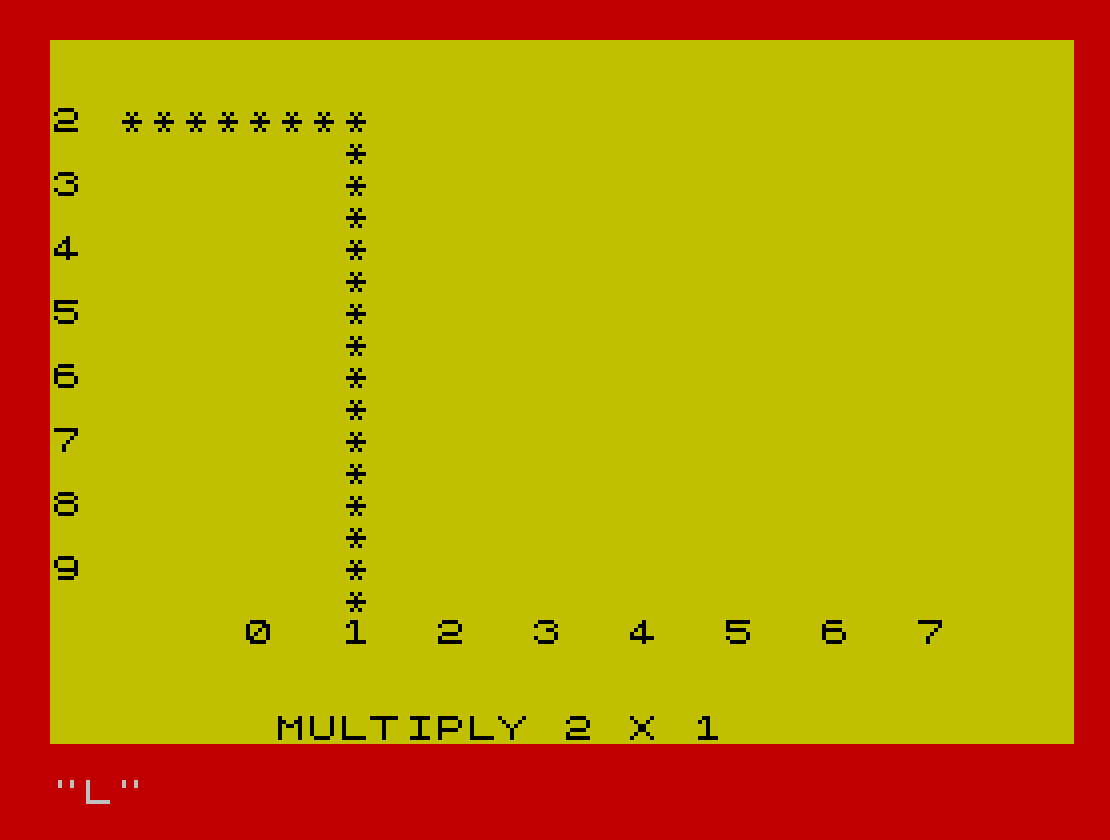
The multiplier range is controlled by user inputs: u (high value of multiplier) and k (high value of multiplicand), with minima of 7 enforced at lines 5255 and 5325. The offsets g = u-7 and i = k-7 are used to generate a random question within [g, u] × [i, k] at lines 140–150. The multiplication table grid (lines 115–130) prints row and column headers derived from g and i, and line 170 draws a partial string of asterisks from z$ (31 asterisks, line 90) clipped to 4+((y-i)*3) characters to form a visual rectangle highlighting the answer cell.
Money Pail Game Loop
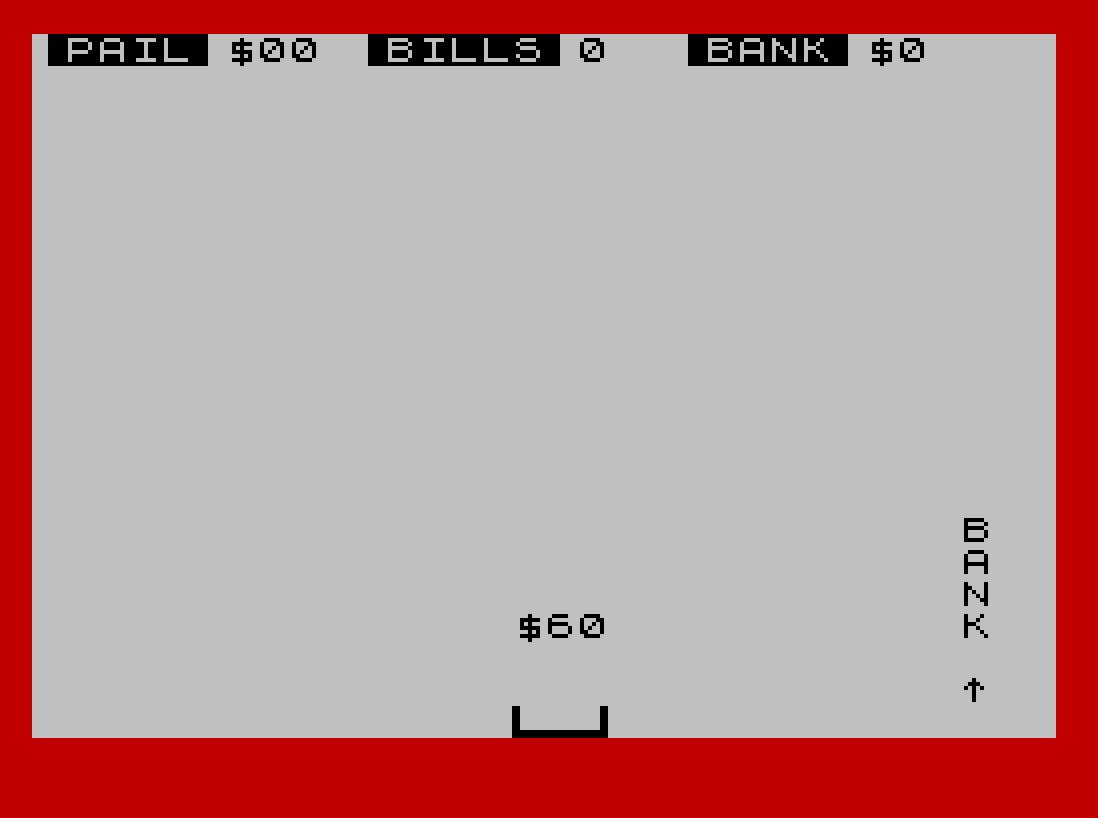
The game loop (lines 2000–2150) runs six rounds (FOR a=1 TO 6). Each round:
- Selects a random dollar amount
q(multiples of 10, $10–$90) and a random columnc - Drops the amount string down the screen in a
FOR b=h TO 20loop withBEEPper row - Reads Z/M keypresses to move the pail position
p, clamped to columns 1–27 - Detects a catch when
c=p+1and scoresc<5, callingGO SUB 530 - Detects a bank visit when
p=27, callingGO SUB 570to add pail contents to total
The pail holds at most 5 bills (sc<5 guard in line 2120); line 530 increments sc and uses SOUND for a catch jingle. The bank subroutine (line 570) resets sc and x and updates the on-screen bank total. The bouncing-dollar display in lines 580–590 animates a dollar sign moving upward using a short FOR loop.
Input Validation Subroutine
The subroutine at line 700 performs digit-only validation of the answer string j$. It iterates over each character; if any character falls outside CHR$ 48–CHR$ 57 (i.e. ‘0’–’9′) it branches to line 800, which prints an error message and waits for a keypress before restarting at line 100. Entering "q" as the first character of j$ causes an immediate RUN (line 700), providing a hidden quit/restart mechanism.
Notable Techniques and Idioms
POKE 23613, PEEK 23613 - 2at line 30 decrements the low byte of the FRAMES counter, subtly altering the RNG seed without zeroing it, a common Spectrum randomisation trick.POKE 23658, 0at line 135 clears the FLAGS2 system variable bit that locks CAPS SHIFT, preventing accidental uppercase mode during answer entry.VAL a$(2)at line 550 extracts the tens digit of the dollar string (e.g. “$70” → ‘7’) and converts it to a number to add to the pail totalx.- The wrong-answer animation (lines 310–320) moves a multi-segment UDG sprite (\j, \k, \l, \m) upward and erases its tail, simulating a rocket launching in response to an error.
- The
SOUNDkeyword (TS2068 extension) drives the AY chip directly at lines 450 and 530 with envelope/channel register writes, producing richer audio thanBEEPalone.
Image Gallery
Source Code
    1 REM
    2 REM
    4 REM    An original program
    5 REM      by G F Chambers
    6 REM       January  1984
    7 REM
    8 REM
   10 GO SUB 6000
   15 GO SUB 5000
   20 GO SUB 4000
   30 LET v1=PEEK 23613-2: POKE 23613,v1
   40 LET a$="00"
   50 LET t=0: LET p=14: LET sc=0: LET x=0
   90 LET z$="*******************************"
  105 PAPER 6: CLS
  110 LET d=10: LET d=3: LET h=3
  112 LET x=g: LET y=i
  115 FOR n=1 TO 8
  120 PRINT AT (n*2),0;x;AT 18,(n*3)+3;y: LET x=x+1: LET y=y+1
  130 NEXT n
  135 POKE 23658,0
  140 LET x=INT (g+(RND*(u-g))+.5)
  150 LET y=INT (i+(RND*(k-i))+.5)
  170 PRINT AT 2+(x-g)*2,2;z$( TO 4+((y-i)*3))
  180 FOR n=2+(x-g)*2 TO 17: PRINT AT n,6+((y-i)*3);"*"
  190 NEXT n
  194 IF t<0 THEN PRINT AT 0,2;"YOU OWE ";ABS t;"$": GO TO 196
  195 IF t>0 THEN PRINT AT 0,2;"YOU NOW HAVE  $";t
  200 PRINT AT 21,7; FLASH 1;"MULTIPLY ";x;" X ";y
  220 INPUT j$
  225 GO SUB 700
  230 LET a=VAL j$: IF a=x*y THEN GO TO 400
  300 CLS : PRINT AT 10,7; FLASH 1;"WRONG WRONG WRONG": PAUSE 50:
  310 LET r=28: FOR n=1 TO 18: BEEP .005,n: PRINT AT n,r; PAPER 8;"\j": NEXT n
  320 FOR n=16 TO 0 STEP -1: BEEP .005,n: BEEP .005,n+5: PRINT AT n,r; PAPER 8;"\j";AT n+1,r;"\k";AT n+2,r;"\l";AT n+3,r;"\m";AT n+4,r;" ": NEXT n
  330 PAUSE 20: PRINT AT 10,5;"THE CORRECT ANSWER IS ";AT 12,15; FLASH 1; INK 2;X*Y
  340 PRINT 'TAB 11;x;" X ";y;" = ";x*y
  345 PRINT '"YOU LOSE $200"
  347 LET t=t-200
  350 PAUSE 200: CLS : GO TO 108
  400 CLS : PRINT AT 10,3; FLASH 1;"HURRAH HURRAH";AT 12,5;"YOUR ANSWER IS CORRECT"
  410 PAUSE 100
  450 FOR z=30 TO 10 STEP -1: SOUND 6,x;7,7;8,16;9,16;10,16;12,140;13,1: NEXT z
  505 BEEP .3,20
  510 GO TO 1000
  530 LET sc=sc+1: SOUND 6,6;7,7;8,16;9,16;10,16;12,56;13,8: PAUSE 10: SOUND 8,0;9,0;10,0
  540 LET b$=CHR$ 144+CHR$ (147+sc)+CHR$ 147
  550 LET x=x+10*VAL a$(2): PRINT AT 0,7;x
  560 RETURN
  570 LET sc=0: LET t=t+x: LET x=0: PRINT AT 0,7;"00 ";AT 0,27;"    ";AT 0,27;t: BEEP .05,48: BEEP .07,44
  580 LET b$="\a\c\d": PRINT AT 21,28;b$
  590 FOR e=12 TO 2 STEP -2: PRINT AT e,29;"$";AT e+2,29;" ": NEXT e: PRINT AT 2,29;" "
  600 RETURN
  700 IF j$(1)="q" THEN RUN
  705 LET v=0: FOR z=1 TO LEN j$: IF j$(z)<CHR$ 48 OR j$(z)>CHR$ 57 THEN GO TO 800
  710 NEXT z
  720 RETURN
  800 CLS : PRINT AT 17,0;"You have entered a wrong number"
  810 PRINT '"Please press any key to restart"
  820 IF INKEY$="" THEN GO TO 820
  830 CLS : GO TO 100
 1020 BORDER 2: PAPER 7: INK 0: CLS
 1025 LET b$="\a\c\d"
 1030 PRINT AT 15,29;"B";TAB 29;"A";TAB 29;"N";TAB 29;"K";AT 21,29;AT 20,29;"^"
 1040 LET sc=0: LET x=0: PRINT AT 0,7;"00 ";AT 0,27;t: BEEP .05,48: BEEP .07,44
 1050 PRINT AT 21,p;b$
 1060 PRINT AT 0,0;"▐PAIL▌$00";TAB 10;"▐BILLS▌0";TAB 20;"▐BANK▐$";t
 2000 REM DROP
 2010 FOR a=1 TO 6
 2040 LET q=10*(INT (RND*9)+1): LET a$="$"+CHR$ (q/10+48)+"0": LET c=INT (RND*22)+3: PRINT AT 0,17;6-a;" "
 2060 REM GO
 2070 FOR b=h TO 20: PRINT AT b,c;a$: BEEP d/100,b: LET p=p-(INKEY$="z")+(INKEY$="m"): LET p=p+(p=0)-(p=28): PRINT AT 21,p;" ";b$;" ";AT b,c;"   ": NEXT b
 2110 REM HIT
 2115 IF p=27 THEN GO SUB 570
 2120 IF c=p+1 AND sc<5 THEN GO SUB 530
 2140 NEXT a
 2150 PAUSE 200: CLS : GO TO 103
 3000 REM END
 4010 INK 0: PAPER 7: BORDER 2: CLS
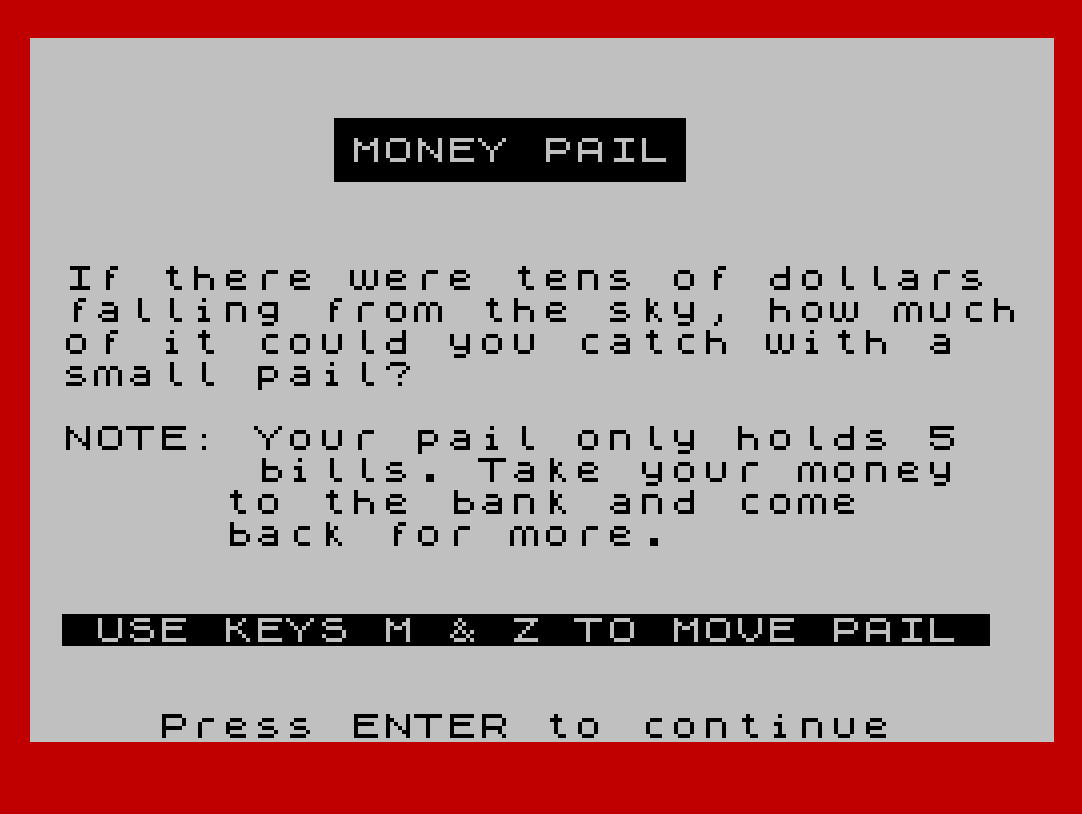
 4020 PRINT AT 2,9;"▗▄▄▄▄▄▄▄▄▄▄▖";TAB 9;"▐MONEY PAIL▌";TAB 9;"▝▀▀▀▀▀▀▀▀▀▀▘"
 4030 PRINT AT 7,1;"If there were tens of dollars   falling from the sky, how much  of it could you catch with a    small pail?";AT 12,1;"NOTE: Your pail only holds 5          bills. Take your money         to the bank and come            back for more.";AT 18,1;" USE KEYS M & Z TO MOVE PAIL "
 4040 PRINT AT 21,4;"Press ENTER to continue"
 4050 PAUSE 0: CLS
 4060 RETURN
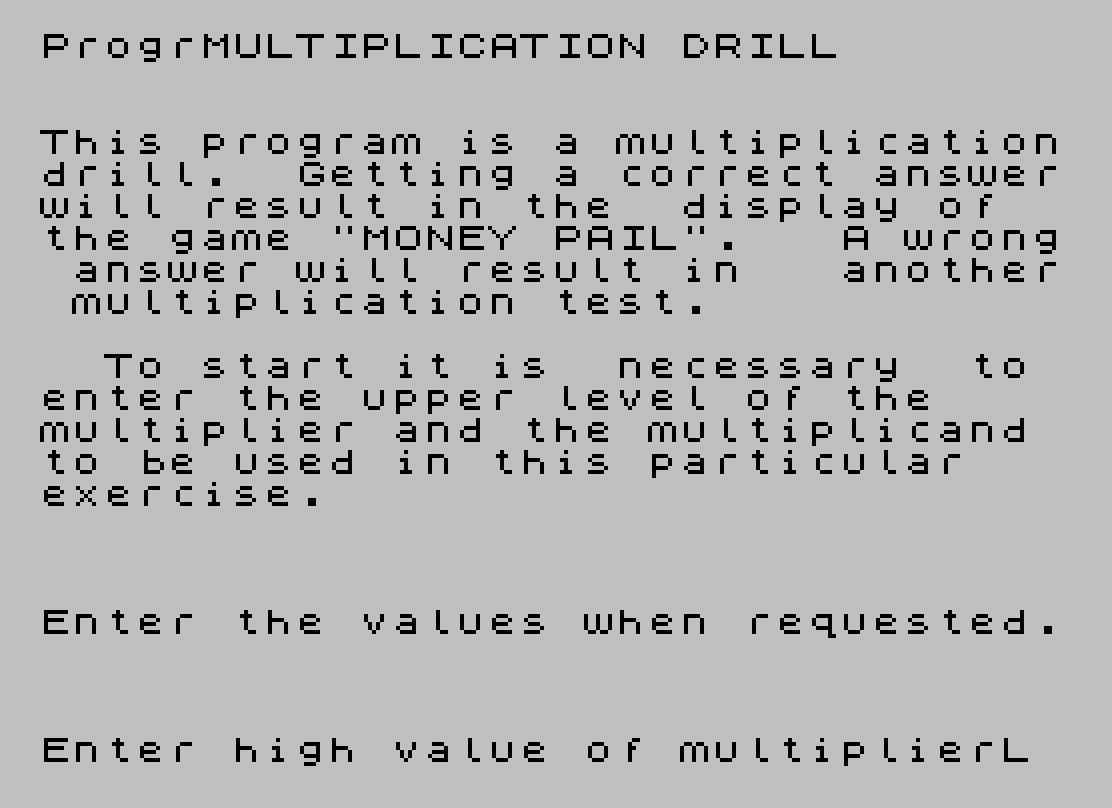
 5000 PRINT AT 1,5;"MULTIPLICATION DRILL"
 5010 PRINT ''"This program is a multiplicationdrill.  Getting a correct answerwill result in the  display of  the game ""MONEY PAIL"".   A wrong answer will result in   another multiplication test."
 5030 PRINT '"  To start it is  necessary  to enter the upper level of the    multiplier and the multiplicand to be used in this particular   exercise."
 5040 PRINT '''"Enter the values when requested."
 5250 INPUT "Enter high value of multiplier";u
 5255 IF u<7 THEN LET u=7
 5260 LET g=u-7
 5320 INPUT "Enter high value of multiplicand";k
 5325 IF k<7 THEN LET k=7
 5330 LET i=k-7
 5400 RETURN
 6000 RESTORE 6040
 6005 FOR n=0 TO 7: READ l: POKE USR "\a"+n,l: NEXT n
 6015 FOR n=0 TO 7: READ r: POKE USR "\c"+n,r: NEXT n
 6020 FOR n=0 TO 7: READ e: POKE USR "\d"+n,e: NEXT n
 6025 FOR n=0 TO 7: READ y: POKE USR "\e"+n,y: NEXT n
 6027 FOR n=0 TO 7: READ o: POKE USR "\f"+n,o: NEXT n
 6029 FOR n=0 TO 7: READ u: POKE USR "\g"+n,u: NEXT n
 6030 FOR n=0 TO 7: READ y: POKE USR "\h"+n,y: NEXT n
 6032 FOR n=0 TO 7: READ y: POKE USR "\i"+n,y: NEXT n
 6034 FOR n=0 TO 7: READ y: POKE USR "\j"+n,y: NEXT n
 6036 FOR n=0 TO 7: READ y: POKE USR "\k"+n,y: NEXT n
 6037 FOR n=0 TO 7: READ y: POKE USR "\l"+n,y: NEXT n
 6038 FOR n=0 TO 7: READ y: POKE USR "\m"+n,y: NEXT n
 6040 DATA 192,192,192,192,192,192,255,255,0,0,0,0,0,0,255,255,3,3,3,3,3,3,255,255,0,0,0,0,0,255,255,255,0,0,0,0,255,255,255,255,0,0,0,255,255,255,255,255,0,0,255,255,255,255,255,255,0,255,255,255,255,255,255,255
 6045 DATA 24,36,36,36,36,36,24,0,24,36,24,16,8,4,36,24,56,56,16,238,254,198,222,222,198,124,68,84,84,84,84,238
 9996 RETURN
 9997 STOP
 9998 SAVE "MULTIPLY" LINE 10
 9999 CLS : INPUT ;"Do you wish to verify?(Y/N)";a$: IF a$="y" THEN VERIFY ""
Note: Type-in program listings on this website use ZMAKEBAS notation for graphics characters.