
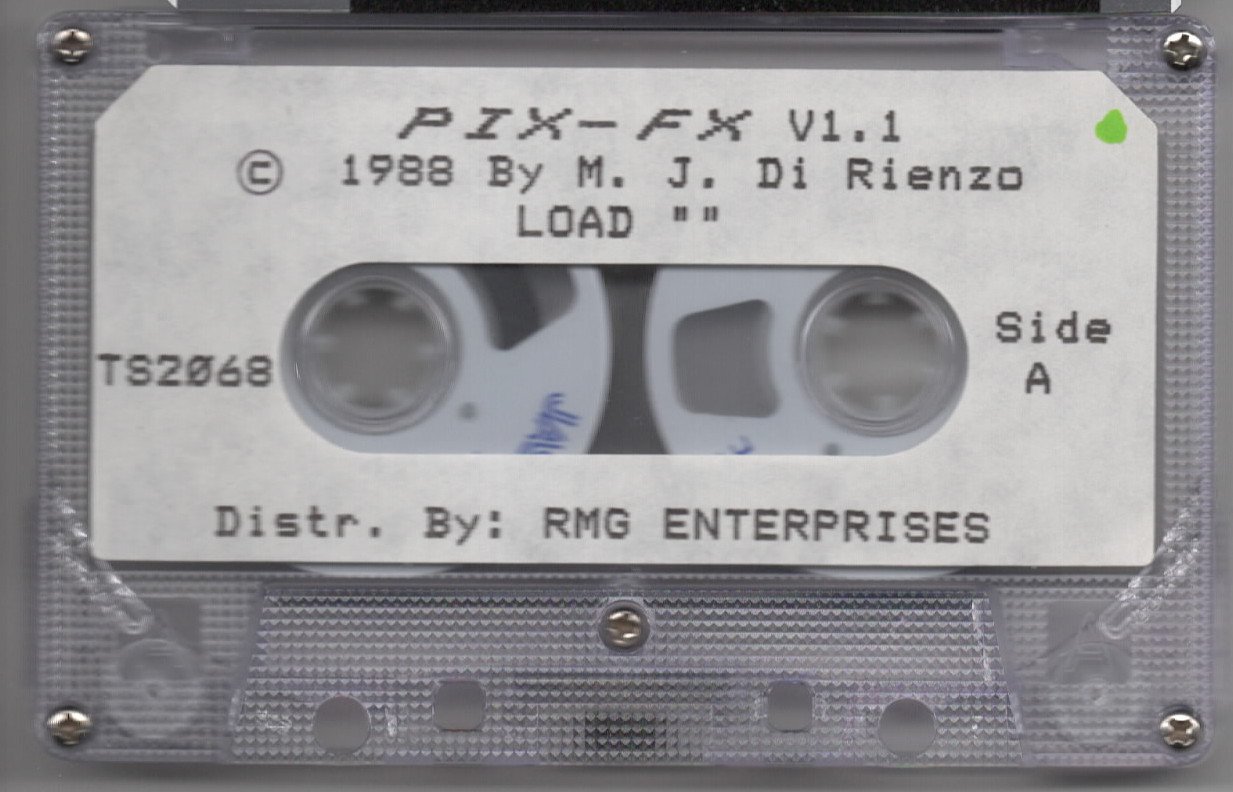
Pix-FX is a multi-function screen image editor that applies special effects to saved SCREEN$ files, including planet/globe wrapping, perspective transformation, magnify, reduce, copy and paste, merge, invert, and horizontal flip.
The program operates as a loader stub that pulls in a title screen and two machine code blocks (“fxa” and “fxb”) from tape, with nearly all processing delegated to those routines via RANDOMIZE USR calls at addresses such as 52480, 62869, 60398, 61217, and others.
Two separate screen buffers are maintained—a “Final Screen” (FS) and a “Working Screen” (WS)—with dedicated machine code swap, copy, and load routines for moving image data between them.
A compressed SCREEN$ save option is included, using a machine code compressor at address 36612 and reporting the byte count before saving as CODE from address 40246. Menu navigation is handled by a machine code routine at address 33467 that returns the selected item index in the BASIC variable X, driving GO TO arithmetic such as GO TO X*100+1000 and GO SUB X*500.
Program Analysis
Program Structure
The BASIC listing is essentially a shell loader and menu dispatcher. Line 9990 handles initialization: it CLEARs memory, patches the system, loads a title screen CODE block, two main machine code files (“fxa” at 52480 and “fxb” at 32768), sets up system variables, and then RUNs from line 20. Line 9999 provides the master SAVE sequence for the whole package. The runtime program (lines 20–5500) is a layered menu system with all heavy computation offloaded to machine code.
Initialization and Machine Code Setup
Line 20 establishes a set of LET constants that are addresses of machine code entry points, then immediately calls RANDOMIZE USR C (C=32959) to run a startup routine. Line 30 sets border and system variables before calling the “menu display” routine at O=33595. The variables are:
| Variable | Address | Purpose |
|---|---|---|
C | 32959 | Startup/init routine |
M | 33467 | Menu selection routine (returns choice in USR result → X) |
O | 33595 | Display/overlay routine |
RF | 59987 | Restore Final Screen to display |
RW | 60069 | Restore Working Screen to display |
SF | 59975 | Save display to Final Screen buffer |
SW | 60081 | Save display to Working Screen buffer |
Menu Navigation Idiom
The program uses a consistent pattern: display a menu with PRINT, call USR M (the menu selection machine code), store the result in X, then dispatch with computed GO TO or GO SUB arithmetic. Examples include GO SUB X*500 (main menu, line 60), GO TO X*100+1000 (storage sub-menu, line 1030), and GO SUB X*10+500 (help sub-menu, line 505). This is an efficient way to build multi-level menus without large IF/THEN chains. A return value of 0 from the menu routine consistently signals “exit this menu.”
Dual Screen Buffer Architecture
Two image buffers are maintained in RAM: a Final Screen (FS) and a Working Screen (WS). Machine code routines SF/RF copy between the display area and FS, while SW/RW do the same for WS. Lines 1325 and 1335 implement FS↔WS copy operations by chaining these routines. Line 1365 at address 61420 performs a full swap of FS and WS. This dual-buffer design allows non-destructive editing and comparison of two images.
Special Effects Dispatch
Each main menu item maps to a distinct line range and machine code entry point:
- Planet Maker (line 2000):
RANDOMIZE USR 52480— wraps the screen image around a globe. - Perspective (lines 2500/3000/3500/3510): POKEs a mode byte into address Y=65535, then calls
RANDOMIZE USR 62869with three sub-modes (1, 2, 3). - Magnify/Reduce/Copy&Paste (line 1500): calls
RANDOMIZE USR 36721after setting up screen and border conditions. - Merge SCREEN$ (line 4000):
RANDOMIZE USR 60398— merges FS and WS, result stored in FS. - Invert SCREEN$ (line 4500): chains RF →
USR 60423→ SF. - Horizontal Flip (line 5000): chains RF →
USR 61217→ SF.
Compressed SCREEN$ Save
Lines 1200–1240 offer an optional compressed save. Machine code at address 36612 compresses the screen data, and USR 40192 returns the compressed length into L. After subtracting the base offset (40246), if the compressed size exceeds 6912 bytes (the raw SCREEN$ size), the program falls back to a normal SAVE and notifies the user. Otherwise it prints the exact SAVE command (including byte count) before executing SAVE N$ CODE 40246,L, letting the user see what will be saved.
Help System with Encoded Page References
Lines 510–560 store help page data as floating-point constants in Z, encoding two 16-bit addresses in a single BASIC number: the integer part is the low address (RANDOMIZE A seeds it so PEEK of system variables L=23670 and H=23671 gives the two bytes), and the fractional part scaled by 1000 gives the second address. Line 570 unpacks these into a six-byte structure at address V=61276 and calls USR V to display the relevant help page. This is a compact technique for passing two 16-bit pointer pairs through a single BASIC variable.
Loader and Save Sequence
Line 9990 is the bootstrap: it patches a LOAD address in the system area (PEEK 23631 + 256*PEEK 23632 + 5) to byte 101, loads the title graphic CODE block to 40246 (4750 bytes), then loads “fxa” (13056 bytes at 52480) and “fxb” (7424 bytes at 32768). System variables 23728–23607 are then set up before running. Line 9999 SAVEs all four components (BASIC loader with auto-run at 9990, title CODE, fxa CODE, fxb CODE) in sequence, which is the standard multi-block tape distribution method.
Notable Techniques and Anomalies
LET Y=65535in line 30 is used as a parameter-passing address — a single byte is POKEd there before calling the perspective machine code to select the transformation mode.- Line
1100usesPAUSE 0followed byINPUT ;andCODE INKEY$to detect whether the user pressed key “2” (ASCII 50) to choose the working screen view, a common keypress-detection idiom. - Line
1357/1358re-use the menu choice valueX(still holding 4 or 5 from the sub-menu) after the LOAD to decide which buffer to move the freshly loaded image into — a tidy reuse of state. - The
POKE 23624,15in line 1500 sets the border/paper color to white before the magnify/reduce/copy operation begins, ensuring a clean display state. - Line
1301issuesOUT 254,7(white border) and callsUSR 61804repeatedly across several routines as a standard “clear and reset display” helper, effectively factored into a reusable subroutine.
Image Gallery

Source Code
   20 LET C=32959: LET M=33467: LET O=33595: LET RF=59987: LET RW=60069: LET SF=59975: LET SW=60081: RANDOMIZE USR C
   30 POKE 23624,56: OUT 254,1: POKE 23658,8: RANDOMIZE USR O: LET Y=65535
   40 RANDOMIZE USR RF: LET X=USR M: PRINT AT 0,7; PAPER 5; INK 2;"  PIX-FX MENU","Help","SCREEN$ Storage","Planet Maker","Perspective","Magnify","Reduce","Copy & Paste","Merge SCREEN$","Invert SCREEN$","Horizontal Flip"
   50 RANDOMIZE USR O: IF X=0 THEN STOP
   60 GO SUB X*500: GO TO 30
  500 LET V=61276: LET X=USR M: PRINT AT 0,3; PAPER 0; INK 5;"    PIX-FX HELP MENU","About PIX-FX","PIX-FX Conventions","Planet Maker","Perspective","Magnify,Reduce,Copy&Paste","Merge SCREEN$": LET L=23670: LET H=L+1: IF X=0 THEN RETURN
  505 GO SUB X*10+500: GO TO 570
  510 LET Z=33840.259: RETURN
  520 LET Z=34099.517: RETURN
  530 LET Z=34616.678: RETURN
  540 LET Z=35375.687: RETURN
  550 LET Z=36062.547: RETURN
  560 LET Z=35294.081: RETURN
  570 LET A=INT Z: LET B=1000*(Z-A): RANDOMIZE A: POKE V+1,PEEK L: POKE V+2,PEEK H: RANDOMIZE B: POKE V+4,PEEK L: POKE V+5,PEEK H: RANDOMIZE USR V: RETURN
 1000 LET X=USR M: PRINT AT 0,6; PAPER 2; INK 7;" SCREEN$ STORAGE","View SCREEN$","SAVE Final SCREEN$","LOAD/Move SCREEN$","COPY SCREEN$-2040"
 1010 RANDOMIZE USR O: IF X=0 THEN RETURN
 1030 GO TO X*100+1000
 1100 PRINT #1;AT 0,0;"    VIEW: [1]Final SCREEN$                [2]Working SCREEN$    ": PAUSE 0: INPUT ;: IF CODE INKEY$=50 THEN RANDOMIZE USR RW: PAUSE 0: RETURN
 1110 RANDOMIZE USR RF: PAUSE 0: RETURN
 1200 GO SUB 5500: INPUT AT 0,0;"WANT TO SAVE COMPRESSED SCREEN$ (Y/N) ";Q$: RANDOMIZE USR RF: IF Q$="Y" THEN GO TO 1230
 1220 SAVE N$SCREEN$ : RETURN
 1230 RANDOMIZE USR 36612: LET L=USR 40192: LET L=L-40246: IF L>6912 THEN RANDOMIZE USR SF: PRINT #1;AT 0,0;;"NO BYTES SAVED, NORMAL SAVE ...": PAUSE 200: GO TO 1220
 1240 PRINT #1;AT 0,0;"SAVE """;N$;"""CODE 40246,";L;AT 1,5;"PRESS ANY KEY TO SAVE": PAUSE 0: SAVE N$CODE 40246,L: INPUT ;: RANDOMIZE USR SF: RETURN
 1300 GO SUB 1301: GO SUB 1302: CLS : RETURN
 1301 CLS : OUT 254,7: RANDOMIZE USR 61804: RETURN
 1302 LET X=USR M: PRINT AT 14,0; PAPER 7; INK 2;"LOAD/MOVE PIC","Exit This MENU","Copy FS To WS","Copy WS To FS","LOAD Pic To WS","LOAD Pic To FS","Swap FS & WS"
 1305 RANDOMIZE USR O: IF X=0 OR X=1 THEN RETURN
 1310 GO TO X*10+1305
 1325 RANDOMIZE USR RF: RANDOMIZE USR SW: GO TO 1300
 1335 RANDOMIZE USR RW: RANDOMIZE USR SF: GO TO 1300
 1356 GO SUB 5500: LOAD N$SCREEN$
 1357 IF X=4 THEN RANDOMIZE USR SW
 1358 IF X=5 THEN RANDOMIZE USR SF
 1359 GO TO 1300
 1360 INPUT AT 0,0;"PRINT ON:[1]Blank Screen                 [2]Final SCREEN$ ";Q: CLS : IF Q=2 THEN RANDOMIZE USR RF
 1362 RETURN
 1365 RANDOMIZE USR 61420: GO TO 1300
 1400 RANDOMIZE USR RF: RANDOMIZE USR 60442: RETURN
 1500 GO SUB 1301: GO SUB 1302: GO SUB 1360: POKE 23624,15: RANDOMIZE USR 36721: PAUSE 0: RETURN
 2000 GO SUB 1300: BORDER 5: RANDOMIZE USR 52480: PAUSE 0: BORDER 7: CLS : RETURN
 2500 POKE Y,1: GO TO 3510
 3000 POKE Y,2: GO TO 3510
 3500 POKE Y,3
 3510 GO SUB 1300: RANDOMIZE USR 62869: PAUSE 0: RETURN
 4000 CLS : OUT 254,7: RANDOMIZE USR 61804: PRINT #1;AT 0,0;"Put PICS To be MERGED in FS & WSarea, result is stored in FS.": GO SUB 1302: CLS : RANDOMIZE USR 60398: RETURN
 4500 RANDOMIZE USR RF: RANDOMIZE USR 60423: RANDOMIZE USR SF: PAUSE 0: RETURN
 5000 RANDOMIZE USR RF: RANDOMIZE USR 61217: RANDOMIZE USR SF: PAUSE 0: RETURN
 5500 INPUT " INPUT FILE NAME ";N$: RETURN
 9990 CLEAR 32767: POKE PEEK 23631+256*PEEK 23632+5,101: LOAD "title"CODE : RANDOMIZE USR 40246: LOAD "fxa"CODE : LOAD "fxb"CODE : POKE 23728,0: POKE 23729,181: POKE 23606,33: POKE 23607,235: PRINT #1;"Press A Key To RUN": OUT 254,1: PAUSE 0: RANDOMIZE USR 40246: RANDOMIZE USR 59975: RUN
 9999 SAVE "PIX-FX" LINE 9990: SAVE "title"CODE 40246,4750: SAVE "fxa"CODE 52480,13056: SAVE "fxb"CODE 32768,7424
Note: Type-in program listings on this website use ZMAKEBAS notation for graphics characters.