
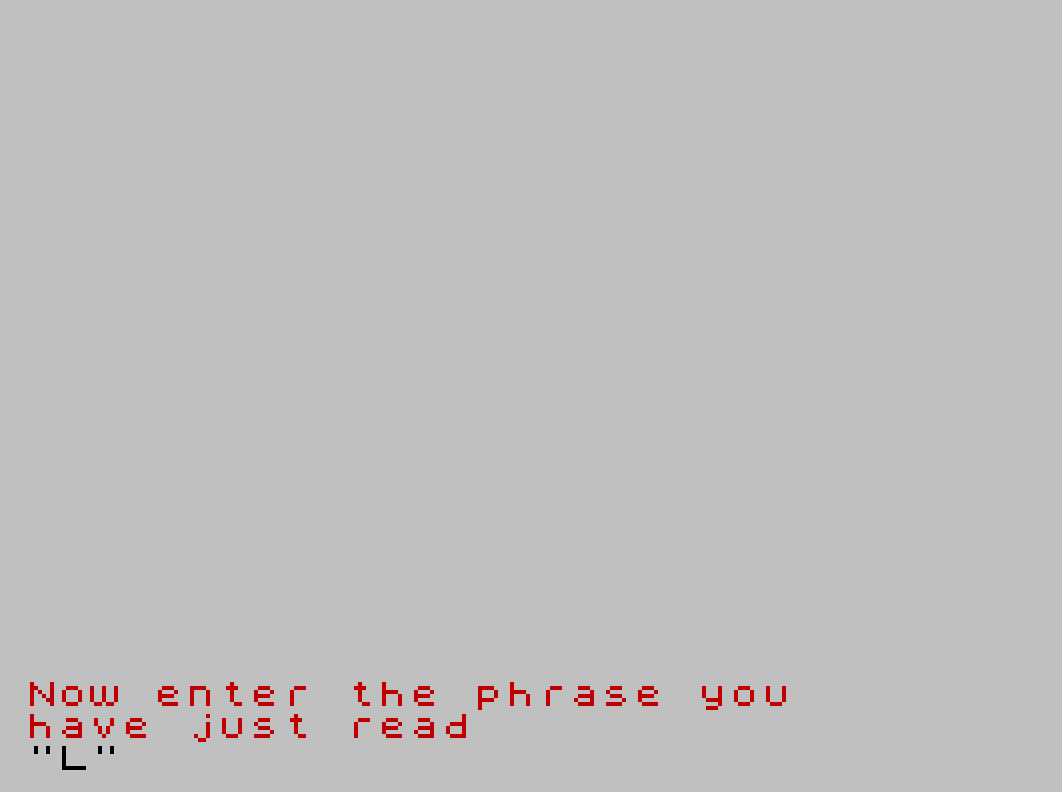
This program is a reading and spelling drill that presents one of eleven short phrases chosen at random, asks the user to type it back, and checks whether the answer matches. The phrase is selected by iterating a FOR loop a random number of times (1 to 11) over DATA statements, so READ always lands on the last item consumed. A lenient comparison is used at line 110: only characters from the second position onward are checked with A$(2 TO )=B$(2 TO ), which forgives a mismatch on the very first character. Display time for the phrase scales with its length via PAUSE (LEN A$)*20, giving longer phrases more reading time. Correct answers trigger a flashing, colored “Well done” message before restarting the program with RUN; incorrect answers loop back to re-display the phrase.
Program Analysis
Program Structure
The program divides into four logical phases:
- Setup (lines 10–20): Sets display colors, pauses briefly, and resets the DATA pointer.
- Phrase selection (lines 30–40): Reads through DATA a random number of times so
A$ends up holding whichever phrase was read last. - Display and input (lines 50–100): Shows the phrase, waits, clears the screen, prompts for the user’s version, then displays it in inverse video.
- Checking and looping (lines 110–150): Compares answers, gives feedback, and either restarts or loops back to re-show the phrase.
Lines 160–260 hold the eleven DATA phrases. Line 9997 is a STOP safety guard, and line 9998 saves the program.
Random Phrase Selection Technique
The selection mechanism at lines 30–40 is an idiomatic BASIC trick: rather than reading all items into an array and indexing into it, a FOR loop runs INT(RND*11)+1 times, reading one DATA item per iteration. After the loop, A$ holds the last value read. This avoids the need for an array and keeps memory use minimal, at the cost of always reading sequentially from the top of the DATA list. The RESTORE at line 20 ensures the pointer resets on each game cycle (since RUN at line 110 also resets it, but GO TO 50 at line 150 does not restart the whole program).
Display Timing
Line 60 uses PAUSE (LEN A$)*20 to scale the viewing time with phrase length. At 50 Hz, each PAUSE unit is 1/50th of a second, so a phrase of 18 characters (e.g., “Watch the dog run”) gets a 7.2-second display, while a shorter phrase gets proportionally less time. This is a simple but effective adaptive timing approach.
Answer Comparison and Notable Bug
Line 110 compares A$(2 TO ) with B$(2 TO ), checking every character except the first. This means a user who gets the first character wrong will still be told “Well done.” For example, typing “Xatch the dog run” instead of “Watch the dog run” would pass. This is most likely an unintentional bug rather than a deliberate design choice, since the intended behavior is clearly an exact match check.
A secondary issue arises if the user enters a string shorter than the phrase: slicing B$(2 TO ) on a one-character string is safe, but if B$ is empty an error would occur. No guard against an empty input is present.
Key BASIC Idioms
INPUT INK 2;"Now enter the phrase you","have just read",,B$— multiple string items inINPUTprint prompt lines; the double comma inserts a blank line before the input field.PRINT INVERSE 1;" ";B$;" "— padding spaces ensure the inverse-video highlight extends visually beyond the text itself.PRINT '' INK 3; FLASH 1;"Well done..."— two apostrophes produce two blank lines before the success message; attribute keywords are inlined within thePRINTstatement.RUNat line 110 resets all variables and the DATA pointer, providing a clean restart without aGO TO 10.
DATA Phrases
| Line | Phrase | Length |
|---|---|---|
| 160 | Watch the dog run | 17 |
| 170 | The cat has four legs | 21 |
| 180 | The egg is brown | 16 |
| 190 | The sun is hot | 14 |
| 200 | The fox runs quickly | 20 |
| 210 | The duck swims slowly | 21 |
| 220 | The camel has a hump | 20 |
| 230 | The bell is ringing | 19 |
| 240 | The fish is wet | 15 |
| 250 | The book is open | 16 |
| 260 | The bus is red | 14 |
All phrases use simple vocabulary consistent with an early-reader educational target. Because the random index is uniformly distributed over 1–11, each phrase has an equal probability of selection on any given run.
Image Gallery
Source Code
   10 INK 1: PAPER 7: BORDER 7: CLS
   20 PAUSE 50: RESTORE
   30 FOR J=1 TO INT (RND*11)+1
   40 BEEP 1/J,3*J: READ A$: NEXT J
   50 PRINT AT 10,0;A$
   60 PAUSE (LEN A$)*20
   70 CLS
   80 INPUT INK 2;"Now enter the phrase you","have just read",,B$
   90 PRINT INVERSE 1;" ";B$;" "
  100 PAUSE 50
  110 IF A$(2 TO )=B$(2 TO ) THEN BEEP .3,LEN A$: PRINT '' INK 3; FLASH 1;"Well done, that was correct": PAUSE 300: RUN
  120 PRINT ''"Sorry, that was not right"
  130 PRINT ''"Here it is again"
  140 PAUSE 200: CLS
  150 GO TO 50
  160 DATA "Watch the dog run"
  170 DATA "The cat has four legs"
  180 DATA "The egg is brown"
  190 DATA "The sun is hot"
  200 DATA "The fox runs quickly"
  210 DATA "The duck swims slowly"
  220 DATA "The camel has a hump"
  230 DATA "The bell is ringing"
  240 DATA "The fish is wet"
  250 DATA "The book is open"
  260 DATA "The bus is red"
 9997 STOP
 9998 SAVE "READ&SPELL" LINE 1
Note: Type-in program listings on this website use ZMAKEBAS notation for graphics characters.