
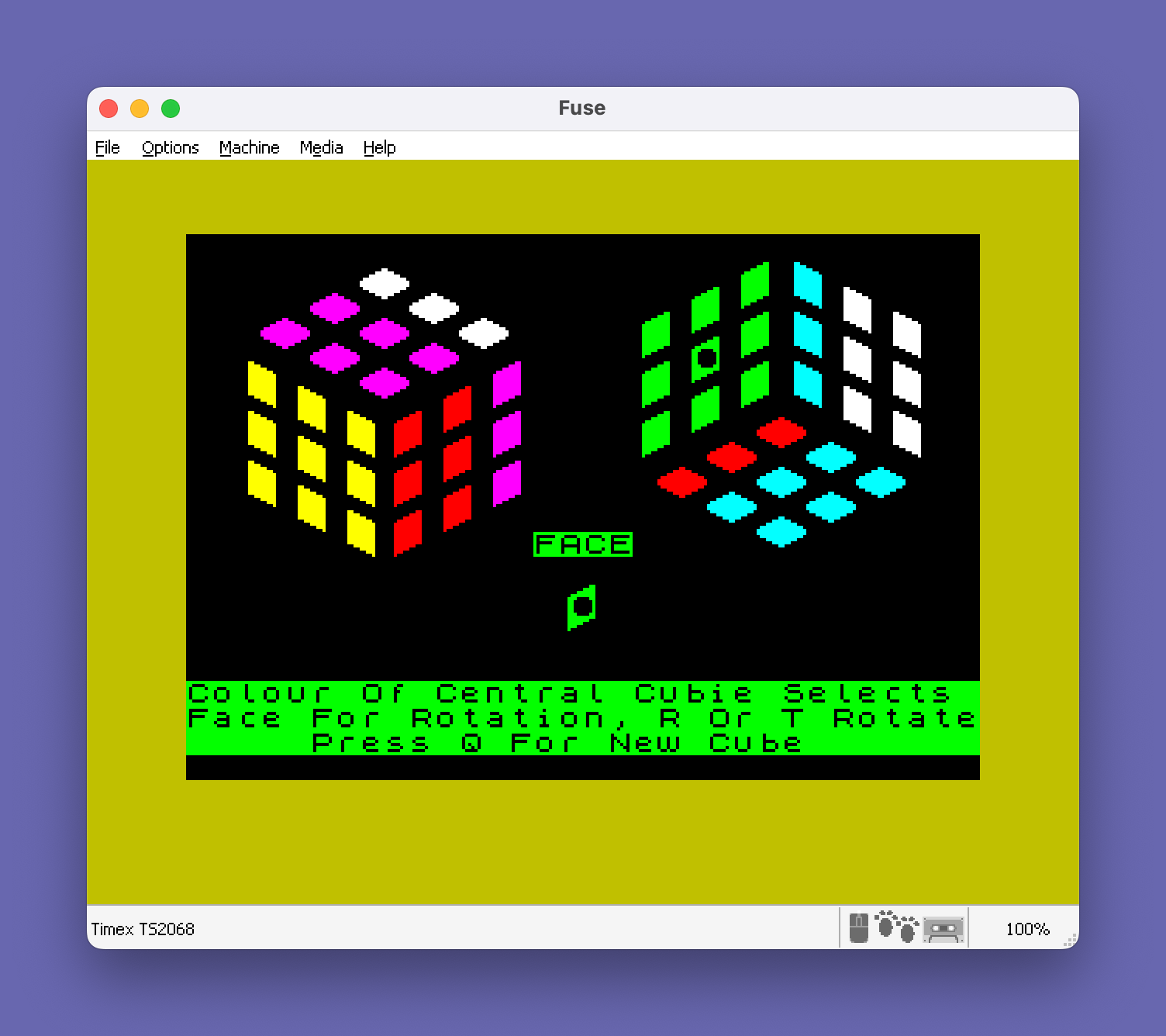
This program implements a Rubik’s Cube simulator, rendering all six faces of a 3×3×3 cube on screen using user-defined graphics characters (UDGs) stored in arrays. The cube’s state is encoded in a 6×14 string array `a$`, where the first nine columns hold cubie colors per face and columns 10–14 store adjacency data for rotation logic. Clockwise and counter-clockwise face rotations are handled by subroutines at lines 1020 and 1150, which manipulate the state array and optionally animate the affected cubies via the display routine at line 800. The program supports saving and loading named cube states to tape as a string array, and includes a move-history string `m$` that records each rotation to allow an “unscramble” playback feature. A companion machine code block is loaded at `USR “a”` (the UDG base address) via a separate `CODE` file, providing the custom cubie graphics used throughout the display.
Program Analysis
Program Structure
The program is organized into well-separated subroutines with a clear initialization and main-loop flow. Execution starts at line 10 which jumps to line 30 (past the tape LOAD at line 20, which is only reached when re-run via SAVE "RubicCube" LINE 20). The high-level flow is:
- Lines 30–110: Screen setup and data initialization (border/paper/ink, cube state array, coordinate table, shape arrays)
- Lines 120–160: Display instructions and enter main loop
- Lines 170–340: Option menu (fresh cube, unscramble, save to tape)
- Lines 350–700: Initialization subroutine — builds
a$(),u(),b$(),d()arrays from DATA - Lines 710–790: Full cube redraw subroutine
- Lines 800–910: Partial redraw subroutine (affected faces only)
- Lines 920–1010: Main keypress dispatch loop
- Lines 1020–1140: Counter-clockwise rotation (key “r”)
- Lines 1150–1270: Clockwise rotation (key “t”)
- Lines 1280–1320: Keypress wait routine (flush then wait)
- Lines 1330–1390: Copy current edge cubies into
c$()buffer - Lines 1400–1490: Face selection display
- Lines 1500–1560: Highlight selected face center (XOR overlay)
- Lines 1570–1630: Start menu (play/scramble/load)
- Lines 1640–1730: Scramble routine
- Lines 1740–1800: Load cube from tape
- Lines 1810–1850: Move history recorder
- Lines 1860–1990: Unscramble playback engine
- Lines 2000–2010: SAVE commands for program and machine code
Data Representation
The cube state is stored in a$(6,14), a 6×14 string array. Each row represents one face; columns 1–9 hold single-character strings encoding the color (as a digit 2–7, matching INK values) of each cubie on that face. Columns 10–14 hold adjacency face indices used during rotation to identify which neighboring faces are affected.
The screen coordinates for all 54 visible cubie positions are stored in u(54,2), a numeric array populated from DATA at lines 510–560. Each entry gives the PRINT AT row and column for that cubie’s top-left corner. Cubies are displayed as 2×2 character blocks using UDGs defined in the machine code file.
The d(4,3) array (lines 660–680) maps, for each of the four edge groups around a face, the three cubie positions within the adjacent face that are affected by a rotation.
Machine Code Usage
Line 20 loads a machine code block named "rubiccubeC" to address USR "a", which is the base address of the UDG table (character 144). This installs custom 2×2 cubie graphics (UDGs \a through \p at minimum) used in b$(). Line 2010 saves this block back to tape. The BASIC program itself never calls USR as a function; the machine code is purely graphical data, not executable subroutines.
UDG and Display Technique
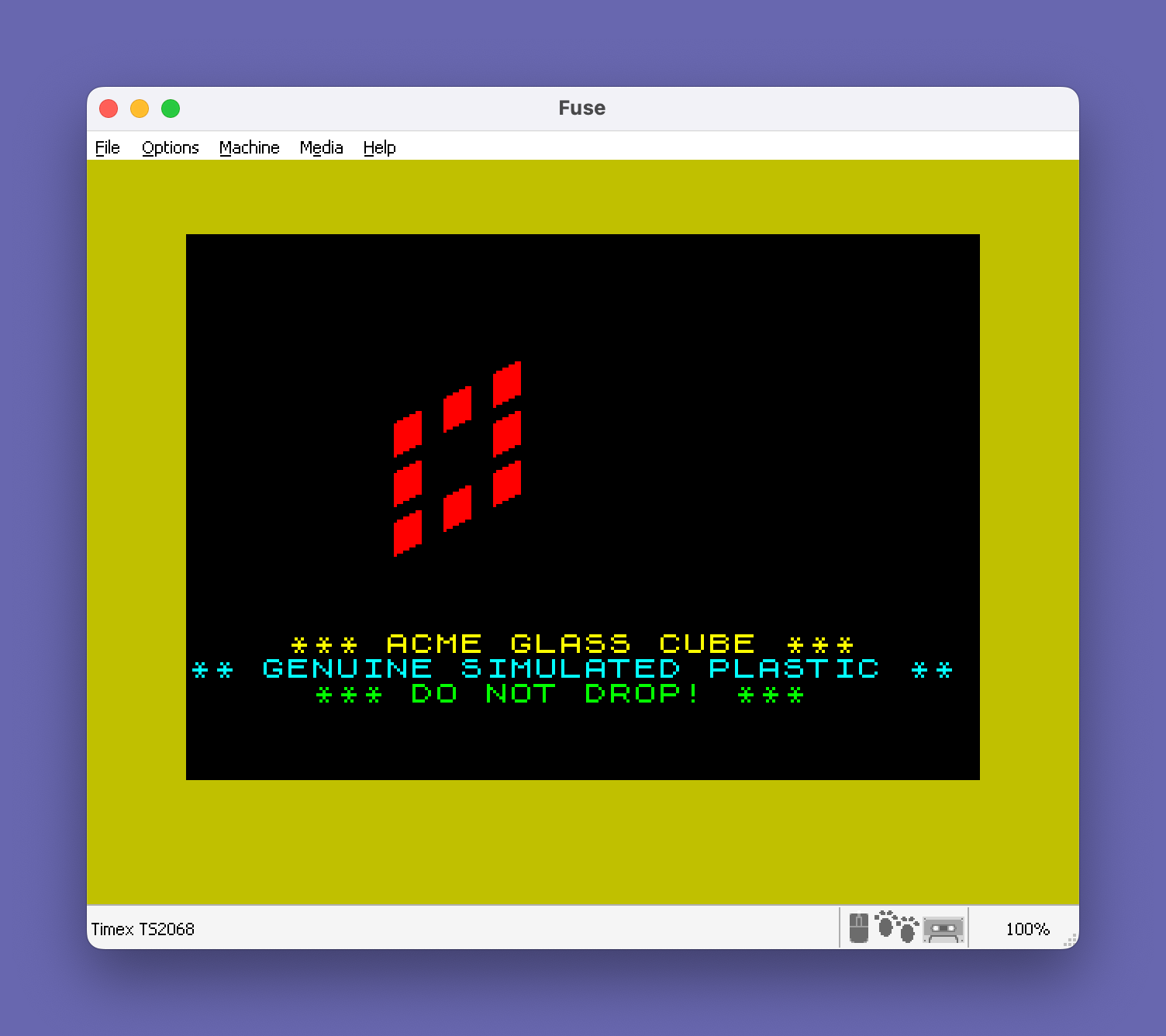
Each cubie face is rendered as a 2×2 block of UDG characters. The four UDGs per shape variant are stored in b$(6,4) at lines 580–640. Faces 1 and 3 share b$(1) (UDGs \a\b\c\d), faces 2 and 4 share b$(2) (UDGs \i\j\k\l), and faces 5 and 6 share b$(5) (UDGs \e\f\g\h), reflecting the three visible orientations of the isometric cube projection.
The selected face is highlighted using OVER 1 (XOR mode) at lines 1520–1540 and 1460–1470, printing UDGs \m\n\o\p over the center cubie to create a highlight effect without permanently altering the cell colors. The same technique clears the highlight by reprinting in the same mode.
Rotation Algorithm
Both rotation subroutines (lines 1020 and 1150) follow the same pattern:
- Call line 1810 to record the move in
m$ - Call line 1330 to snapshot the eight edge cubies of the four adjacent faces into
c$(4,3) - Rotate the face’s own nine cubies in
a$(k, TO 8)by string-slicing and reassignment (lines 1040–1050 for CCW, 1170–1180 for CW) - Cycle the edge cubie colors around the four adjacent faces using the offset index
x(±1 mod 4) - Redraw only the affected cubies via line 800 (skipped when
hide=1during scrambling)
The face ring rotation for CW (line 1090) uses x=s+1 cycling 1→2→3→4→1, and CCW (line 1200) uses x=s-1 cycling 4→3→2→1→4.
Move History and Unscramble
The move history is recorded in the string variable m$. Each move is prepended (not appended) as a two-character sequence: face number (as a digit) and move type (“r” or “t”). Line 1820 implements compression: if the same face is turned again in the same direction, the previous record is consumed rather than duplicated — this is a partial move-cancellation optimization. The unscramble routine at line 1860 reads moves from the front of m$ and plays back the opposite rotation, stepping through the history in reverse order. During playback, pressing “h” halts and “r” returns control immediately.
Key BASIC Idioms
SGN PIis used throughout as a constant value of 1 (sinceSGN(3.14159…) = 1), avoiding the storage of a numeric literal in FOR loop initializers — a common Sinclair BASIC memory-saving idiom.PI TO 4used as a slice index evaluates to3 TO 4since PI truncates to 3 in integer slice contexts.VAL a$(f,e)converts a single stored digit character back to a number for use as an INK color or array index.STR$ (c+1)is used to store numeric values as single characters in string arrays.- The keypress routine at lines 1280–1320 uses the standard flush-then-wait pattern: spin while INKEY$ is non-empty, then spin while empty, ensuring a clean single keypress.
Notable Anomaly: Variable Name Collision
Lines 740, 840, and 880 use u(Z,2) with capital Z in the second coordinate lookup, while the loop variable is lowercase z. In Sinclair BASIC, variable names are case-sensitive for string variables but numeric variable names are single letters and case is normalized — both z and Z refer to the same variable. This is not a bug but may appear confusing.
Line 1190/1210 Redundancy
In the clockwise rotation subroutine, line 1190 declares FOR t=SGN PI TO 3 but this loop variable t is immediately re-declared at line 1210 with FOR t=SGN PI TO 3 again inside the FOR s loop. The first FOR t at line 1190 is effectively dead code — it sets up a loop that is never iterated because line 1200’s IF x=0 assignment and line 1210’s re-declaration supersede it. This appears to be a copy-paste artifact from the CCW routine structure at lines 1190–1210 and does not affect correctness.
Scramble and Tape Storage
The scramble routine (lines 1640–1730) performs 7 random face rotations with hide=1 to suppress screen updates during computation, then redraws the full cube at the end. Tape save (lines 280–320) stores the move history in a temporary g$() array and the cube state in a$() as two separate named SAVE operations. Loading (lines 1740–1800) reverses this, restoring both arrays.
Image Gallery

Source Code
   10 GO TO 30
   20 LOAD "rubiccubeC"CODE USR "a"
   30 BORDER 6: PAPER 0: INK 9: BRIGHT 1
   40 CLS
   50 PRINT AT 16,2; INK 6;"  *** ACME GLASS CUBE ***"
   60 PRINT INK 5;"** GENUINE SIMULATED PLASTIC **"
   70 PRINT INK 4;"     *** DO NOT DROP! ***"
   80 GO SUB 350
   90 GO SUB 710
  100 GO SUB 1570
  110 INK 9: PAPER 1
  120 PRINT AT 16,0;"   Press Colour Key To Select   "
  130 PRINT "  Face- Then Press Key T Or R   "
  140 PRINT " To Turn Clockwise Or Otherwise "
  150 FLASH 0: PAPER 0
  160 GO TO 920
  170 GO TO 350
  180 PRINT AT 16,0; PAPER 6;" Press f For A Fresh Cube"," Press u To Unscramble This One  Press t To Store It On Tape",
  190 PRINT ,,
  200 GO SUB 1280
  210 IF k$="f" THEN RUN
  220 IF k$="u" THEN GO SUB 250: GO SUB 1860: GO TO 100
  230 IF k$="t" THEN GO TO 280
  240 BEEP .5,-40: GO TO 200
  250 PRINT AT 16,0,,"    Hold Down H To Halt Action   "
  260 PRINT "   Or Hold R To Regain Control  ",,
  270 RETURN
  280 INPUT "Name Of Cube?";n$
  290 IF n$="" THEN LET n$="no name"
  300 DIM g$(LEN m$): LET g$()=m$
  310 SAVE n$ DATA g$(): SAVE "array" DATA a$()
  320 DIM g$(1)
  330 IF k<>0 THEN LET k$=STR$ (VAL m$(1)+1): GO SUB 1400: GO TO 920
  340 GO TO 100
  350 DIM a$(6,14)
  360 FOR e=SGN PI TO 9
  370 FOR c=SGN PI TO 6
  380 LET a$(c,e)=STR$ (c+1)
  390 NEXT c
  400 NEXT e
  410 FOR f=SGN PI TO 6: FOR e=10 TO 14
  420 READ aa: LET a$(f,e)=STR$ aa
  430 NEXT e: NEXT f
  440 DATA 2,3,4,5,6,3,1,5,6,4,1,2,6,4,5,6,5,1,3,2,4,6,2,1,6,5,4,3,2,1
  450 DIM u(54,2)
  460 FOR e=SGN PI TO 54
  470 FOR f=SGN PI TO 2
  480 READ u(e,f)
  490 BEEP .008,e
  500 NEXT f: NEXT e
  510 DATA 7,8,6,10,5,12,7,12,9,12,10,10,11,8,9,8,8,10
  520 DATA 1,7,2,9,3,11,4,9,5,7,4,5,3,3,2,5,3,7
  530 DATA 7,18,5,18,3,18,2,20,1,22,3,22,5,22,6,20,4,20
  540 DATA 7,23,8,25,9,27,10,25,11,23,10,21,9,19,8,21,9,23
  550 DATA 11,6,10,4,9,2,7,2,5,2,6,4,7,6,9,6,8,4
  560 DATA 3,28,5,28,7,28,6,26,5,24,3,24,1,24,2,26,4,26
  570 REM *** cubie shape arrays ***
  580 DIM b$(6,4)
  590 LET b$(1)="\a\b\c\d"
  600 LET b$(2)="\i\j\k\l"
  610 LET b$(PI)=b$(1)
  620 LET b$(4)=b$(2)
  630 LET b$(5)="\e\f\g\h"
  640 LET b$(6)=b$(5)
  650 DIM d$(8): DIM c$(4,PI): DIM d(4,PI)
  660 FOR s=SGN PI TO 4: FOR t=SGN PI TO PI: READ d(s,t)
  670 NEXT t: NEXT s
  680 DATA 5,4,3,3,2,1,7,6,5,1,8,7
  690 LET k=0: LET m$="": LET hide=k
  700 RETURN
  710 FOR f=SGN PI TO 6
  720 FOR e=SGN PI TO 9
  730 LET z=e+9*f-9: INK VAL a$(f,e)
  740 PRINT AT u(z,1),u(Z,2);b$(f, TO 2): PRINT AT u(z,1)+1,u(z,2);b$(f,PI TO 4)
  750 BEEP .006,f*e
  760 NEXT e
  770 NEXT f
  780 INK 9
  790 RETURN
  800 FOR e=o TO p STEP y
  810 LET f=VAL a$(k,e+9)
  820 FOR c=m TO n STEP y
  830 LET z=f*9-9+d(e,c): INK VAL a$(f,d(e,c))
  840 PRINT AT u(z,1),u(Z,2);b$(f, TO 2): PRINT AT u(z,1)+1,u(z,2);b$(f,PI TO 4): BEEP .004,z
  850 NEXT c: NEXT e
  860 FOR p=v TO w STEP y
  870 LET z=k*9-9+p: LET f=k: INK VAL a$(k,p)
  880 PRINT AT u(z,1),u(Z,2);b$(f, TO 2): PRINT AT u(z,1)+1,u(z,2);b$(f,PI TO 4): BEEP .004,z
  890 NEXT p
  900 INK 9
  910 RETURN
  920 GO SUB 1280
  930 IF k$="q" THEN GO TO 180
  940 IF k$="t" AND k<>0 THEN GO SUB 1150: GO TO 920
  950 IF k$="r" AND k<>0 THEN GO SUB 1020: GO TO 920
  960 IF k$<"2" OR k$>"7" THEN BEEP .5,-40: GO TO 920
  970 GO SUB 1400
  980 IF k<>0 THEN GO SUB 1500
  990 LET k=VAL k$-1
 1000 GO SUB 1500
 1010 GO TO 920
 1020 GO SUB 1810
 1030 GO SUB 1330
 1040 LET a$(k, TO 6)=d$(PI TO 8)
 1050 LET a$(k,7 TO 8)=d$( TO 2)
 1060 FOR s=SGN PI TO 4
 1070 LET g=VAL a$(k,s+9): LET x=s+1: IF x=5 THEN LET x=1
 1080 FOR t=SGN PI TO PI
 1090 LET a$(g,d(s,t))=c$(x,t)
 1100 NEXT t: NEXT s
 1110 IF hide=1 THEN RETURN
 1120 LET v=8: LET w=1: LET o=4: LET p=w: LET m=3: LET n=w: LET y=-w
 1130 GO SUB 800
 1140 RETURN
 1150 GO SUB 1810
 1160 GO SUB 1330
 1170 LET a$(k,1 TO 2)=d$(7 TO 8)
 1180 LET a$(k,PI TO 8)=d$(1 TO 6)
 1190 FOR s=SGN PI TO 4: FOR t=SGN PI TO 3
 1200 LET g=VAL a$(k,s+9): LET x=s-1: IF x=0 THEN LET x=4
 1210 FOR t=SGN PI TO 3
 1220 LET a$(g,d(s,t))=c$(x,t)
 1230 NEXT t: NEXT s
 1240 IF hide=1 THEN RETURN
 1250 LET v=1: LET w=8: LET o=v: LET p=4: LET m=v: LET n=3: LET y=v
 1260 GO SUB 800
 1270 RETURN
 1280 IF INKEY$<>"" THEN GO TO 1280
 1290 IF INKEY$="" THEN GO TO 1290
 1300 LET k$=INKEY$
 1310 BEEP .05,40
 1320 RETURN
 1330 LET d$=a$(k, TO 8)
 1340 FOR s=SGN PI TO 4
 1350 LET g=VAL a$(k,s+9)
 1360 FOR t=SGN PI TO 3
 1370 LET c$(s,t)=a$(g,d(s,t))
 1380 NEXT t: NEXT s
 1390 RETURN
 1400 PRINT AT 14,0,,,,,,,,
 1410 PAPER VAL k$
 1420 PRINT "Colour Of Central Cubie Selects "
 1430 PRINT "Face For Rotation, R Or T Rotate"
 1440 PRINT "     Press Q For New Cube       "
 1450 PRINT AT 12,14;"FACE": PRINT AT 14,15; PAPER 0; INK VAL k$;b$(VAL k$-1,1 TO 2);TAB 15;b$(VAL k$-1,3 TO 4)
 1460 INK 8: PAPER 8: OVER 1
 1470 PRINT AT 14,15;"\m\n";TAB 15;"\o\p"
 1480 OVER 0: INK 9: PAPER 0
 1490 RETURN
 1500 IF k=0 THEN RETURN
 1510 LET qb=u(k*9,1): LET qb1=u(k*9,2)
 1520 INK 8: PAPER 8: OVER 1
 1530 PRINT AT qb,qb1;"\m\n"
 1540 PRINT AT qb+1,qb1;"\o\p"
 1550 INK 9: OVER 0: PAPER 0
 1560 RETURN
 1570 PRINT AT 16,0; PAPER 2;" Press c To Play With This Cube  Press s To Scramble It First    Press t To Load One From Tape  "
 1580 GO SUB 1980: GO SUB 1500: LET k=0
 1590 GO SUB 1280
 1600 IF k$="c" THEN RETURN
 1610 IF k$="s" THEN GO TO 1640
 1620 IF k$="t" THEN GO TO 1740
 1630 BEEP .5,-40: GO TO 1590
 1640 LET hide=1
 1650 FOR e=SGN PI TO 7
 1660 LET k=INT (RND*6)+1
 1670 LET k$="r"
 1680 IF RND>.5 THEN LET k$="t"
 1690 IF k$="r" THEN GO SUB 1020
 1700 IF k$="t" THEN GO SUB 1150
 1710 BEEP .05,e*5
 1720 NEXT e
 1730 GO SUB 710: LET k=0: LET hide=k: RETURN
 1740 INPUT "Name Of Cube?";n$
 1750 PRINT AT 20,0;"        Start The Tape          "
 1760 LOAD n$ DATA g$(): LOAD "array" DATA a$()
 1770 LET m$=g$()
 1780 DIM g$(1)
 1790 CLS : GO SUB 710
 1800 RETURN
 1810 IF m$="" THEN GO TO 1830
 1820 IF k=VAL m$(1) AND k$<>m$(2) THEN LET m$=m$(3 TO ): RETURN
 1830 LET m$=k$+m$
 1840 LET m$=STR$ k+m$
 1850 RETURN
 1860 IF m$="" THEN RUN
 1870 GO SUB 1500
 1880 LET k=VAL m$(1)
 1890 LET k$=STR$ (k+1): LET t$=m$(2)
 1900 LET m$=m$(PI TO )
 1910 GO SUB 1450: GO SUB 1500
 1920 IF t$="t" THEN GO SUB 1030
 1930 IF t$="r" THEN GO SUB 1160
 1940 IF INKEY$="h" THEN GO TO 1940
 1950 IF INKEY$="r" THEN RETURN
 1960 IF m$<>"" THEN GO TO 1870
 1970 GO SUB 1500: LET k=0
 1980 PRINT AT 12,14; PAPER 0;"    ": PRINT AT 14,15;"  ";TAB 15;"  "
 1990 RETURN
 2000 SAVE "RubicCube" LINE 20
 2010 SAVE "rubiccubeC"CODE USR "a",168
Note: Type-in program listings on this website use ZMAKEBAS notation for graphics characters.