
“Shooting Titles” is a display effect that scans pixel data from a text banner printed at the top of the screen and “shoots” each lit pixel downward onto the lower portion of the display. The program first prints “TIMEX SINCLAIR” in white INK at row 0, then iterates over x-coordinates in steps of 1/3 and y-coordinates 0–7, using POINT to detect whether each pixel in the character row is set. When a lit pixel is found, it is re-plotted in a scaled and offset position (2*x, 3*y+80), accompanied by a brief BEEP and a short DRAW OVER 1 trail to simulate a projectile effect. The fractional STEP of 1/3 in the outer FOR loop allows sub-pixel horizontal scanning of the 128-pixel-wide screen area.
Program Analysis
Program Structure
The program is short and self-contained, consisting of a banner setup phase followed by a nested scanning loop. Lines 1–3 are REM comments crediting the author and source publication. Line 50 clears the screen, line 60 prints the title text, and lines 70–160 form the main double loop that scans and redraws pixels.
- Lines 1–3: REM header (author/publication credits)
- Line 50: CLS — clear screen
- Line 60: Print source banner in white INK at top of screen
- Lines 70–160: Nested FOR loop scanning x (0–127, step 1/3) and y (0–7), detecting and re-plotting pixels
Pixel Scanning Technique
The outer loop variable x runs from 0 to 127 in steps of 1/3, giving three passes per horizontal pixel column. The inner loop y runs 0 to 7, covering the 8 pixel rows of the first character row (the screen’s top pixel rows correspond to approximately y+168 in the 192-row coordinate system). POINT (x, y+168) tests whether a pixel is set in the top character row where the title was printed. Because the pixel coordinates of the top row start at y=175 (row 0, top pixel) down to y=168 in Spectrum/TS2068 coordinates, scanning y=0 to 7 with offset 168 covers exactly those 8 rows.
Projectile (“Shot”) Effect
When a lit pixel is detected at line 90, the following actions occur:
PLOT 2*x, 3*y+80— draws the pixel in the lower screen area, scaled (x doubled horizontally, y tripled and offset to around the middle of the screen)PLOT 0,0: DRAW OVER 1; 2*x, 3*y+79— draws a line from (0,0) to the target position in OVER 1 mode (XOR), simulating a “shot” trail, then erases it with a second identical call at line 120BEEP .001,30— produces a very brief high-pitched click to accompany each “shot”PLOT 2*x, 3*y+81— plots the final resting pixel one unit above the first, giving a slight vertical stretch to the landed pixel
Notable BASIC Idioms and Techniques
The use of a fractional STEP 1/3 in a FOR loop is an unusual technique. Since x is a floating-point variable, the loop executes approximately 384 iterations (128 ÷ (1/3)), meaning each integer pixel column is visited three times. This effectively triples the horizontal scan density, though POINT will return the same result for all three sub-pixel visits of the same column — so the main effect is to slow the animation and increase the number of BEEP clicks per column, thickening the audio effect.
The double DRAW OVER 1 at lines 110 and 120 is a classic XOR-erase idiom: drawing the same line twice with OVER 1 restores the screen to its prior state, creating a brief flash of the “bullet trail” without permanently marking the screen.
Coordinate Mapping
| Variable | Source coordinate | Destination coordinate |
|---|---|---|
x | 0–127 (step 1/3) | 2*x (0–254, horizontal) |
y | 0–7 (top char row pixels) | 3*y+80 (~80–101, vertical) |
The scaling (×2 horizontal, ×3 vertical) spreads the reconstructed title over a larger region of the lower display, producing an enlarged version of the scanned text.
Potential Anomalies
The DRAW OVER 1 at lines 110 and 120 always draws from the fixed origin (0,0) to the current target point. This means every “shot” line starts from the bottom-left corner of the screen rather than from the title text location, which is an artistic choice but may not produce a convincing “shooting down” visual. Additionally, because x increments in steps of 1/3, the same column is tested three times, causing each detected pixel to be plotted and beeped three times — this could result in pixels being XOR-toggled an odd number of times and left in an unexpected state if the PLOT/DRAW interactions overlap.
Image Gallery
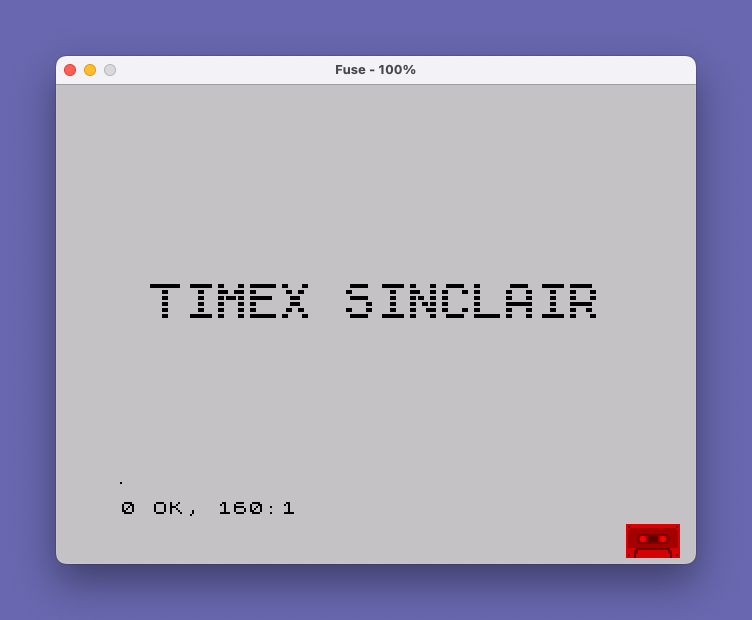
Source Code
    1 REM "Shooting Titles"
    2 REM By Eddie Duncan-Dunlop
    3 REM Your Sinclair
   50 CLS
   60 PRINT AT 0,0; INK 7;" TIMEX SINCLAIR"
   70 FOR x=0 TO 127 STEP 1/3
   80 FOR y=0 TO 7
   90 IF NOT POINT (x,y+168) THEN GO TO 150
  100 PLOT 2*x,3*y+80
  110 PLOT 0,0: DRAW OVER 1;2*x,3*y+79
  120 PLOT 0,0: DRAW OVER 1;2*x,3*y+79
  130 BEEP .001,30
  140 PLOT 2*x,3*y+81
  150 NEXT y
  160 NEXT x
Note: Type-in program listings on this website use ZMAKEBAS notation for graphics characters.