
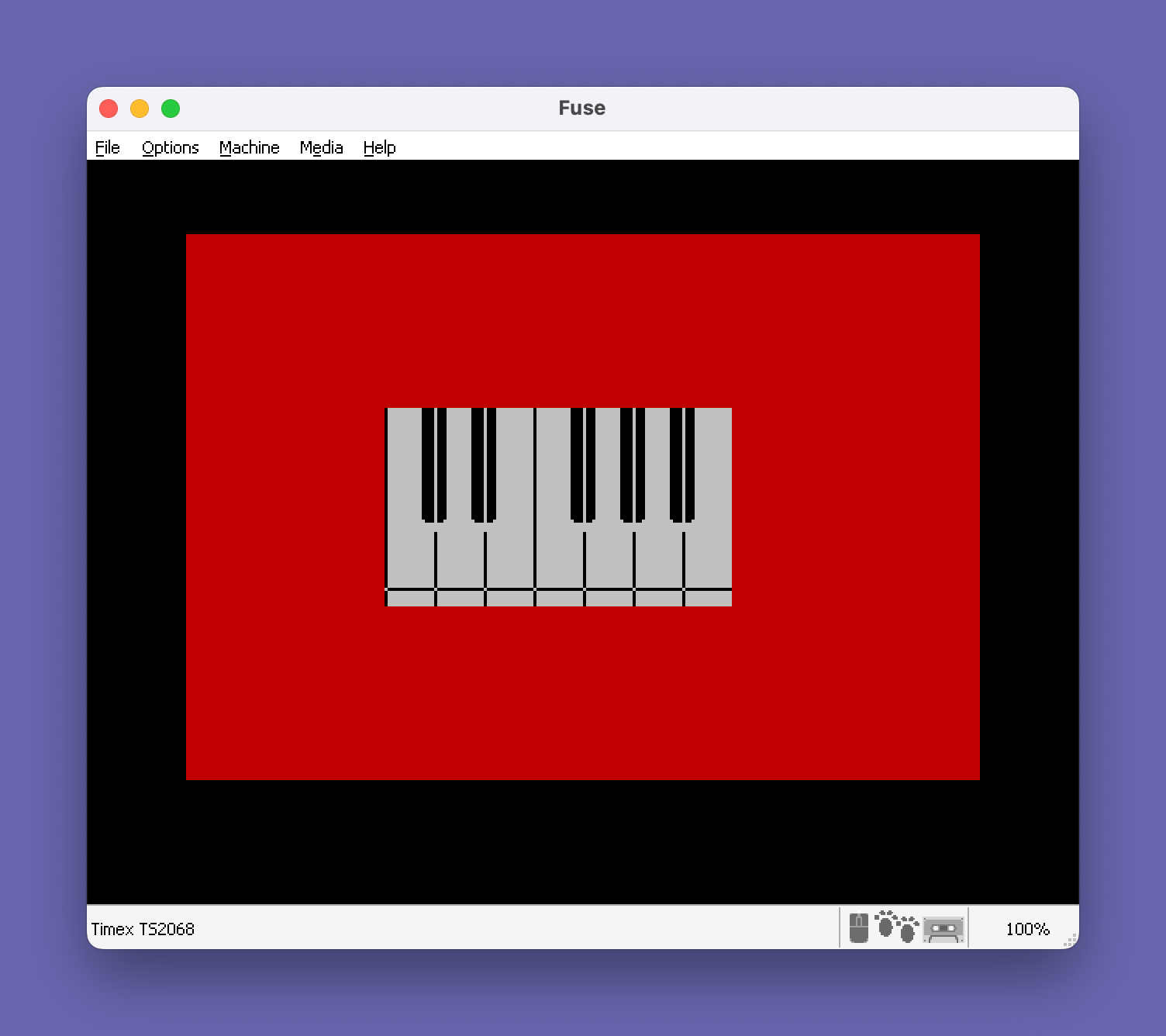
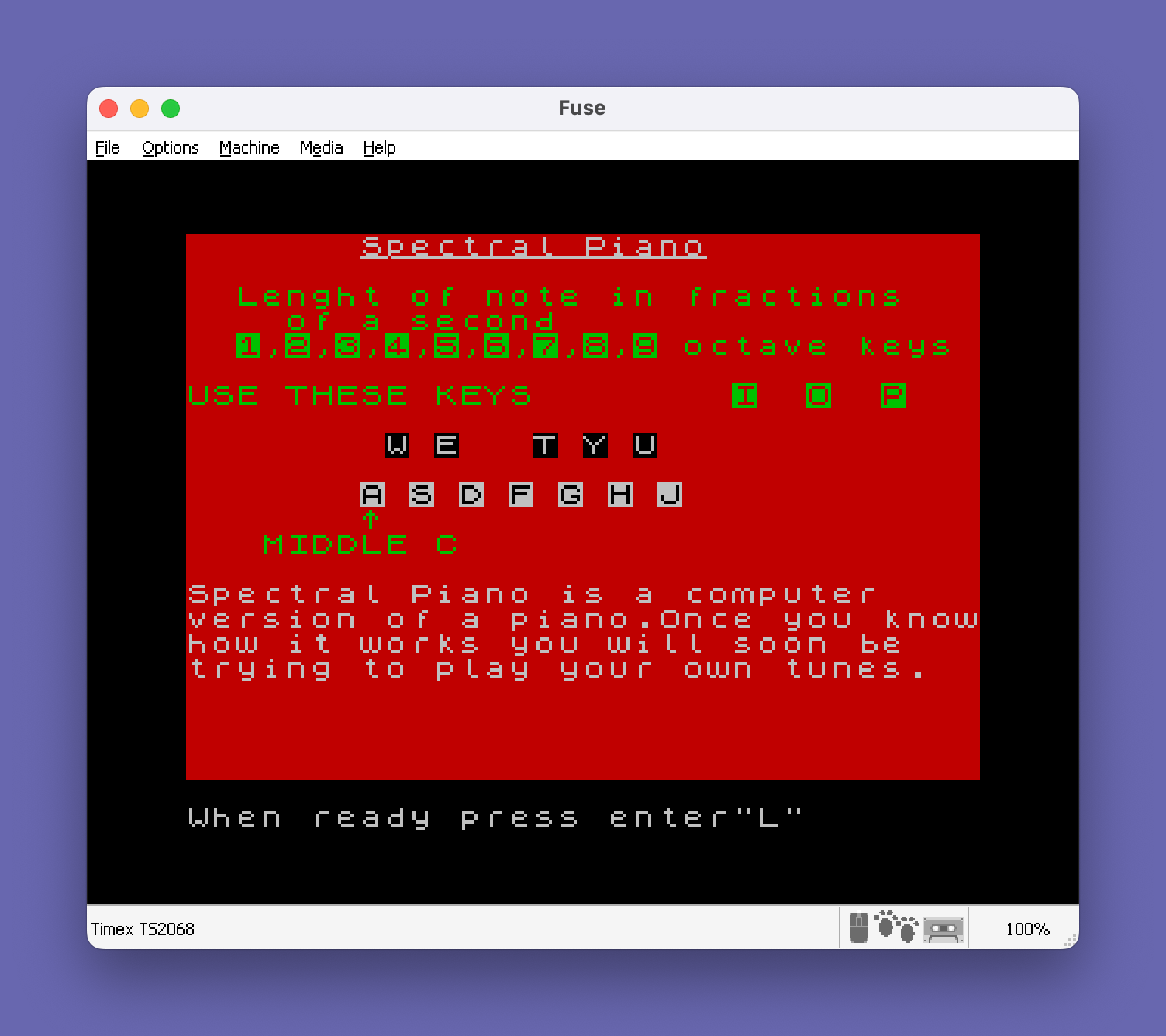
This program implements a piano simulator called “Spectral Piano” that draws a visual keyboard on screen and plays notes using the BEEP command. It defines eight User Defined Graphics (UDGs, characters 144–151) loaded via DATA statements to render the piano key shapes, using block graphics for white and black key visuals. The keyboard spans one octave of white keys mapped to A–J and black keys mapped to W, E, T, Y, U, with octave selection via I/O/P keys and note duration controlled by keys 1–9 in tenths of a second. An introductory subroutine at line 590 displays a multi-screen tutorial with instructions before entering the main play loop. The BEEP arguments use semitone offsets (0–11) combined with an octave offset variable, covering three octaves of the chromatic scale.
Program Analysis
Program Structure
The program is organized into three logical phases. Lines 10–130 initialize the eight UDG characters used to render piano key graphics. Lines 140–580 contain the main keyboard display and play loop. Lines 590–770 form the introductory tutorial subroutine, which is called first via GO SUB 590 at line 10 and returns to the main loop after the user completes the walkthrough. Lines 780–820 are unreachable dead code following the GO TO 310 loop.
- UDG initialization (lines 10–130)
- Tutorial subroutine (lines 590–770)
- Keyboard rendering (lines 140–300)
- Main play loop (lines 310–580)
- Unreachable cleanup/save code (lines 780–820)
UDG Definitions
Eight UDGs (characters 144–151, accessed as \a through \h) are loaded from DATA at lines 60–130. They are designed in pairs to represent the tops and bottoms of piano keys. The inner loop at lines 30–50 POKEs each 8-byte bitmap into USR CHR$ c+n. The UDGs represent:
| UDG | Char code | Role |
|---|---|---|
\a | 144 | Black key top-left |
\b | 145 | Black key top-right |
\c | 146 | Black key bottom-left |
\d | 147 | Black key bottom-right |
\e | 148 | White key pressed top-left |
\f | 149 | White key pressed top-right |
\g | 150 | White key unpressed top-left |
\h | 151 | White key unpressed top-right |
Keyboard Layout and Note Mapping
The visual keyboard is drawn using PLOT/DRAW for the outline (lines 240–250) and PRINT for the key fill characters (lines 260–300). White keys are mapped to letters A–J (7 keys) covering the chromatic white notes C through B, and black keys are mapped to W, E, T, Y, U — a layout matching the physical arrangement of sharps and flats. BEEP arguments for semitone pitch use offsets 0–11 from middle C, combined with the octave offset variable o which is set to −12, 0, or +12 by the I, O, and P keys.
Key Press Visualization
When a white key is pressed, the program substitutes the “pressed” UDG pair (\e\f) at the correct screen position via PRINT AT, calls BEEP, then restores the “unpressed” UDG pair (\g\h). Black keys similarly swap between \a\b and \c\d. This gives a simple but effective visual key-press animation. Because INKEY$ is polled without any wait loop, the main loop at lines 310–580 runs continuously and checks each key sequentially on every pass.
Notable Techniques
- UDGs are addressed via
USR CHR$ c+ninside a nested FOR loop, efficiently loading all 64 bytes in sequence from DATA. - The
OVER 1attribute is used on the title screen (line 590) to underline the program title by XORing underscores over the text. - Note duration is stored as a decimal fraction in variable
len(0.1–0.9), set directly by keys 1–9, avoiding any arithmetic conversion. - The octave variable
oshifts all BEEP pitch values uniformly by ±12 semitones, keeping note mapping code identical across octaves. - The tutorial subroutine uses multiple
INPUTstatements (lines 690, 710, 730, 740, 760) to page through instructions, with a loop back toGO SUB 590if the user answers “n” to the comprehension check.
Bugs and Anomalies
- Line 270 contains
IF n=13 THEN NEXT n, which attempts to skip column 13 during black key rendering to leave the gap between E and F. However, the loop steps by 2 from 9, producing values 9, 11, 13, 15, 17, 19 — so n=13 is indeed reached, and this workaround is correct in intent, though unusual in style. - The word “Lenght” (should be “Length”) is misspelled in both the tutorial text (line 670) and the on-screen display (line 440), appearing consistently throughout.
- Lines 780–800 (
PAUSE 0,PAPER 7/INK 0/BORDER 7/FLASH 0/CLS,STOP) are unreachable because the main loop at line 580 performs an unconditionalGO TO 310. These lines appear to be cleanup code that was never wired in. - The variable name
lenshadows the built-inLENfunction. While BASIC is case-insensitive for keywords, usinglenas a numeric variable works here only because it is never used in a context that would conflict with the string-length function. - Line 750 contains a trailing
REM 32comment, likely a note to the programmer about the number of characters being cleared, not functional code.
Content
Image Gallery
Source Code
   10 GO SUB 590
   20 FOR c=144 TO 151
   30 FOR n=0 TO 7
   40 READ a: POKE USR CHR$ c+n,a
   50 NEXT n: NEXT c
   60 DATA 15,15,15,15,15,15,7,0
   70 DATA 240,240,240,240,240,240,224,128
   80 DATA 15,15,15,15,7,0,0,0
   90 DATA 240,240,240,240,224,128,128,128
  100 DATA 128,128,128,128,128,255,128,128
  110 DATA 0,0,0,0,0,255,0,0
  120 DATA 128,128,255,128,128,128,128,128
  130 DATA 0,0,255,0,0,0,0,0
  140 PAPER 2: BORDER 0: CLS
  150 REM Varaibles
  160 LET a$="middle"
  170 LET len=.3
  180 LET o=0
  190 REM Keyboard
  200 PAPER 7
  210 FOR n=8 TO 21: FOR m=7 TO 14
  220 PRINT AT m,n;" "
  230 NEXT m: NEXT n
  240 INK 0: PLOT 64,61: DRAW 111,0
  250 FOR n=64 TO 162 STEP 16: PLOT n,56: DRAW 0,63: NEXT n
  260 FOR n=9 TO 20 STEP 2: FOR m=7 TO 10
  270 IF n=13 THEN NEXT n
  280 PRINT AT m,n;"\ :\: "
  290 NEXT m: PRINT AT m,n;"\c\d"
  300 NEXT n
  310 REM Notes
  320 IF INKEY$="i" THEN LET o=-12: LET a$="bottom"
  330 IF INKEY$="o" THEN LET o=0: LET a$="middle"
  340 IF INKEY$="p" THEN LET o=12: LET a$="   top"
  350 IF INKEY$="1" THEN LET len=.1
  360 IF INKEY$="2" THEN LET len=.2
  370 IF INKEY$="3" THEN LET len=.3
  380 IF INKEY$="4" THEN LET len=.4
  390 IF INKEY$="5" THEN LET len=.5
  400 IF INKEY$="6" THEN LET len=.6
  410 IF INKEY$="7" THEN LET len=.7
  420 IF INKEY$="8" THEN LET len=.8
  430 IF INKEY$="9" THEN LET len=.9
  440 INK 7: PAPER 2: PRINT AT 0,20;"Lenght ";len;"  "
  450 PRINT AT 16,9;"^";AT 17,7;a$;" C"
  460 INK 0: PAPER 7: IF INKEY$="a" THEN PRINT AT 14,8;"\e\f": BEEP len,0+o: PRINT AT 14,8;"\g\h"
  470 IF INKEY$="w" THEN PRINT AT 11,9;"\a\b": BEEP len,1+o: PRINT AT 11,9;"\c\d"
  480 IF INKEY$="s" THEN PRINT AT 14,10;"\e\f": BEEP len,2+o: PRINT AT 14,10;"\g\h"
  490 IF INKEY$="e" THEN PRINT AT 11,11;"\a\b": BEEP len,3+o: PRINT AT 11,11;"\c\d"
  500 IF INKEY$="d" THEN PRINT AT 14,12;"\e\f": BEEP len,4+o: PRINT AT 14,12;"\g\h"
  510 IF INKEY$="f" THEN PRINT AT 14,14;"\e\f": BEEP len,5+o: PRINT AT 14,14;"\g\h"
  520 IF INKEY$="t" THEN PRINT AT 11,15;"\a\b": BEEP len,6+o: PRINT AT 11,15;"\c\d"
  530 IF INKEY$="g" THEN PRINT AT 14,16;"\e\f": BEEP len,7+o: PRINT AT 14,16;"\g\h"
  540 IF INKEY$="y" THEN PRINT AT 11,17;"\a\b": BEEP len,8+o: PRINT AT 11,17;"\c\d"
  550 IF INKEY$="h" THEN PRINT AT 14,18;"\e\f": BEEP len,9+o: PRINT AT 14,18;"\g\h"
  560 IF INKEY$="u" THEN PRINT AT 11,19;"\a\b": BEEP len,10+o: PRINT AT 11,19;"\c\d"
  570 IF INKEY$="j" THEN PRINT AT 14,20;"\e\f": BEEP len,11+o: PRINT AT 14,20;"\g\h"
  580 GO TO 310
  590 PAPER 2: CLS : PRINT INK 7;AT 0,7;"Spectral Piano"; OVER 1; INK 7;AT 0,7;"______________"
  600 LET n$="ASDFGHJ"
  610 LET l=1: FOR n=7 TO 20 STEP 2: PRINT PAPER 7; INK 0;AT 10,n;n$(l): LET l=l+1: NEXT n
  620 LET n$="WETYU"
  630 LET l=1: FOR n=8 TO 18 STEP 2: IF n=12 THEN NEXT n
  640 PRINT PAPER 0; INK 7;AT 8,n;n$(l): LET l=l+1: NEXT n
  650 PRINT AT 6,0;"USE THESE KEYS";AT 11,7;"^";AT 12,3;"MIDDLE C"
  660 PRINT AT 4,20;"octave keys": PRINT AT 6,22;"I  O  P"
  670 PRINT AT 2,2;"Lenght of note in fractions";AT 3,4;"of a second";AT 4,1;" 1,2,3,4,5,6,7,8,9"
  680 PRINT INK 7;AT 14,0;"Spectral Piano is a computer    version of a piano.Once you knowhow it works you will soon be   trying to play your own tunes."
  690 INPUT "When ready press enter";z$
  700 PRINT OVER 1; PAPER 7;AT 12,3;"        "; OVER 0; PAPER 2; INK 7;AT 14,0;"The keyboard is set out like    that of a real piano.By pressingthe keys A to J (on the second  row up)you will get a note from middle C to B.To obtain the     sharps and flats press any of   the keys displayed in white on  black."
  710 INPUT "press enter when ready";z$
  720 PRINT INK 7;AT 13,0;"S.p also has a function to alterthe octave you are playing in,  and a function to change the    lenght of a note. 1-If at any   time during playing you wish to change octaves just press key I to get the octave starting at   bottom C,key O to get the middle C octave and P to get the top C octave"
  730 INPUT "Press enter when ready";z$
  740 PRINT INK 7;AT 9,0;"2.-if at any time during playing you wish to change the duration of the notes you are pressing   press any key from 1 to 9.The   higher the number the longer    the note          "
  750 FOR n=15 TO 21: PRINT AT n,0,,: NEXT n: REM 32
  760 INPUT "Have you understood?(y/n)";z$: IF z$<>"y" THEN GO TO 590
  770 RETURN
  780 PAUSE 0
  790 PAPER 7: INK 0: BORDER 7: FLASH 0: CLS
  800 STOP
  810 SAVE "PIANO" LINE 0
  820 VERIFY ""
Note: Type-in program listings on this website use ZMAKEBAS notation for graphics characters.