
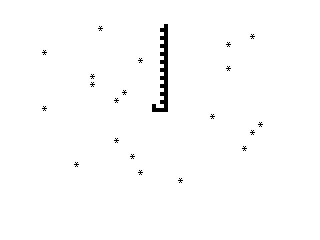
SWARM is a scrolling shooter-style BASIC program in which the player steers a ship sprite left and right along a fixed row while asterisks rain down from a randomly chosen column at the top of the screen. The player character is drawn using two block-graphic characters that form a small ship shape at row 10. The SCROLL command shifts the entire display up one line each iteration, creating the illusion of downward movement. Column position is controlled by the Z and M keys, each sampled via INKEY$ without a pause, giving a fast but non-blocking control loop. No collision detection is implemented in this version, making it an incomplete but structurally interesting game skeleton.
Program Analysis
Program Structure
The program is a tight, single-loop game written in under ten active lines. Initialisation sets three variables — A, B, and C — which represent the player’s row, the player’s column, and the enemy spawn row respectively. The main loop from line 40 to line 100 then runs continuously via GOTO 40.
- Lines 10–30: Initialise
A=10(player row),B=15(player column),C=20(spawn row for asterisk). - Line 40: Print an asterisk at a random column on row
C. - Line 50: Erase the player sprite by printing a space at the current position.
- Line 60:
SCROLLshifts the display up one line. - Lines 70–80: Read
INKEY$for Z (move left) or M (move right). - Line 90: Redraw the player sprite using block graphics.
- Line 100: Loop back to line 40.
Sprite and Graphics Technique
The player ship at line 90 is rendered using the escape sequence \:.\.:: which maps to the block graphic characters ▌ and ▖, placed side by side to form a simple two-cell sprite at row A, column B. The erase step at line 50 prints a single space at the same position before the scroll, which cleans up the previous frame’s sprite rather than explicitly restoring the background. Because SCROLL moves the whole screen up, the player row effectively stays fixed on the display while enemies appear to descend.
Key BASIC Idioms
RND*30at line 40 generates a random column in the range 0–29 for enemy placement each frame, giving a spread across the full screen width.- The dual
INKEY$checks at lines 70 and 80 are non-blocking; the loop never halts waiting for input, so the game runs at maximum BASIC speed. - No boundary checks exist on
B, meaning the player can walk off either edge of the screen, which will cause aPRINT ATerror ifBdrops below 0 or exceeds 31.
Notable Techniques and Anomalies
The SCROLL command is used as the primary animation driver. Since the player is always redrawn at the same logical row (A=10), the scroll effectively simulates downward movement of the asterisks without requiring the program to track individual enemy positions — a memory-efficient trick for a machine with limited RAM.
The spawn row C=20 places asterisks well below the player row (A=10), so enemies appear beneath the player and scroll off the top. This means the enemies never actually reach the player row in any threatening way, and combined with the absence of collision detection, the game loop is essentially decorative in its current form.
Line 50 erases only the first character of the two-cell sprite (a single space), leaving the second block graphic cell dirty unless the scroll clears it. This can produce graphical artefacts in practice.
Variable Summary
| Variable | Initial Value | Purpose |
|---|---|---|
A | 10 | Player row (fixed) |
B | 15 | Player column (Z/M adjustable) |
C | 20 | Enemy spawn row (fixed) |
Image Gallery
Source Code
   5 REM "SWARM"
  10 LET A=10
  20 LET B=15
  30 LET C=20
  40 PRINT AT C,RND*30;"*"
  50 PRINT AT A,B;" "
  60 SCROLL
  70 IF INKEY$="Z" THEN LET B=B-1
  80 IF INKEY$="M" THEN LET B=B+1
  90 PRINT AT A,B;"\:.\.:"
 100 GOTO 40
 105 SAVE "1022%2"
 110 RUN
Note: Type-in program listings on this website use ZMAKEBAS notation for graphics characters.