
This is the Larken (LKDOS) version of the issue disk for the January 1988 issue of UPDATE, Bill Jones’ TS2068 magazine. The issue was devoted to extra memory, and the disk holds the utilities that let a BASIC program run in RAM fitted to the DOCK bank (chunks 4–7, addresses 32768–65535). First the PROG system variable is moved from 26710 up to 32776, so that a program loads above the start of chunk 4. Then the PGM MOVE utility, merged onto the program, copies it into DOCK RAM, from where it can be run as well as from the home bank. The disk also carries two Mail Merge companions. The programs need a TS2068 with the Larken disk interface, and the extra-memory utilities need DOCK-bank RAM. They have not been converted for tape.
The October 1987 and January 1988 issue disks were issued together on one Larken disk. Each half is archived as its own post. The magazine itself is the documentation, as the briefing program BRIEF.B2 says.
Contents
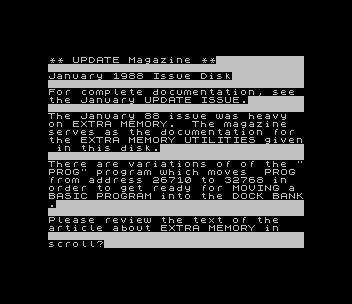
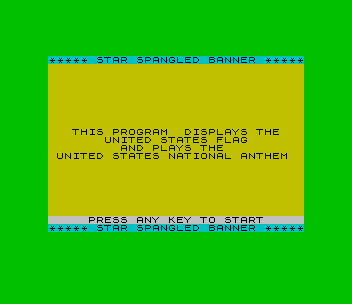
BRIEF.B2: the on-screen briefing, which also describes the three requirements for running BASIC in DOCK RAM, with an optional printout and a disk catalog loader.prog.B1,PROG.B1,PROG.B2andPrgADD.B1: variations of the PROG mover. Each pokes nine bytes of machine code into the TS2040 printer buffer at 23296 and runs it, then asks for the BASIC program to load.prog.B1saves a bootable copy of itself.PGMOV.B1andpgmov.B2: PGM MOVE, a 45-byte machine code routine in DATA that also runs from the printer buffer and usesOUT 244to copy the BASIC program into the DOCK bank. Its menu offers to run the program in the home bank or the DOCK bank.A-MEM.B1andTESTER.B1: a later combination that moves PROG and then bootsTESTER. Jones notes that these two were not in the January issue.TESTER.B1andUSA.B1: Oleg D. Jefimenko’s Star Spangled Banner (draws the US flag and plays the anthem with BEEP) with PGM MOVE merged, as the demonstration program.LLOOK.B1: List Looker, which loads any character-array file, reports its dimensions and records and lists it on screen or printer.Purity.B1: removes duplicate records from Mail Merge files, splits them into 12-name files and compares them across a disk.
Public-Domain Fillers
BRIEF.B2 says some public-domain titles were added to fill the disk, “so, if you are not in to Extra Memory, you’ll have them to enjoy.” They are included here as found, and each is already archived on this site: GAME1.B1 (Buster-Bill’s Obsession), GAME2.B1 (Sheep Dog Trials), HUMOR.B1 with its screen HR.C1 (Humorisq), Kmath.B1 (Math) and TIPS-1.B1/TIPS-2.B1 with TIP.C1 and cp.C1 (Tips A–M and N–Z).
Not Included
The disk’s subscriber mailing list holds personal data and has been left out, so no disk image is included. The Larken system files and George Chambers’ MTERM II modification are also left out.
Image Gallery

Source Code
    5 GO TO 9800
   10 FOR n=1 TO 20: PRINT "n=";n: NEXT n
   20 FOR y=1 TO 20: PRINT "y=";y: NEXT y
 9800 BORDER 1: PAPER 1: INK 7: CLS : PRINT AT 10,4;"Your Choices are:"''TAB 4;"1. Operate in HOME BANK"''TAB 4;"2. Operate in DOCK BANK": INPUT "Enter your Choice ";a: IF a<1 OR a>2 THEN GO TO 9800
 9802 IF a=1 THEN GO TO 10
 9804 CLS : PRINT "If Operating in Dock Bank, do   not let line 9998 operate."''"IF you want to MOVE the PROGRAM to Dock Bank, Type CONT ENTER.": STOP : CLS : CLEAR
 9998 RESTORE 9998: FOR x=23296 TO 23340: READ y: POKE x,y: NEXT x: RANDOMIZE USR 23296: DATA 175,006,002,033,083,092,094,035,086,213,033,089,092,016,247,225,209,237,082,068,077,235,175,211,244,126,245,062,240,211,244,241,119,011,035,229,033,000,000,237,066,225,032,234,201
 9999 RESTORE 9999: FOR x=32768 TO 32775: READ y: POKE x,y: NEXT x: DATA 1,2,8,128,15,1,0,0: OUT 244,0: CLS : PRINT "Your Program is in the Dock Bank"''"Please COPY the Followng:"''"If you are using RAM, You will  LOSE the DOCK Program if you    OFF the computer."''"When you RESET the computer by: RANDOMIZE USR 0, the program    will come up running."''"You May BREAK the program.  If  you do, in order to gain controlof HOME BANK RAM, type <POKE 23750,0>."''"You may then ENTER or LOAD and  RUN a BASIC program in HOME BANK"''"When ready to RE-START the DOCK BANK program, type:"''"<POKE 23750,128: RUN>."''"ENTER When READY": PAUSE 0: POKE 23750,128: RANDOMIZE USR 0
Note: Type-in program listings on this website use ZMAKEBAS notation for graphics characters.