
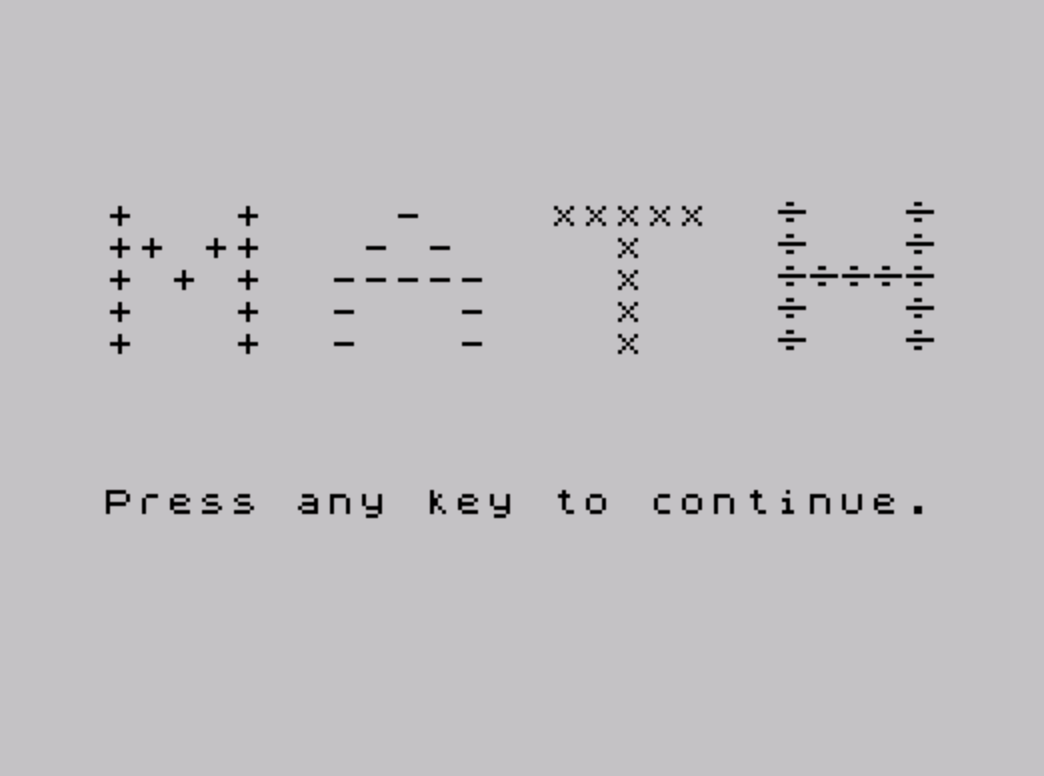
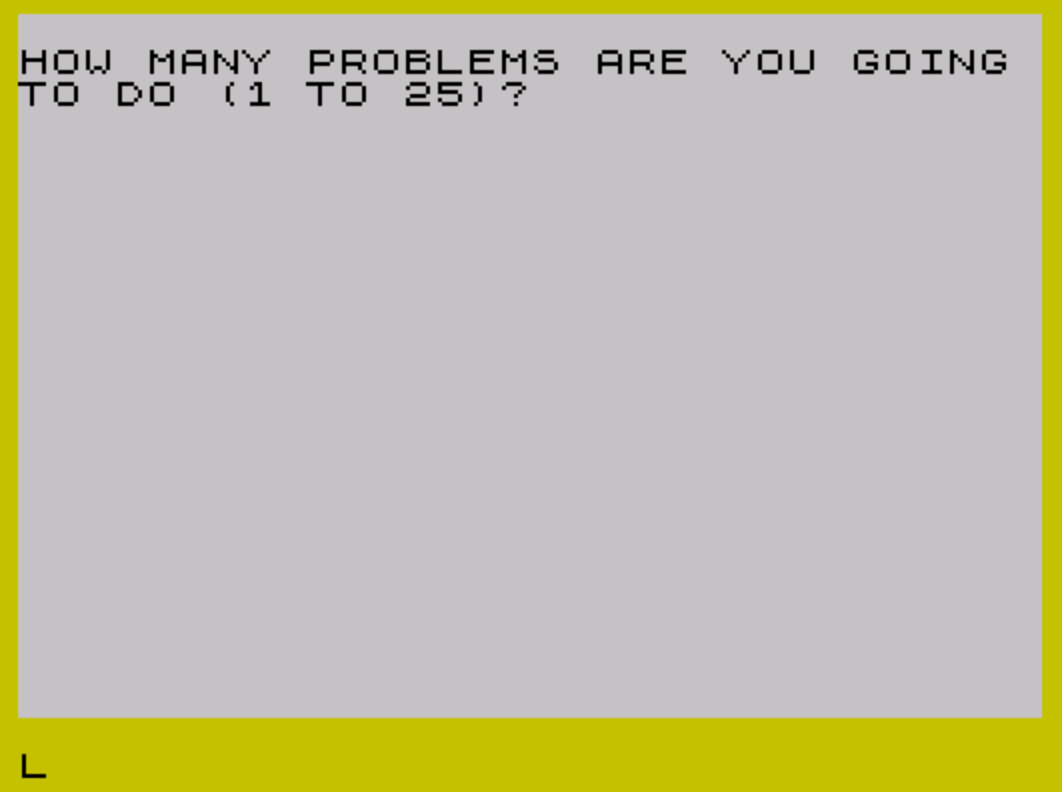
This program is a four-operation arithmetic drill for students, covering addition, subtraction, multiplication, and division of randomly generated single- and double-digit integers. The user selects how many problems to attempt (1–25) and which operation to practice; the program tracks correct and incorrect answers and reports a rounded percentage score at the end. A UDG character (defined via POKEs at line 870) is used as a custom division symbol, with the DATA bytes 0,24,0,127,0,24,0,0 drawing a ÷-like glyph. Navigation between the four operation loops uses the computed GO TO at line 85 (`GO TO B*100`), branching directly to line 100, 200, 300, or 400 based on user input.
Program Analysis
Program Structure
The program is organized into clearly separated functional blocks:
- Lines 5–85: Setup, user input for problem count and operation selection, and computed branch.
- Lines 100–175: Addition loop.
- Lines 200–245: Subtraction loop.
- Lines 300–340: Multiplication loop.
- Lines 400–440: Division loop.
- Lines 505–550: Score display and replay prompt.
- Lines 800–810: Subroutine generating two random integers (1–10) in
EandF. - Lines 850–960: Title screen subroutine with UDG definition.
- Line 9999: SAVE command.
Computed GO TO
Line 85 uses GO TO B*100 to dispatch directly to the appropriate operation loop based on the user’s menu choice (1–4). This is a common BASIC idiom that avoids a chain of IF statements and produces compact, fast branching. The four target lines (100, 200, 300, 400) are spaced exactly 100 apart to make this work cleanly.
UDG Division Symbol
Lines 850–870 define UDG \a (character 144) as a custom division symbol. The DATA bytes 0,24,0,127,0,24,0,0 produce a pattern with a horizontal bar (127 = 01111111b) flanked by center dots (24 = 00011000b), approximating the ÷ character. The definition loop at line 870 uses POKE USR "\a"+a,b with a local variable a (shadowing the outer loop variable for problem count), which is only safe because this subroutine is called before A is assigned its final value at line 35.
Division Problem Generation
Unlike the other three operations, division at lines 411–412 generates operands carefully to ensure whole-number answers: F is chosen first as a random integer 1–10, then E is set to F * (INT(RND*10)+1), guaranteeing E/F is always an integer. This avoids the need for floating-point answer matching.
Subtraction Logic Anomaly
The subtraction section (lines 220–245) attempts to handle both orderings of the operands, swapping to display the larger minus the smaller when F > E. However, line 240 accepts the answer if G = E-F OR G = F-E, which would pass both the positive and negative forms of the answer regardless of which was displayed — a minor logical inconsistency. Line 245 uses OR instead of AND in the incorrect-answer condition, meaning it will always be true and jumps to line 145, but this is only reached if line 240’s condition was false, so in practice the fallthrough behavior is correct.
Shared Correct/Incorrect Handlers
All four operation loops share the same correct-answer handler at line 160 (plays ascending BEEPs, increments C) and incorrect-answer handler at line 145 (prints “INCORRECT”, plays descending BEEPs, increments I) via GO TO branches. The NEXT J at line 170 serves all four loops because they all branch to it after handling a response.
Score Display
Line 520 computes the percentage as INT((C/A*100)+.5), applying standard rounding by adding 0.5 before truncating. Decorative lines of block graphics (\''\'' sequences, i.e., the ▀ character repeated) are printed above and below the score at lines 505 and 530.
Key Variables
| Variable | Purpose |
|---|---|
A | Number of problems requested (1–25) |
B | Operation selected (1–4) |
C | Correct answer count |
I | Incorrect answer count (tallied but not displayed) |
J | Current problem number (loop counter) |
E, F | Randomly generated operands |
G | User’s answer |
Notable Bugs and Anomalies
- The incorrect-answer counter
Iis incremented at line 150 but never shown in the final score display — only the correct-answer percentage is reported. - Line 140 (
IF G<>E+F THEN GO TO 145) is redundant immediately after line 135’s check; execution always falls through to line 145 if line 135 was not taken. The same pattern repeats in the multiplication and division loops (lines 340, 440). - The BEEP at line 9999 and the flashing “Program Saved” message provide user feedback after saving, a nice touch for interactive use.
Image Gallery
Source Code
    5 REM  math   VERSION 2.1
   10 REM John Colonna SINCUS
   15 RANDOMIZE : GO SUB 850
   20 CLS : BORDER 6
   25 PRINT
   30 PRINT "HOW MANY PROBLEMS ARE YOU GOING TO DO (1 TO 25)?";
   35 INPUT A
   40 IF A>25 OR A<1 THEN GO TO 35
   45 PRINT "  "; INVERSE 1;A
   50 LET C=0: LET I=0
   55 PRINT
   60 PRINT "  "; PAPER 6;"ENTER 1 FOR ADDITION"
   65 PRINT "  "; PAPER 6;"ENTER 2 FOR SUBTRACTION"
   70 PRINT "  "; PAPER 6;"ENTER 3 FOR MULTIPLICATION"
   72 PRINT "  "; PAPER 6;"ENTER 4 FOR DIVISION"
   75 INPUT B
   80 IF B<1 OR B>4 THEN GO TO 75
   85 GO TO B*100
  100 FOR J=1 TO A
  105 PRINT
  110 PRINT "   NUMBER "; INVERSE 1;J
  115 GO SUB 800
  120 PRINT "   ";E;" + ";F;" = ";
  125 INPUT G
  130 PRINT G;
  135 IF G=E+F THEN GO TO 160
  140 IF G<>E+F THEN GO TO 145
  145 PRINT ," INCORRECT": BEEP .5,0: BEEP .5,-5
  150 LET I=I+1
  155 GO TO 170
  160 PRINT ,"  CORRECT": FOR H=15 TO 17: BEEP .2,H: NEXT H
  165 LET C=C+1
  170 NEXT J
  175 GO TO 505
  200 FOR J=1 TO A
  205 PRINT
  210 PRINT "   NUMBER "; INVERSE 1;J
  215 GO SUB 800
  220 IF F>E THEN PRINT "   ";F;" - ";E;" = ";: GO TO 230
  225 PRINT "   ";E;" - ";F;" = ";
  230 INPUT G
  235 PRINT G;
  240 IF G=E-F OR G=F-E THEN GO TO 160
  245 IF G<>E-F OR G<>F-E THEN GO TO 145
  300 FOR J=1 TO A
  305 PRINT
  310 PRINT "   NUMBER "; INVERSE 1;J
  315 GO SUB 800
  320 PRINT "   ";E;" X ";F;" = ";
  325 INPUT G
  330 PRINT G;
  335 IF G=E*F THEN GO TO 160
  340 IF G<>E*F THEN GO TO 145
  400 FOR J=1 TO A
  405 PRINT
  410 PRINT "   NUMBER "; INVERSE 1;J
  411 LET F=INT (RND*10)+1
  412 LET E=F*(INT (RND*10)+1)
  420 PRINT "   ";E;" \a ";F;" = ";
  425 INPUT G
  430 PRINT G;
  435 IF G=E/F THEN GO TO 160
  440 IF G<>E/F THEN GO TO 145
  505 PRINT : PRINT "\''\''\''\''\''\''\''\''\''\''\''\''\''\''\''\''\''\''\''\''\''\''\''\''\''\''\''\''\''\''\''\''": PRINT
  510 PRINT "        YOUR SCORE IS"
  515 PRINT : PRINT
  520 PRINT "         ";INT ((C/A*100)+.5);" PER CENT"
  525 PRINT
  530 PRINT "\''\''\''\''\''\''\''\''\''\''\''\''\''\''\''\''\''\''\''\''\''\''\''\''\''\''\''\''\''\''\''\''"
  535 PRINT "DO YOU WANT TO PLAY AGAIN? (y/n)"
  540 PRINT
  545 IF INKEY$="y" OR INKEY$="Y" THEN GO TO 20
  550 GO TO 545
  800 LET E=INT (RND*10)+1
  805 LET F=INT (RND*10)+1
  810 RETURN
  850 REM udg
  860 DATA 0,24,0,127,0,24,0,0
  870 FOR a=0 TO 7: READ b: POKE USR "\a"+a,b: NEXT a
  900 CLS
  905 PRINT AT 6,3;"+   +    -    xxxxx  \a   \a   "
  910 PRINT TAB 3;"++ ++   - -     x    \a   \a"
  920 PRINT TAB 3;"+ + +  -----    x    \a\a\a\a\a"
  930 PRINT TAB 3;"+   +  -   -    x    \a   \a"
  940 PRINT TAB 3;"+   +  -   -    x    \a   \a"
  950 PRINT : PRINT : PRINT : PRINT : PRINT TAB 3; FLASH 1;"Press any key to continue."
  955 PAUSE 0
  960 RETURN
 9999 SAVE "math" LINE 1: BEEP 1,32: PRINT FLASH 1;"Program Saved"
Note: Type-in program listings on this website use ZMAKEBAS notation for graphics characters.