
I purchased a new Star NX-1000 Multi-Font printer about a month ago only to find that it would not work with the AERCO Centronics printer interface and the 2068.
I started writing requests for help to everyone I could think of and today I received word back from John Oliger with a suggestion for a fix. Invert the STROBE line. It worked!
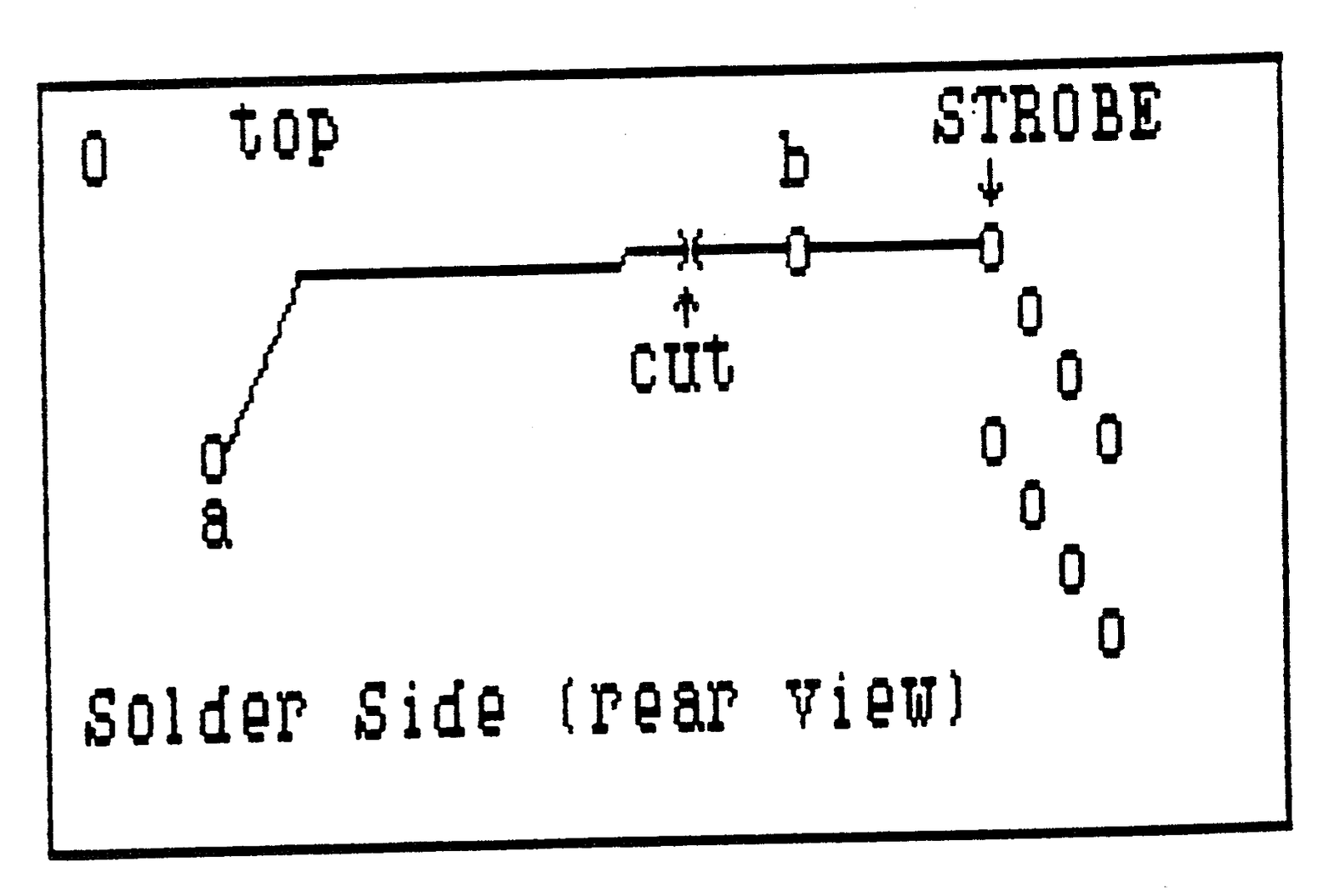
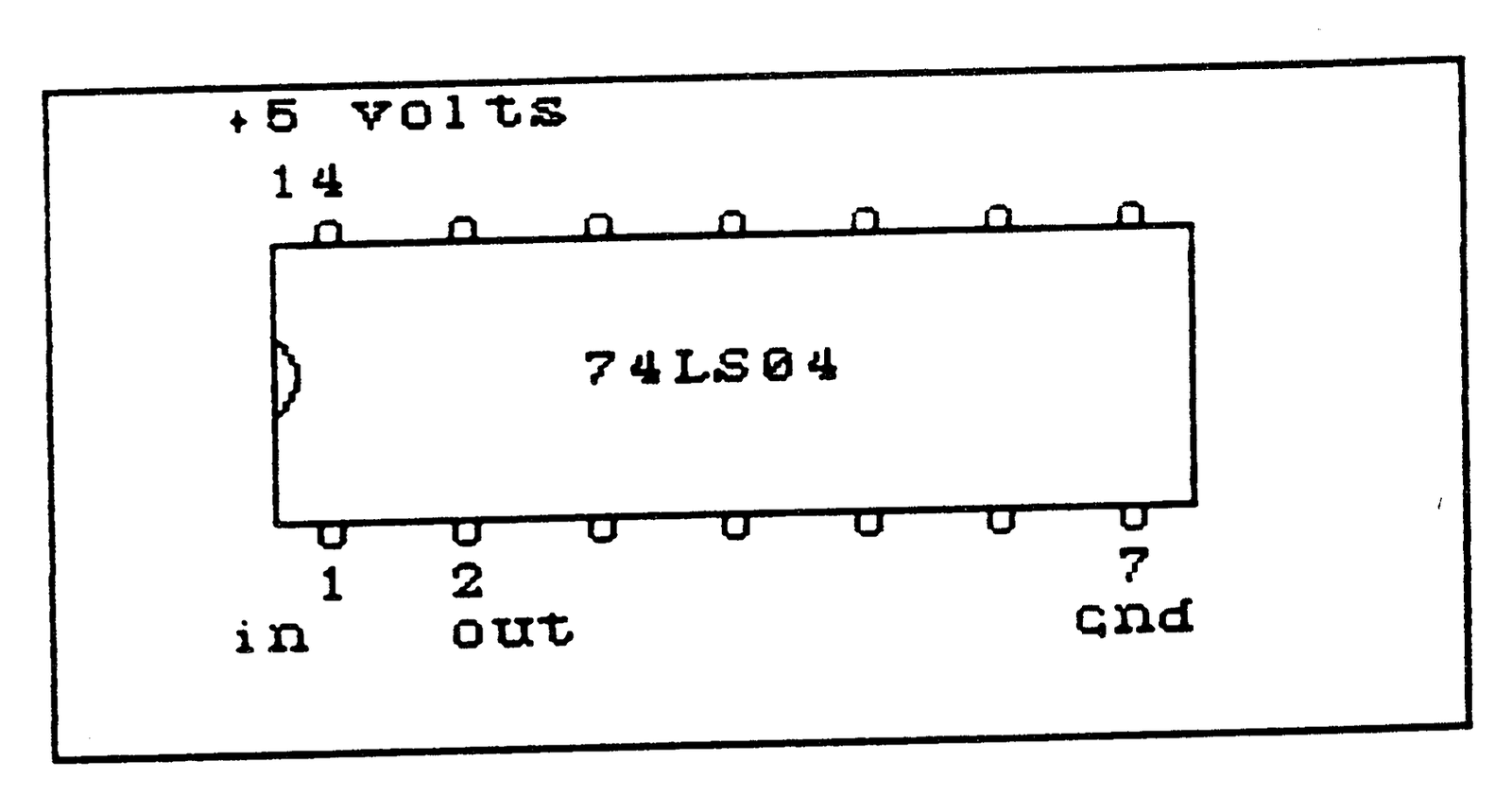
First I cut the trace on the AERCO board. I had a 74LS04 IC in the spares box and soldered wire-wrap wire to pins 1, 2, 7, and 14 then to the connections shown. Pin 1 of the 74LS04 to point a of the AERCO I/f and pin 2 goes to point b of the AERCO I/f. Just track down a ground pad and a plus 5 volt pad for power. I used a small piece of double sided sticky tape to hold the IC in place.
Editor’s Note
Since a large portion of Sinc-Link is published on a Star NX-1000 driven by a TS2068 and I have had no problems, I must assume that my Peter Hacksell AERCO-style printer interface solves the problem described above. Hacksell boards are still available in the Toronto area via our club. For more info just write us.
J.T.