
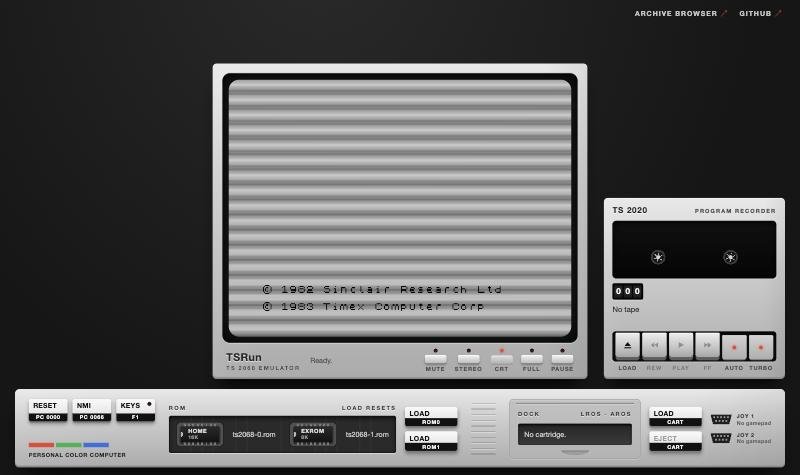
If you have used the Run in Browser button on this site’s software pages, you have used Josef Jelinek’s work. TSRun, the emulator behind that button, is one of several things Josef has built for the Timex/Sinclair community this year, along with a Sinclair QL emulator, a re-creation of VU-3D and a lot of color science.
From a Slovak Speccy clone
Josef was born in Czechoslovakia. He was a teenager when he got his first computer, a Slovak clone of the ZX Spectrum, and there were Eastern Bloc computers at school. The games he could get were, in his words, “mostly pirated”, and he still keeps a small collection of those machines. At a group meeting in January he talked about the Didaktik computers and the Czechoslovak Spectrum scene. At university he specialized in computer graphics and programming-language compilers, two subjects that show up in everything below. “I finally can apply some of the theory I learned decades ago,” he wrote in June.
Color, pixels and 2068 music
Josef’s first big contribution to the group was to the Retro Pixel Converter, my own browser tool for turning pictures into images for the Spectrum, the 2068 and other old machines (more about it here). From April to August he sent fixes and features: a color-matching method that was five to ten times faster, GPU-drawn CRT effects, color done in linear light, ZX81 and SAM Coupé modes, and a better way to choose the two colors for each attribute block. He also wrote two long explanations of how it all works for the group.
In August he turned to sound. He built a music composer and compiler for the 2068’s AY chip and arranged the end titles from Blade Runner for it, by hand (“a lot of manual work, no AI”). You can hear it in this video, with his extended-color stills from the film.
WU-3D
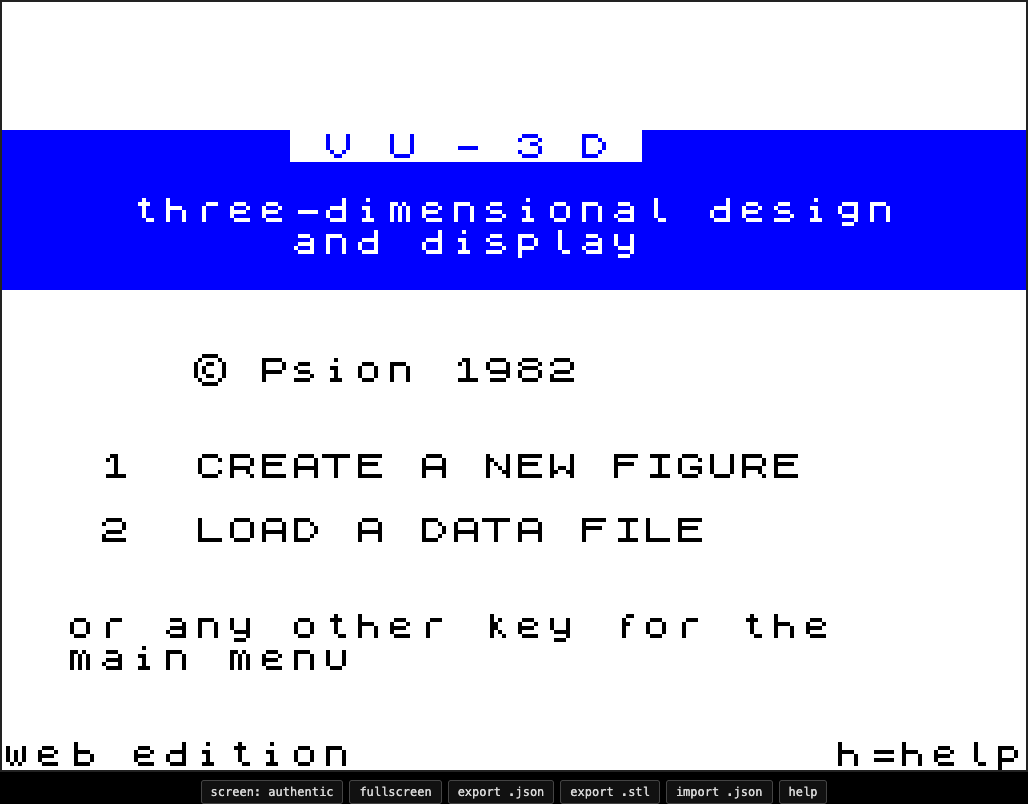
When Jon Becker put Psion’s 1982 modelling program VU-3D on a cartridge in August, Josef answered with WU-3D, a re-creation of the program that runs in a web browser. It has VU-3D’s screens and controls, including its 8×8 halftone shading, but draws with WebGL. It can also export your model as an STL file for a 3D printer. The whole thing is a single HTML file with no dependencies, released into the public domain.
TSRun
On August 31, Josef announced TSRun, a TS 2068 emulator for the browser. He wrote it because new 2068 projects were appearing in the group, and trying one meant finding an emulator and setting it up correctly. With TSRun, he wrote, testing “can be done from any modern browser”.
TSRun is written in plain JavaScript with no build step and no outside libraries, and it is small: at its release, Josef put the download, ROMs included, at under 60K. It aims to be exact to the clock cycle, for the video and sound too. Tapes are loaded the way the real ULA reads them, so custom and turbo loaders work, and loading can run about 100 times faster than real time. The screen has a CRT filter, the beeper and AY chip are mixed the way the 2068’s own circuit mixes them, and gamepads work as joysticks. On screen it looks like the real thing: a TV, a TS 2020 program recorder and the computer’s case, with slots for ROMs and a dock for cartridges.
A week later he added an archive browser that loads programs straight from the Timex Sinclair software archive on archive.org. TSRun quickly became the common way for the group to share new work:
- Charlie Day’s Leap ROMs: Josef built them into TSRun as soon as the beta was out, so anyone could try them without installing anything. He offered to take them out if Charlie preferred, and Charlie later sent in the Forth ROMs himself (more on Leap here).
- Jon Becker’s projects: Jon asked for hooks to play games on a phone, and his projects now come with TSRun players, Berzerk’s with touch controls.
- This site: I added TSRun in September, and it now powers Run in Browser for more than 1,500 programs in the software archive.
QLRun
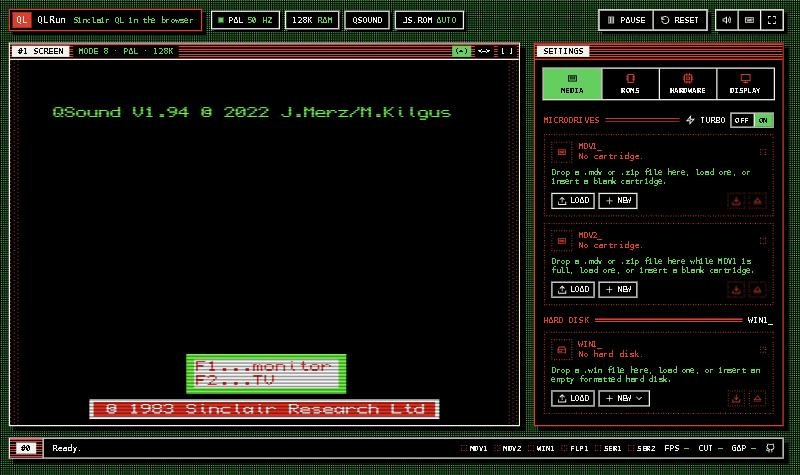
Josef found the state of QL emulators disappointing, so on September 17 he released QLRun, which does for the Sinclair QL what TSRun does for the 2068. As he described it: “No ROM patching, all HW like microdrive, keyboard, sound, etc. is emulated as HW.” Within a day it had microdrives you can read and write, a turbo mode, up to 896K of RAM, hard and floppy disk images, and both QSound cards. One of those, QSound2, doesn’t yet work in real hardware, and Josef said its emulation had given the card’s designer new reason to finish it. To go with QLRun he published a 68000 assembler, a microdrive image tool and a converter that turns VGM music files into QSound2 tunes.
How he works
Like most of the group’s new developers, Josef uses AI coding assistants. He has described a lot of his work as “handholding Codex AI”, and he used Claude to come up with many different designs for QLRun’s interface, then built the final one from pieces of them. He is also one of the most careful voices on what these tools can’t do. AI, he wrote in August, “can bluff about how competent it is, but it lacks a judgment”, and doesn’t really see its results. He has found bugs in AI-written code that he judged would be hard to catch without a human review, and his AY arrangements are done by hand.
At the September meeting he put the bigger point this way: the new tools matter not because they make these machines programmable, which they always were, but because they mean projects actually get finished.
Try it
The source code is on Josef’s GitHub, and his projects are listed on his page on this site. He posts regularly in the TS2068 group.