
On August 24, 2026, Charlie Day posted to the TS2068 group on groups.io with an alpha test of a new ROM. It had a full-screen editor, a structured BASIC without line numbers and, in his words, ROMs “almost full”. Less than three months later, the project he calls Leap has grown into a family: a compiled BASIC, a Forth, a C compiler that runs on the machine itself, a browser IDE for all three, a game-making system and a graphical desktop. All of it is for the Timex Sinclair 2068, and all of it is open source.
This post is a tour of what he built, in the order he built it, and of what the group made of it.
Charlie Day, then and now
Charlie is not new to Timex/Sinclair. In the 1980s he lived in Gastonia, North Carolina, and wrote for the Triangle Sinclair Users Group newsletter and for Synapse. This site already has two dozen of his articles and letters, among them a review of Abersoft 2068 Forth and a report on the new Sinclair QL. It also has his correspondence, including a 1984 letter from Sinclair Research that calls him one of the “user group journalists” and lends him a QL User Guide.
Forth runs through the whole story. At an online meeting this October, Charlie said that his Forth ROM traces back to Hawg Wild Forth, which Hawg Wild Software gave him as part payment for software he wrote for them. He also owned a QL. When he released his desktop in November, he remembered buying the ICE ROM cartridge, which was supposed to give the QL a graphical interface, and finding it “such a disappointment”.
2068-Leap: a new ROM, then a new design
Leap replaces both of the 2068’s system ROMs, the 16K HOME ROM and the 8K EXROM, on a stock 48K machine. The README calls the idea an alternate history: “what the TS2068’s own BASIC could have been”. From the start Charlie designed it like an operating system, with a kernel of machine services and a language on top. He told the group that the model was an OS design project from school, “many, many years ago”, so that BASIC could one day be swapped for another language.
Version 1 was an interpreter. The public preview went up on GitHub on August 28 and Release 1 Beta on September 1. Between them, dynamic BASIC memory grew from 1,857 bytes to 15,322. The beta also added six extension modules that load from tape, so that new commands didn’t have to take up ROM space. John Stroebel got it running on EightyOne and tracked down a startup bug: some memory was being read before it was set. Josef Jelinek built the ROMs into TSRun, his browser emulator, so anyone could try Leap without installing anything.
Version 2, released on October 13, is a rewrite. Leap V2 still has the full-screen editor and the structured BASIC: procedures with recursion, block IF/ELSE, long variable names, floating point, strings and arrays. But RUN now compiles the whole program to compact bytecode, and a virtual machine in ROM runs it. Errors anywhere in the program show up before it starts, and the interpreter no longer re-parses each line every time it runs it. There’s AY sound through BEEP and SOUND, sprites, extended color, ULAplus, joystick and printer support, and optional packages that load from tape. Version 2.1 made it faster again. It also replaced the last of the code carried over from the Spectrum ROM with new code, and a build check now fails if any run of 12 bytes or more matches the original ROMs.
Leap V2 had its first outside user almost immediately. Jon Becker converted The Crown to Leap BASIC, compiled it, and put the bytecode and Leap’s runtime on a cartridge with a new animated title screen. He said that the speedup was large enough that he had to slow down the creature battles. Along the way he found a bug in nested array subscripts. Charlie had it fixed the next day, after running his regression tests.
2068-Leap V2 on this site · Run it in your browser
2068-Leap-Forth
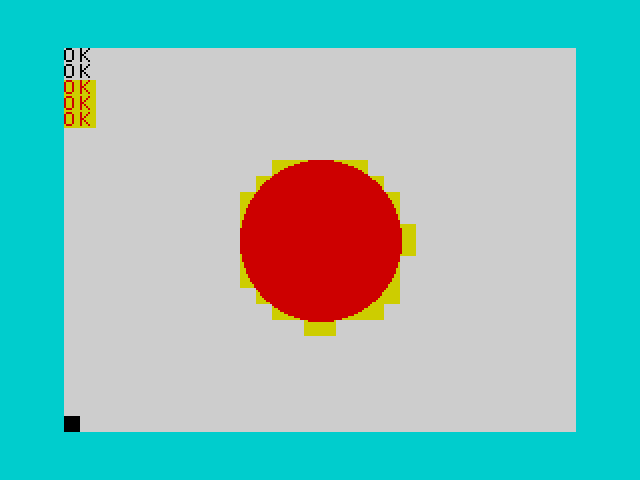
On September 15 came a Forth: not a BASIC extension, Charlie stressed, but a system ROM that boots straight to a Forth prompt. It took over Leap’s hardware kernel and put a new language on top. It has floating point with SIN and COS, graphics (PLOT, LINE, CIRCLE, FILL, plus polygons and sprites in the EXROM), AY sound, a 64-column text mode, THROW and CATCH, tape storage and printer support. It also runs as a DOCK cartridge, so it doesn’t need a ROM swap. Two demos come with it, Blackjack and a shooting gallery, both written in the Forth itself, and so does a tutorial for people new to the language.
A day later, someone at a Zoom meeting asked how the new ROMs compared with the stock one, and Charlie posted benchmarks. They were measured in frames per unit of work, so smaller is better:
| Benchmark | Stock ROM | 2068-Leap (V1) | 2068-Leap-Forth |
|---|---|---|---|
| Sieve | 33.0 | 6.3 | 0.11 |
| Floating point | 164.6 | 5.1 | 8.3 |
| Pixels | 55.8 | 4.7 | 0.26 |
| Strings | 19.0 | 4.3 | 0.07 |
2068-Leap-Forth on this site · Run it in your browser
2068-Leap-C: a C compiler in ROM
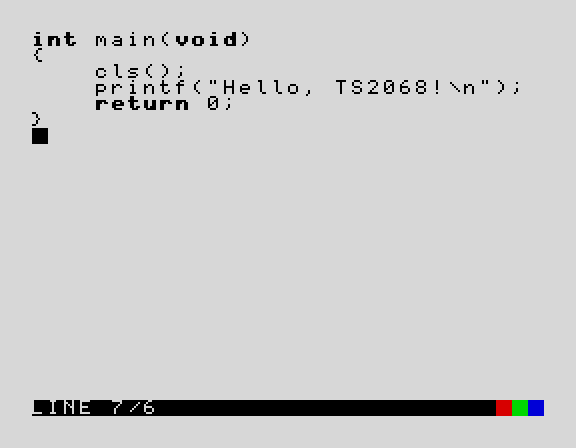
Leap-C, announced on October 22, keeps V2’s editor and machine services but drops the bytecode VM. You type C into the full-screen editor, and RUN compiles it to native Z80 code on the 2068 itself, at about 13 milliseconds a line. The README sums it up: “No cross-compiler, no PC needed.” It handles a documented subset of C89, with pointers, structs, enums, typedefs, function pointers, recursion and floats, and a built-in library for text, graphics, the AY chip, the keyboard and cassette. Anything it doesn’t support is reported as an error rather than compiled wrong. On a stock machine there’s room for about 18K of source and 19K of compiled code.
The thread drew some of the group’s best replies. Ryan Gray asked what wizardry this was. Adam Trionfo answered in C, with a one-line printf. Lee Hart asked the sharp question: there had been C compilers for the Z80 for decades, such as BDS C and Small C, but all of them needed a disk and an external editor. Leap-C’s answer is that the editor, the compiler and the runtime all live in the 24K of ROM. Release 1.1.0 added a runtime cartridge, so that a compiled program can run from the DOCK port of an ordinary 2068.
2068-Leap-C on this site · Run it in your browser
Leap IDE
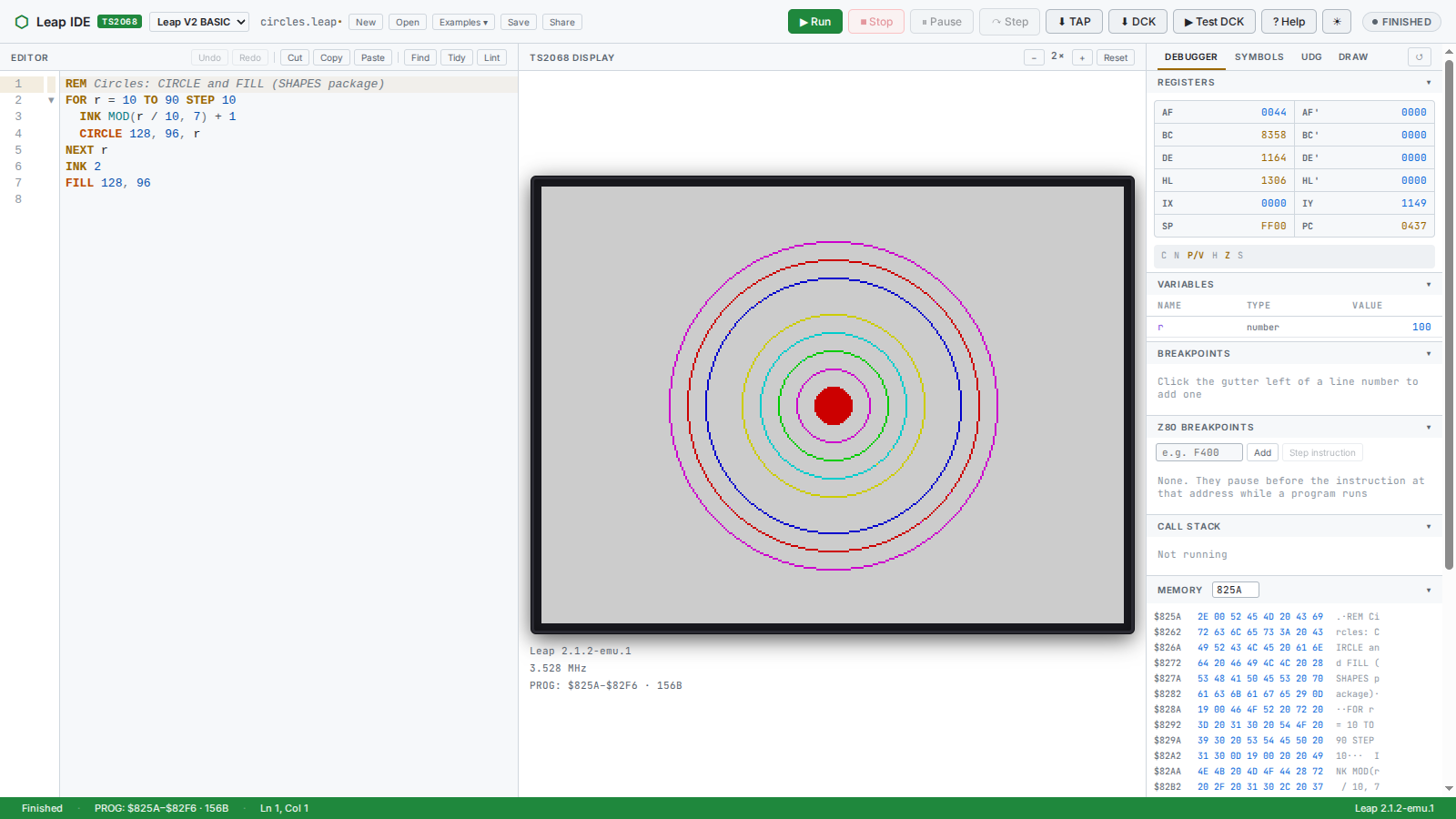
The Crown also gave Charlie his next idea. Jon pointed out that Leap’s bytecode and runtime, put on a cartridge, made a handy way to speed up an existing BASIC program, and Charlie built a cartridge builder. On October 25 he asked the group for feedback on a design for a browser IDE. I replied “Twist my arm?”, and it was ready three days later.
Leap IDE puts a real code editor with keyword highlighting, autocomplete and built-in help beside a TS2068 emulated by TSRun. The ROM does the work: the Leap ROMs run on a hidden emulated machine to check your program as you type, and the same ROMs run it. The debugger has breakpoints, single-stepping, and views of variables, registers and memory. There are also a UDG editor and a drawing tool that turns a sketch into BASIC. When the program is finished, it can be saved as a TAP or built into a cartridge that runs on a stock 2068. By November 2 the IDE handled all three languages, and Charlie made a walkthrough video and demonstrated it at that day’s online meeting.
The IDE’s examples include a “Spinning squares” program written in all three languages. In TSRun it took 675 frames in BASIC, 522 in Forth and 423 in C.
Leap Desktop
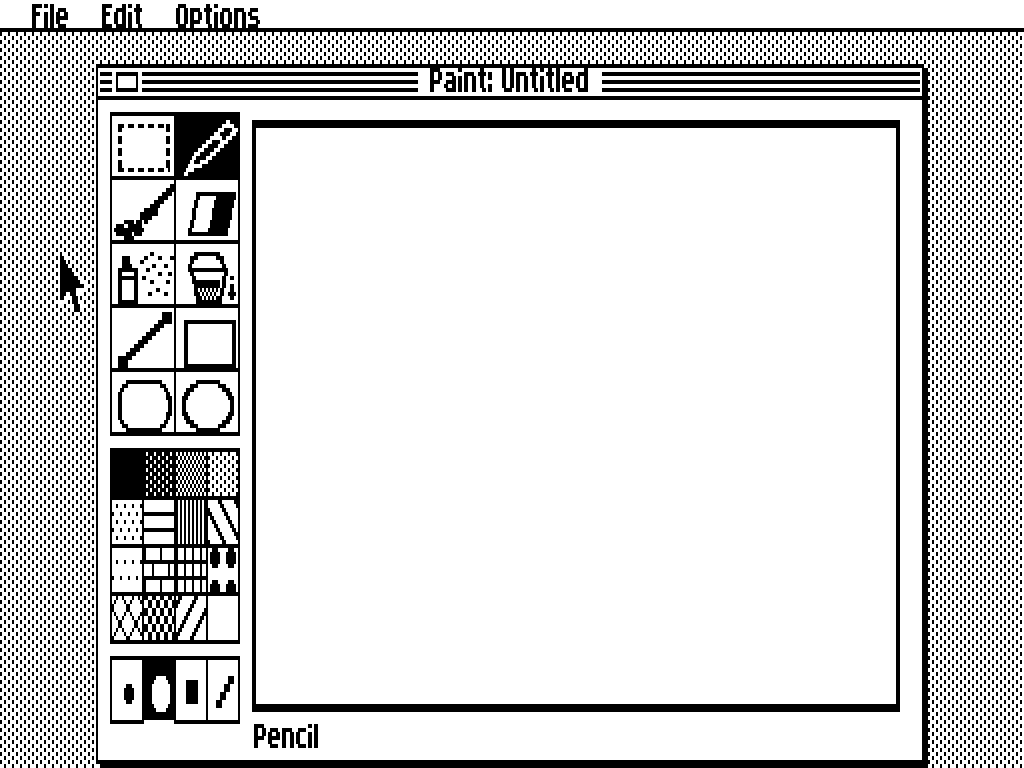
On November 15, Charlie asked the group whether they’d ever been partway through a project and noticed they had built enough pieces for something completely different. Leap Desktop is the result: a GEOS- and Mac-style desktop in Z80 assembly, on a 56K cartridge, in the 2068’s 512×192 mode. It has overlapping windows, drop-down menus, a mouse pointer and five programs: Calculator, Key Caps, Notepad, Paint and a sliding-tile Puzzle. A Kempston mouse is the only extra hardware it needs, and the keyboard can drive the pointer too.
Adam Trionfo was impressed that, in the browser version, he could save a Notepad file straight to his computer. He also saved a drawing from Paint, converted it to a GIF, and admitted that the Puzzle beat him. Charlie built the desktop so that an IDE could be built around it to make applications, so there’s probably more to come.
Leap Arcade
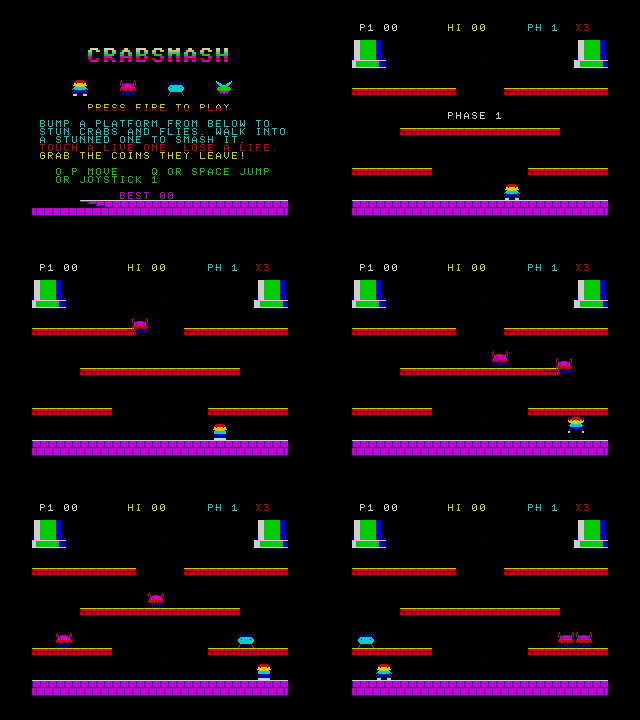
The newest piece, posted on November 17, is Leap Arcade: a small structured BASIC just for action games. Its browser Studio has editors for sprites, tiles, maps, sound effects, music and 3D models, with an emulator built in. You write, press Run and play, and when the game is ready you download a cartridge for a real machine or your own emulator.
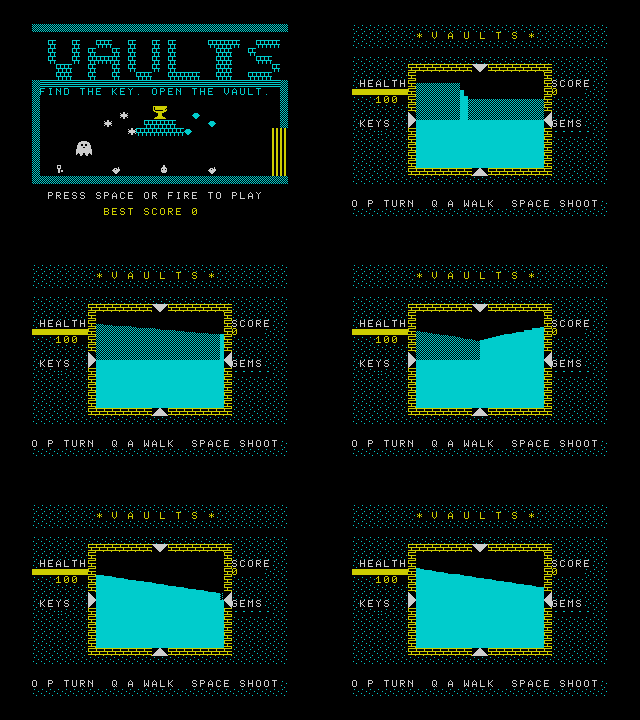
Nine sample games come with it, all ready to play, read and change. They range from Bounce, which is about 100 lines, through Breakout, the shooter Starfall, Crabsmash and the scrolling platformer Leap Runner, to Vaults, a ray-cast 3D maze, and Orbit Gates, a wireframe flight through space. Adam compared it to AMOS on the Amiga, which made writing games so easy that it filled the public domain with them, some good and many not. He played one game of Breakout before going back to his yardwork.
How it was built
Charlie is open about his tools. At the October meeting he described Claude, Anthropic’s AI model, as a contractor working for him, and the repositories credit Claude Code: it wrote much of the code under his direction, and he reviews, chooses and approves the results. He also built the testing to check that work. There’s a Z80 simulator and a headless TS2068 debugger, every example in the manuals runs as an automated test, and the ROM space for each part of the system is budgeted byte by byte. Leap V2 runs more than a thousand automated cases on every change.
That testing has one gap, and Charlie is the first to point it out. Every Leap project so far has been tested in emulators (ZEsarUX, Fuse, EightyOne and TSRun), and none has been run on a real TS2068. If you have a 2068 and a way to put in new ROMs or plug in a cartridge, hardware test reports would be the most useful thing anyone could give him.
Try it
You can try all of these in a web browser:
- Leap Desktop
- Leap Arcade
- Leap IDE
- Leap V2, Leap-Forth and Leap-C in TSRun on this site: BASIC, Forth, C
The source code, manuals and ROM images are on Charlie’s GitHub, and each project has a page in this site’s software section. Most of what’s here came from conversations on the TS2068 group, which is the place to ask him questions, report bugs or tell him how it runs on your machine.