
To print 64 columns in SPECTRUM mode, you call channel #9 with the comand
PRINT #9;”SLUG”
To print in double size you would call channel #8
PRINT #8; “LOUISVILLE”
If you want to go all the way you can quadruple (eight characters per line) your display. Use channel #8 and graphics code 129 & 130, (graphics 1 & 2) to togel in and out of quad
PRINT #8;”[graphic]US[graphic]of[graphic]A[graphic]”
64 mode will only print upper case, But double and quad will print all characters except the block graphics. You will also be able to LIST #9
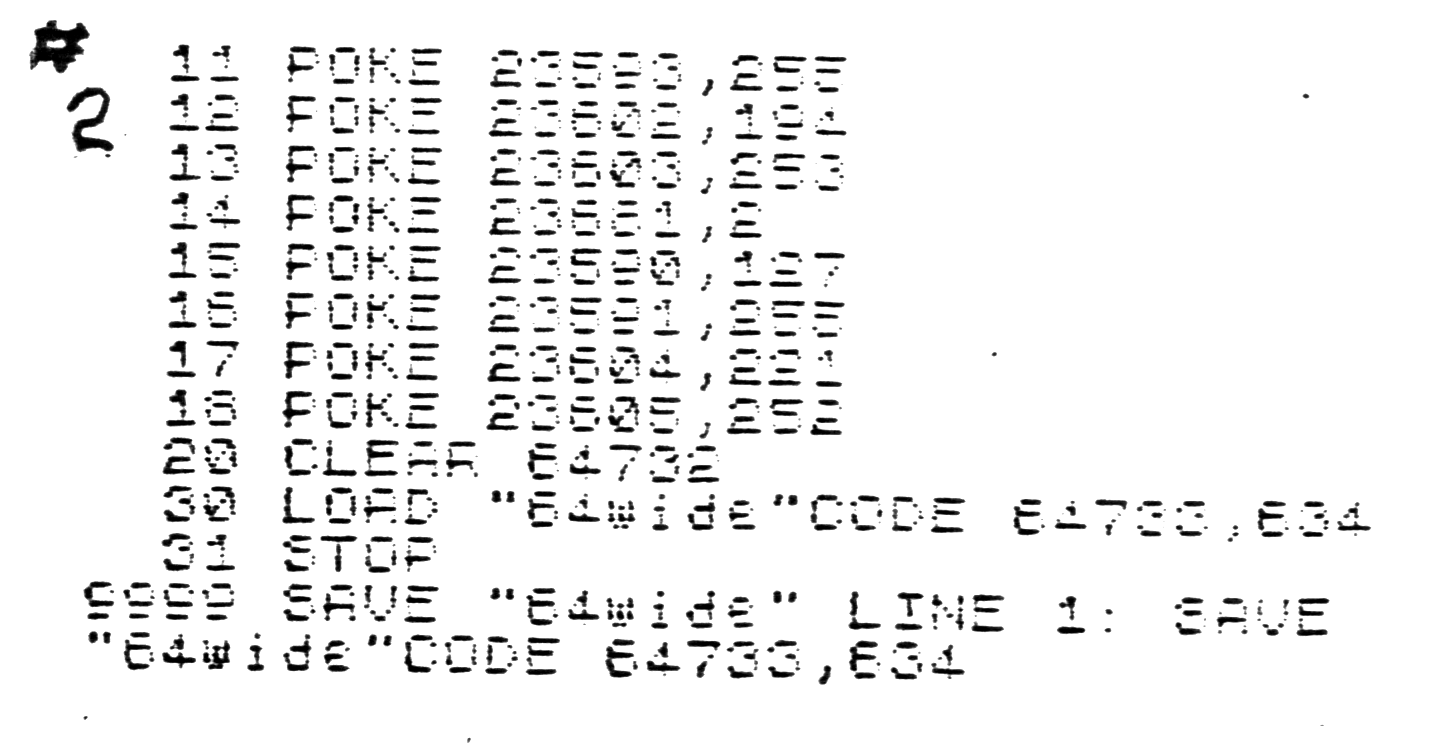
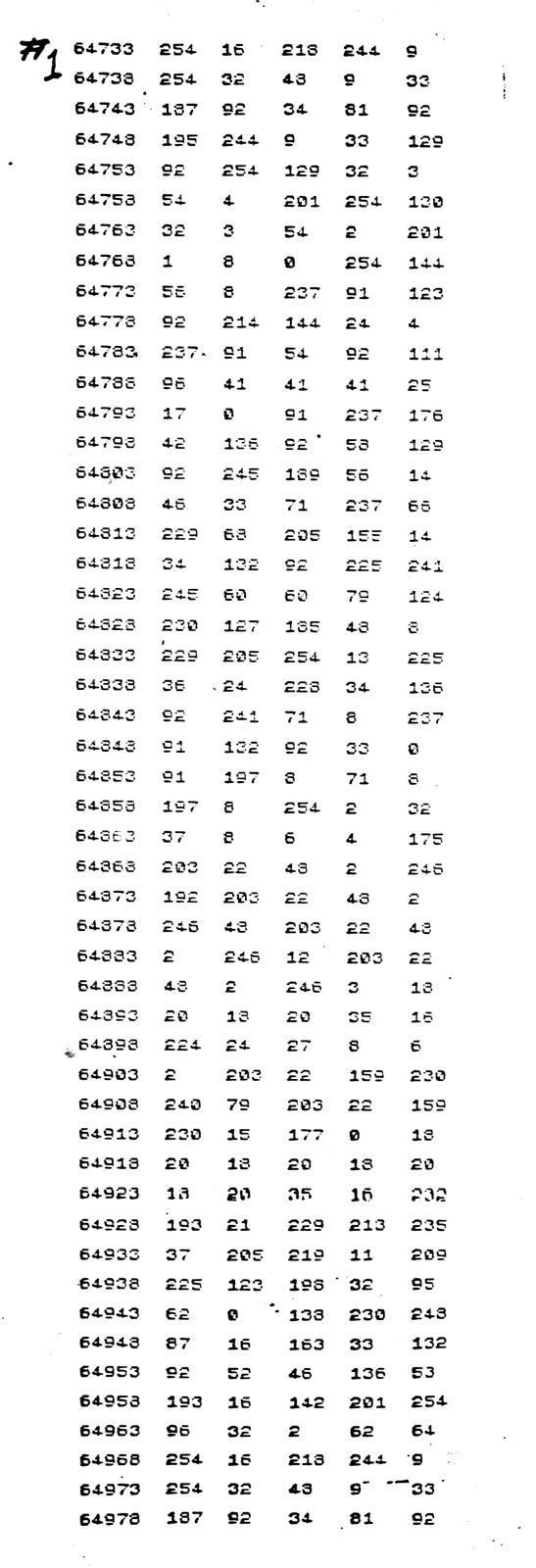
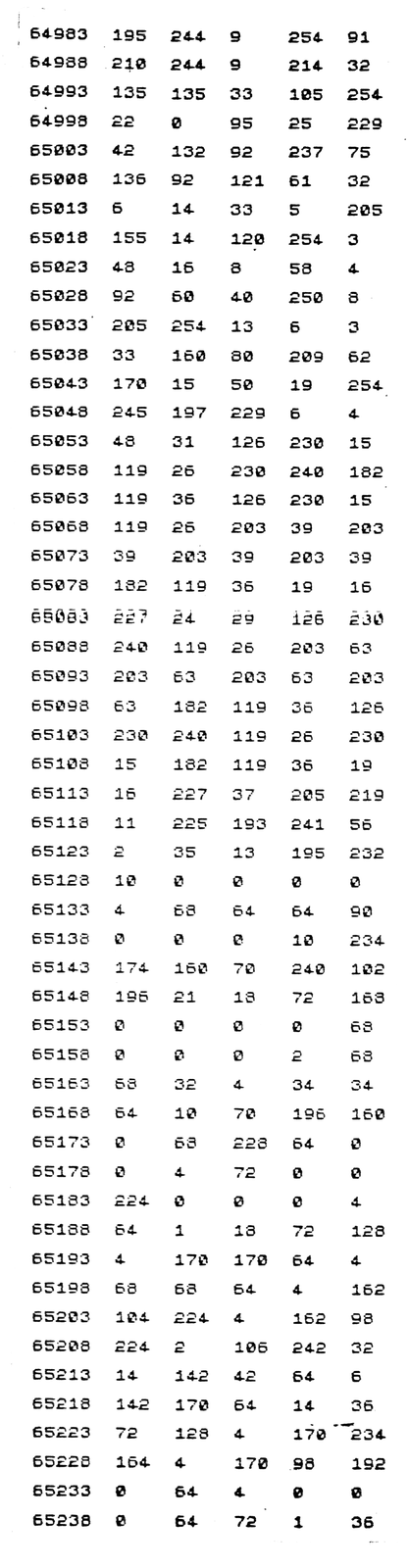
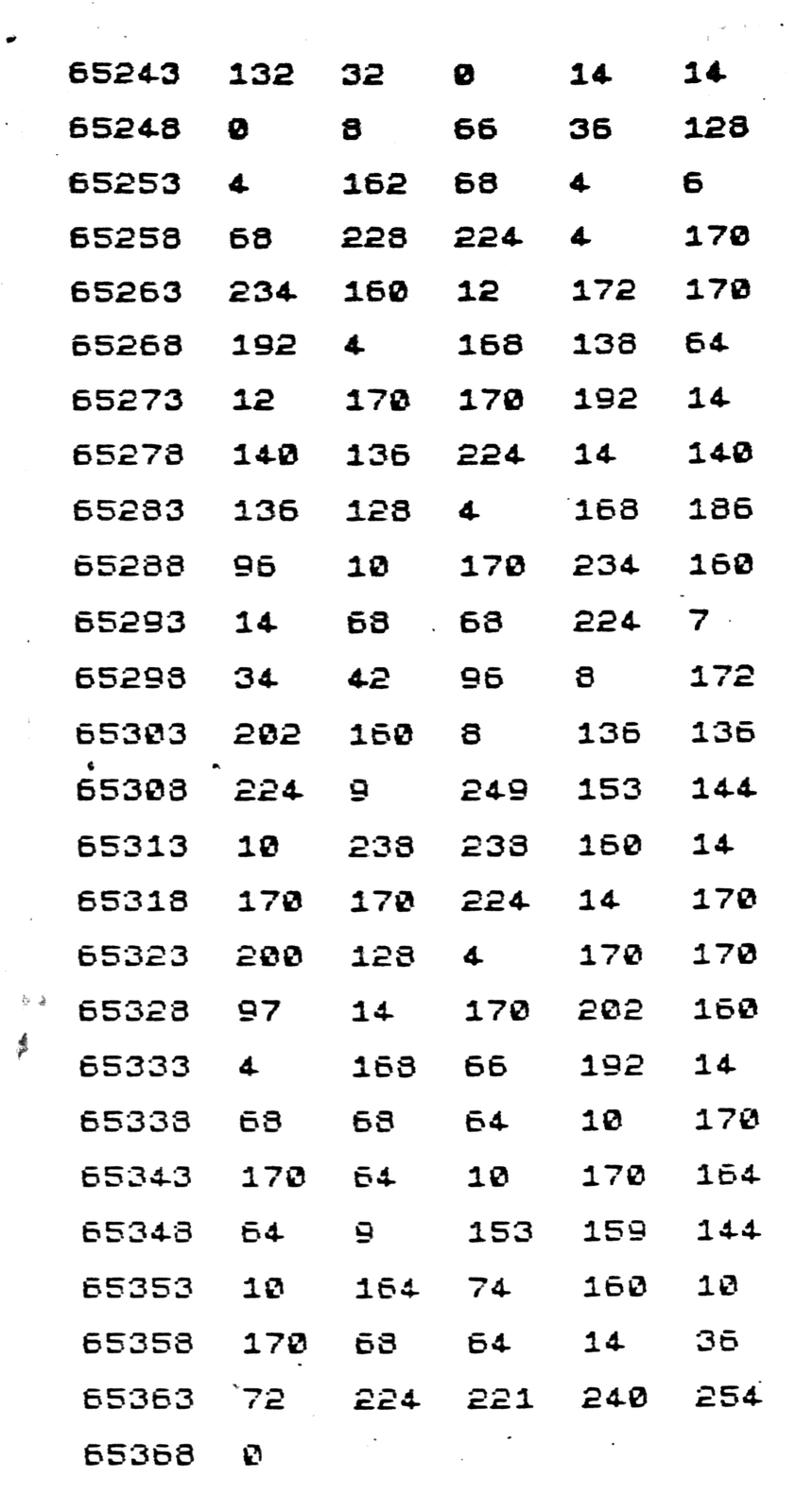
To start, type CLEAR 64732, then type in this simple loader program, or your own loder program. Then POKE in Listing #1 After you have POKEd in the 634 bytes, type in list #2, than you can GOTO 9999 to save. Now when you LOAD “64wide”, List #2 will set up the vectors in the channel information ares for you, so all you have to do is type #9; after PRINT when you want to print in 64 columns.
If you want to check your CODE after you have POKEd it all in,type in List #3 turn on your printer and type GOTO 10
—- DO NOT TYPE RUN —–
this will print out your CODE so you can debug if needed.
#3
10 LET add=64733
20 FOR n=1 TO 128
30 LPRINT add;
40 FOR g=7 TO 27 STEP 5: LPRINT TAB g;PEEK add;: LET add=add+1: NEXT g: LPRINT TAB g+1:
50 NEXT n
#2
LOADER
10 FOR n=64733 TO 65638
20 INPUT a
30 POKE n,a
40 PRINT n,a
50 NEXT n
#1
Note: Type-in program listings on this website use ZMAKEBAS notation for graphics characters.