
One can only envy Bill Jones‘s dilemma of potentially needing more space than his system table provides (UPDATE October 1989). While Bill’s need is currently hypothetical, many people already face a space dilemma.
Bill already describes the existence of an A-B box in his overall system. For those of you not familiar with A-B boxes, they are simply switches having between two (2) and 50 (?) connectors which are simultaneously switched when a button is pushed or a knob is turned. The type of connector which is plugged in can vary widely. For the average “home” computer user, the 36-pin CENTRONICS A-B box is probably the most prevalent since this is the connector used on all parallel printers.
To digress for a moment, let me mention that one member in the local user group that I belong to did not know what “type” of printer (parallel vs. serial) that he had. Sheesh! Pressed for a simple description of the plug on the end of the cable, he told me three prong! Okay, I wasn’t specific. I then asked for the “other” cable which connected to the computer. He said that it was plastic. ARGHhhh! Okay, did the socket on the printer have wire retaining clips, or not? “Yes.” Now, we were getting somewhere.
The wire retaining clips are probably the hallmark of a CENTRONICS connector. As mentioned above, by convention ALL parallel printers use this connector on the printer. This does not mean that another type of connector could not have been used, or could not yet be used to connect a parallel printer to a computer. Similarly, a 36-pin CENTRONICS connector does not have to be used for a printer connection.
Just as a horse is a horse, a switch is a switch, and a connector is a connector. In this instance, off-the-shelf connectors and switches can be used in a CUSTOM configuration. Just remember to put a label on the connector, and you won’t wonder why the other end of the cable has an “odd” connector on it.
Okay, why am I talking about 36-pin CENTRONICS connectors? Well, as it stands, these connectors and “matching” A-B boxes are probably the most prevalent (easiest to find, and CHEAPEST). Since almost all (?) Sinclair based computers use IBM compatible drives (Bill may be correct in referring to them as “Shugart-type”; but, you all you need to know is when buying is that it can be used on an IBM type personal computer), if you can plug it into your 2068’s disk interface then you can plug it into your QL’s disk interface (and, vice-versa).
Hello. Let me repeat that: If you can plug a particular disk drive into your 2068’s disk interface, then you can plug it into your QL’s disk interface!
What this means is that you only need one set of drives for both your QL and 2068. The only provision is that you, of course, have to ensure that the proper disk is being accessed by a particular computer (If this is a problem, you can spend a little extra for colored disks, and color-key your switch accordingly). Of course, an improper format will not be read by the wrong DOS.
While I have your attention (Hello, Mr. Kenny), wouldn’t it be nice for people like Bill Jones if a version of LKDOS/2 were developed which mimicked the QL’s disk format. I suggest that the 2068 world consider making the conversion rather than the other way around because ALL QL disk interfaces follow the same specifications ordained by Sinclair Research Ltd. (we remember them, don’t we? And, as 2068 users sadly know, there is no single convention for TS-2068 disk interfaces.
OKAY. Obviously, programs would not run if they were written for different computers. THE REASON to have compatible disk format is to allow for simple ASCII file transfers. This would preclude the need for modems, et cetera. Need I say more?
Meanwhile, back at the ranch house …
What we want to do while we wait for the Millennia is to use a CENTRONICS A-B box to switch between two different (or, similar) computers which can use the same drives. The A-B box uses female connectors. Note the following illustration:
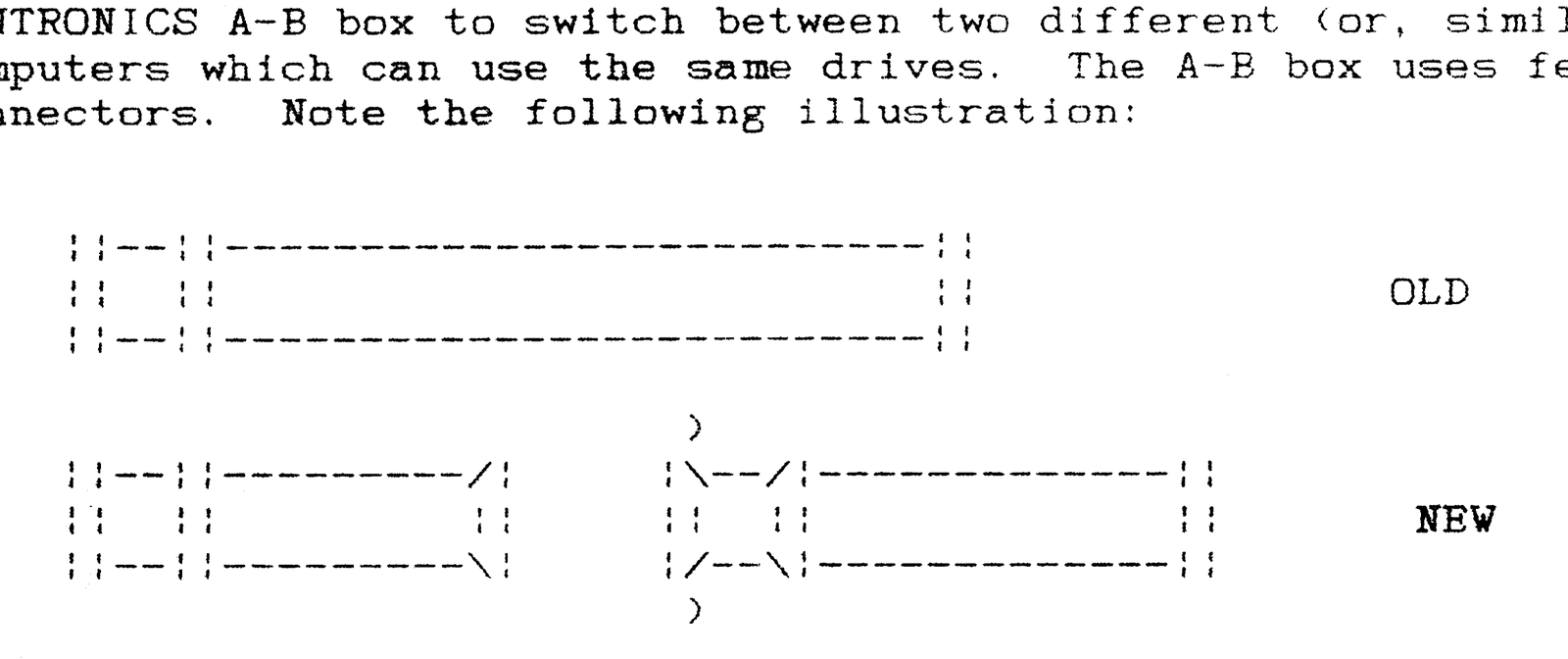
The “cheap” way, if your cables are long enough is to simply cut the cable in half, and attach a male (without clips) CENTRONICS connector to each half. Do this for each “original” cable.
Note that the “NEW” cable illustrated also has a female CENTRONICS connector (with clips) so that the A-B box need not be a part of the connection. This is one of several optional configurations for your cables.
The older TRUMP Card disk interface (for the QL) only allows access to two physical drives (presumably the TRUMP card interface simply ignores “extra” drives which may be connected to it). Nonetheless, some allowances need to be made.
Bill’s system currently has five (5) 720K disk drives and three (3) 360K disk drives. Allowing that the TRUMP card does indeed ignore any extra drives which may be on-line, then the following initial set-up will serve Bill well (A-B Box not “shown”):
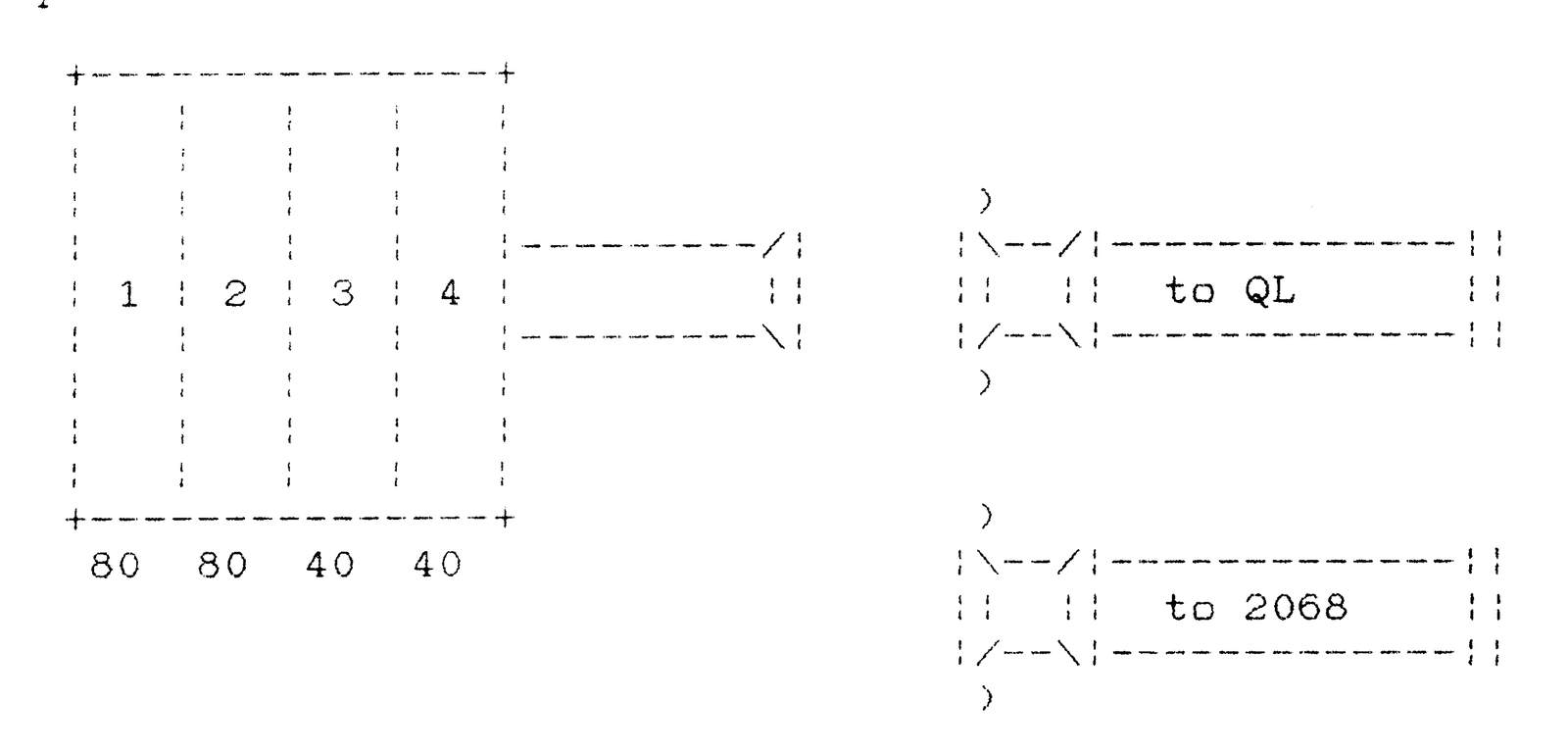
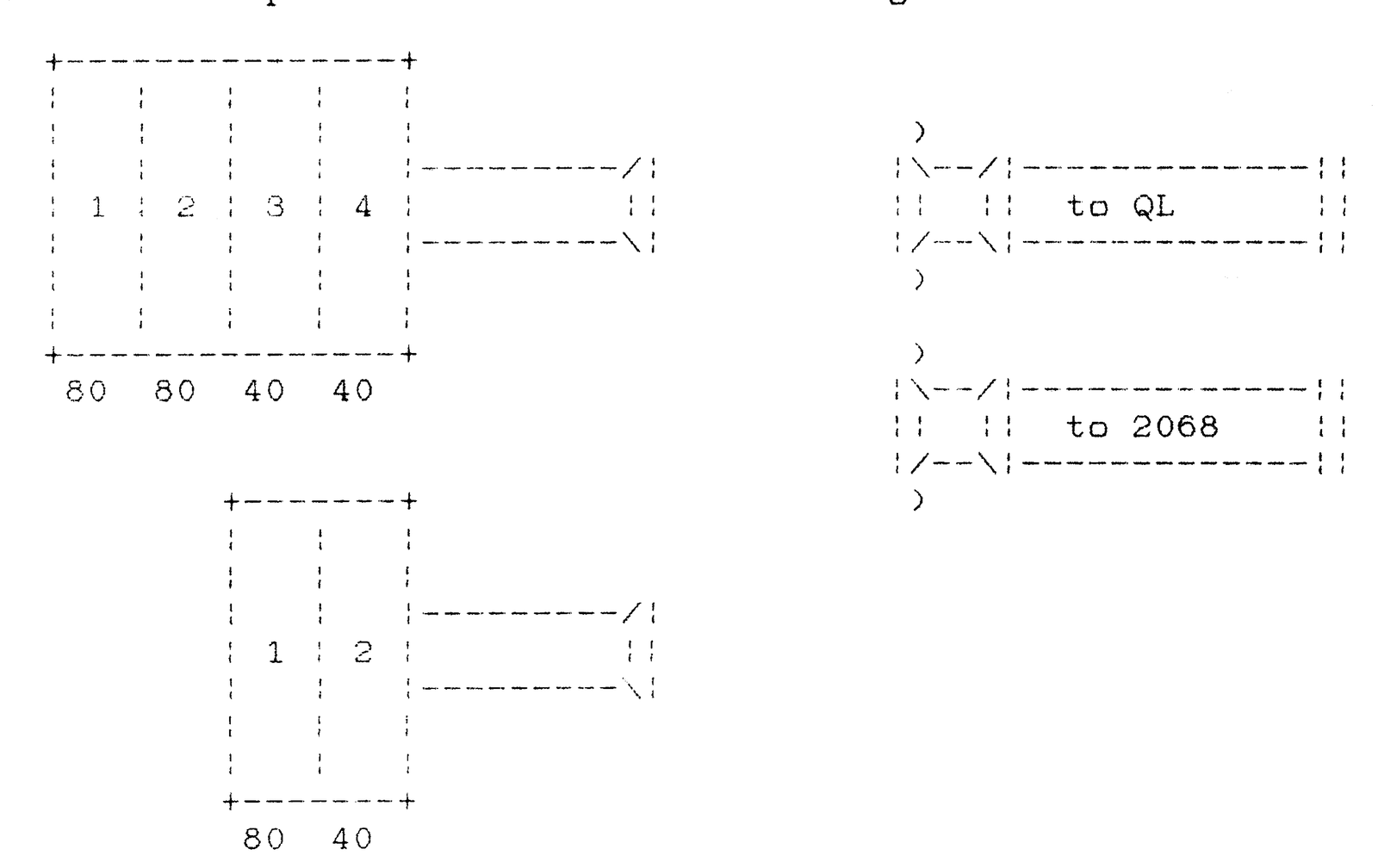
Of course, Bill’s “NEW” cable needs four edge-card connectors, one for each drive. Having an A-B-C box would allow a third computer to access the same drives. Using a second A-B box connected to the first with a “standard” male-male CENTRONICS cable would make another disk combination (80 Track & 40 Track) available to either the QL (for FORMATting MS-DOS disks when in emulation mode) or the 2068 in a simpler 1st and 2nd drive configuration.
Bills overall configuration might look like this:
[ 4-DRIVES ] ----:                         :----[  QL  ]
                 :                         :
                 :- [ A-B ] -- [ A-B-C ] -:----[ 2068 ]
                 :                         :
[ 2-DRIVES ] ----:                         :----[      ]
There are cross-over boxes [e.g., AA-BB] which may have the correct configuration. Regardless, the “A” and “B” letters on the box(es) should be clearly re-lablelled with “correct” information.
Since Bill has two RGB monitors, unless he is doing side-by-side, simultaneous screen comparisons, he can consolidate these with a 9-pin serial A-B box. The difference here is that the re-wiring may be a bit more tedious (varying pin-outs may make it easier to make the wires from “scratch”).
The object of all this discourse is to recapture some table-top space by consolidating the disk drives, et cetera. Since the disk drives are essentially “dumb” devices, they can respond to only one disk interface (controller) card at a time. Once addressed, the drive(s) need to be reset (turned off/on) before being used by another controller card.
Your needs may vary; and, you may find that powering down to access a drive by the “other” computer to be too inconvenient. Regardless of your needs, shop around. The cost of an A-B box varies widely; and, the same is true for the connectors.
You may only have a disk interface for a QL, or alternatively for your 2068. If you use more than one type of computer, you can limit the cost of adding disk drive capability to the cost of a “new” interface, an A-B box, and some connectors.
HAPPY TRAILS, AND COMPUTING, TO YOU!