
Portable computer models have been around for some time now. They are quite popular in the business field and especially where travel is a definite factor. Features range from built in disk drives, video monitor displays, telecommunications, small thermal printers, and some models even boast built-in software packages. They usually fold up into a fairly lightweight carry around unit with a handle. The TRS-80 Model 100 from Radio Shack is perhaps the most popular portable on the market today. Portables range in price from about $600 to well over $2,000.
TS computer owners have always considered their exceptionally small micros to be portable, to some degree. While perhaps lacking in slick packaging, the power and flexibility is all there. The special mathmatic functions would be especially useful in business, engineering, and educational applications.
Often our computers and hardware are carted here and there in any handy container including cardboard boxes. We take them to our offices, to the classroom, to a friends home, and even to the computer club meeting. With AC adaptors for both computer and cassette recorder, and all the accompanying patchcords, we have on our hands a real “wire and gadget” nightmare.
There is a solution. It’s not a new idea, but it is a good one. It involves packaging your computer set up into one standard size attache case.
You can find a good used attache case reasonably priced at a second hand sore, as opposed to buying a new one for around $100. A used one usually goes for $10 to $20. Or you could purchase a new cheaper hard plastic model for around $15. Next you will need to get a piece of foam rubber for the inside, to hold the contents in during transport. The foam should be as thick as the bottom section of the case. You can find all types of foam rubber at a hobby or craft store. Once you have decided what will be included in your portable set up, you can cut the appropriate holes in the foam, using your equipment as the pattern, so each item will ride snuggly inside. Cut the holes with a sharp utility or carpet type knife.
A nice thing about rigging up a portable set up, is that it just might give a new use to that spare TS 1000 or ZX81 that has been laying around since you bought that new 2068. The TS 1500 is also a good choice, since the 16k RAM is built right inside. When using the 1000 or 1500 you will have to cut out some of the foam for the RAM pack. Of course you could house the 2068 in an attache case also. There probably wouldn’t be much room for any extras though.
An ideal set up would have to include a storage device. Most practical choice would be a cassette recorder, but there are also the very small stringy/floppy drive units which would load much faster. A disk drive would be too large. The smallest cassette recorder you have, would be the best. The TS 2020 Cassette Unit is an excellent choice, or any similar model.
There is also room in the case for storage of a generous supply of software. You could find a small, low profile cardboard box that the cassette tapes could fit securely in, then cut a hole in the foam rubber for the box.
Some TS users even make room for their 2040 printer, or the smaller ZX printer. It is also concievable that someone could inclue a modem device of sorts to include telecommunications as part of his portable
Some TS users even could make room for their 2040 printer, or the smaller ZX printer. It is also concievable that someone could include a modem device in order to add telecommunications as a feature of the portable set up. Whatever meets the needs of the individual user could be included.
One device that may be overlooked is the AC power strip. This greatly simplifies hook up procedures. A smaller power strip with say four outlets would be the best choice. All of the power lines and connecting wires could then be run underneath the foam and out of sight, making a much neater appearing system. Only one electrical connection needs to be made when arriving at the work station, and that is the one from the power strip to the wall.
Most manufactured portable computers come complete with some sort of video terminal or LCD display, as we mentioned earlier. In our TS portable system, because of limits in size and practicality, we will not include a video monitor. Instead we will have to rely on what is available to us at the location where we are traveling to. Almost anywhere you can find a TV set. At school, in homes, even at the Motel. You could even arrange to store one of the inexpensive black and white models at the office.
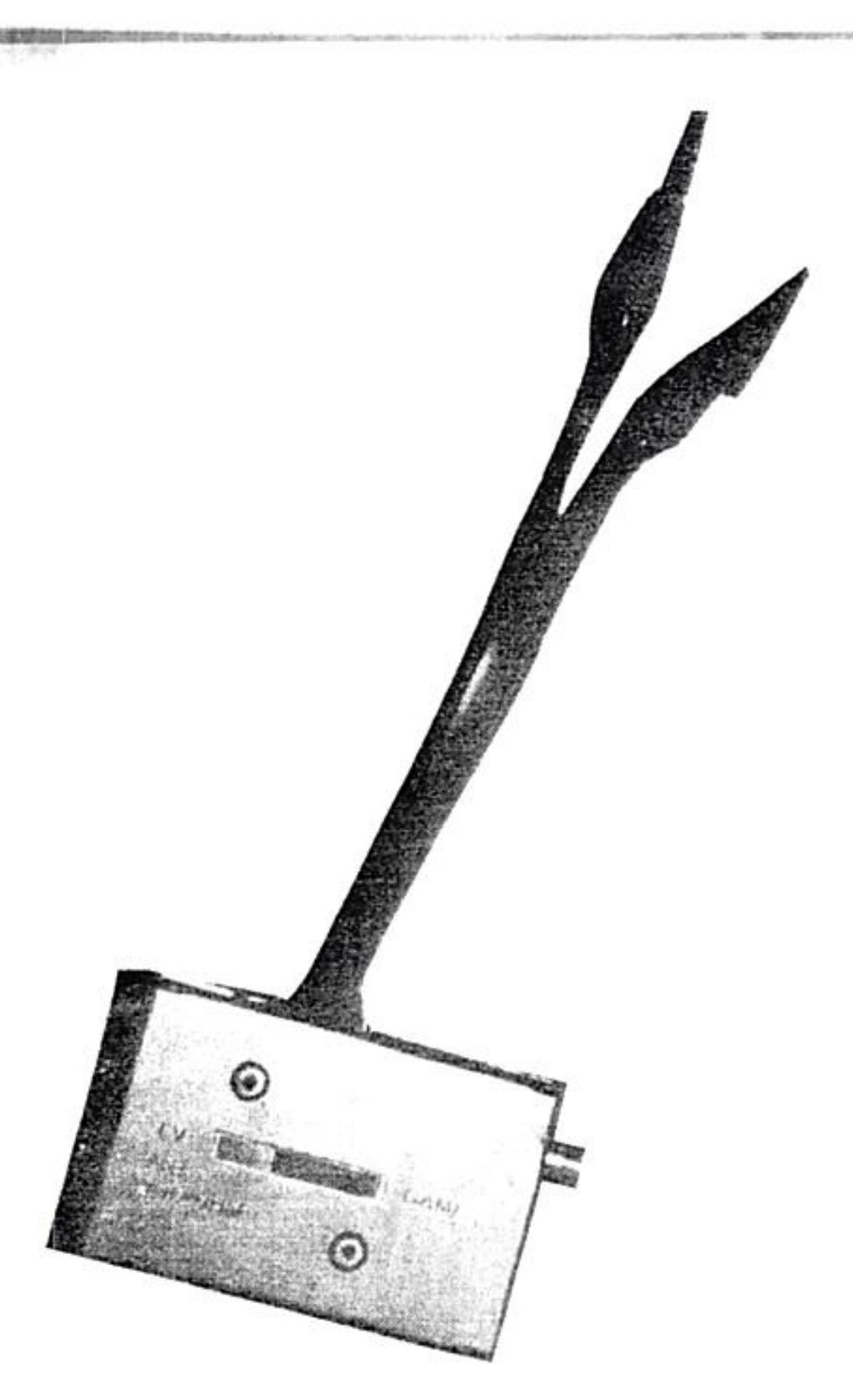
To simplify TV hook up, you can make a little device from a standard TV/computer switch box. Simply cut the screw lug terminals off the end of the short piece of antenna wire that protrudes from one end of the switch box. Strip back some bare wire and crimp or solder on a small alligator clip in place of each screw lug. Now anytime you want to hook into a TV set, you simply clip the leads onto the VHF screw terminals and presto! Much faster than a screwdriver.
So now we have a genuine TS portable computer package, complete with it’s own carrying case. It has a memory storage device, software, and optional printer or modem. Not only that, but it is ready to go to work in a matter of seconds. Some popular software packages to consider to bring along would be a data base like the ZX Pro/File, or a financial spreadsheet like Vu-Calc, and maybe a word processor. Don’t forget some entertainment like the all time classic Mazogs (the best computer game ever). Enjoy your TS portable system, and remember, “have computer, will travel”.