
A SUPERBASIC PROGRAM
CDIR displays and prints directories in column format. If there are more files than can be seen on the screen at once, it breaks them up into ‘pages’ which can be quickly displayed. There is also an option to mark (in the display screen) files whose name contains a specified string. This allows for quick searches for files. It works by putting the directory into a temporary scratch file and putting all the file names in a string array. They can then be easily printed in column format (up to four per screen). If you have ever frantically looked through old microdrives or floppies for a file, you will appreciate this program. If you are industrious, you can use the program to print out the directory of each medium and keep it handy so you can locate a file when needed.
100 REMark         CDIR
110 REMark Column Directory Program
120 REMark    Bill Cable V1.1
130 :
140 REMark   This program puts the
150 REMark directory of a medium in
160 REMark columns on the screen and
170 REMark prints them out if desired.
180 REMark   File names containing a
190 REMark specified string will be found
200 REMark and marked for easy spotting.
210 :
220 scratch$="":fnd$=""
230 cdir
240 :
250 DEFine PROCedure done
260  WINDOW#1,512,206,0,0
270  CLS#0:CLS#1:STOP
280 END DEFine done
290 :
300 DEFine PROCedure cdir
310  WINDOW#1,512,256,0,0
320  WINDOW#2,512,206,0,0
330  heading"Column Directory"
340  IF scratch$=""
350   get_device "For Scratch Pad"
360   scratch$=device$
370   IF scratch$="" THEN done
380  END IF
390  get_device "To Directory"
400  source$=device$
410  IF source$="":done:END IF :AT 10,10
420  PRINT#1,"{making list of files. If error, type : 'close
     #5<ENTER>'}"
430  DELETE scratch$&"tmp_tmp"
440  OPEN_NEW#5,scratch$&"tmp_tmp"
450  DIR#5,source$:CLOSE#5
460  OPEN#5,scratch$&"tmp_tmp"
470  INPUT#5,a$,b$
480  cnt=0:max=1:pos=1
490  REPeat all
500   IF EOF(#5) THEN EXIT all
510   cnt=cnt+1:INPUT#5,i$
520   IF LEN(i$)>max THEN max=LEN(i$)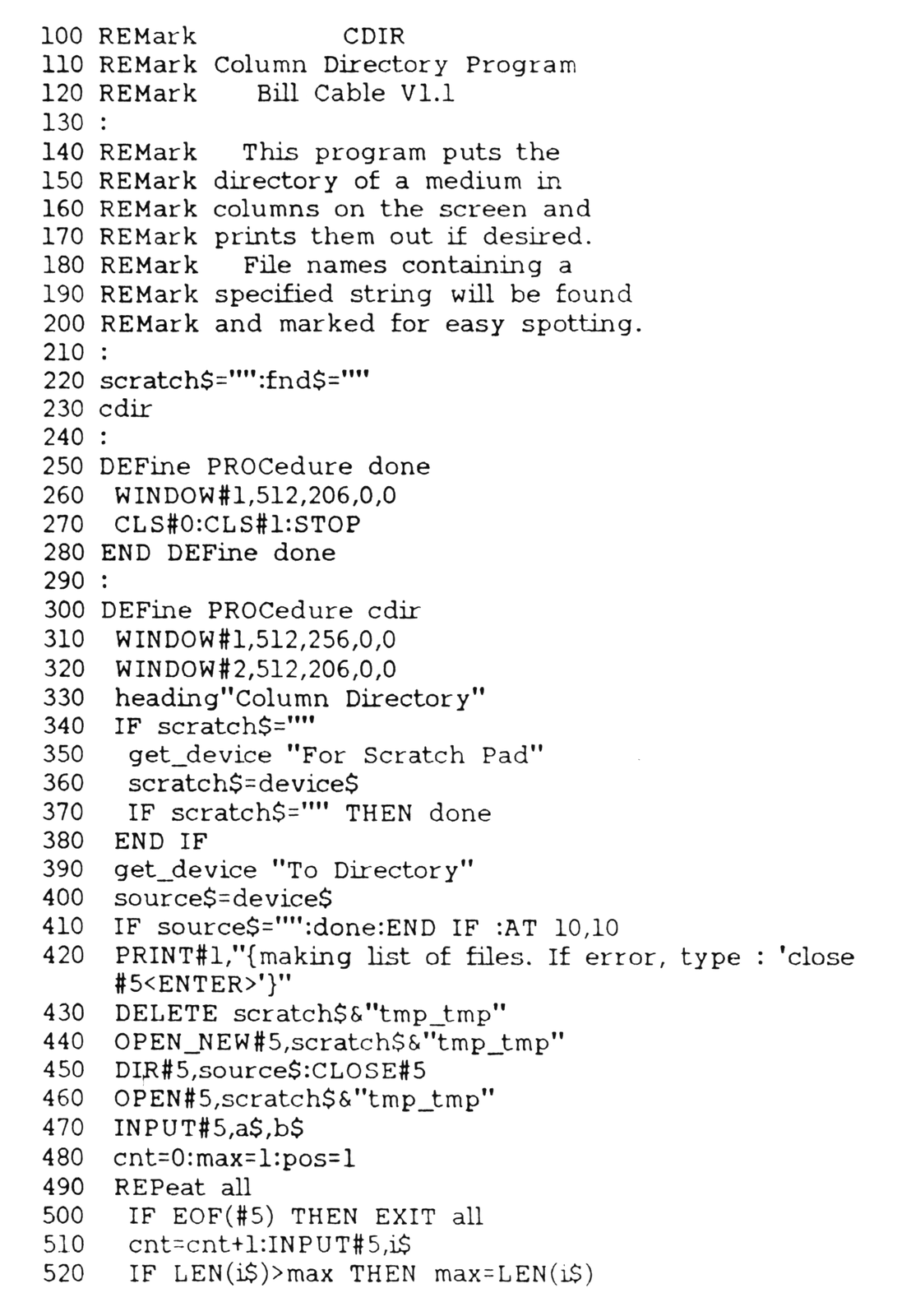
530  END REPeat all
540  CLOSE#5:npg=0:page=1
550  IF cnt>0
560   DIM files$(cnt,max):pos=1
570   OPEN#5,scratch$&"tmp_tmp"
580   INPUT#5,a$,b$
590   FOR i=1 TO cnt
600    INPUT#5,i$:files$(i)=i$
610   END FOR i
620   CLOSE#5
630   DELETE scratch$&"tmp_tmp"
640   ncol=INT(80/(max+2))
650   IF ncol>8 THEN ncol=8
660   i=INT((cnt-1)/20)+1
670   IF i<ncol THEN ncol=i
680   set_columns 0,0,0:lpg=0
690  END IF
700  AT 10,0:CLS 4:AT 24,0:CLS 4
710  REPeat options
720   j$="[1-"&npg$&"] page, C(ols),D(ir),P(rt),F(ind),Q(uit) : "
730   show_files 1,page:key$=keyin$(1,24,20,j$)
740   IF key$>="1" AND key$<="9"
750    page=key$
760    IF page<1:page=1
770     ELSE :IF page>npg THEN page=npg
780    END IF
790   END IF
800   IF key$=="c"
810    set_columns 24,20,ncol:page=1:lpg=0
820   END IF
830   IF key$=="d" THEN cdir
840   IF key$=="f"
850    AT 24,20:CLS 4
860    INPUT"Find file names containing : ";fnd$
870    lpg=0
880   END IF
890   IF key$=="p" THEN dir_print
900   IF key$=="q" THEN done
910  END REPeat options
920 END DEFine cdir
930 :
940  DEFine PROCedure set_columns(l,c,d)
950   IF l<>0
960    i$=keyin$(1,l,c,"How many columns [<ENTER= "&d&"] : ")
970    IF CODE(i$)=10 THEN i=d: ELSE i="0"&i$
980    IF i>8 OR i<1 THEN i=d
990   ncol=i:END IF
1000  cwid=INT(80/ncol):npg=INT((cnt-1)/(20*ncol))+1:npg$=npg
1010 END DEFine set_columns
1020 :
1030 DEFine PROCedure show_files(chn,pg)
1040  ll=0
1050  IF pg<>0
1060   IF lpg=pg THEN RETurn
1070   heading source$&" : "&a$&" "&b$
1080   IF cnt=0 THEN AT 4,10:PRINT "No Files Found":RETurn
1090   AT 2,0:CLS 2
1100   beg_index=20*ncol*(pg-1)+1:end_index=20*ncol*pg
1110   IF end_index>cnt THEN end_index=cnt
1120   ELSE :beg_index=1:end_index=cnt
1130  END IF
1140  FOR k=beg_index TO end_index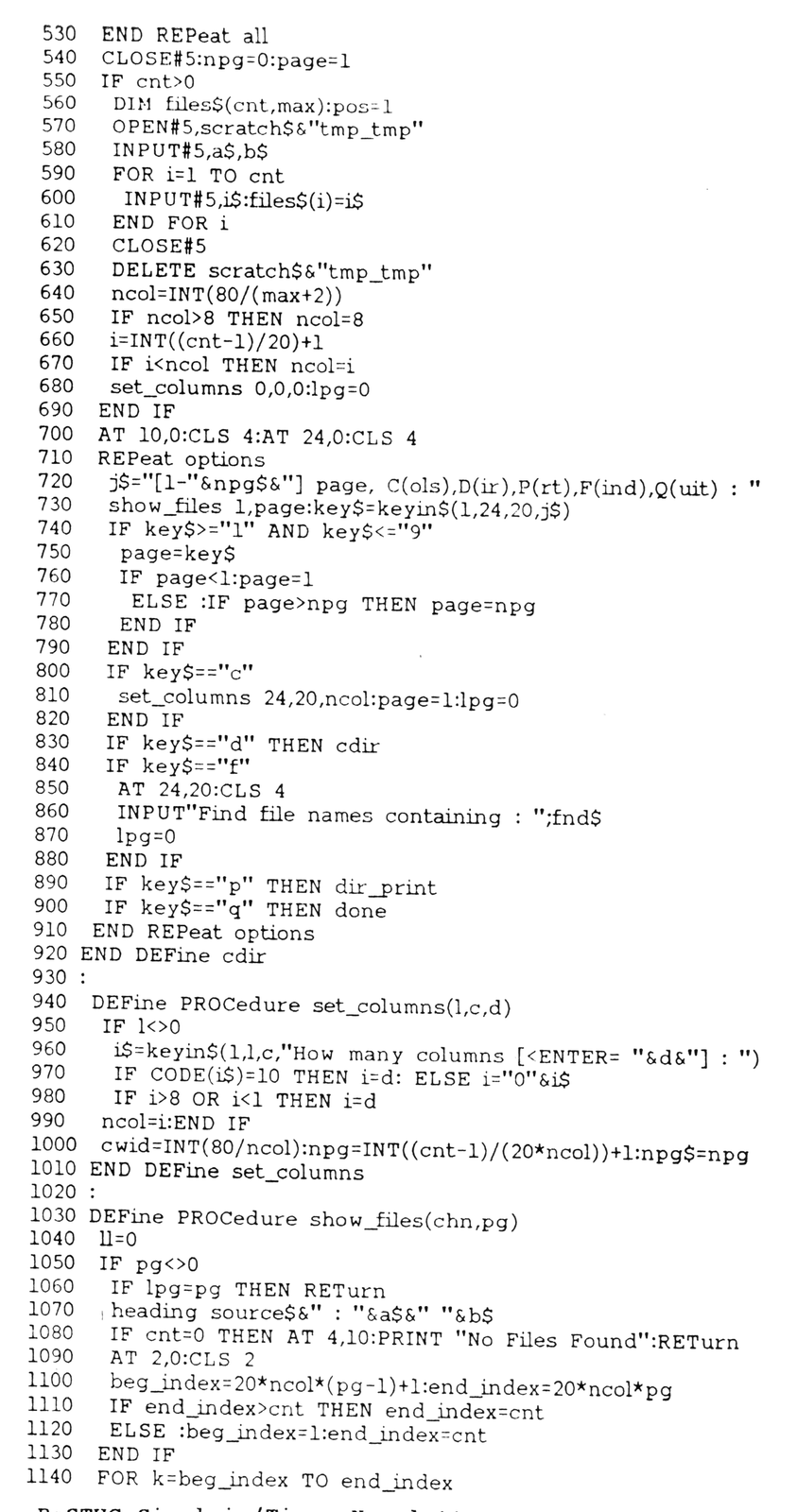
1150   lin=INT((k-beg_index)/ncol)+3
1160   col=((k-1) MOD ncol)*cwid
1170   IF chn=1 THEN AT lin,col
1180    ELSE :IF lin=ll THEN PRINT#chn,TO col;
1190    ELSE :PRINT #chn:ll=lin:END IF
1200   END IF
1210   IF ncol=1 THEN PRINT#chn,TO 4-LEN(k);k;TO 6
1220   i$=""
1230   IF fnd$=""
1240    PRINT#chn," ";files$(k);
1250    ELSE
1260    IF fnd$ INSTR files$(k)
1270     IF chn=1 THEN UNDER 1:ELSE i$="*"
1280    END IF
1290    PRINT#chn,i$;files$(k);:UNDER 0
1300   END IF
1310  END FOR k
1320  lpg=pg
1330  IF chn=1 THEN AT 24,1:PRINT"Page ";pg;" of ";npg
1340 END DEFine show_files
1350 :
1360 DEFine PROCedure get_device(m$)
1370  REPeat d_loop
1380   device$="":AT 23,0:CLS 4
1390   PRINT"Device ";m$;"  ";:PAPER 2
1400   PRINT TO 40;"[Press number key for choice]";TO 80
1410   PAPER 4:AT 24,0:CLS 4
1420   PRINT"  1/MDV1_  2/MDV2_  3/FLP1_  4/FLP2_";
1430   PRINT"  5/RAM1_  6/RAM2_  7/Other  8/Exit : ?";
1440   REPeat key_loop
1450    i$=INKEY$(-1):AT 24,74:PRINT i$;:d="0"&i$:d$=""
1460    IF d>0 AND d<9 THEN EXIT key_loop
1470    BEEP 1000,90:AT 24,74:PRINT" ";
1480   END REPeat key_loop
1490   SELect ON d
1500    =8:RETurn
1510    =1:d$="MDV1_"
1520    =2:d$="MDV2_"
1530    =3:d$="FLP1_"
1540    =4:d$="FLP2_"
1550    =5:d$="RAM1_"
1560    =6:d$="RAM2_"
1570    =REMAINDER
1580   END SELect
1590   IF d$<>"" THEN device$=d$:EXIT d_loop
1600   IF d=7:AT 24,0:CLS 4
1610    INPUT"  Device name : ";device$
1620    IF LEN(device$)=5
1630     IF device$(5)="_" THEN EXIT d_loop
1640   END IF :END IF
1650  END REPeat d_loop
1660 END DEFine get_device
1670 :
1680 DEFine PROCedure heading(i$)
1690  PAPER 4:INK 0:BORDER 1,7:CLS
1700  PAPER 2:INK 0:AT 2,0:CLS 1
1710  i=(40-LEN(i$))/2:CSIZE 2,1
1720  AT 0,i:PRINT i$:CSIZE 0,0
1730  PAPER 4:INK 0:AT 3,0
1740 END DEFine heading
1750 :
1760 DEFine FuNction keyin$(c,lin,col,m$)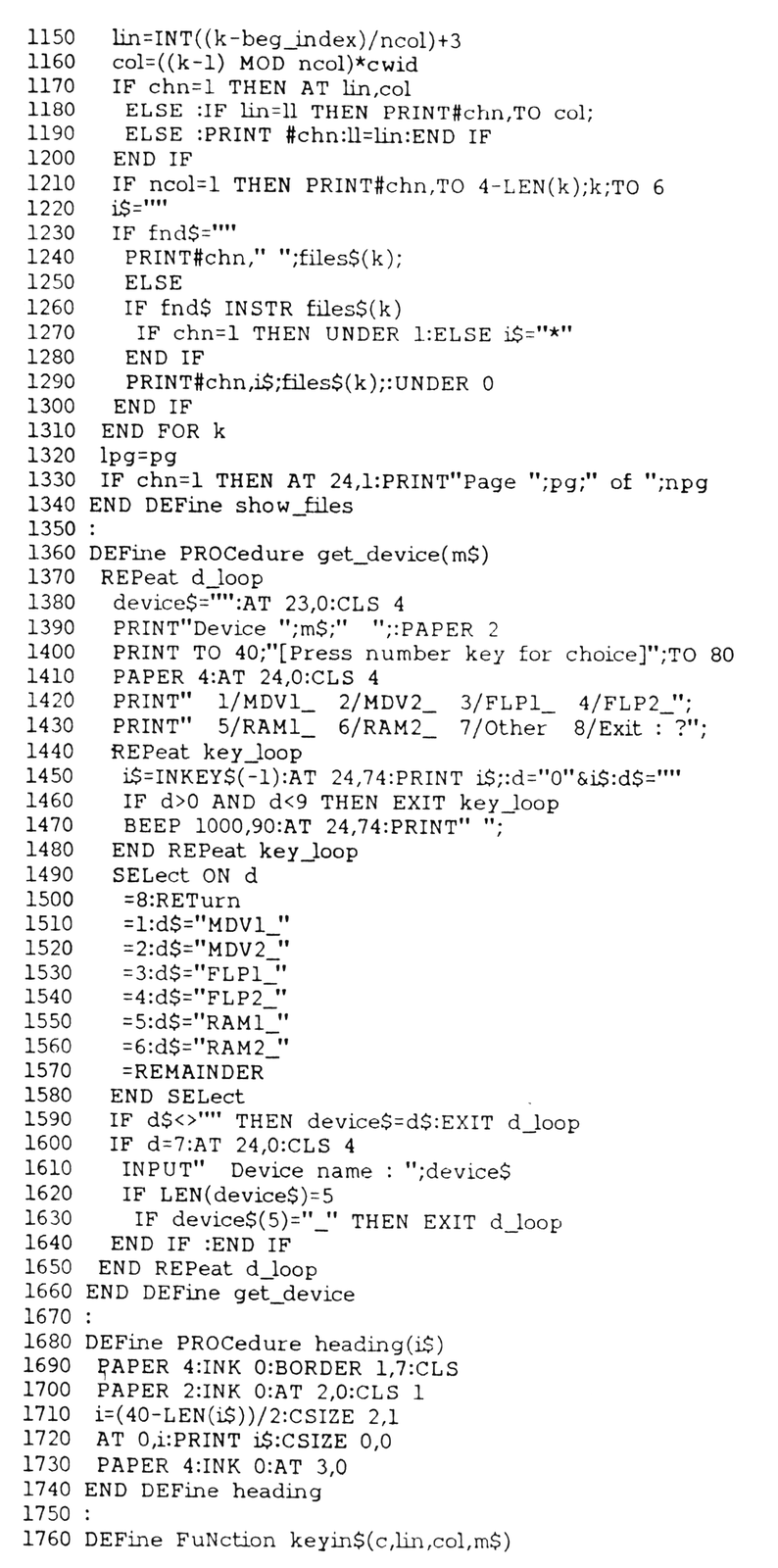
1770  AT#c,lin,col:CLS#c,4
1780  PRINT#c,m$;:PAPER#c,7:PRINT#c," ";
1790  i$=INKEY$(#c,-1)
1800  IF c=1 THEN PAPER#c,4:ELSE PAPER#c,2
1810  AT#c,lin,col+LEN(m$):PRINT #c,i$;:RETurn i$
1820 END DEFine keyin$
1830 :
1840 DEFine PROCedure dir_print
1850  k$="":heading"Print Directory to printer"
1860  AT 4,1:INPUT"Give heading : ";hd$
1870  AT 24,20:CLS 4
1880  PRINT"{Printing  to printer (ser1). Have printer online}"
1890  OPEN#7,ser1
1900  PRINT#7,"DIRECTORY of ";source$;" : ";a$;"  ";b$;TO 60;DATE$
1910  PRINT#7,\hd$\:show_files 7,0:PRINT #7,\\\\:CLOSE#7
1920 END DEFine dir_print
1930 :
1940 DEFine PROCedure sav:SAVE flp2_cdir_bas:END DEFine sav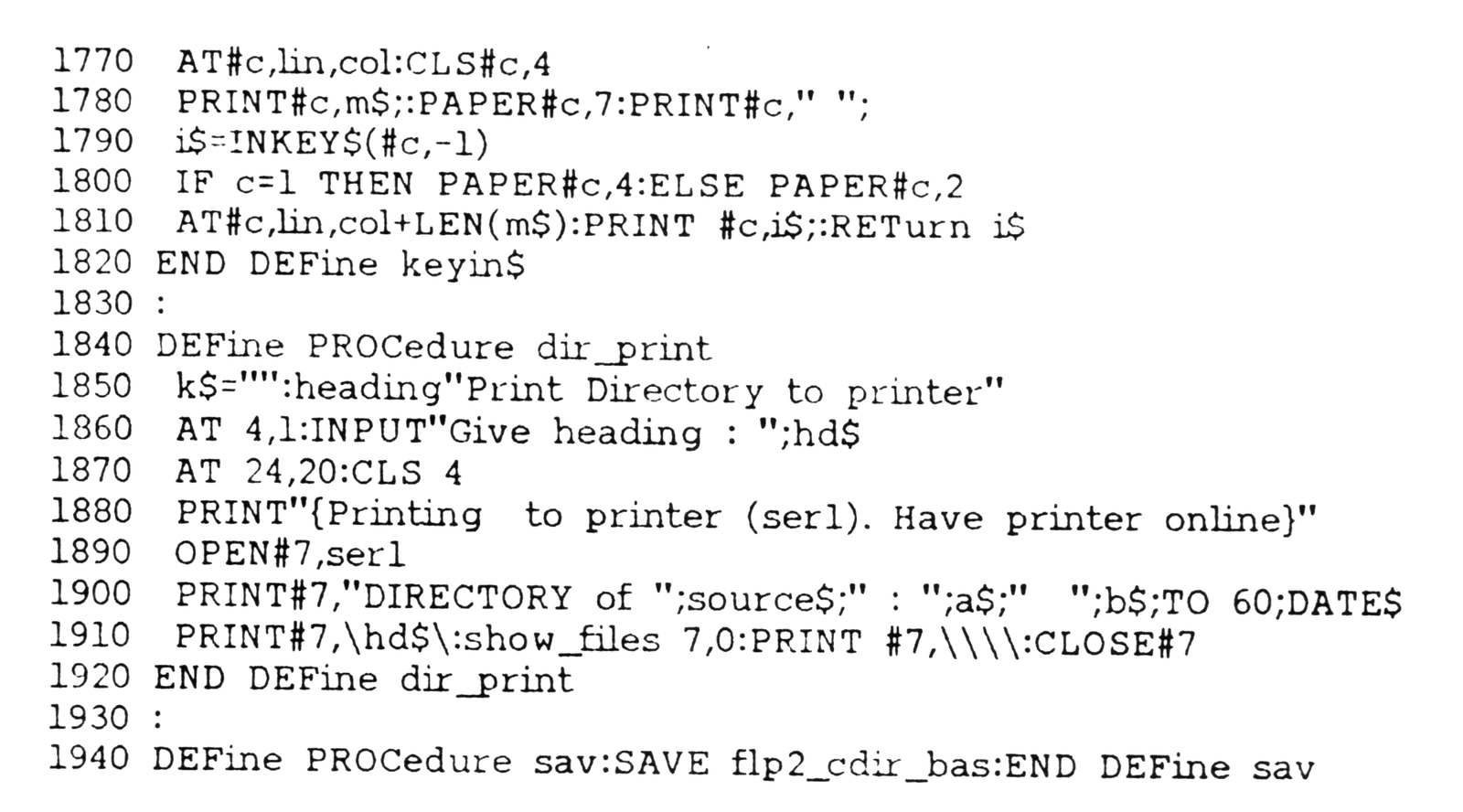
Ed note:
The above program is an abbreviated version of DIRLUX, available as a one of three programs on CHAOS BUSTERS, from Wood and Wind Computing, RR 3, Box 92, Cornish NH 03745. Other programs are Filex, a transfer program to place all your directories in an ARCHIVE Database, and DBEasy, a front end for ARCHIVE that accesses much of its power without need to learn database programming. Price $29.95 on disk, $33.95 on microcartridge.
Transcription note: In this printer the digit 1 and the letter l look the same; each is typed by context (for example ser1). Printed as is: line 940 is indented one level deeper than the other DEFine lines, and line 1880 has two spaces in “Printing to”.
Note: Type-in program listings on this website use ZMAKEBAS notation for graphics characters.