
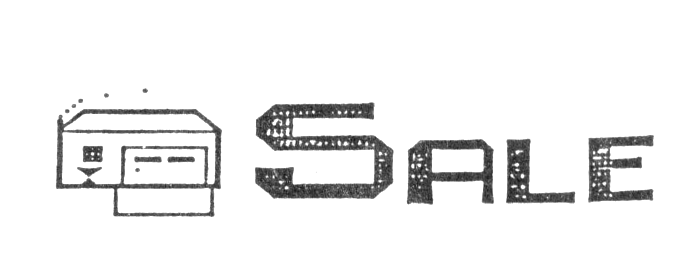
Like it’s namesake, the Colossus of Rhodes, Lemke Software Development‘s graphic banner designer utility “Colossus” stands head and shoulders above similar software. Colossus contains features that heavyweight soft-developer Broderbund Software has just recently added to it’s popular program “The Print Shop”.
Because of the popularity of “The Print Shop”, a graphic utility for lesser computers than our beloved TS2068, everyone knows what a “banner” is. “The Print Shop” allows any of several type fonts to be used for the message portion of the banner. It also permits a graphic picture to be included in front of and or behind the message.
What makes banners produced by “Colossus” different from those made by “The Print Shop” is “Colossus'” ability to include more than one type font in a single banner and the option of placing graphic pictures anywhere within the banner.
There are, unfortunately, no graphic pictures included with the program. The user must draw his or her own. Fortunately, the program contains an option for using redefined keys to print graphic symbols on the screen.
There are twenty symbol keys, nineteen stored graphics plus a blank space. Fourteen redefined keys duplicate the shifted and unshifted graphic symbols on the 1-5 and 7-8 keys. The other six symbols include a right triangle in four different orientations, a hollow square, and a small, centered square dot.
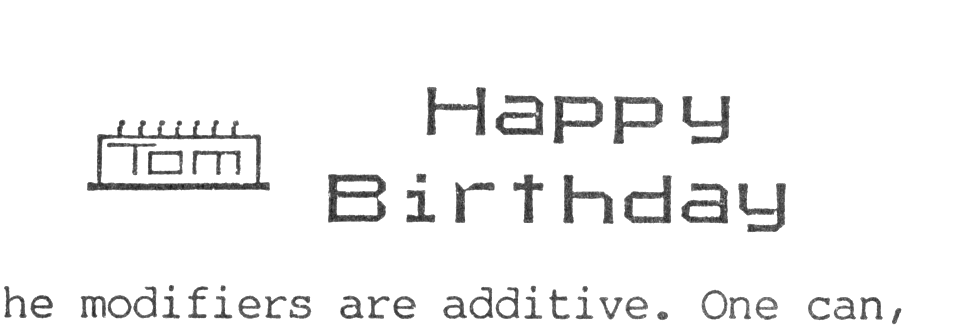
The text can be typed into the banner in any of three sizes and in two different type fonts. One font is the standard TS2068 system font; and the other is a calligraphy font called “Chancery”. Either of these two fonts can be modified to give a different look. The modifying options are bold, modern, and italics.
The effects of the modifiers are additive. One can, for example, use bold-modern-chancery font or a modern-italic-system font. All possible combinations of modified and unmodified fonts would give the user a choice of sixteen different type styles to be used in any one banner.
“Colossus” can store up to 1024 columns, or 32 screens, of data. It can horizontally scroll one column at a time while you are working on the banner. Rows can also be inserted or deleted. A portion of the banner can be copied to another portion. In a similar manner segments of the banner can be erased.
Once the banner has been completed, you can view your creation sequentially. The banner is scrolled from right to left across the screen a selectable number of columns at a time. A special feature allows you to set the scroll rate at thirty-two columns, one full screen, every four seconds. If successive screens have been designed correctly, your banner is animated.
The banner can be printed horizontally on a TS2040 printer or on a full size printer. The only catch to using a full size printer is that it must be supported by Zebra Systems Inc.‘s “ZPrint-80” print driver. My C.Itoh Prowriter is not. Gr-r-r! Along with printing, “Colossus” Saves and Loads banners via cassette tape.
A welcome piece of support software which would complement “Colossus” and the previously reviewed “Pixel Sketch and Graphics Editor” would be a utility for designing your own type fonts. I understand that one will be published in the upcoming issue of TIME DESIGNS. I’m looking forward to it.
“Colossus” is $19.95 and is available from Lemke Software Development, 2144 White Oak, Wichita, KS 67207. The program comes with two samples: “LSD-banner” and “Animation”.