
This article describes a way for owners of the LARKEN disk system to get around from program to program more easily in a multi-drive system. Larry Kenny has made a disk drive system possible for many T/S 2068 owners by making an interface for about $120 while drives can now be found used for under $50. This makes his disk drive system for under $200 comparable to the going price of a floppy drive system used on other 8 BIT color computer systems. If you never had the ability to run Spectrum programs because you didn’t want to open the case of your precious T/S 2068, Larry’s system fixes this problem by providing a place on his controller for a Spectrum ROM and a Kempstone Joy-Stick on his floppy drive interface. Adding his 250K RAM-DISK to my system has really brought me a long way from my old slow tape system.
The program presented here provides a way to find programs filed away on disk or tape and manage their movement within or between storage cases with relative ease. The second program will be a linking program that will allow you to move from drive to drive and easily select a program to run from the disk directory with very little typing. Even without a disk drive system, this article is very useful for those still using a tape system on their machines or those who wish to file audio or video disks or cassettes. Because this program was first written as a tape directory the program presented here is the cassette tape version with modifications given to change it to the LarKen disk directory version.
After years of collecting all sorts of program tapes for my T/S 2068 I began to have trouble finding the program I wished to run amoung the many boxes of tape programs I had aquired, and the list of new programs is still growing! This program has solved my problem by giving me a way to move titles in boxes from slot to slot with great ease. I then store this program in the front slot of the first box and run it first to find other tapes. I also use it to manage my VCR tape drawers and data disk library cases. I store the disk version on my LARKEN RAM-DISK for quick access. I used an earlier version of this program with my ZX81 as the first program on a tape of many programs to show the programs on a single tape and to load the desired program from it. Some may wish to modify this program to do these things.
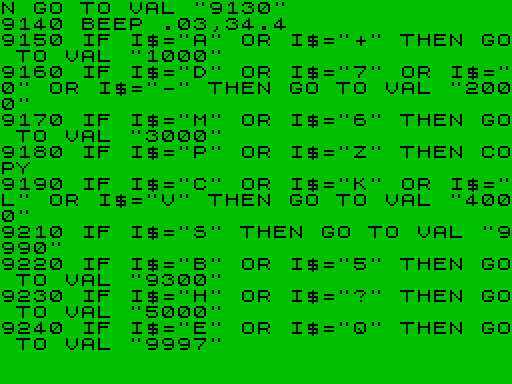
Each displayed board represents a storage box containing 20 slots. The 20 slots are divided into two columes of ten slots each. Please number these in your mind as 1 thru 10 on the left side and 11 thru 20 on the right. You may put titles as long as 12 characters into each space provided. You may then Add new titles, Delete titles, or Move a title from one slot to another slot either in the same box or a different box. The ability to see the titles in each box is as easy as hitting the ‘NEXT’ key or using the LEFT or RIGHT ARROW keys. A SAVE feature with VERIFY is also provided. LPRINT key will print the contents of all 12 boxes to your T/S 2040 printer and the COPY key will send a picture of the box on the screen to the printer. This can be taped to the inside of the clear plastic top of the tape storage box to show what is inside.
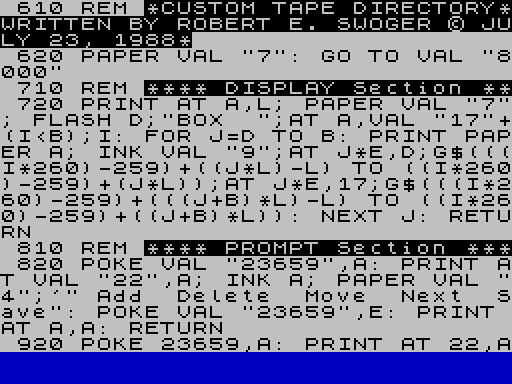
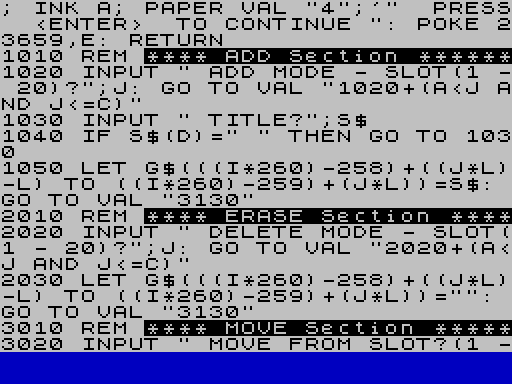
Now for a few tricks. In her book “T/S 2068 BASICS and BEYOND”, Sharon Zardetto Aker states that if we try to print to the 23rd and 24th line of the screen the system will crash. Line 820 shows one of three ways to do this without crashing. The second is an input statement in the form of line 1020 and the third is with the use of the statement “PRINT#1,”string”.
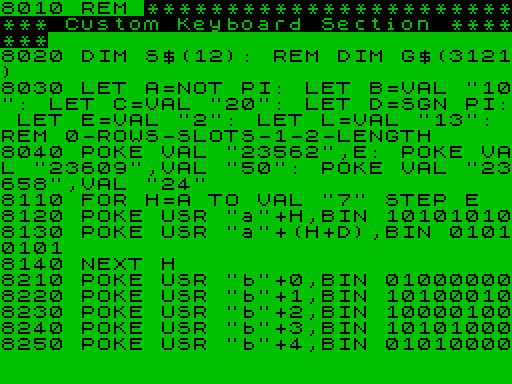
The CUSTOM KEYBOARD SECTION sets up custom features for your machine even after exiting the MENU program as long as the machine is not turned off or another program doesn’t reset the feature. In this section you may enter your favorite POKEs to adjust key ‘click’ or ‘repeat’ key hold down duration.
My favorite feature of the CUSTOM KEYBOARD SECTION took me a little time to find but was well worth the effort. Since I have been writing BASIC programs for about 16 years now, I was accoustomed to having my terminal come up in the CAP or upper case mode to answer prompts. This is accomplished in line 8040 with the POKE 23658,24 statement. POKEing this flag to 16 will cause the machine to return to the lower case mode.
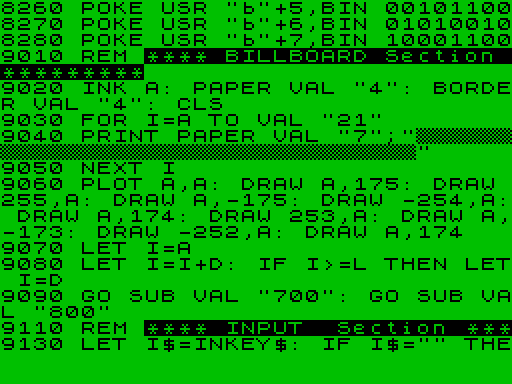
A ‘c/o’ key is provided on the GRAPHICS ‘B’ key in the CUSTOM KEYBOARD SECTION as are a few other things. The GRAPHICS ‘A’ is set-up to provides the interesting background for the MENU board. This key is provided on the ZX81 but not the T/S 2068 and is a nice background on monochrome monitors. It will look purple on a color monitor although it is truely black and white!
Now for a few words about abreviating. As I stated earlier, there is room for only 12 character titles. To fit in longer titles, try leaving out first the vowels, then one of the consecutive double letters in a word. If the word starts with a vowel, leave it in. Most long titles will still make sense. You can use this trick for many other data records in filing systems. If someone misspells a word, it is often because they used the wrong vowel. The ancients could read and write without vowels and you will find that, knowing the rules, you will too. Also, it does save BITES!
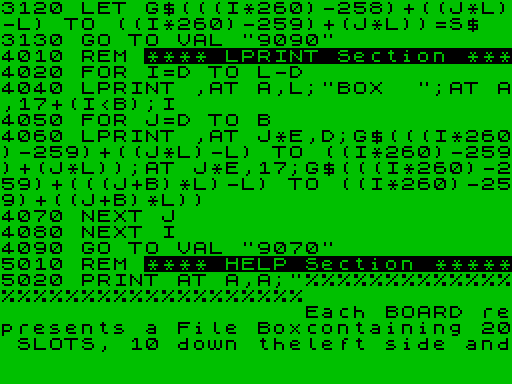
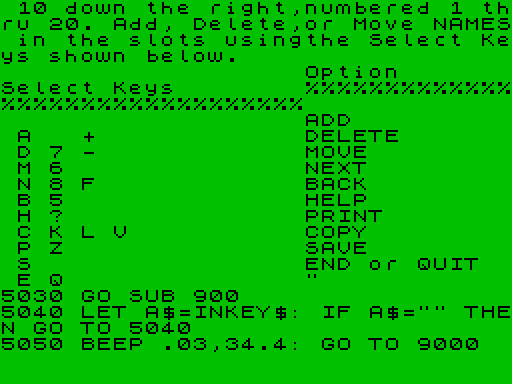
A HELP screen is also available to show all the possible keys that will give you desired results. Just press ‘H’ to see the HELP file.
I suggest that when storing tapes or disks that you try to keep a particular theme in each box, utilities in one box, games in another, word processors in another, terminal programs in another, etc. In this way locating a program is made easier. My recently aquired disk library-cases hold 10 disks each. I backup my LARKEN RAM-DISK on disk 0 and then put disks 0 through 9 in the first case, 10 through 19 in the next case and so on. I then use slots 11 through 20 of the menu board to comment or expand the description for the first 10 slots.
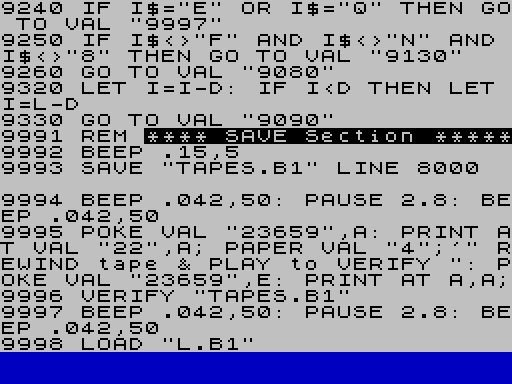
To change the program for use as a LARKEN disk directory change the following lines:
 610 REM *CUSTOM DISK DIRECTORY*
9993 PRINT #4: SAVE "DISKS.B1" LINE 8000
9995 POKE 23659,0: PRINT AT 22,0; PAPER 4;'" Now preforming CRC ": POKE 23659,2: PRINT AT 0,0
9996 PRINT #4: VERIFY ""
9998 PRINT #4: LOAD "L.B1"
To initialize and save the program, after loading it into the T/S 2068 and making ready your storage device, type the following in the immediate mode:
DIM G$(3121): GOTO 9990 <ENTER>Never RUN this program as all the DATA will be erased! Use GOTO 1 instead.
This program can be downloaded from the Motorola BBS using MTERM II on your Westridge 2050. Use the data parameters 8-N-1 Full-DUPLEX, buffer conversion HEX and the buffer closed and empty. Call the BBS and after connecting hit <ENTER> until you get the ‘>’ prompt. Then type: LOG SINCLAIR/GUEST
Go to the BBS download section and download either DISKS.B1 or TAPES.B1 .
Media
Note: Type-in program listings on this website use ZMAKEBAS notation for graphics characters.