This series of articles deals with Bill Jones’ suite of word processing programs, as customized for our computer system of TS-2068, LKDOS (L3) and 9-pin printer by Brother M-1109. Frank Davis has a copy of our “new and improved” version of Daisy.
We learned, early on, that the small RAM of the 2068 created one bottleneck of an obstacle to the implementation of all the essential features of contemporary Word Processors. Bill’s solution is called “extra-memory programming” which can be very disk-intensive, and the original version of Daisy is really strapped by this disk-intensity. Software interrupts continually impeded the flow of work at the keyboard, so much so as to be unsuitable for word processing in these days of “cheap” computer memory.
Our modifications of the original Daisy programs endeavor is to improve upon Bill’s rather slavish abuse of LKDOS, in order to gain “extra memory”. But, let it be said HERE AND NOW, that while some of Bill’s code is annoyingly slow, it all works, reliably, and exhibits extreme ingenuity.
Now, we can continue to describe the operations of our new and improved Daisy word processor, using our TS2068, LKDOS (L3) and 9-pin printer Brother M-1109. First of all, there is only one disk called for: DATA DISK. As before, the program disk is the drive (from 0 to 4) from which Daisy is LOADed, but the program derives this information from location 110 of the LKDOS software. Thus, we cut in (roughly) half the number of software interrupts, impeding work flow on our word processor at the keyboard. As before, DATA DISK refers to the number (from 0 to 4) of disk drives, from where input data be sought.
In order to remove this last requirement for LKDOS, simply change the entry point from 9998 to 2070, and replace any RANDOMIZE USR 100: GOTO pd with GOSUB 30. This restores the requests for PROGRAM DISK, which can be answered by your DOS, given suitable conversion of syntax from LKDOS to JLO DOS, for example.
Our version of Daisy has four different names: ManlAd, PO+MM, IN+ED, and dbms, according to which application of word processing the limited RAM of our TS-2068 be called upon to execute.
Bill’s original version changed itself by four different values for “TURBO”, according to the application… . The change used DELETE and MERGE of disk files, an agonizingly SLOW process.
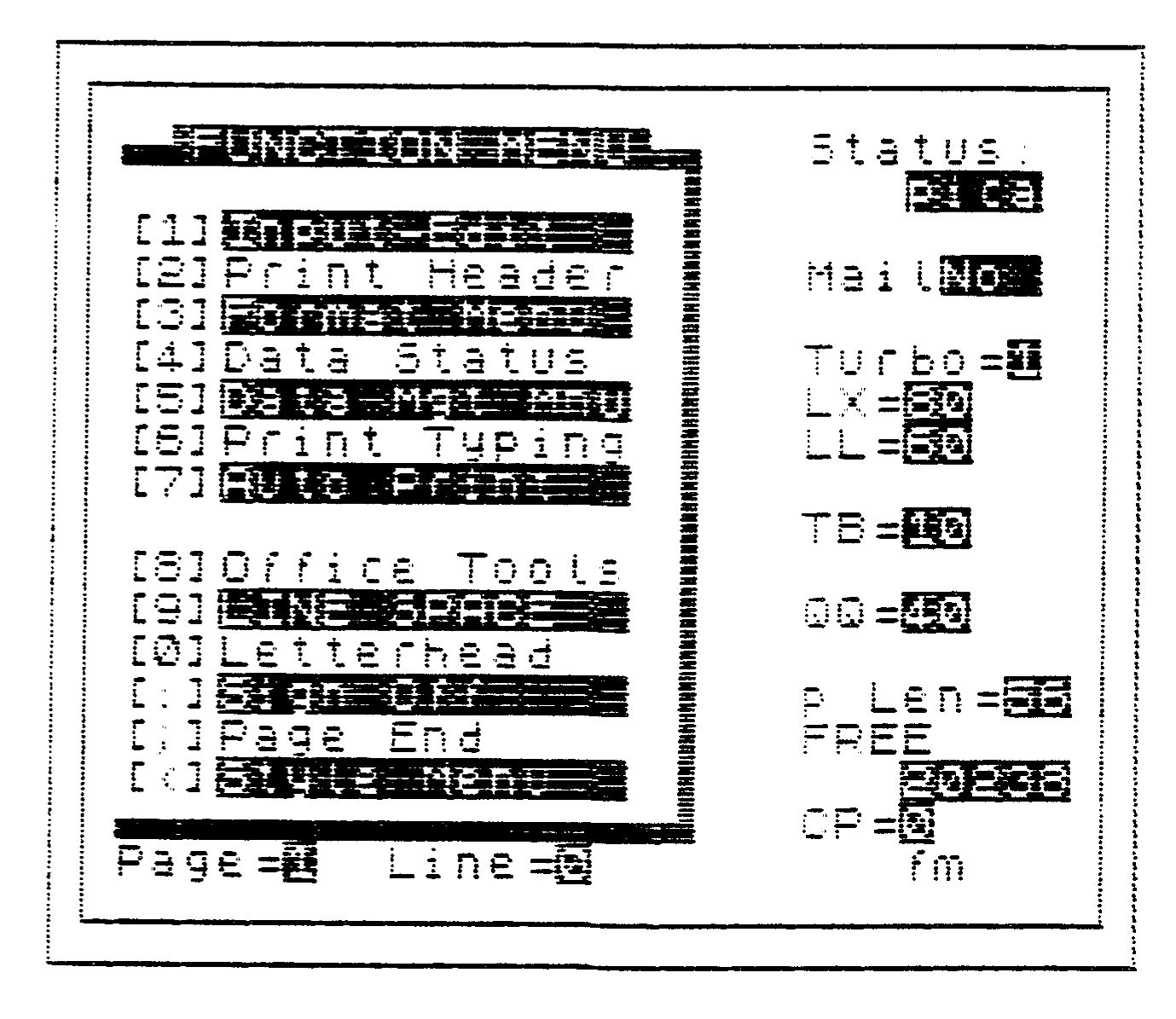
Upon LOADing ManlAD, or PO+MM, six prompts lead to our main menu, the FUNCTION MENU. Upon LOADing IN+ED, or dbms, the FUNCTION MENU comes right up immediately.
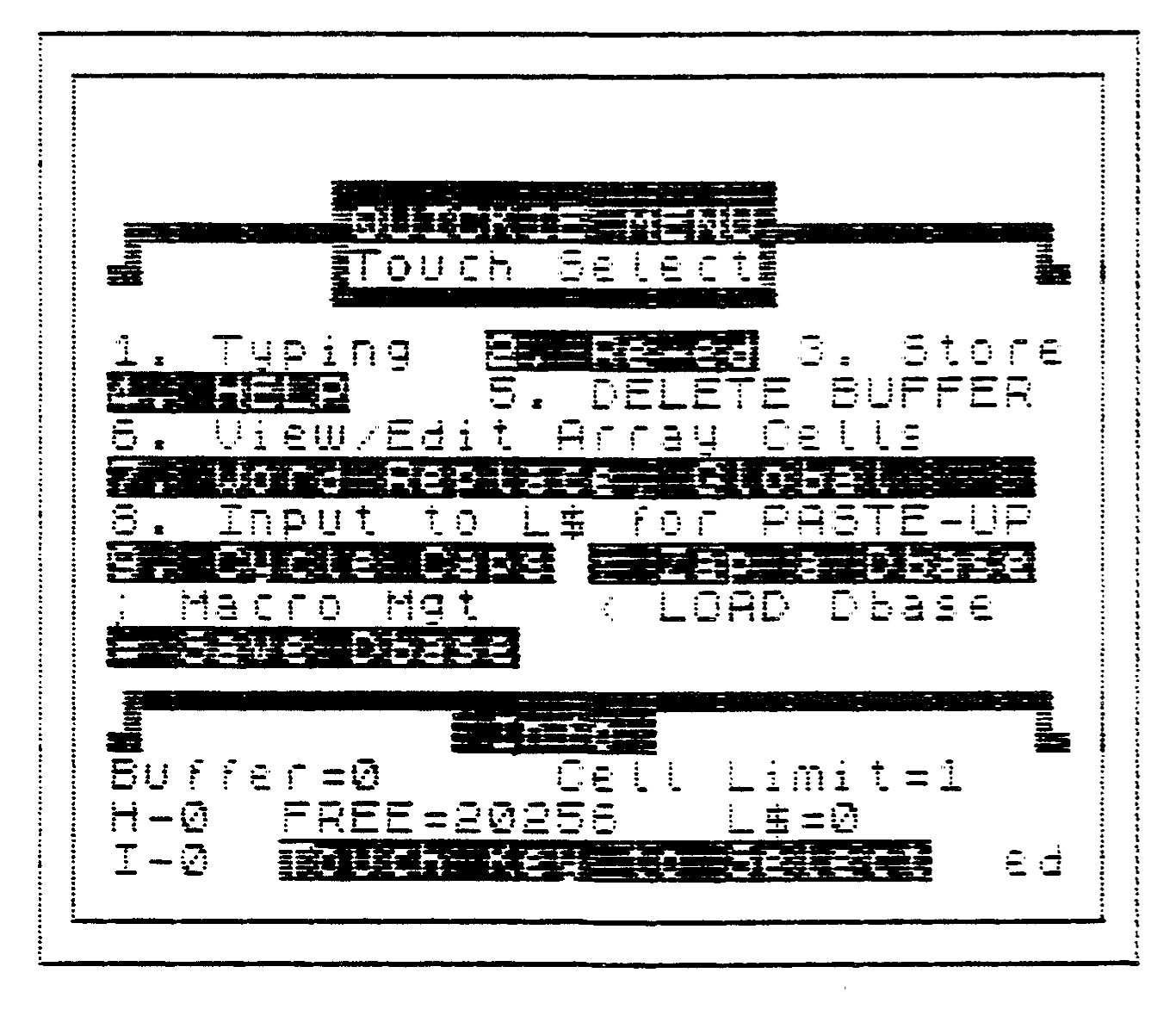
Option #1 on the function menu loads the QUICKIE MENU on ManlAD and IN+ED. Option #1 is disabled on both PO+MM and dbms.
Before this gets too confusing, let us say that we both SPEEDED UP and SHRUNK DOWN Daisy, while breaking Daisy out into the four main applications of word processing, printing out with Manual Addressing TURBO 3 , printing out with Mail Merge addressing TURBO 2 , Input/Edit TURBO 1 and dbms, a gateway to data base managers TURBO 0
Next time, we will get into the Quickie Menu.